

Available in🇮🇳 India🇲🇾 Malaysia🇸🇬 Singapore🇺🇸 United States
Check the Prerequisites and steps to test the Subscriptions and the various flows.
Prerequisites
- Use your test [KEY_ID] and [KEY_SECRET] while testing. This can be generated from the Dashboard by generating API keys in the test mode.
- Ensure you are using your Dashboard in the test mode. Some options mentioned in this article are available only in the test mode.
Steps to Test Subscriptions
To test Subscriptions:Configure a Webhook
Configure a Webhook
Before you create Subscriptions, configure a test webhook to receive notifications regarding Subscriptions.
Create a Plan
Create a Plan
Create a Plan from your Dashboard and use them in your code while creating Subscriptions. You can also create Plans using Razorpay Subscriptions APIs.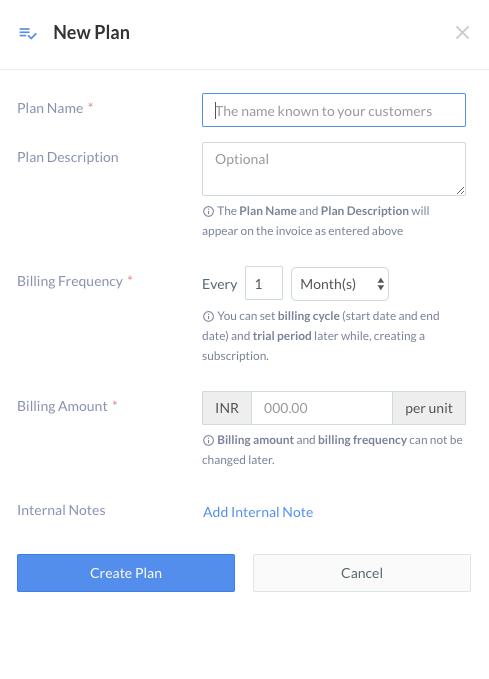 EaxmpleCreate a Plan with a billing amount of ₹500 and a cycle of 2 months.
EaxmpleCreate a Plan with a billing amount of ₹500 and a cycle of 2 months.Create a Subscription
Create a Subscription
You must create a Subscription for every customer using a Plan. You can create Subscriptions from the Dashboard or using APIs.Example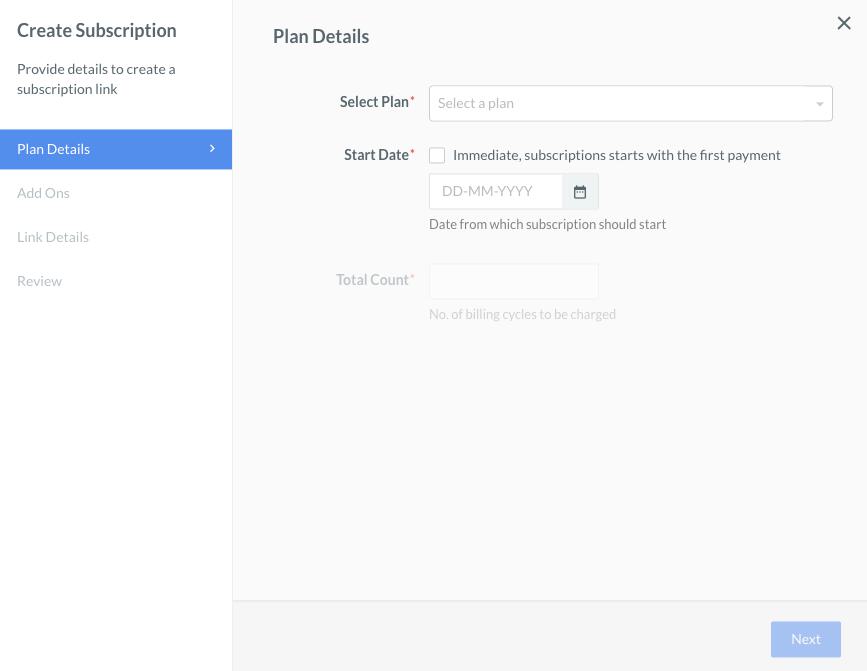 You can also create Subscriptions using APIs. A sample request and response for the creation of Subscription A and Subscription B is given below.Both Subscriptions are now in the
- Create Subscription A: A Subscription for the Plan created above, to be charged a total of 6 times and due to be started immediately.
- Create Subscription B: A second Subscription for the same Plan, to be charged a total of 6 times, due to start on 1st January 2026.
You can also create Subscriptions using APIs. A sample request and response for the creation of Subscription A and Subscription B is given below.- Subscription A
- Subscription B
created state and await an authentication transaction where the payer authenticates the use of their card.To authenticate a Subscription using your checkout, that is, a Subscription created using APIs, make a regular payment using Razorpay, but pass an extra parameter
To see this in action, use the following code on a test webpage, and hit the Authenticate button. This triggers a Razorpay payment that in turn authenticates the Subscription.The above code only contains the minimum required options that need to be sent to initiate a payment, that is, only
subscription_id in the options sent to the Razorpay Standard Checkout request. To see this in action, use the following code on a test webpage, and hit the Authenticate button. This triggers a Razorpay payment that in turn authenticates the Subscription.
Auth Payment
key and subscription_id are mandatory. Check the checkout fields for a complete list of options that can be passed.Authenticate a Subscription Using a Link
Authenticate a Subscription Using a Link
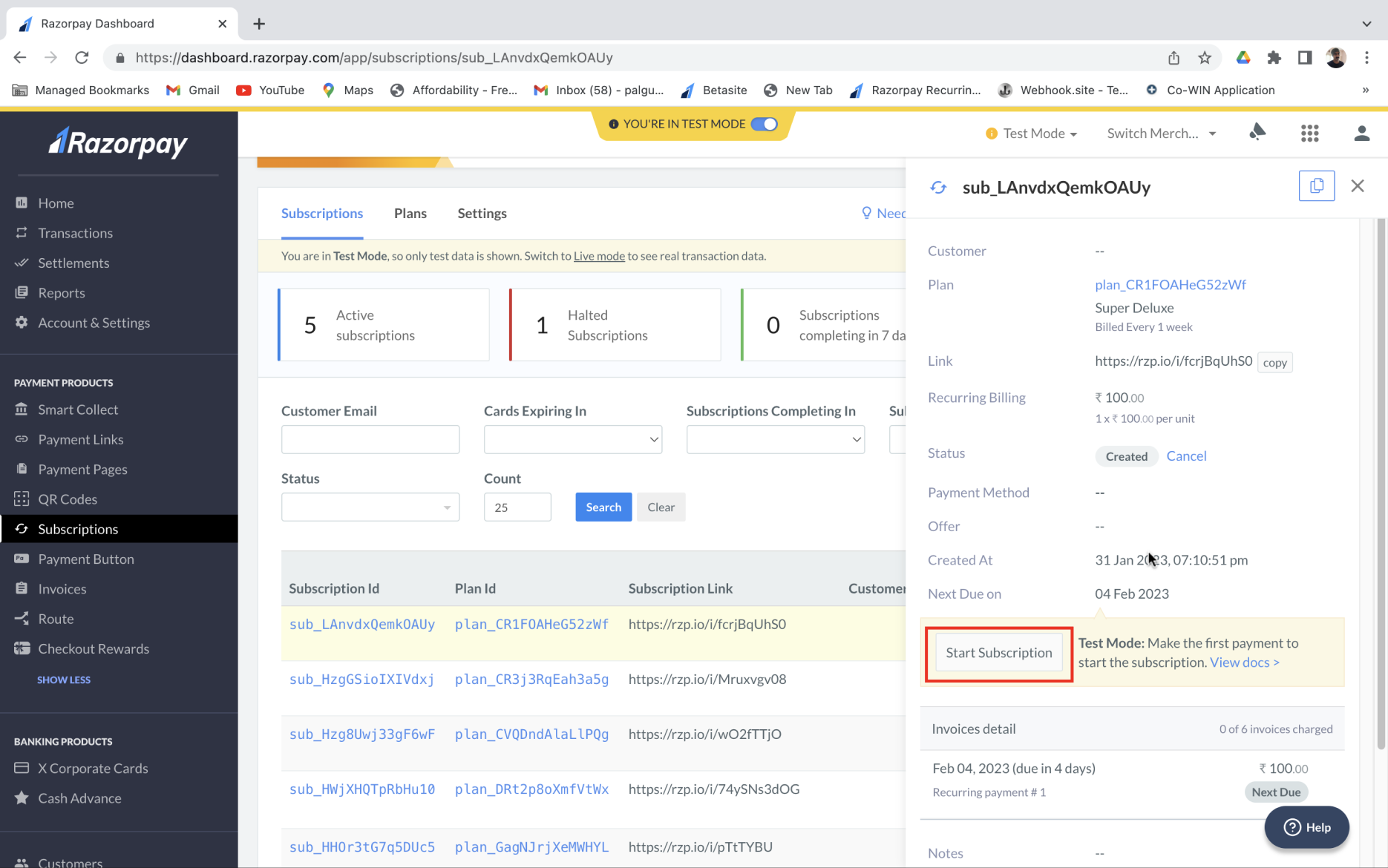
- Log in to your Dashboard, click Subscriptions under PAYMENT PRODUCTS and then click Subscription Id to be authenticated → Start Subscription.
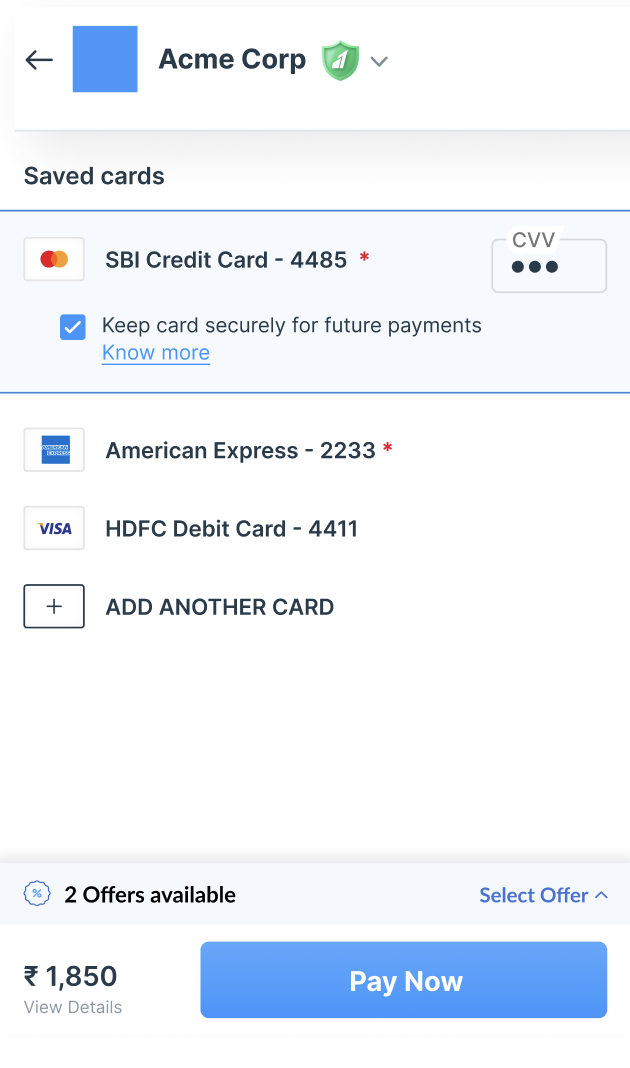
- Click PAY BY CARD, enter a CVV and click PAY.
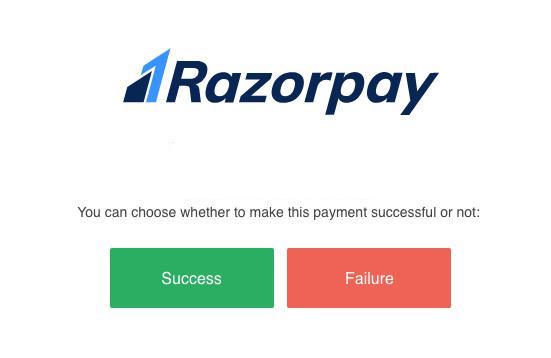
- Click Success to authenticate the payment.
Test Card Details
Test Card Details
Use the following test card details to make the authentication payment:
Payment Amount
Payment Amount
Unlike a regular payment, you do not need to pass the amount as an option. This is because the amount to be charged is determined by the Subscription that is being authenticated.
- For Subscription A, that is, to start immediately upon completion of this payment, the charge amount will be ₹500, that is the amount we used while creating the Plan.
- For Subscription B, this payment acts only as an authentication step, as the Subscription is not due to start until January 2026. So for Subscription B, the charge amount is ₹5, a token amount that is immediately refunded.
After Authentication Payment
After Authentication Payment
After the payment is completed successfully, Subscription A is marked as
At this stage you receive the webhook payloads for the 2 events that Subscription A has gone through.
Performing the same payment request on Subscription B results in being marked as
active.Subscription A At this stage you receive the webhook payloads for the 2 events that Subscription A has gone through.
- First, you receive the
subscription.activatedwebhook when Subscription A moves from theauthenticatedto theactivestate. - Next, you receive the
subscription.chargedwebhook when a payment is successfully charged on Subscription A.
Performing the same payment request on Subscription B results in being marked as
authenticated. It is not charged, as it is not due to start for a few months. For this reason, no webhook events are triggered by performing an authentication payment for Subscription B.Subsequent Charges
Subsequent Charges
After the initial payment (the authentication charge), all subsequent charges for a subscription are automatically triggered by Razorpay. Each time a charge is triggered, its outcome is communicated by the webhooks to the Subscriptions entity.In test mode, you can simulate these charges from the Dashboard using the Charge this now button. This allows you to trigger all the events associated with a due subscription, enabling testing without having to wait until the actual due date (for example, January 2026 for Subscription B).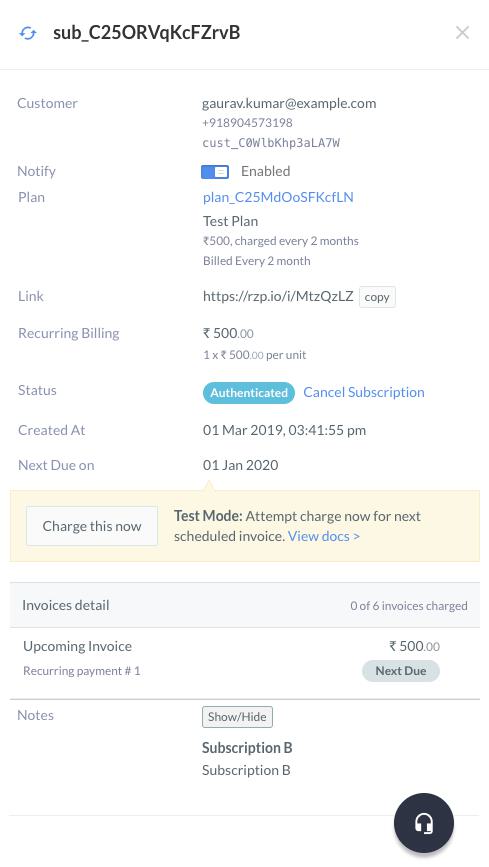
Expected Webhooks
Expected Webhooks
You can now integrate with Razorpay webhooks to verify that different webhook events are being consumed correctly.Example
- Triggering a test charge on Subscription A results in a single webhook event:
subscription.charged. - In contrast, triggering a test charge on Subscription B from the Dashboard causes it to move from the authenticated state to the active state. This indicates that the
start_attime for Subscription B has passed, thereby triggering thesubscription.activatedwebhook event. Immediately after, the charge is processed, resulting in thesubscription.chargedwebhook being triggered.
Manage Subscriptions
Following are the steps to handle charge failures, halted Subscriptions, manually charge invoices and completed and cancelled Subscriptions:Handle Subscription Charge Failures
Handle Subscription Charge Failures
After the first payment, that is, the authentication of the Subscription, all subsequent charges are triggered automatically by Razorpay. When Razorpay initiates the automatic charges, it is possible that a charge attempt on the card saved for a Subscription could fail. In this case, the failure event webhooks are triggered.To simulate this in test mode, the test charge option prompts you to choose the result of a manual charge attempt.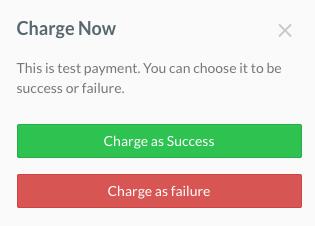
If there are any incomplete charges, you have to manually attempt to charge the card again from the Dashboard.
- To charge a Subscription as a success, a new payment is simply created (and captured), and the
subscription.chargedwebhook is triggered. - To charge a Subscription as a failure, the Subscription moves from the
activeto thependingstate, and thesubscription.pendingwebhook event is triggered. With each failure, the number of charge attempts made on a Subscription increases, and the next charge time is updated by a single day, rather than the actual plan period, which in this case is two months. - If you fail a charge 4 times in a row, all the available retries get exhausted. This results in a Subscription being marked as
haltedand thesubscription.haltedwebhook event is triggered.
Charge Failure Scenarios
Charge Failure Scenarios
Following are some payment failure scenarios and how they can be handled:
Card failure, but payment success on auto-retry
Card failure, but payment success on auto-retry
When a payment fails, an auto-retry is attempted. If the payment succeeds on subsequent auto-retries made by the customer, we:
- Trigger the
subscription.chargedwebhook. - If the customer notifications are handled by Razorpay, the customer receives an email confirmation.
- Move the Subscription from the
pendingto theactivatedstate. - Trigger the
subscription.activatedwebhook.
Card failure and payment failure on auto-retry
Card failure and payment failure on auto-retry
When the last auto-charge attempt made by your customers was unsuccessful and the subsequent retries were also exhausted, we:
- Send an email requesting manual attempt of a charge or request change of the card if the customer notifications are handled on Dashboard.
- Move the Subscription to the
haltedstate. - Trigger the
subscription.haltedwebhook. - Continue generating invoices in the
haltedstate, but we do not attempt a charge on them.
Customer changes card on payment failure
Customer changes card on payment failure
When a customer changes the card due to failure of a recurring payment, we:
- Automatically perform a charge on the new card.
- On a successful charge, the following webhooks are triggered:
subscription.chargedsubscription.activated
- The Subscription is moved from the
haltedstate to theactivatedstate.
Halted Subscriptions
Halted Subscriptions
Once a Subscription has reached 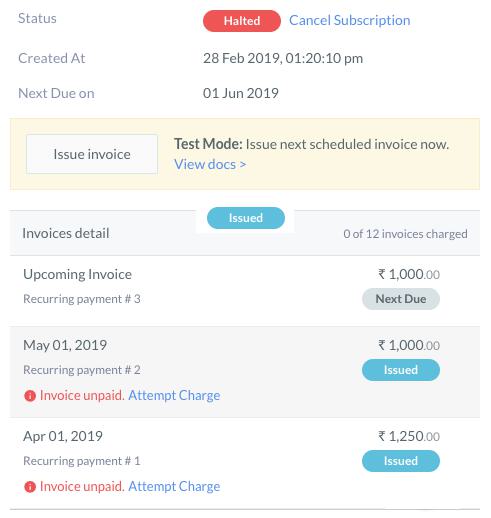 In test mode, the Charge This Now button available on Dashboard is replaced with an Issue Invoice button for
halted state, Razorpay no automatic charge attempts are triggered on the saved card. However, invoices continue to be issued in accordance with the original plan.In test mode, the Charge This Now button available on Dashboard is replaced with an Issue Invoice button for halted subscriptions. Using this option, a new invoice is issued, but no charge is attempted on the saved card.Manually Charge an Invoice
Manually Charge an Invoice
The invoices created by a Subscription may remain in the 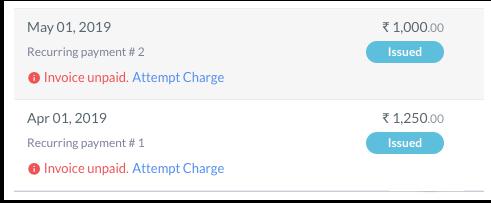 Using this option, a new charge attempt is triggered on the issued invoice, and does not increase the number of retries remaining for a Subscription.
issued state if the charge attempts on the saved card results in a failure. Once the maximum number of retries attempts are exhausted:- The Subscription is moved to the
haltedstate. - The Subscription moves on to the next recurring payment, that is, the next invoice.
Using this option, a new charge attempt is triggered on the issued invoice, and does not increase the number of retries remaining for a Subscription.Manual Charging an Invoice Vs. Test Charging a SubscriptionManually charging an issued invoice is different from performing a test charge on a Subscription.
- A manual charge on an invoice is possible even in live mode. This can be done anytime an invoice is observed to be in the
issuedstate. A manual charge attempt does not count toward the remaining retries for a Subscription. - A test charge on a Subscription can be triggered only in test mode. The result of this charge attempt is up to you. If you choose to fail the attempt it counts toward the remaining retries that a Subscription has before it moves to the
haltedstate.