

Available in🇮🇳 India
You can accept payments from your customers using Netbanking. The customers enter their Netbanking credentials to make payments. This method is available by default. No additional integration or permissions are needed to enable this method at your application Checkout.
Netbanking Payment Flow
The diagram given below represents the payment flow for netbanking: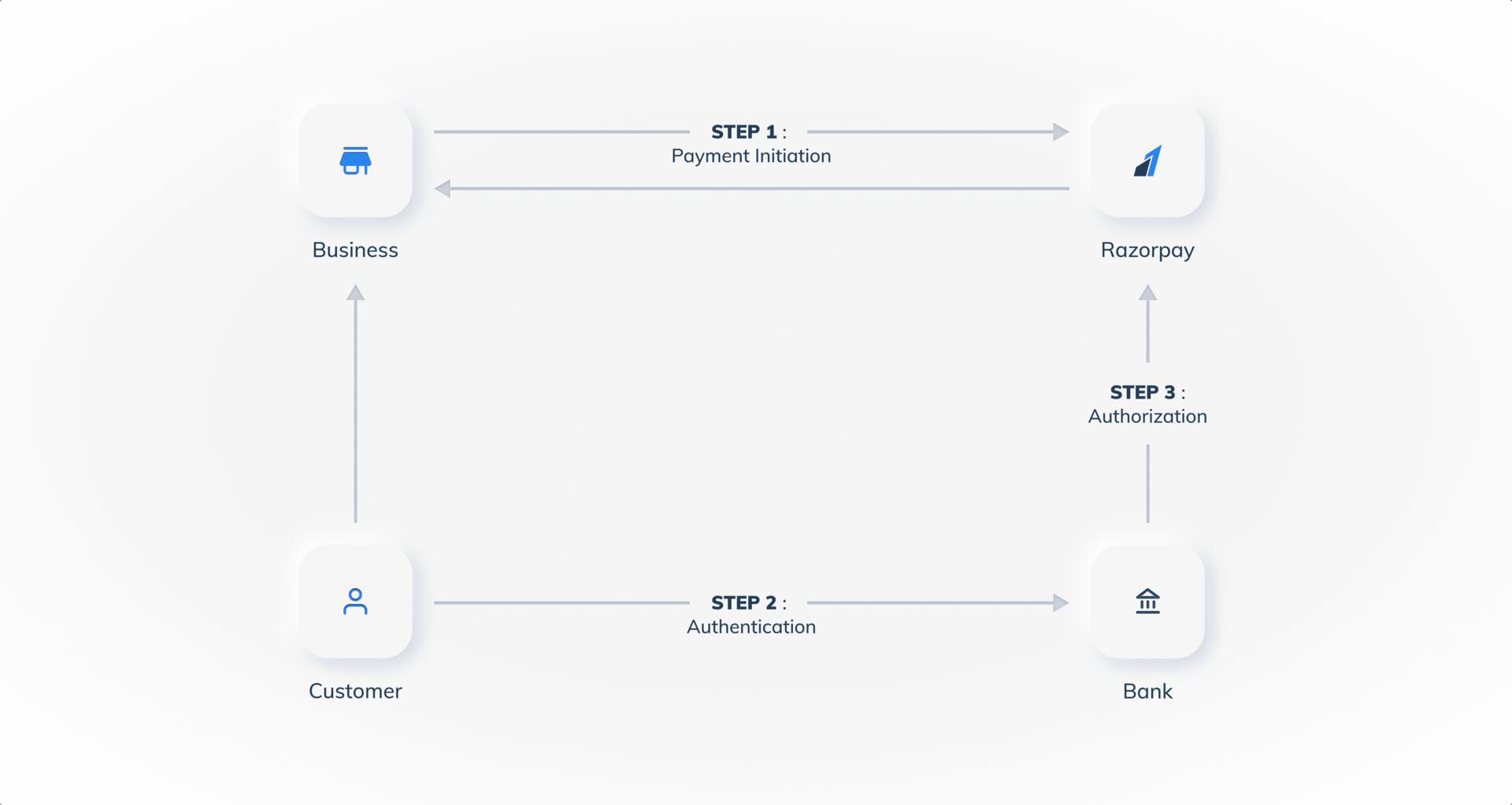 To pay using the Netbanking payment method, customers:
- Select Netbanking as the payment method on the checkout page and choose their bank from the list of supported banks.
- Are redirected to their bank’s secure login page.
- Enter their Netbanking credentials (User ID and Password) to authenticate.
- Review the payment details and authorise the transaction.
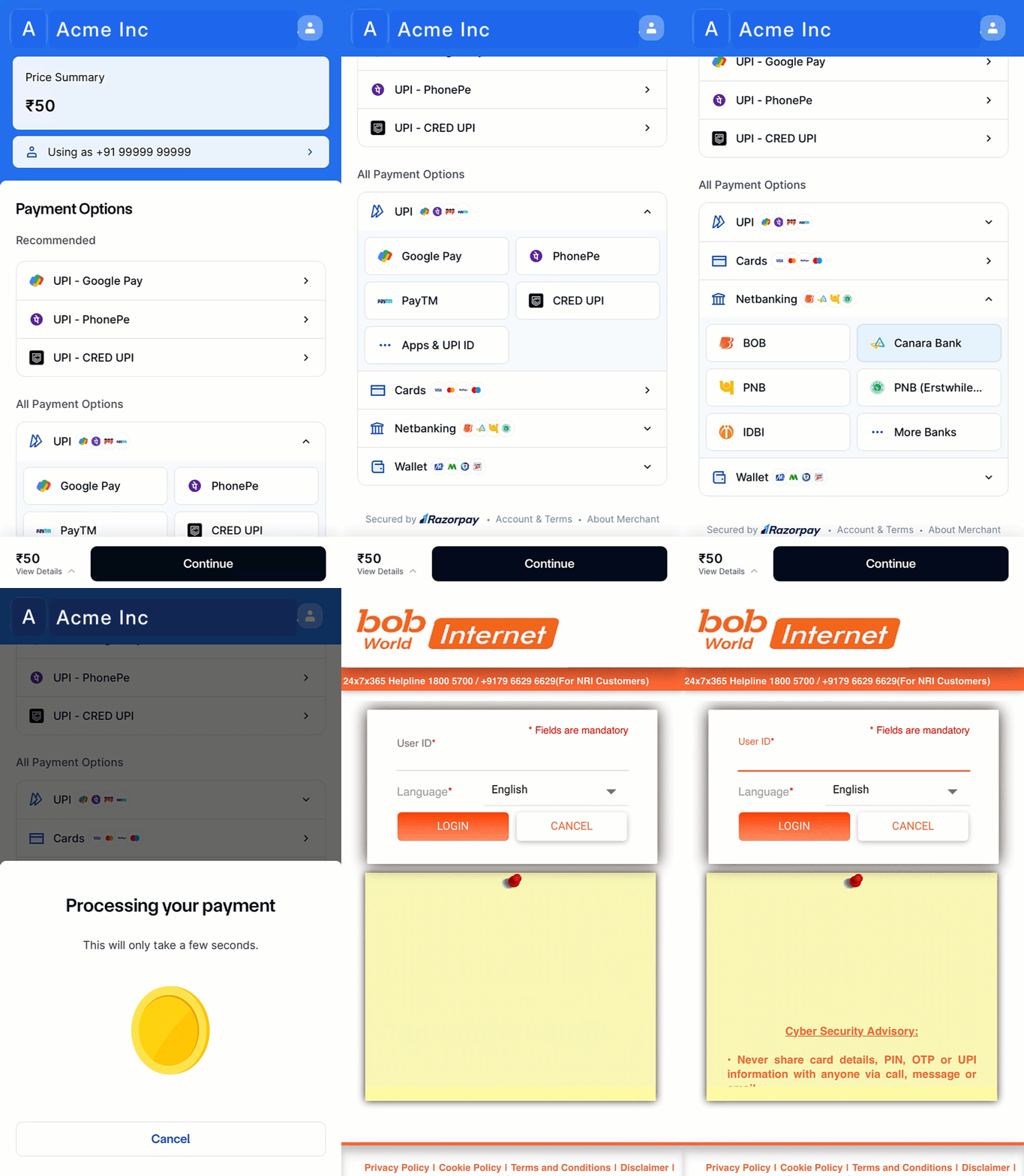 After successful payment, customers are redirected back to your website or app with the payment confirmation.
Supported Platforms and Availability
Supported Platforms and Availability
Supported Banks
List of supported banks:
List of supported banks:
Fetch Supported Methods
Use the below endpoint to fetch a list of banks Razorpay supports for netbanking payments:GET /methods