

Available in🇮🇳 India🇲🇾 Malaysia🇸🇬 Singapore🇺🇸 United States
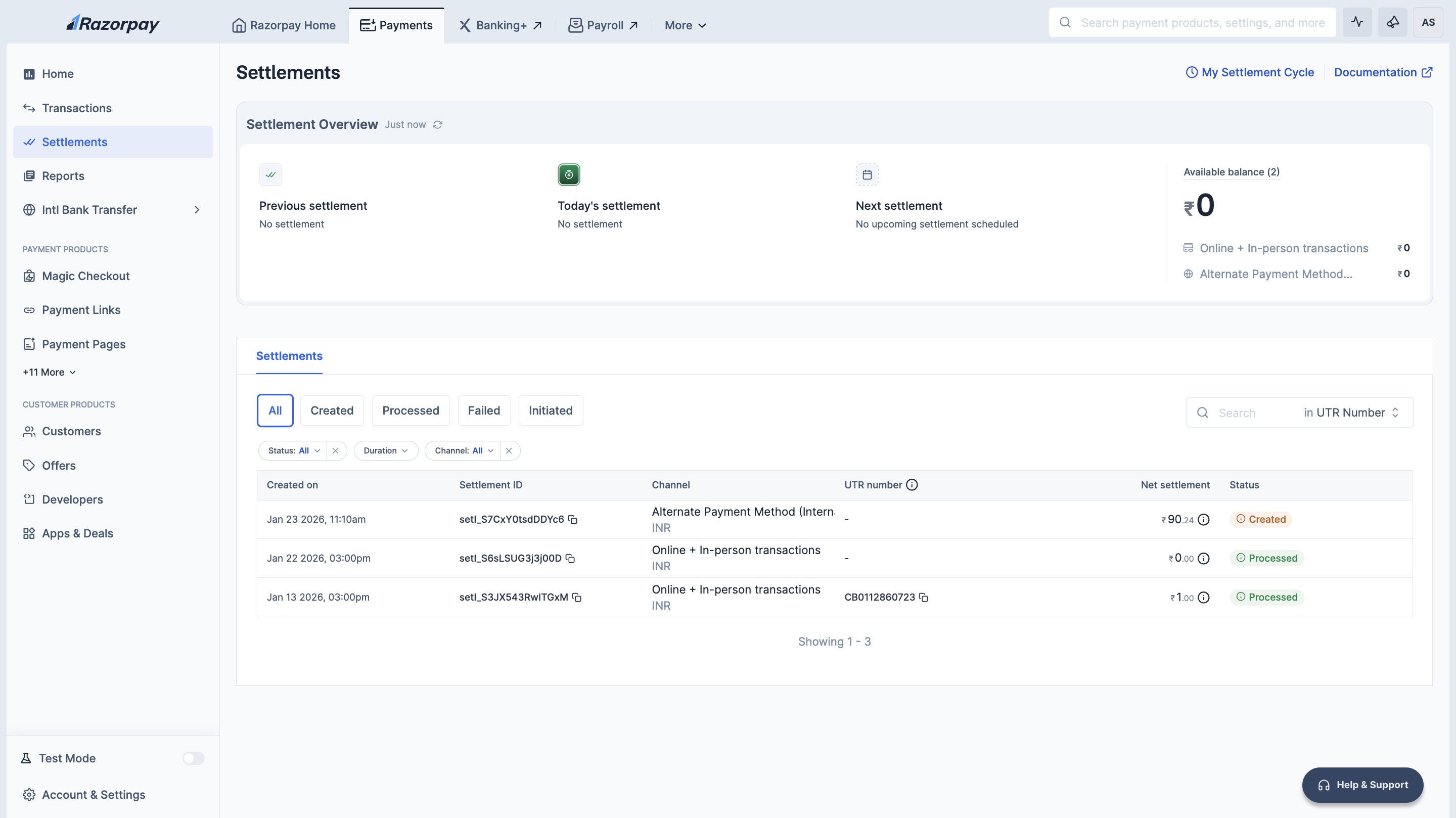
You can view details regarding your settlement cycle and next settlement date on the Dashboard.
View Settlement Details
To view settlement details:- Log in to the Dashboard.
- Click Account & Settings and navigate to Settlement details under Business accounts and settlements section.
- You can view the following information:
- Settlement Details: Click View Settlement Cycle to view default and other settlement cycles.
- Available Balance: After the deduction of fees and tax, the payments received from your customers are added to your Available Balance.
- Next Settlement: Date and time of next settlement.
Segregated Balances
If you are an omni-channel business (using both Payment Gateway and POS) or a cross-border business, your balances are segregated by channel type (Online (Domestic transactions + International Cards), In-person and Alternate Payment Method (International)). This ensures complete fund isolation and regulatory compliance.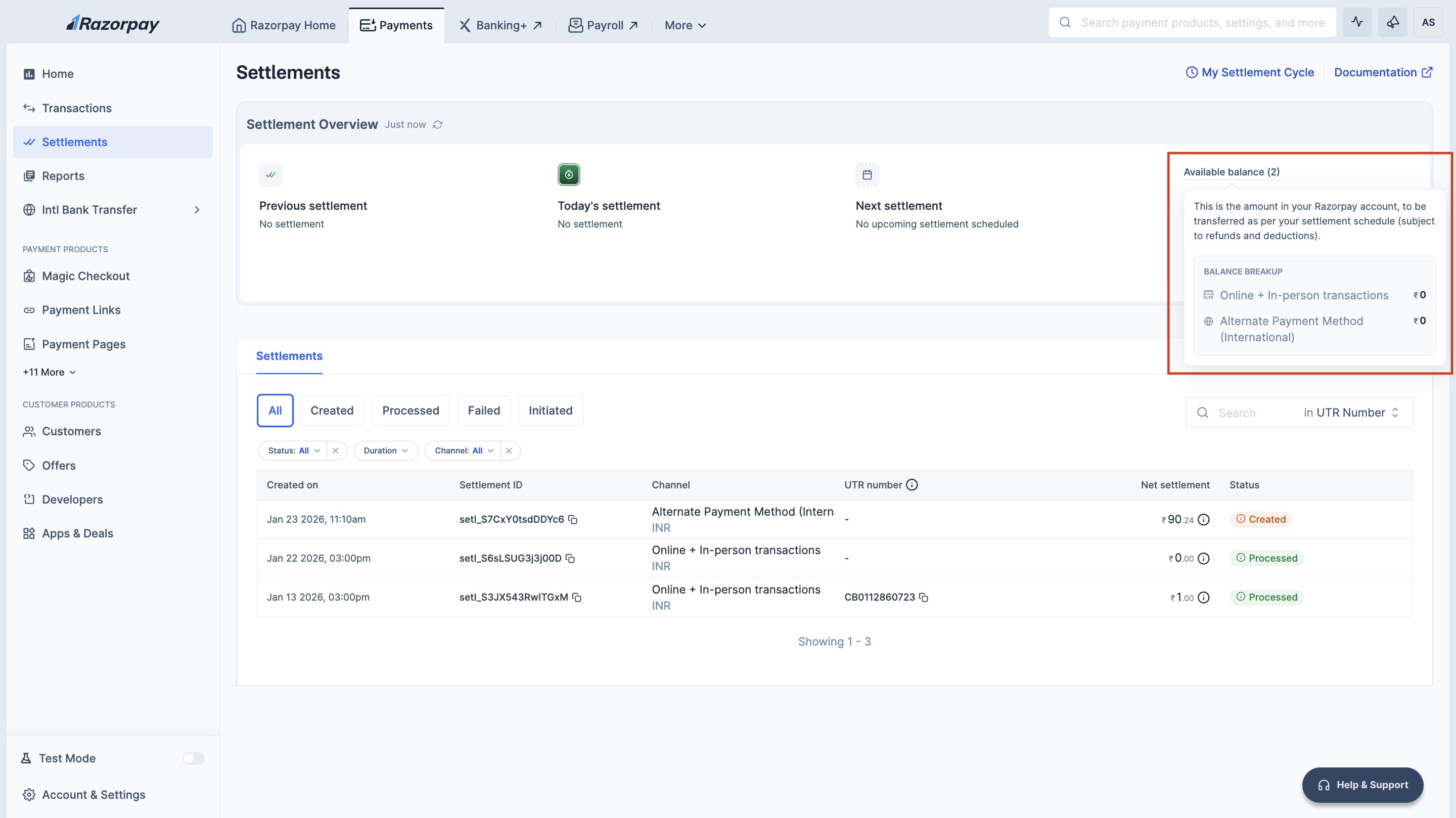
Types of Segregated Balances
Razorpay maintains separate balances based on your payment channels:View Channel-Wise Balances
To view your segregated balances:- Log in to the Dashboard.
- Navigate to Account & Settings → Settlement details.
-
You will see balance cards for each channel type such as:
- Online (Domestic transactions + International Cards): Balance from domestic online payments and international card transactions.
- In-Person: Balance from POS terminal transactions (all POS/offline transactions).
- Alternate Payment Method (International): Balance from international bank transfers.
- Current available balance.
- Next settlement date and amount.
- Settlement cycle applicable to that balance.
How Segregated Settlements Work
With balance segregation:- Each channel type (Online (Domestic transactions + International Cards), POS, Cross-border) maintains its own isolated balance.
- Settlements are processed separately for each balance account.
- Refunds and chargebacks are debited only from the respective channel balance.
- Instant Settlements can be enabled independently for each balance account.
Handy TipsBalance segregation ensures that your POS settlements never fail due to online refunds consuming your funds and vice versa. Each channel operates independently.