

Available in🇮🇳 India🇲🇾 Malaysia🇸🇬 Singapore🇺🇸 United States
You can generate and download the standard Payment Pages reports from the Dashboard.
To view the payments made on a particular Payment Page:
- Navigate to Payment Pages on the Dashboard.
- Click the required page id. The page details view appears.
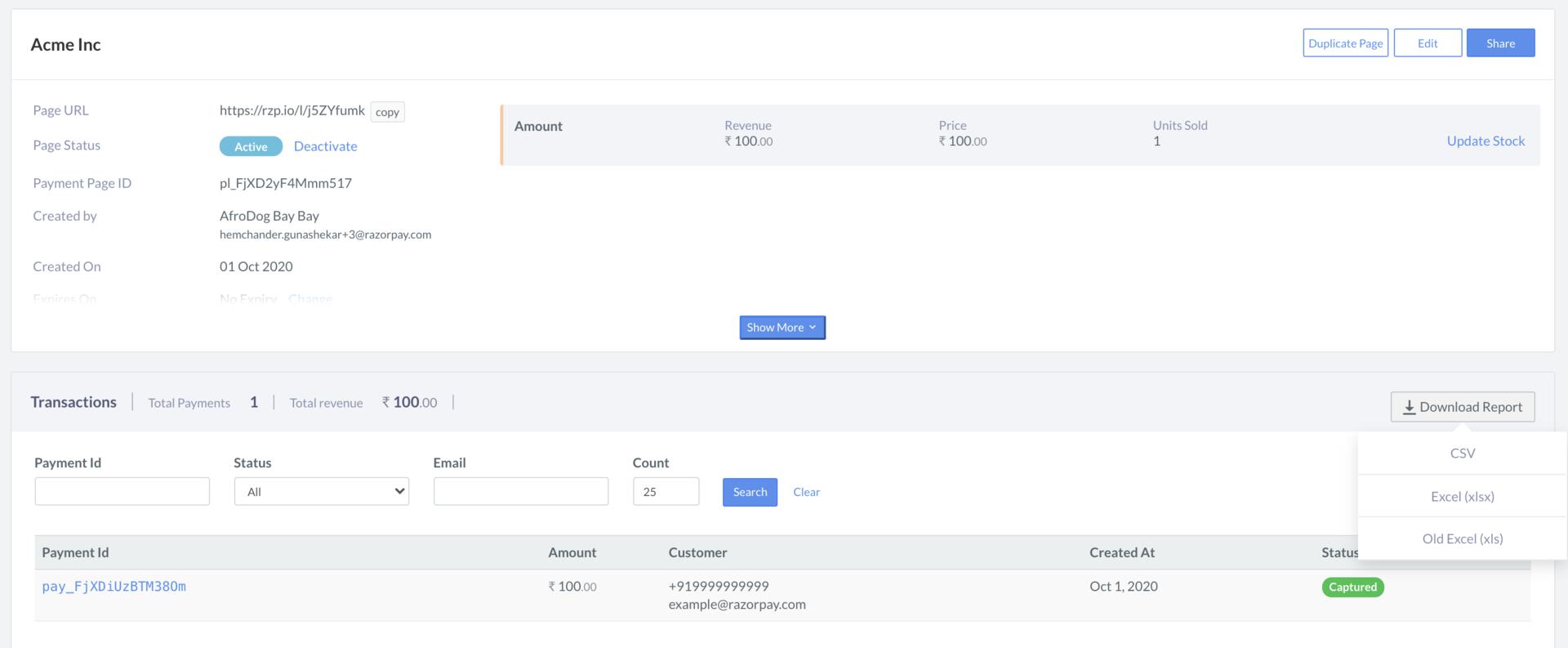
- Scroll down to the transaction details section. Here the list of all payments made to the page is displayed.
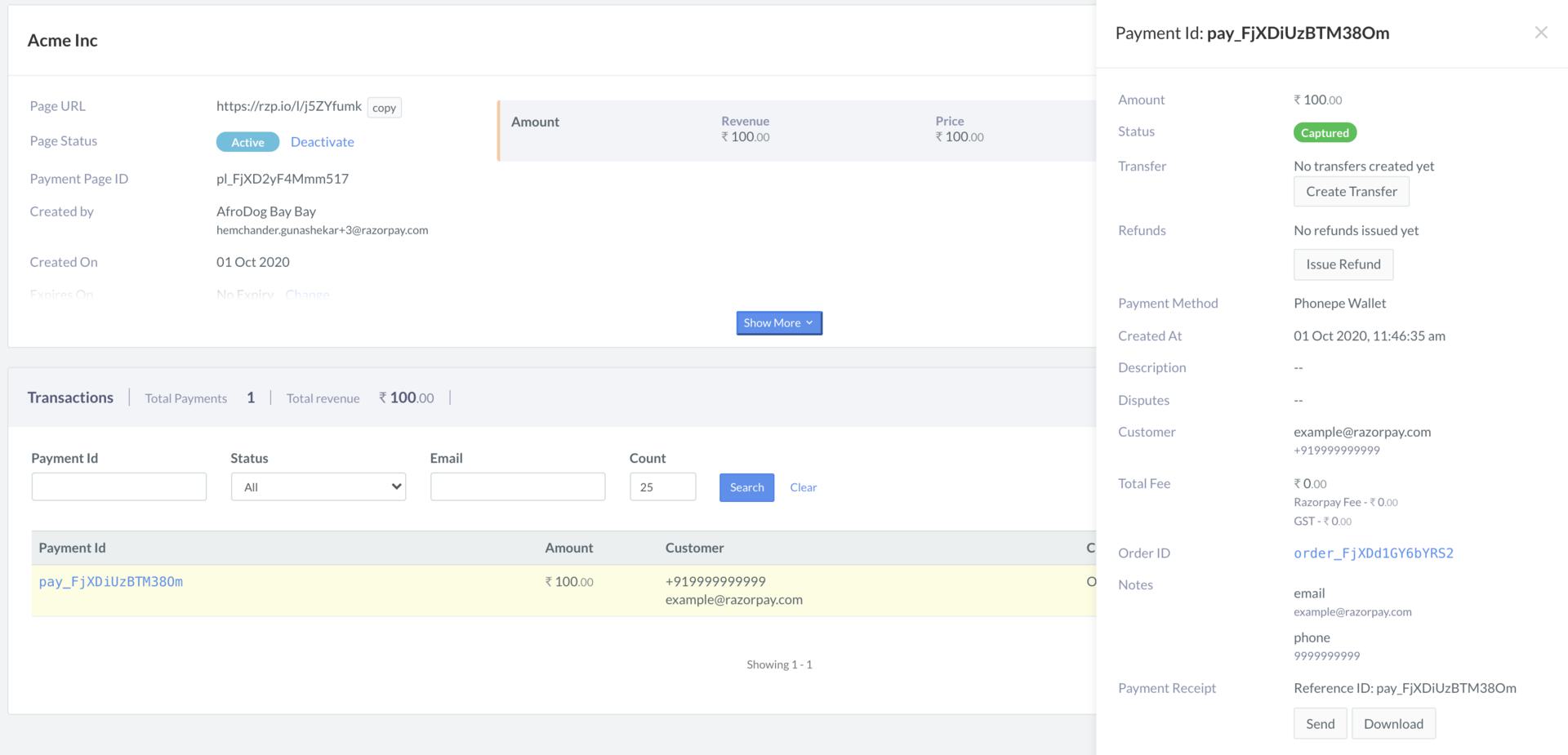
- You can click on the payment_id for more details.
Download Report
You can download the report pertaining to a Payment Page in the following formats:- CSV
- Excel (xlsx)
- Old Excel (xls)
- Navigate to Payment Pages on the Dashboard.
- Click the required page id. The page details view appears.
- Scroll down to the transaction details section. Here the list of all payments made to the page is displayed.
- Hover the mouse pointer on Download Report, and click one of the formats.
The downloaded report has the following columns:
The downloaded report has the following columns:
- Payment Page ID
- Payment Page ID
- Payment Page Title
- Payment Date
- Order ID
- Item Name
- Item Amount
- Item Quantity
- Item Payment Amount
- Total Payment Amount
- Currency
- Payment Status
- Input Fields, if any
- Phone