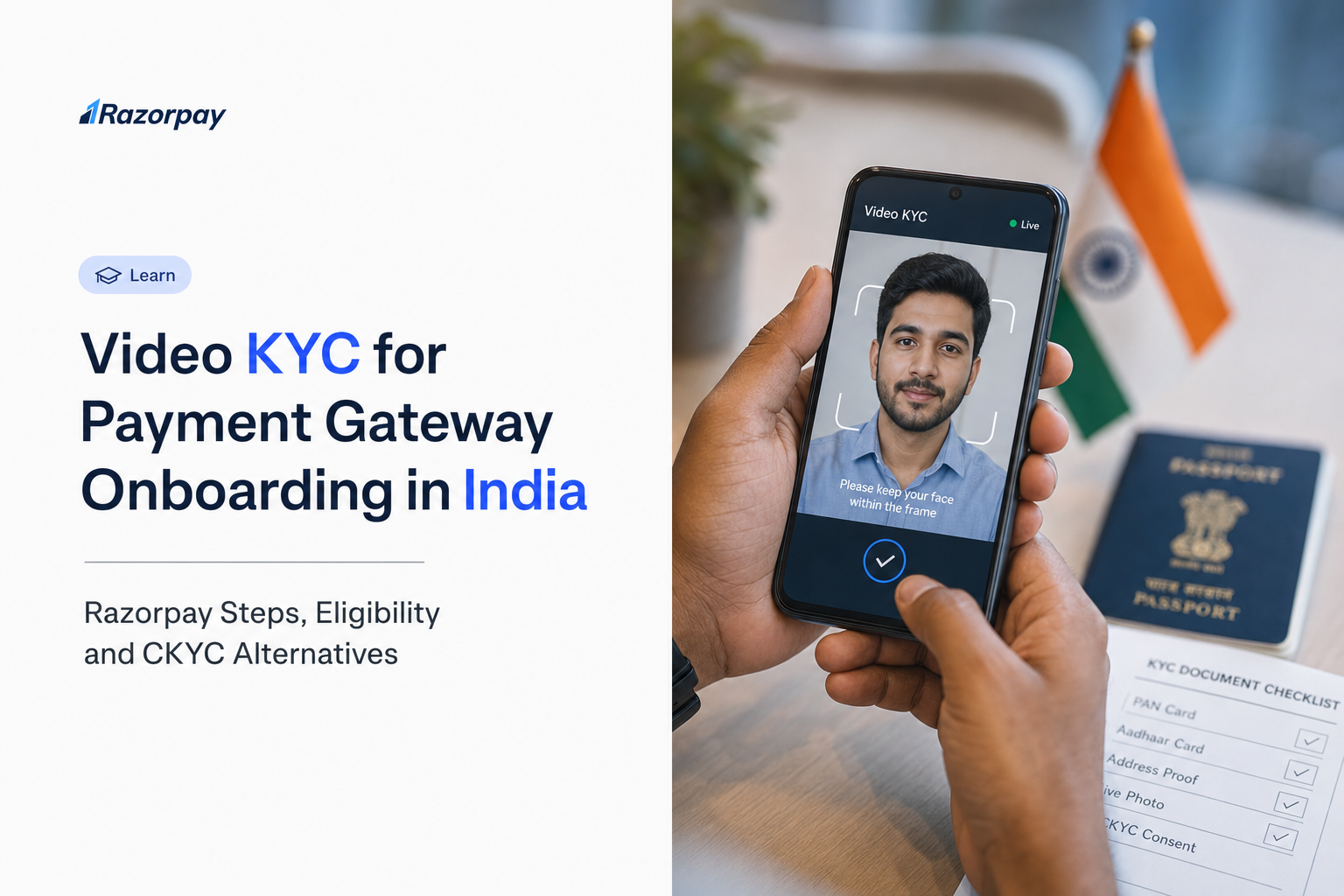
Video KYC for payment gateway onboarding in India is a live, consent-based identity check. If your application asks for a video call after you enter business and PAN details, you may wonder who should attend and whether CKYC can remove the step.
RBI calls its regulated remote identification process V-CIP, or Video-based Customer Identification Process. The process must meet prescribed requirements to be treated on par with face-to-face identification.
The practical question most founders ask is simple: does Razorpay support merchant Video KYC, do I need it, and can CKYC remove this step?
Digital onboarding does not mean verification disappears. An existing Central KYC record can simplify identity verification, while an unsuccessful retrieval routes you to a documented fallback.
Razorpay documents an agent-led Video KYC flow, with an explicit walkthrough for individual unregistered businesses when CKYC fails. This guide covers that flow, what to prepare, the CKYC alternatives, and the approval checks that remain. You can follow along with Razorpay’s account setup instructions.
Key Takeaways
- Razorpay documents a live merchant Video KYC call with an agent. Its India FAQs describe Video KYC when relevant CKYC records are unavailable or OTP consent fails; follow the route shown for your application.
- Successful CKYC verification can let eligible applicants skip the video step for the identities verified through that route. Registered businesses have separate entity and authorised-signatory records, and additional requirements may still apply.
- The authorised signatory attends the documented Video KYC call; UBOs do not. Applicable UBO identity and ownership documents are still required. Use the shareable VKYC link when the person starting the flow is not the signatory.
- Keep the original physical PAN card ready. Printed copies, screenshots, and an e-PAN shown on a phone screen are not accepted.
- Allow camera, microphone, and location access, and keep Proxy, VPN, and TOR switched off during the session.
- CKYC Not Found is a route change, not a rejection. The application switches to traditional verification with document upload, DigiLocker and Video KYC.
- A completed call is a verification milestone, not activation. Confirm approved status and Live mode before accepting real payments.
What Is Video KYC and How Does It Relate to RBI’s V-CIP?
Video KYC uses a live, consent-based video interaction to verify identity remotely. RBI calls its prescribed process V-CIP, or Video-based Customer Identification Process. For payment gateway onboarding, the identity being verified is that of the merchant’s authorised person. A compliant process includes independent verification and an audit trail, not just a selfie upload.
A Live Identity Check, Not Just a Video Upload
The RBI Payment Aggregator Directions, 2025 require merchant due diligence under the applicable KYC framework. RBI describes compliant V-CIP as live, informed-consent-based audio-visual identification with independent verification and an audit trail. The separate Commercial Banks KYC Directions, 2025 also describe these principles, but their stated applicability is commercial banks.
That standard is why device checks exist. RBI’s technical expectations include live GPS coordinates and timestamps, connection integrity controls, and consent captured in an auditable, alteration-proof manner, as set out in the RBI KYC notification text. A recorded selfie is not an equivalent substitute, and not every product described as “video KYC” automatically satisfies V-CIP.
Merchant Verification and Customer Verification Are Different Use Cases
- Merchant use case: you are applying to accept payments through Razorpay and completing your own required verification.
- Customer-verification use case: your business wants to verify its own users inside your app. That needs separately established capabilities, contracts and compliance.
This guide covers the first use case only.
DID YOU KNOW: The RBI Payment Aggregator Directions, 2025 distinguish an aggregator that handles funds from a gateway that provides routing technology. Paragraph 13 places merchant due-diligence responsibilities on the PA.
Does Razorpay Support Video KYC for Payment Gateway Onboarding in India?
Yes. Razorpay documents live merchant Video KYC with an agent when relevant CKYC records are unavailable or consent fails. Successful CKYC verification can remove the video step for the identities verified through that route. Registered businesses have separate entity and signatory records, so follow the remaining requirements shown in your application.
What the Official Documentation Establishes
The India Payments FAQs set out the trigger logic and attendance rules, and the setup guide documents the sequence: Start Video KYC, authorised-signatory confirmation, instructions, consent, device permission checks and agent-led document verification.
Two qualifiers matter. Support is documented for merchant onboarding, so it is not a speculative feature. But it is not accurate to describe it as “V-CIP for every Indian business” or as unconditionally fully digital for all applicants.
What This Does Not Establish
The documented merchant walkthrough establishes how a merchant completes their own verification. It does not establish a generally available, customer-facing V-CIP API, SDK or embeddable identity product for verifying your end users, and it should not be read as a named technology partnership.
Who Needs Video KYC and Who Should Attend?
Video KYC depends on your business type and verification route. Successful CKYC verification can remove the video step for the identities verified; a missing entity or signatory record may still need manual verification or Video KYC. The authorised signatory attends the documented call. UBOs do not attend, but applicable UBO documentation remains required.
Eligibility and Verification Route by Merchant Situation
| Merchant situation | What the current documentation establishes | What you should do |
|---|---|---|
| Individual unregistered business, CKYC fails | Explicit step-by-step Video KYC walkthrough in the setup guide. | Complete the fallback identity steps and the Video KYC requested in your application. |
| Applicant with successful CKYC retrieval | Successful CKYC verification can remove the video step and associated identity uploads for the records verified; additional requirements may apply. | Use the documented consent route for your entity and complete any remaining signatory, document or review requirements. |
| Proprietorship | CKYC lookup uses personal PAN with a CKYC-linked mobile number and OTP; business activity proofs still apply. | Follow the route shown in your application rather than assuming the unregistered walkthrough applies. |
| Company, LLP, partnership or other registered entity | The business CKYC lookup uses Business PAN and Date of Incorporation. The authorised signatory has a separate individual CKYC record. | Complete both applicable record checks and the entity checklist. Some business types still require manual review, regardless of CKYC availability. |
| International-payment applicant | Separate cross-border enablement and due diligence can apply. | Use the international Video KYC guidance; domestic approval does not enable international acceptance. |
When the Person Starting the Flow Is Not the Signatory
If an operations lead or co-founder starts the application, the documented workflow allows that person to share the VKYC link with the authorised signatory. A colleague can gather information and documents, but cannot stand in for the person whose identity is being verified. There is no documented requirement for every director to join this merchant flow.
PRO-TIP: Confirm who must attend before you start. Send the official handoff link to that person through your normal internal channel, with the requested documents ready. Never forward an applicant’s live session link outside your team.
For entity-level requirements, use KYC documents by business type.
What Should You Prepare Before a Razorpay Video KYC Call?
Keep the original physical PAN card and Aadhaar copies ready, use the authorised person’s details, and allow camera, microphone, and location checks. Join through the official onboarding flow only. Check any separate business or bank-document requests for your entity before treating the application as complete.
Documents and Details Checklist
- Original physical PAN card. Razorpay’s FAQs state that printed copies, screenshots and an e-PAN displayed on a mobile screen are not accepted during the call.
- Aadhaar copy as specified in this video flow. This is the flow’s instruction, not a claim that Aadhaar is compulsory for every KYC route.
- Matching applicant and signatory details. Resolve genuine PAN or name discrepancies through the application rather than during the call.
- Access to the CKYC-linked or registered mobile number for OTP steps where requested.
- Entity and bank documents requested by your application. Identity verification does not replace verification of the business or the settlement account.
For the full entity checklist, see the minimum documents for payment gateway onboarding.
Device and Environment Checklist
- A working camera and microphone, location access enabled, and a stable internet connection.
- A well-lit, quiet space so the verifier can clearly see the person and the documents. This is practical preparation advice, not a guarantee of outcome.
- No Proxy, VPN or TOR active during the session, as the setup guide instructs.
- V-CIP geographic and connection controls exist for a regulatory reason. Do not look for ways around a location check.
PRO-TIP: Test browser permissions before you begin. If camera, microphone or location access is blocked, fix it in device settings and return to the official flow.
How to Complete Razorpay Video KYC: Step-by-Step
Open the Video KYC step in your Razorpay onboarding application, confirm the authorised signatory, review the instructions, and accept the terms. Complete the camera, microphone, and location checks, then join the live agent verification with the original PAN and requested documents. Afterwards, check whether your account has remaining requirements or is approved for Live mode.
The Documented Individual-Unregistered-Business Flow After CKYC Failure
This walkthrough applies to the flow Razorpay documents for individual unregistered businesses when CKYC retrieval fails. Other entity types should follow the instructions shown in their own application.
- Reach the Video KYC step. After an unsuccessful CKYC route, complete the fallback details your application requests and click Start Video KYC when it appears.
- Confirm the authorised signatory. Answer the signatory question and click Continue.
- Hand off if needed. If you are not the authorised signatory, share the VKYC link with them. If you are the signatory, carry on yourself.
- Review the instructions. Keep the original physical PAN card and Aadhaar copy ready, then click Start.
- Accept the terms. Read the terms and conditions and click Accept & Proceed.
- Complete the device checks. Click Proceed, then enable camera, microphone, and location permissions. Keep Proxy, VPN, and TOR switched off.
- Complete the live verification. A Razorpay agent joins the call and verifies your documents on video. Follow the agent’s instructions for any additional checks.
- Complete any outstanding identity-document verification. If DigiLocker is requested, follow the sequence and deadline shown in your application. Razorpay’s no-CKYC FAQ specifies completion within 3 days of the video call. Do not postpone a step that your application asks you to complete before joining.
- Check the application outcome. Return to your application or Dashboard, review remaining requirements, and confirm activation status. For this route, the documentation describes a team review over 3 to 4 business days. Treat that as the documented review window, not a guaranteed approval timeline.
The core call steps follow the official setup guide. The India Payments FAQs describe the no-CKYC completion window and review estimate. Follow your application’s order for identity-document steps. The reviewed instructions do not establish a universal call duration, agent wait time or guaranteed approval SLA.
Complete the Right Verification Route with Razorpay
| Your situation | What to do next |
|---|---|
| CKYC details retrieved successfully | Complete the relevant entity and signatory checks, review fetched information and clear any remaining document or review requirements. |
| Your application requests Video KYC | Prepare the authorised signatory, the original PAN and device permissions. Complete the requested DigiLocker and Video KYC steps in the order shown, then check your account status. |
| You need help with business documents | Use the business-type KYC checklist and Razorpay support for route-specific questions. |
| You are ready to collect payments | Confirm activation and Live mode, then go live with your integration, Payment Links or Payment Pages. |
Start your Razorpay onboarding and follow the verification route shown for your business.
CKYC vs Video KYC: When Can You Skip the Video Step?
CKYC retrieves an existing identity record with consent; Video KYC verifies identity through a live interaction. Successful retrieval can remove the video step for the records verified. Registered businesses have separate entity and signatory records. If a relevant record is unavailable or consent fails, follow the fallback shown; DigiLocker sharing alone does not waive a requested call.
Understand What Each Verification Method Does
| Method | What it does | What it means for Video KYC |
|---|---|---|
| CKYC retrieval | Fetches an existing KYC record using PAN with consent, via mobile OTP for individuals or Business PAN and Date of Incorporation for registered entities. | Successful verification can remove the video step for the relevant identities. Check both entity and signatory records where applicable; additional requirements may still apply. |
| DigiLocker sharing | Shares supported identity documents through a consent-based flow. | A document-sharing step in the fallback route, not a blanket exemption from Video KYC. Follow the application’s sequence and deadline; the no-CKYC FAQ specifies a 3-day window relative to the call. |
| Manual identity-document upload | Supplies an accepted identity document through the application. | Follow the remaining requirements shown, including a call if requested. |
| Agent-led Video KYC | Verifies the authorised signatory through live interaction and document checks. | Completes the requested video-verification step; does not by itself confirm final activation. |
The CKYC Decision Path
- Relevant records found and consent completed: review the fetched information and clear any additional requirements. For registered businesses, entity and signatory records are separate.
- Record not found or consent failed: your Dashboard can show statuses such as Checking CKYC, Awaiting Consent, CKYC Fetched, CKYC Not Found or Consent Failed. The system then switches to traditional verification. This is a route change, not a rejection.
- Individual unregistered business after failure: complete identity-document and Video KYC steps in the order shown in your application.
- Registered entity: follow the entity-specific documents and signatory requirements shown for your business type.
DID YOU KNOW: Razorpay’s documentation describes uploading KYC data to CKYC after successful onboarding. Completing the fuller route once can help create or update the record used in future verification journeys. For broader context, see faster payment gateway onboarding in India.
What If CKYC Fails or Video KYC Cannot Be Completed?
An unsuccessful CKYC retrieval is not an account rejection. Use the identity document, DigiLocker, and Video KYC steps offered in your application. If a session cannot proceed, check device permissions, confirm you have the original physical PAN, and make sure the authorised signatory is attending.
Issue-to-Action Troubleshooting Table
| What you see | Useful next action | What not to assume |
|---|---|---|
| CKYC Not Found or details cannot be fetched | Confirm the entered details and continue with the traditional verification route shown. | That the merchant application has been rejected. |
| Consent Failed or OTP not received | Check that you are using the mobile number linked to the CKYC record, then retry the consent step. | That consent failure means your identity is disputed. |
| Only an e-PAN or a printed PAN copy is available | Arrange the original physical PAN card before the call. | That a screenshot or phone-displayed e-PAN will be accepted. |
| Camera, microphone or location check fails | Review browser and device permissions, disable any VPN or proxy, then return to the official flow. | That a location workaround is permitted. |
| The wrong person started the session | Use the documented VKYC handoff link for the authorised signatory. | That a colleague can complete another person’s identity check. |
| Session disconnects or the agent cannot join | Follow the on-screen restart guidance, then use official Razorpay support. | A guaranteed resume point or automatic approval. |
| Call complete but the account is under review | Check pending requirements, finish any requested identity-document steps in the application’s order, and respond to clarifications. | That video completion enables live payments immediately. |
PRO-TIP: Assign one internal owner to track onboarding requests and coordinate the signatory, documents and bank details. Keep identity documents and session links out of public tickets.
Does Completing Video KYC Activate Your Payment Gateway?
Completing Video KYC does not by itself confirm live payment activation. Razorpay can still review the submission or request clarification. Test mode does not process real money, and Live mode follows account activation. Confirm approved status before accepting customer payments.
Read the Account Status, Not Just the Call Completion Message
- Under review: your submitted KYC requirements are being reviewed.
- Needs clarification: more information is required; respond through the application or Dashboard.
- Activated: the account is approved and ready for payments and settlements under the applicable terms. Check this under Account Activation Details.
- Do not confuse first-time activation with Re-KYC statuses, which apply to periodic re-verification.
- If an account is rejected or suspended, follow the stated official next steps.
Fully Digital Does Not Mean Every Check Is Removed
Under the RBI Payment Aggregator Directions, 2025, PAs must retrieve merchant CKYCR records with consent, use permitted due-diligence alternatives where necessary, and carry out background and antecedent checks. Paragraph 15 permits limited assistance by agents while responsibility remains with the PA. Paragraph 13(j) applies the prescribed requirements to new merchants from 1 January 2026 and requires merchants onboarded through 31 December 2025 to comply within one year of the Directions dated 15 September 2025.
DID YOU KNOW: What matters operationally is not whether a video call has ended, but whether your account is activated and switched to Live mode. Once activated, you can collect through a full integration, Payment Links or hosted Payment Pages.
Frequently Asked Questions
Does Razorpay support Video KYC for payment gateway onboarding in India?
Yes. Razorpay documents a live merchant Video KYC call when relevant CKYC records are unavailable or consent fails. The authorised signatory completes consent, device checks and document verification. Follow the route shown for your business type. This merchant process does not establish a customer-facing V-CIP API for verifying your own users.
Is Video KYC mandatory for every Razorpay merchant?
No. Successful CKYC verification can remove the video step for the identity records verified through that route. Registered businesses have separate entity and authorised-signatory records; a missing record may still need manual verification or Video KYC. Follow the remaining requirements shown for your business type. Successful retrieval does not automatically mean live activation.
Who should attend the Razorpay Video KYC call, and do UBOs need to join?
Only the authorised signatory attends Razorpay’s documented merchant Video KYC call; UBOs do not. If another person starts the application, use the shareable link to hand off. Bring the original physical PAN card and requested documents. Applicable UBO identity and ownership documentation is still required, even though those owners do not attend the call.
Can CKYC or DigiLocker replace Video KYC?
Successful CKYC verification can remove the video step for the relevant records verified. DigiLocker shares supported identity documents and does not automatically waive a requested call. Follow the sequence and deadline shown in your application; the no-CKYC FAQ specifies completion within 3 days of the video call. Complete any remaining business or signatory requirements.
How long does Razorpay Video KYC take, and can I accept payments immediately afterwards?
The official documentation does not publish a call duration or activation guarantee. For the documented no-CKYC route, the submission is reviewed over 3 to 4 business days. A completed session is a verification milestone; review or clarification can still follow. Confirm activated status and Live mode before accepting real payments.