

Available in🇮🇳 India
You can refund the payment made by a customer. This refund can be in full or parts.
To initiate a refund from your Customer Identifier:
- In the Payments tab, click the Payment Id.
- In the right pane that appears, click the Issue Refund button.
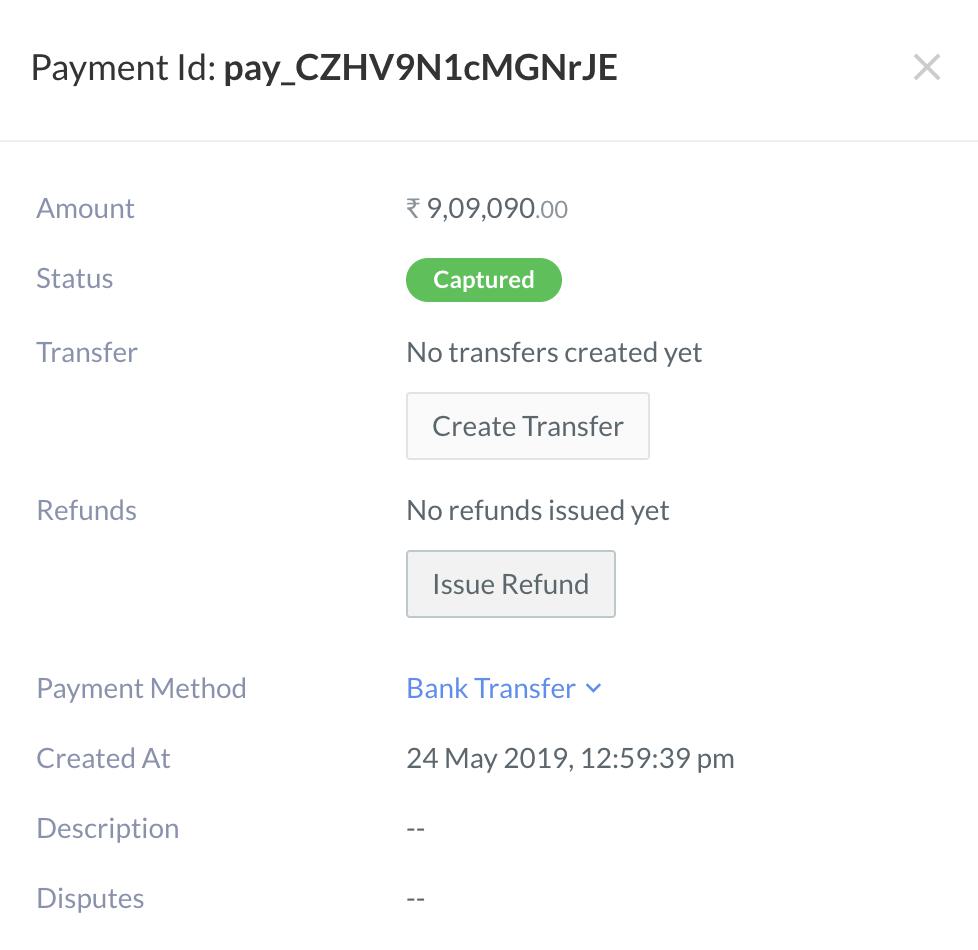
- A dialog box appears where the refund amount can be entered.
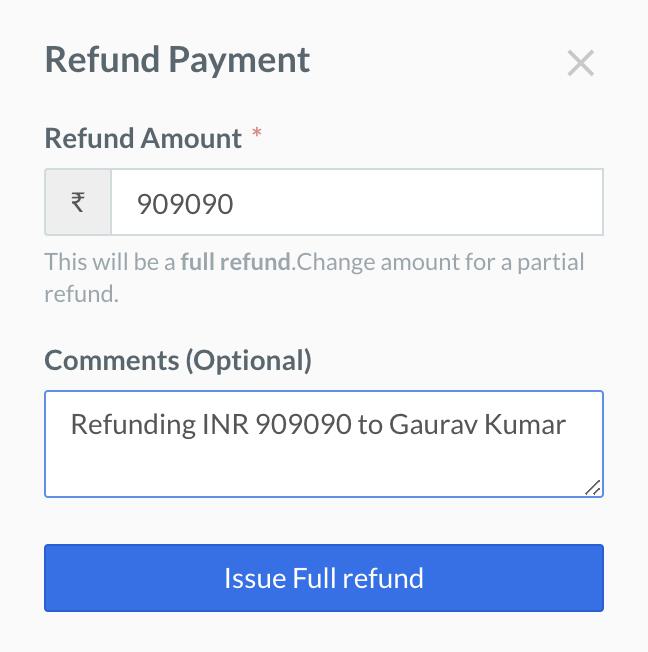
- In case of full refund, enter the payment amount in full. Enter Comments, if any, and click the Issue Full Refund button.
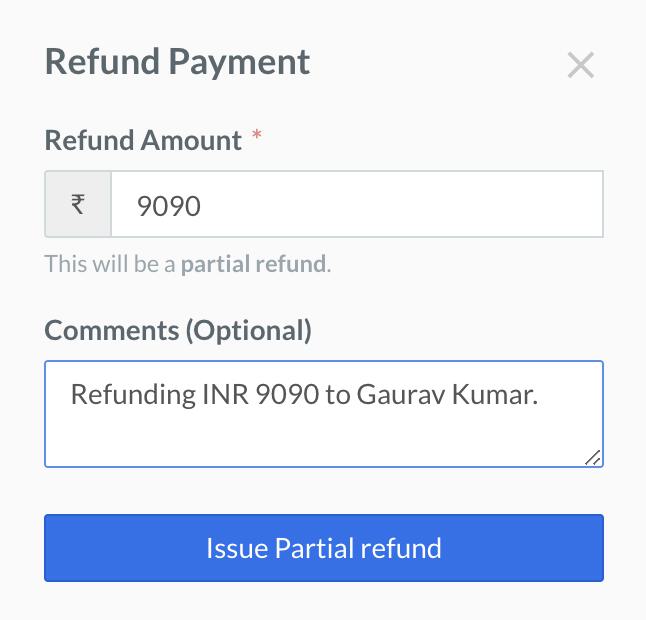
- In case of partial refund, enter the amount you want to refund. Enter Comments, if any, and click the Issue Partial Refund button.
- A confirmation dialog box appears. Click Yes, Refund to complete the process.