Available in🇮🇳 India
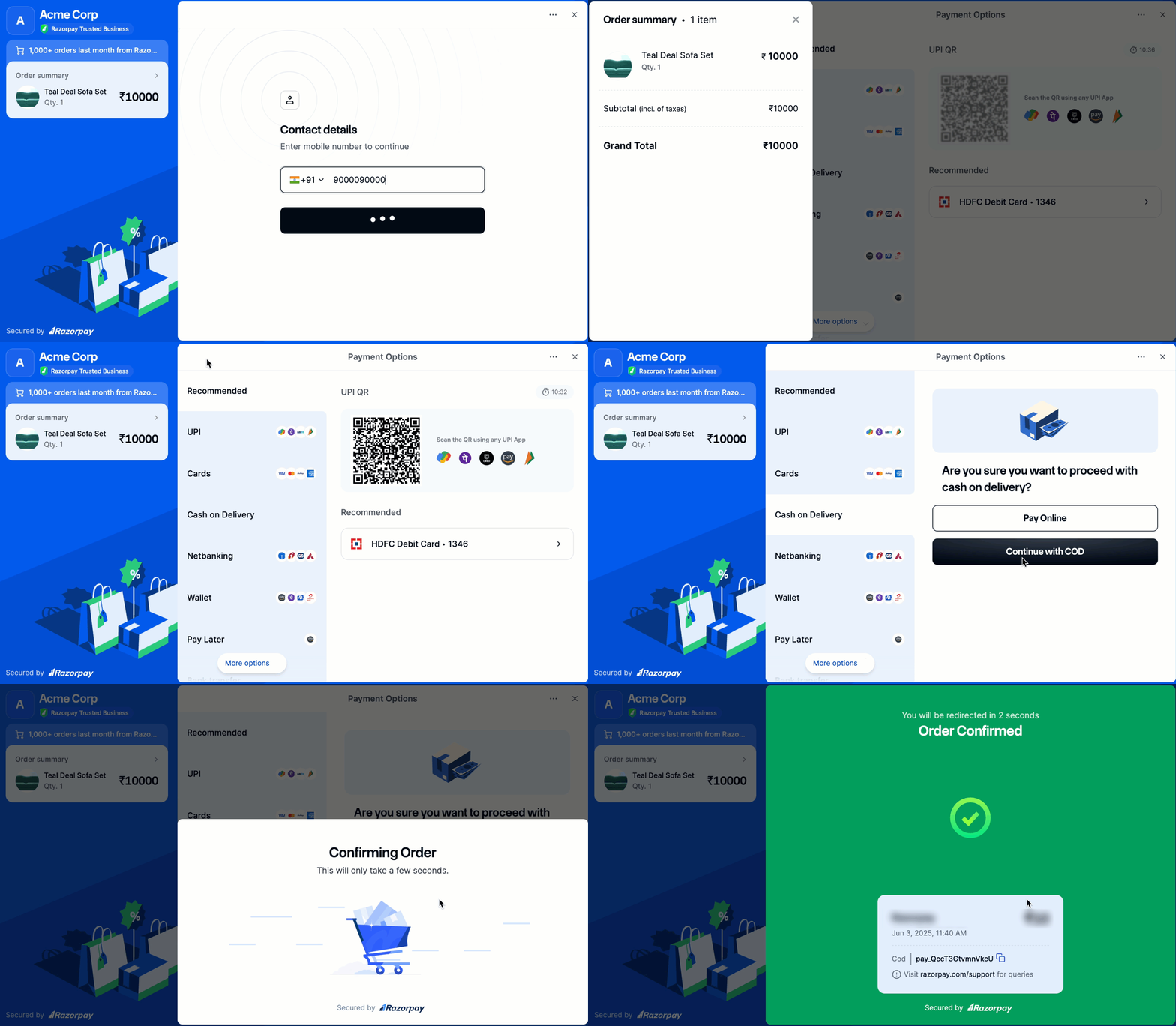
You can now offer Cash on Delivery (COD) as a payment method on the Razorpay Checkout page. Customers can choose COD directly on the Checkout page, alongside UPI, cards, netbanking and more. This flow increases accessibility and builds trust among first-time buyers and high-value orders.
Ways to Offer COD
Handy TipsRazorpay Magic Checkout supports Cash on Delivery (COD) by default. For a simplified experience without the address section, use the flow described below that directly opens the payment page. Both flows support COD as a payment method.
COD on Magic Checkout
The rest of this page describes COD on Magic Checkout. If you use Standard Checkout, see COD on Standard Checkout instead.Prerequisites
- Create a Razorpay account.
- Generate API Keys from the Dashboard. To go live with the integration and start accepting real payments, generate Live Mode API Keys and replace them in the integration.
- Integrate with Razorpay Magic Checkout:
Integration Steps
Follow the integration steps given below:- Use your existing Magic Checkout integration. While configuring the checkout options, pass the
show_addressparameter as shown below to control the visibility of the address section:
json
show_address
: boolean Determines whether the shipping address section appears on the Checkout page. Possible values
true(default): Show the address form.false: Hide the address form.
Handy TipsMagic Checkout supports Cash on Delivery (COD) by default and the checkout flow includes an address section. Use the
show_address parameter to remove this step and maintain a simplified checkout experience.- Cash on Delivery appears as one of the available payment methods on the Checkout interface. Customers can select COD and confirm the order.
Customer Experience
The flow below displays how customers can view and select Cash on Delivery during Checkout: