

Available in🇮🇳 India
Standard Checkout offers prepaid payment methods such as UPI, cards, netbanking, wallets and EMI. With Cash on Delivery (COD) activated on your account, Cash on Delivery appears as an additional payment method inside the same checkout.
You do not need to build and maintain a separate COD flow outside Razorpay Checkout. You get one integration, one checkout surface and one set of order events.
What Happens When a Customer Chooses COD
- The customer selects Cash on Delivery on the Checkout page.
- Checkout displays the COD convenience fee you configured and the total payable on delivery.
- Razorpay records the selection and marks the order as placed with COD.
- Razorpay notifies you with the
payment.pendingwebhook, withmethod=cod. - You begin fulfilment. Your delivery partner collects cash at the doorstep.
COD Capabilities
COD comes in three layers. The first is the foundation. The other two recover orders that would otherwise be lost when a prepaid payment fails.Handy TipsRun capabilities 1 and 2 in production for at least a week before enabling capability 3. Automatic placement changes customer behaviour on failures and should only be introduced once your COD fulfilment and reconciliation are proven.
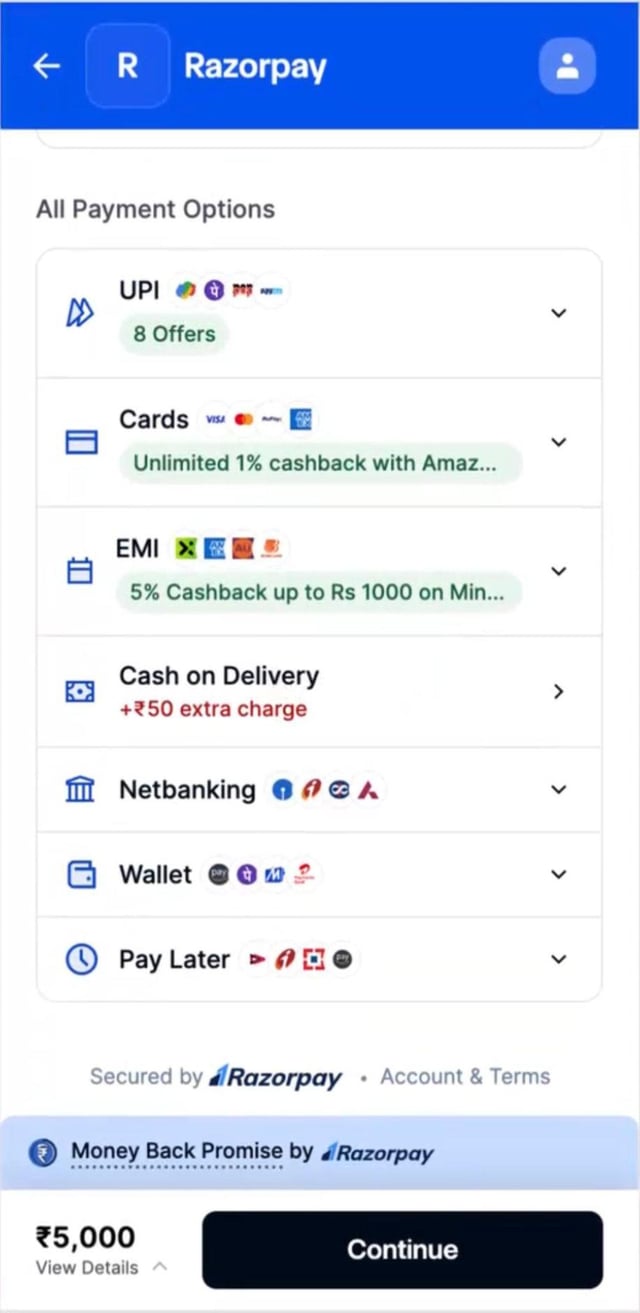
cod_fee is passed on the order:
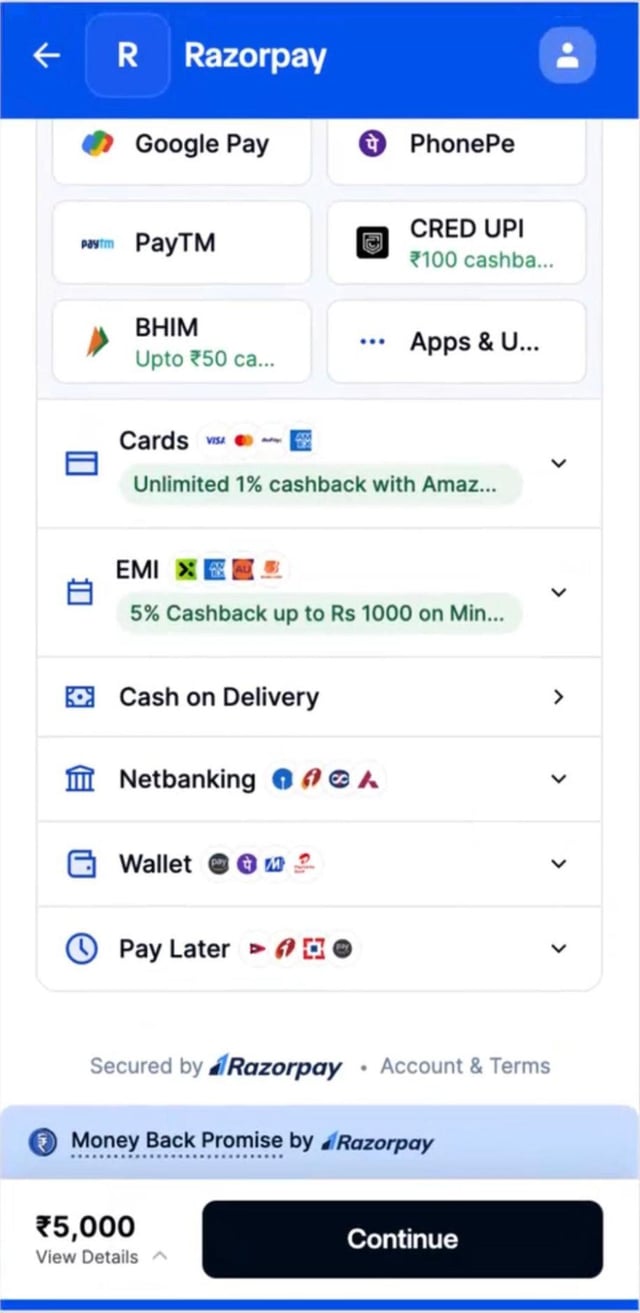
cod_fee, the fee appears against the method:
Responsibilities
COD splits cleanly between you and Razorpay.Prerequisites
Activate COD
Write to your Razorpay Account Manager or Partner Manager to request activation. If you do not have an Account Manager, raise a request with our support team. Share the following details in your request:What Happens Next
End to end, expect roughly 7-10 business days from a complete request to live activation, assuming your integration is ready. If any details are missing, our team reaches out before activating.
Integration at a Glance
If COD is already active on your account, integration is four steps and touches only your order creation call and your webhook handler. No change is needed to your Checkout initialisation code.1. Control Where COD Appears
Once COD is active on your account, it is shown on every Checkout session by default. Razorpay does not filter it for you. If an order is not COD-eligible under your own rules, such as an unserviceable pincode, an order value above your COD cap or a customer with prior RTOs, you must hide it explicitly. Run your eligibility checks before you open Checkout, then passcod in the hide array of the display configuration:
Checkout options
hide array sits alongside the other display controls, blocks, sequence and preferences, described in Understand the Configuration. You only need the hide entry to suppress COD.
2. Create the Order With a COD Fee
Passcod_fee in the Orders API when a convenience fee applies to the order. Omit it entirely when no fee applies. Do not pass 0 explicitly.
All amounts are in paise.
cod_fee Attribute
cod_fee
: integer The convenience fee added when the customer pays by COD, in paise. Optional. Pass a value of 0 or more. It must not exceed amount. If you pass a negative value and COD is active on your account, COD is offered with no convenience fee.
What the Customer Sees
3. Open Checkout
No change to your Checkout initialisation code. When COD is active on your account and is not hidden for the order, Standard Checkout renders Cash on Delivery alongside the other payment methods, with the fee passed incod_fee.
4. Receive the COD Webhook and Start Fulfilment
A COD order does not generate a payment. There is nopayment.captured event and no settlement. Treat the payment.pending webhook with method=cod as your signal to begin fulfilment.
Verify the signature exactly as you do for your existing Razorpay webhooks.
Handy TipsYour existing webhooks are unaffected. Current subscriptions continue to fire exactly as before. You will see the option to subscribe to
payment.pending on the Dashboard once COD is activated on your MID.payment.pending payload for a COD order:
payment.pending
Fields to Key Your Logic On
5. Reconcile
Razorpay does not settle COD amounts. Track each COD order in your system with three values:- The order amount.
- The COD fee.
- The total payable on delivery.
payment.pending webhook are your two sources of truth for what was placed.
Automatic COD Placement on Payment Failure
Without automatic placement, a failed prepaid payment lands the customer on the retry screen with COD surfaced at the top. With it, Checkout moves the customer directly into the COD flow.Behaviour on the Retry Screen
This is capability 2 and is included by default with COD.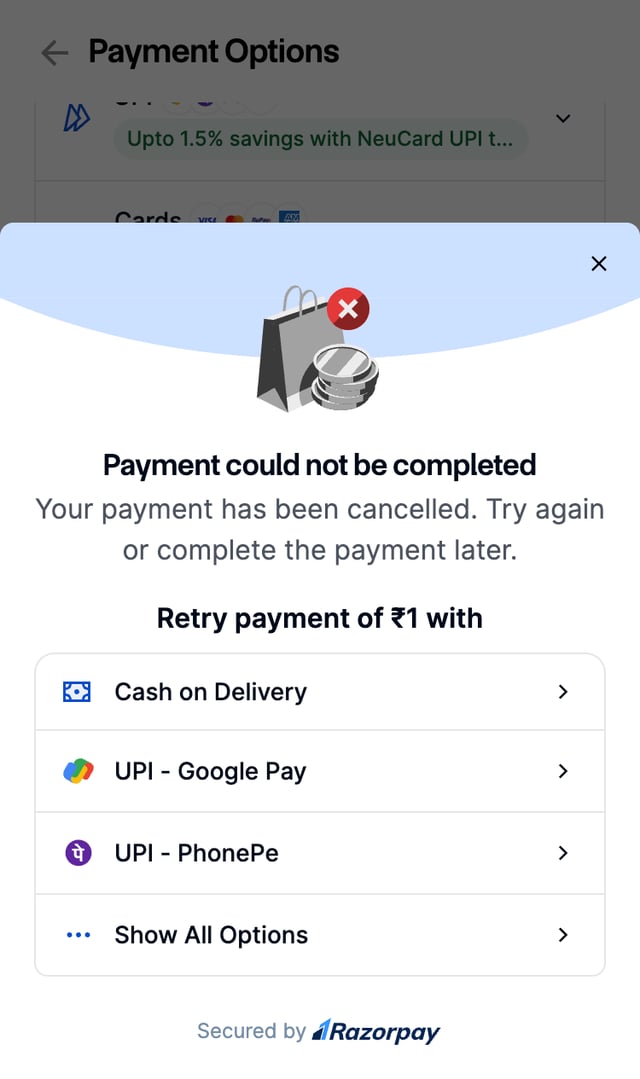
Behaviour With Automatic Placement
This is capability 3. What the customer sees depends on whether a COD fee applies to the order. In both cases, a sheet replaces the retry screen offering Pay Online and Pay on Delivery. What differs is whether the COD order is placed on its own.Flow A: No COD Fee on the Order
The sheet tells the customer the order can still be placed with Cash on Delivery at no extra charge. The Pay on Delivery button fills over 15 seconds, and the customer can stop it by tapping it.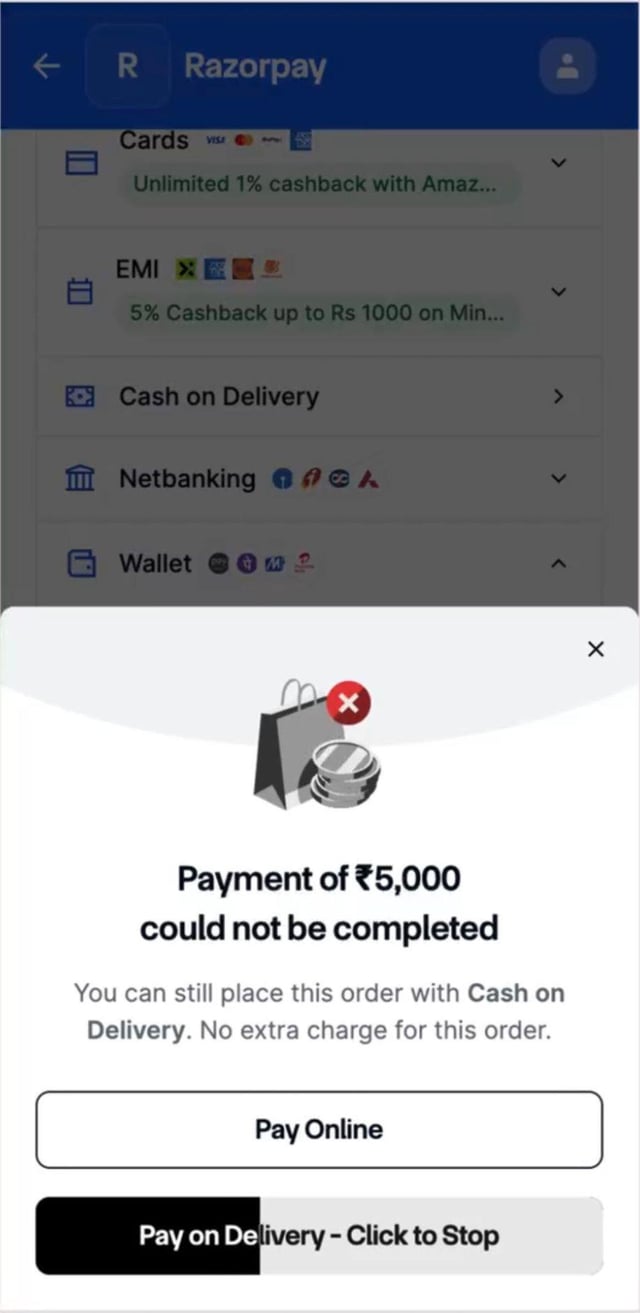
Flow B: COD Fee Applies
The sheet names the extra charge the customer pays if they continue with COD. Nothing is placed automatically. The customer must tap Pay on Delivery.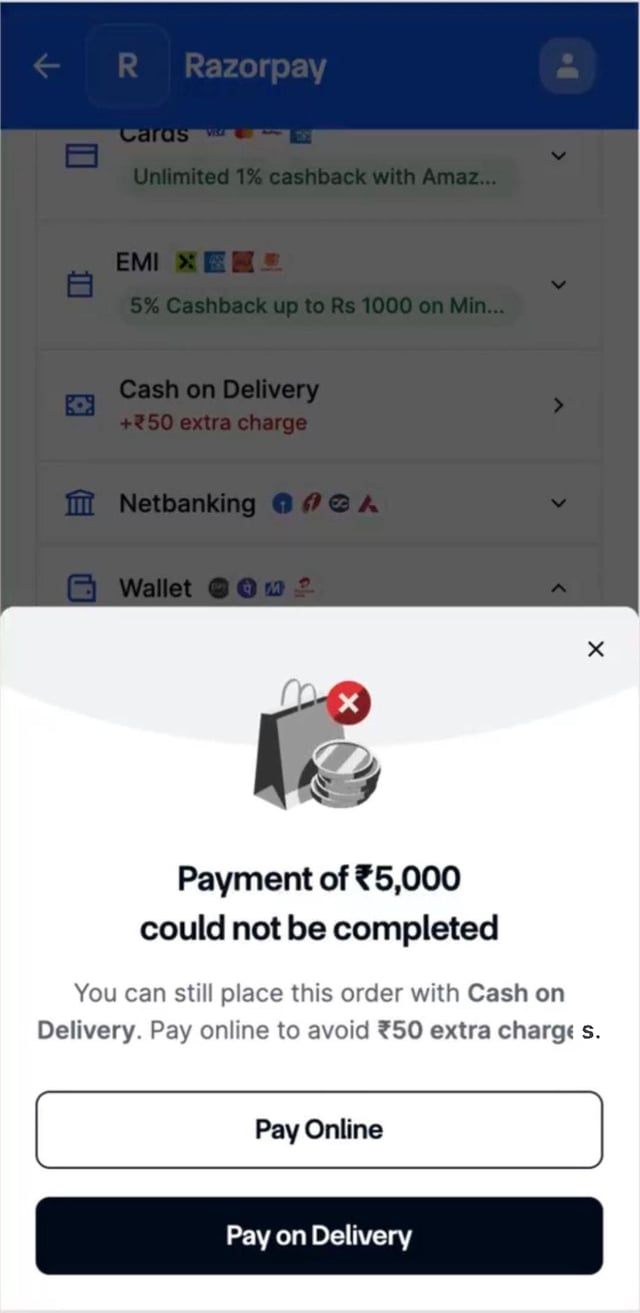
Guardrails
- Automatic placement fires only on a genuine, confirmed payment failure returned by the payment processor. It does not fire when the customer abandons Checkout, cancels the payment themselves, or the session times out.
- If the customer refreshes during the automatic placement screen, they see the same screen. The order is never placed twice.
- RTO risk on automatically placed COD orders sits with you, as it does for all COD orders.
Validation and Errors
How the Orders API handles eachcod_fee and currency condition is given below:
Test Your Integration
Run the checks below on your test MID with your test credentials before you go live. Ask our team to activate COD on your test account first.Order creation
Order creation
- An order created with
cod_feesucceeds. - An order created without
cod_fee, with COD active, succeeds. - A negative
cod_feesucceeds, and COD is offered with no convenience fee. - A
cod_feegreater thanamountis rejected with400. - A non-INR currency is rejected with
400.
Checkout rendering
Checkout rendering
- COD appears in the payment method list, labelled Cash on Delivery.
- When
cod_feewas passed, the fee and total payable on delivery display against COD. - When COD is hidden using the display configuration, it does not render.
- A COD order can be placed successfully.
Failure handling
Failure handling
- After a prepaid failure with COD active, COD is surfaced on the retry screen.
- If automatic placement is active, the no-fee flow shows the 15-second loader and Cancel works.
- If automatic placement is active, the with-fee flow shows the consent sheet and requires confirmation.
Webhooks
Webhooks
payment.pendingis received withmethod=codwhen a COD order is placed.- Signature verification passes.
- Your fulfilment trigger fires exactly once per COD order.