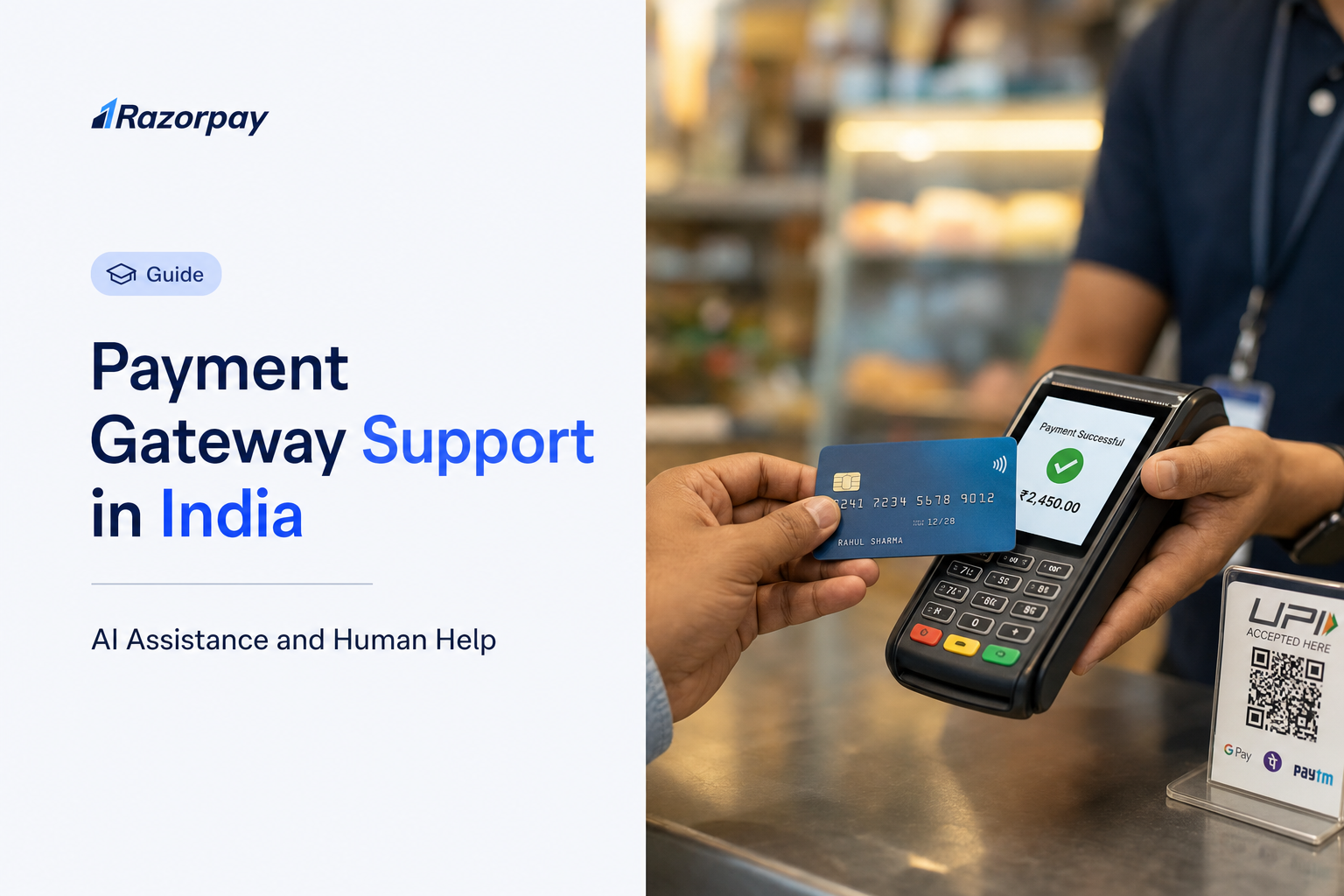
Payment gateway support is the combination of self-service information, AI assistance and human help that a merchant uses to address payment operations and integration issues. It covers everything from a documentation page to a ticket that a person investigates.
A payment fails while a customer is at checkout. A buyer asks where their refund has gone. A settlement amount does not match what your finance team expected. In each case you need two things quickly: an answer, and a next step that someone is accountable for.
The practical problem is that a fast automated reply can still leave the underlying question unanswered. Switching channels often means repeating the whole context again.
So the decision question is this: how do I compare payment gateway support when I need both quick answers and a person who can help with a complex issue?
Neither an AI label nor a long list of channels proves resolution quality. Check the supported task, the operating hours, the account eligibility and the escalation path. This guide compares Razorpay with Payment Gateway A and Payment Gateway B across merchant assistance, technical help, security assurance and support commitments, then explains how to use Razorpay’s documented routes.
Key Takeaways
- Razorpay combines AI assistance and human support for Indian merchants. Ray on WhatsApp handles supported payment questions and actions, while Dashboard tickets and conditional human escalation provide a route for issues requiring investigation. Ray capabilities and support options.
- Razorpay provides a documented escalation route for unresolved issues. When a committed ticket turnaround time or SLA is missed, eligible merchants can use Escalate Now for a callback within the next two hours. This is a callback commitment, not a guaranteed resolution time. Escalation process.
- Razorpay offers 24/7 AI assistance through Ray on WhatsApp. Human live chat is separately available to selected users from 10 a.m. to 10 p.m. on working days. AI availability and human support hours are different commitments. Ray availability, human support hours.
- Razorpay supports technical troubleshooting through developer documentation and support tickets. API references, Checkout troubleshooting and webhook guidance help merchants investigate integration issues, with Dashboard tickets available for unresolved queries.
- Razorpay offers official WhatsApp merchant assistance through Ray, beyond payment-link sharing. Non-enterprise merchants should confirm Ray enablement for their account. Human live chat and callback are separate options available to selected users. Ray on WhatsApp, contact eligibility.
What Does Good Payment Gateway Support Look Like?
Good payment gateway support helps a merchant understand the issue, find the relevant payment information and reach the right next action. Compare it across AI assistance, human access, technical expertise, operating hours and escalation. The right choice depends on your issue types and the support options available to your account.
Compare the Whole Support Journey
A useful comparison follows five stages: the question you ask, the account context the channel can see, the action it can take, the escalation available if that action is not enough, and the final outcome.
A routine refund-status query usually needs only context. You want the refund reference, its current state and a plain explanation. A reconciliation query or an account restriction is different. It needs investigation, a recorded history and a named route to follow up.
Not every account problem can be reversed automatically. Some depend on a bank, a card network or a risk review, so the honest measure of support is whether it keeps the issue moving with a traceable record.
Compare Account Entitlements, Not Only Channel Names
Ask three questions of every channel on a provider’s website. Is it offered to merchants at my tier? What hours does it operate? Which issue types does it actually handle?
A dedicated account manager and an AI account manager are different services with different availability. Treat them separately when you compare.
DID YOU KNOW: A payment gateway can advertise always-on digital assistance while its live human chat follows specified operating hours. Razorpay’s own Dashboard support documentation states the chat conditions explicitly, which is the level of detail worth looking for anywhere you evaluate.
Razorpay vs Payment Gateway A vs Payment Gateway B: Merchant Support Compared
The best payment gateway support for your business combines useful account-specific assistance, reliable technical guidance and a traceable route to a person. Razorpay offers a documented combination of Ray on WhatsApp, developer resources and conditional human escalation. The two other gateways compared below also publish AI capabilities, so AI availability alone is not a reason to choose one provider.
| What to compare | Razorpay | Payment Gateway A | Payment Gateway B |
|---|---|---|---|
| AI assistance and channel | Ray on WhatsApp provides conversational merchant assistance. Separate developer and customer-support AI announcements have their own scope. | Dashboard AI assistant and a separate WhatsApp assistant are documented. | AI suite covers merchant care, integration and production assistance; beta access is for selected merchants. |
| Account-specific questions | Published Ray workflows include payment summaries, refund information and settlement status. | Dashboard AI supports payment and settlement queries and reconciliation reports. | AI materials describe payment and settlement questions and dashboard reporting. |
| Supported operational actions | Ray materials describe creating payment links, initiating refunds and creating support tickets. Confirm account access and each action before proceeding. | Dashboard AI documents refunds, payment links and settlement actions, subject to approvals and permissions. | AI materials describe reports, tickets and operational actions; confirm enabled beta workflows. |
| WhatsApp merchant help | Official Ray assistance on WhatsApp covers payment questions and supported operations, beyond sending a customer a payment link. | Official WhatsApp assistant covers order or transaction status, FAQs and support inputs, alongside payment links. | Reviewed AI materials do not establish an equivalent merchant-support WhatsApp channel. WhatsApp payment collection alone does not establish one. |
| Language and voice | Ray launch materials specify English and Hindi text and voice notes. | Conversational assistance is documented; confirm supported languages and voice for the chosen channel. | Voice assistance is described; confirm languages, workflow and beta eligibility. |
| Technical troubleshooting | Checkout troubleshooting, structured error fields, API references and a public status page support investigation before a ticket is raised. | Dashboard AI materials describe webhook and payment-error troubleshooting alongside developer documentation. | AI suite describes integration guidance and production diagnostics for failed transactions and APIs. |
| Human help and ticket history | Dashboard tickets; live chat or callback for selected users. Live chat is documented for 10 a.m. to 10 p.m. on working days. | Support portal and merchant-app support access are documented. Confirm staffed hours and account entitlements. | Support portal and a 24/7 support-team claim are published. Confirm channel and account coverage. |
| Escalation when an issue remains open | Escalate Now appears after a committed ticket turnaround time or SLA is missed; a representative then calls within the next two hours. This is a callback commitment. | Formal grievance route is published; ask which ordinary-ticket escalation and response commitments apply. | Formal grievance route is published; ask which ordinary-ticket escalation and response commitments apply. |
| Non-enterprise access | Ray is described for businesses of every size; verify enablement. Selected-user live chat or callback is a separate entitlement. | WhatsApp documentation addresses small businesses, direct-to-consumer brands and social sellers; enablement requires a support request. | AI beta is described for selected merchants; verify eligibility before depending on it. |
| Practical fit to evaluate | A useful shortlist for merchants who want documented English/Hindi WhatsApp workflows, supported payment actions and a defined route to human investigation. | Evaluate if dashboard-based AI actions and its WhatsApp or merchant-app routes match your operating workflow. | Evaluate its AI diagnostic scope and human-support coverage against your account access and production needs. |
Razorpay’s case is specific: merchants can evaluate the published Ray workflows alongside Dashboard support and escalation conditions. For example, asking about a settlement, initiating a supported refund and opening a ticket are different steps with different outcomes. That practical scope is more useful than a generic promise of instant support.
Security and Access Controls: What the Comparison Actually Shows
Merchant support can involve account information and actions that affect payments. Check the provider’s security assurance, the permissions of the user asking for help, and the details shown before approving an action. None of the reviewed certification claims establish that one gateway has fewer incidents or safer support than another.
| What to compare | Razorpay | Payment Gateway A | Payment Gateway B |
|---|---|---|---|
| Payment-data security assurance | Security documentation states PCI DSS Level 1 compliance. | Privacy materials state PCI DSS v4.0.1 adherence. | Payment-gateway materials state PCI DSS Level 1 compliance. |
| Information-security assurance | Security documentation lists ISO/IEC 27001:2022 certification and SOC 2 Type 2. | Privacy materials list ISO/IEC 27001:2022 and SOC 2 assurance. | Cyber-security materials describe ISO 27001 and independent audits; obtain the current certificate version and scope. |
| Permissions for support and actions | Only Owner and Admin roles can raise tickets from the documented Support Tickets tab. Verify permissions separately for each Ray action. | Dashboard AI documentation describes explicit action approval and existing dashboard role permissions. | AI materials describe permissioned access; confirm the controls for each enabled workflow. |
| Evidence to obtain before procurement | Request current attestations for the contracting entity and service; confirm the account controls and incident-contact route. | Request current attestations for the contracting entity and service; confirm the account controls and incident-contact route. | Request current attestations for the contracting entity and service; confirm the account controls and incident-contact route. |
Razorpay’s security documentation also describes HTTPS/TLS and field-level encryption for personally identifiable information. Its ticket-access documentation makes the relevant Dashboard role restriction explicit. These are concrete controls to check during evaluation. They do not justify assigning an invented security score or assuming that another provider lacks equivalent controls.
DID YOU KNOW: A security certification concerns a defined entity, service and audit scope. It does not measure support response time, refund completion or customer satisfaction.
How Ray Helps Razorpay Merchants Through AI Assistance
Ray is Razorpay’s AI account manager on WhatsApp. Razorpay describes it as available 24×7 for payment questions and supported payment operations. Its published examples include payment summaries, settlement checks, payment links, refunds and ticket creation. Confirm access and supported actions for your business; AI availability does not establish continuous live human staffing.
Ask About Payments Without Navigating Multiple Screens
Razorpay’s Ray launch explanation states that merchants can interact by sending a text or recording a quick voice note in English or Hindi. That is the announced scope. It is not a claim of every Indian language or of perfect voice recognition.
A published example request is “Show me a summary of my payments from yesterday,” described in the Razorpay newsroom announcement of the 2 September 2026 launch. This illustrates an announced workflow; availability and results depend on the merchant account and supported task. The practical benefit is familiarity: a founder on the move can ask a payment question in the same app they already use.
Move From a Question to a Supported Payment Action
The newsroom announcement describes Ray checking the status of a settlement ahead of an urgent payout, sending a payment link to a customer, and issuing a refund on the go. Confirm the current action list on the Ray on WhatsApp product page for your own account before relying on it.
An answer that only points to a generic help article leaves the work with you. An assistant that returns your actual payment context and offers the next supported step shortens the gap between question and action.
Three distinctions matter here, and they also clear up a common confusion about WhatsApp:
- Merchant assistance is help that your business receives from the payment gateway.
- Payment collection is your business sending a Payment Link to a customer. Creating a link is a collection action, not a support channel, and it is not recovery of every failed payment.
- Merchant customer support is your own team answering your customers.
Equally, initiating a refund is not confirmation that the customer’s bank has credited the funds, and reading settlement information is not authority to remove a bank or risk restriction.
Keep Ray’s Products and Availability Clear
Razorpay’s Sprint 2026 announcements separately describe Ray Customer Support, Ray Smart Assist, and an agentic integration assistant for developers. These are distinct announcements with their own rollout and scope. Their individual scope does not establish that WhatsApp resolves every issue without a ticket or a handoff.
The Ray materials themselves reference support ticket creation. Read that as a route to further help rather than a contradiction. Conversational AI handles the question and the supported action; a ticket preserves the investigation trail when a person needs to look deeper.
PRO-TIP: Before relying on an AI workflow for anything operational, confirm it is enabled for your account, and check the details of any payment action on screen before you approve it.
When Do Merchants Need Human Help?
Human support is useful when a payment issue needs investigation, clarification or an action beyond the available self-service tools. Razorpay documents Dashboard tickets and selected-user chat or callback options. Check the options shown for your account, and use existing ticket history when following up on something unresolved.
Find the Support Options Available in Your Dashboard
The documented route in the India Dashboard support documentation starts inside the Dashboard. Open Help, then Get in touch, where Create support ticket and Contact Us appear.
Contact Us is described as live chat or callback for selected users only. Where the feature is visible for your account, the documentation gives a chat window of 10 a.m. to 10 p.m. on all working days. That is not universal round-the-clock human support.
One practical detail that catches finance teams: the Support Tickets documentation notes that only Owner and Admin roles can raise tickets from that tab, that only the last three open tickets are listed there, and that the tab is available in both Live and Test modes. Check who holds those roles before an incident, not during one.
Understand When a Ticket Can Be Escalated
The same support documentation describes an Escalate Now option that appears on a ticket when Razorpay has not met its committed turnaround time or SLA for that ticket. Escalating moves it to a priority resolution queue, after which a representative contacts you by phone within the next two hours. This is a conditional callback commitment after a missed ticket commitment, not a two-hour final-resolution promise.
Formal grievance redressal is a separate track from routine ticket handling. Follow the applicable entity and escalation stages in the payments grievance policy, and retain the original complaint reference and replies.
PRO-TIP: Reply to the existing ticket with new information rather than opening a duplicate. One continuous thread preserves the issue history, which matters if the matter ever moves to a formal route.
What Does 24/7 Payment Gateway Support Actually Mean?
A 24/7 support claim can describe AI assistance, the ability to submit a ticket, live human staffing or an urgent escalation service. These are different promises. Ask which channels and issue types operate overnight and on holidays, and whether that coverage is included for your specific merchant account.
AI Availability Versus Staffed Human Hours
For Razorpay merchants, the two are documented separately. Ray is publicly described as an always-on AI account manager on WhatsApp for supported payment questions and operations. Dashboard live chat or callback is documented for selected users. The stated live-chat window is 10 a.m. to 10 p.m. on working days, according to the support documentation checked in October 2026.
The Support Tickets tab lets Owner or Admin users raise and track queries in Live and Test modes; submission does not establish staffed handling at every hour. Escalate Now becomes available when a committed ticket turnaround time is missed. Each route has its own conditions.
Questions to Ask Before Depending on Overnight Help
Ask these three before you build a night-shift process around any provider:
- Can I obtain account-specific information, not just generic articles, at 2 a.m.?
- Can I create or track an issue outside working hours?
- If a person must investigate, what is the documented route and what coverage applies?
Availability answers when you can ask. It does not establish a guaranteed outcome or a resolution time.
DID YOU KNOW: Ticket submission, a human response and the final resolution of a payment issue can happen at three different times.
How Should You Compare Issue Resolution Speed?
Compare issue resolution speed using the same issue type, merchant tier and support conditions. Record acknowledgement, first useful response, next action and final resolution separately. A quick automated message or a ticket-creation timestamp does not show how long a settlement, refund, or technical incident actually takes to resolve.
Response Time Is Not Resolution Time
Four milestones are worth tracking independently:
- Acknowledgement: your request has been received.
- First useful response: you receive relevant status, guidance or diagnostic context.
- Operational action: something is initiated, such as a refund request or an investigation.
- Final outcome: the underlying payment, settlement or bank-side issue is closed.
A published grievance process tells you the maximum timeframes in that policy. It does not provide an empirical average for ordinary support tickets, and the reviewed public evidence does not establish a like-for-like industry-wide resolution ranking for Indian payment gateways. Treat four-minute or thirty-minute comparisons from unverified third-party write-ups as marketing, not measurement.
Refunds illustrate the gap: initiating a refund is an operational action, while receipt of funds by the customer depends on the payment method and downstream processing. Track both milestones rather than treating an initiation confirmation as final resolution.
Published Coverage and Core Support Metrics
The table separates published coverage from measured outcomes. The reviewed sources do not provide comparable first-response, resolution or satisfaction figures for all three providers. Missing comparable evidence is not evidence of poor service.
| Metric or commitment | Razorpay | Payment Gateway A | Payment Gateway B |
|---|---|---|---|
| AI availability | Ray on WhatsApp is described as available 24×7 for supported tasks. | AI channels are documented; no equivalent numeric availability commitment was verified in the reviewed materials. | AI materials describe always-available assistance; selected-merchant beta access applies. |
| Human-support coverage | Selected-user live chat: 10 a.m. to 10 p.m. on working days. Callback eligibility is also conditional; verify its schedule. | Merchant app advertises 24/7 support access. Verify staffed channels and account-tier coverage. | Gateway page advertises a support team available 24/7. Verify channel and account-tier coverage. |
| Conditional escalation callback | Within the next two hours after eligible Escalate Now use following a missed committed ticket turnaround time or SLA; not a final-resolution guarantee. | No directly comparable callback commitment verified in the reviewed sources. | No directly comparable callback commitment verified in the reviewed sources. |
| Median first useful response | No like-for-like figure verified. | No like-for-like figure verified. | No like-for-like figure verified. |
| Median final resolution / MTTR | No like-for-like figure verified. | No like-for-like figure verified. | No like-for-like figure verified. |
| First-contact resolution and support CSAT | No comparable cohort and measurement window verified. | No comparable cohort and measurement window verified. | No comparable cohort and measurement window verified. |
For a fair pilot, compare the same issue category, severity, channel, merchant tier and observation window. Measure the first response that provides useful information, then final resolution, and record reopened cases. Keep automated acknowledgements separate. A provider’s payment success rate, platform uptime or settlement speed does not measure how well its support team resolves a merchant complaint.
Give Support the Information Needed to Investigate
Keep a compact issue record and send it in one message:
- Merchant reference or account identifier
- Payment, order, refund or settlement reference as relevant
- Timestamp with timezone
- Expected result versus actual result
- Exact error message or code
- Any prior ticket reference
Share these only through the official support route. Redact API secrets and any customer data that is not needed.
What Reliable Technical Support Should Cover
Reliable technical support combines current documentation with a route to investigate issues that documentation cannot resolve. Merchants should check for help with integration errors, payment statuses, webhooks and refunds, plus the information needed for escalation. Razorpay publishes API references and troubleshooting resources alongside its support channels.
Documentation, Known Errors and Integration Guidance
Start with the Razorpay developer documentation and the Standard Checkout troubleshooting guidance. One concise example of why this matters: the troubleshooting guide explains the difference between webhooks and callback URLs. Webhooks are server-to-server notifications sent when events occur. A callback URL is a checkout parameter used in redirect flows. A missing callback by itself does not prove a payment failed.
Error structure is the other underused resource. Razorpay’s integration example shows payment-failure details including code, description, source, step, reason and payment or order references in metadata. The source field indicates where the failure originated, whether that is customer action, the gateway, a bank or a network, and the step field indicates where in the flow it occurred. That is often enough to decide whether the fix sits in your code or elsewhere.
Be aware of a genuine limit. For some bank declines, a payment aggregator may not receive a specific failure reason, because customer banks do not always share one. Good technical support tells you that plainly rather than inventing a cause.
Before raising an incident ticket, check the Razorpay Status Page to see whether the issue is already known and platform-wide. Developer teams working with AI assistants can also review the Razorpay MCP Server documentation, which is separate tooling from Ray.
Describe a Useful Technical Support Request
Include your environment (Test or Live), the integration type, the relevant request or event reference, the observed error output, the time the issue started, the business impact and reproduction steps where you have them. Avoid expecting direct engineer access on every ticket or an incident-resolution guarantee; those commitments need explicit written scope and account-specific terms.
PRO-TIP: A precise error code with a payment reference is far more useful than “payments are not working.” State what broke, when it started and how many transactions are affected.
Match the Support Route to the Payment Problem
Use this as a routing table rather than a promise of outcomes. The first step is nearly always to establish the recorded facts, because that is what any further investigation will be built on.
| Merchant problem | Useful first step | When further help may be needed |
|---|---|---|
| A customer says a payment failed | Check the recorded payment state and reference | A mismatch remains between your record and the payment information |
| A customer asks about a refund | Check the refund reference and status | The result needs investigation beyond the available status |
| A settlement amount needs explanation | Review the settlement information and related records | A discrepancy remains unresolved after checking the details |
| Checkout or an integration returns an error | Consult the relevant troubleshooting guidance, check the status page and record the error | The issue persists or affects production payments |
| The current answer does not resolve the problem | Follow up through the official ticket or available contact route | The documented escalation conditions are met |
Where Ray is enabled for your account, it can handle several of those first steps conversationally, such as a payment summary, a settlement status check or a refund initiation. It does not diagnose every error, release held funds or replace a human investigation.
Keep one consistent ticket trail, including the original reference, supporting evidence and each response. If the ordinary support route remains unresolved, use the applicable published escalation policy.
A Merchant Checklist for Comparing Support Before You Commit
Work through this as a procedure, not a ranking exercise.
- List the payment issues your business most needs help with. A business using recurring subscriptions and a high-volume D2C brand rarely share the same top three.
- Confirm which AI, ticket and human channels are available for your merchant account, not just which ones appear on a marketing page.
- Ask what 24/7 includes and record staffed human hours separately from always-on assistance and ticket submission.
- Review the documentation for one realistic question, such as a webhook behaviour or a refund status you actually need to understand.
- Confirm how to track a query, who in your team is permitted to raise it, and when escalation becomes available.
- Compare the written scope, the usefulness you observed and the limitations that remain before you sign.
Where a sandbox or Test mode is offered, use it. Razorpay’s support ticket tab is documented as available in both Live and Test modes.
Frequently Asked Questions
Which payment gateway in India has the best customer support?
Assess six things: coverage of the issues you actually face, eligibility for each channel on your account, the mix of AI and human routes, operating hours, technical documentation quality and the escalation path. The reviewed evidence supports shortlisting Razorpay for its documented Ray workflows, technical resources and conditional human escalation. It does not establish a universal winner across merchant tiers and issue types.
Which payment gateway resolves merchant issues fastest?
The reviewed evidence does not establish a like-for-like industry-wide resolution ranking for Indian payment gateways. Compare the same issue type under the same account conditions, and record acknowledgement, first useful response, operational action and final resolution as separate milestones. A fast automated acknowledgement tells you nothing about how long a bank-side investigation takes.
Does 24/7 payment gateway support include human agents?
Not necessarily. A 24/7 claim can describe AI assistance, ticket submission or staffed human teams. Razorpay describes Ray on WhatsApp as available 24×7 for supported payment questions and operations. Its Dashboard documentation separately limits live chat or callback to selected users and specifies live-chat hours of 10 a.m. to 10 p.m. on working days.
What should reliable payment gateway technical support include?
It should include current API and integration documentation, troubleshooting guidance for common checkout errors, structured error information that identifies the source and step of a failure, help investigating payment and refund states, and a clear route to raise an unresolved issue. Razorpay publishes Standard Checkout troubleshooting guidance. Not every ticket goes straight to an engineer.
Can non-enterprise merchants get help through WhatsApp or live chat?
Official merchant assistance is different from sharing payment links with your customers. Ray is publicly described as WhatsApp-based AI assistance built for businesses of every size, though merchants should confirm access for their own account. Dashboard live chat or callback is a separate option documented for selected users only.