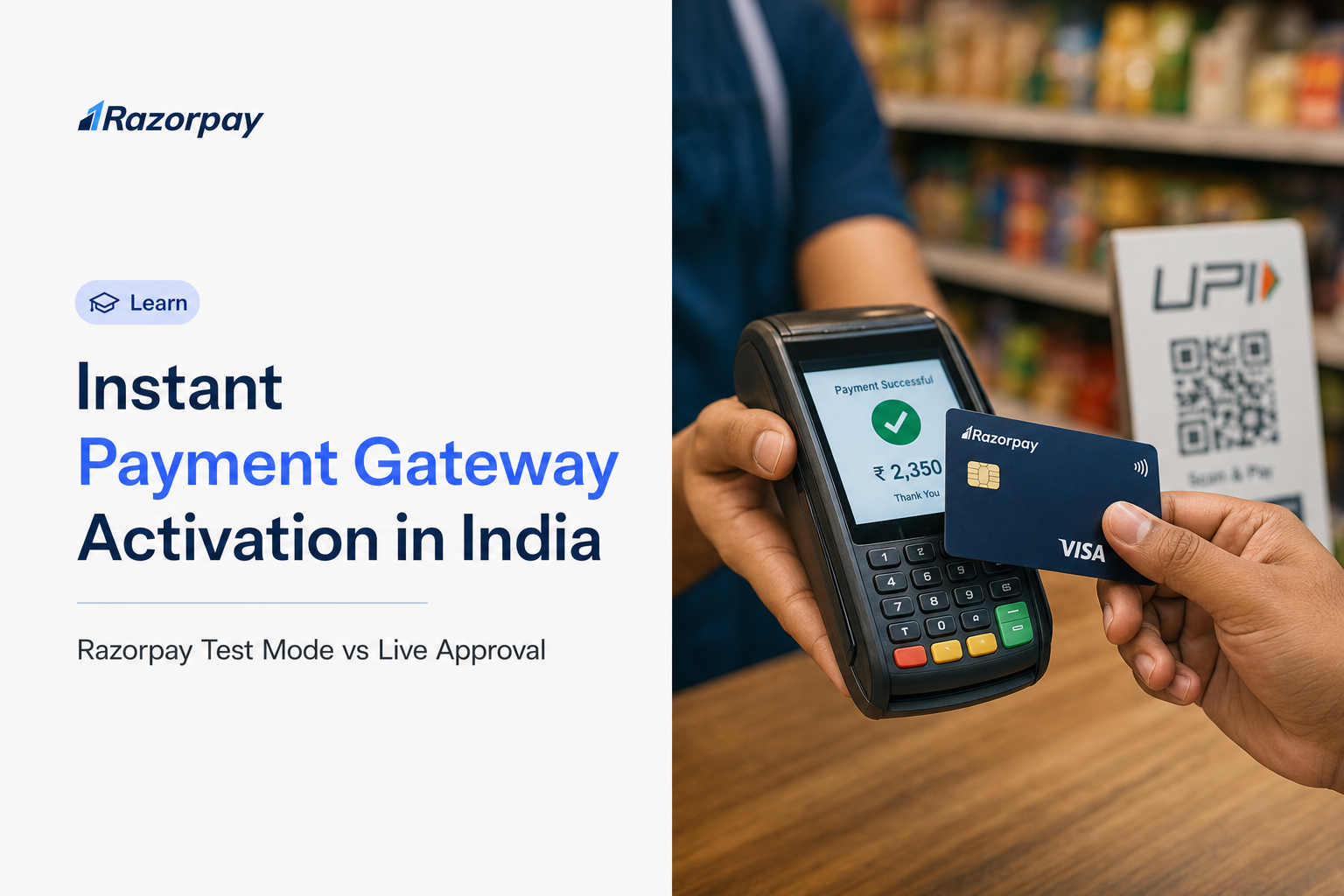
Instant payment gateway activation can mean immediate test access rather than approval to accept real money. Razorpay provides test mode after signup so you can prepare your integration. Live use requires account activation and applicable checks; successful testing alone does not establish approval or a settlement date.
You have built a checkout, clicked pay, and seen a success screen. Does that mean your business can already accept real customer payments?
You are probably reading this because of a deadline, an MVP demo, or a dashboard that still says your application is under review. The decision question is simple: can I start testing now, and when can I collect and receive real customer money?
Test access is not approval to transact. Fewer repeated document uploads through an eligible digital verification route do not remove the remaining checks. This guide explains the modes, the applicable KYC route, live-key requirements and the checks to complete before launch. Start with the mode comparison and the account setup requirements.
Key Takeaways
- Start building before live approval. Razorpay test mode lets you prepare your checkout and test supported payment flows without moving real money. This allows integration work to progress while you complete the verification required for a customer launch.
- CKYC can make onboarding simpler for eligible businesses. When existing CKYC records are successfully retrieved, identity documents can be fetched automatically and a separate Video KYC step may not be required for that entity. Complete any remaining business, bank or ownership checks requested during onboarding. Account setup guide.
- Minimal KYC means less repeated paperwork, not verification-free payments. Requirements depend on your business type and available records. Prepare accurate identity details, applicable business documents and bank information, then follow the checklist shown for your application. Successful identity verification alone does not confirm final live approval. India Payments FAQs.
- Treat signup, identity verification, live acceptance and settlement as separate milestones. Creating an account starts your onboarding journey. An activated account enables the applicable live payment capabilities, while settlement follows the account’s settlement terms. Confirm both collection readiness and settlement arrangements before planning your launch. Account setup guide.
- Use separate credentials for testing and customer payments. Razorpay test and live modes have separate API keys and transaction records. A successful test transaction confirms a simulated payment flow; it does not represent customer revenue or money awaiting settlement. Complete the live configuration before opening checkout to customers. Test and Live Modes.
- Check whether partner Instant Activation applies to your account. Razorpay’s documented partner sub-merchant route has specific collection limits and settlement conditions. These provisions should not be applied to every direct merchant signup. Confirm eligibility before relying on any collection allowance before KYC completion. Partner Instant Activation documentation.
What Does Instant Payment Gateway Activation Actually Mean?
Instant activation needs a named milestone. For a developer, it may mean access to a sandbox. For a merchant, the important milestones are approved live collection and settlement into the bank account. Ask which milestone a stated timeline covers, which checks remain, and whether the route applies to your account.
Razorpay’s documentation keeps these separate. Test mode is available once signup is complete, while live mode is available after you activate your account from the Dashboard. Activation itself is subject to approval from our banking partners, with the account status updated after the bank’s response.
Signup, Identity Verification, Live Acceptance and Settlement
| Milestone | What it establishes | What it does not establish |
|---|---|---|
| Account signup and test access | You can begin preparing the supported integration. | Permission to collect real customer money. |
| Successful identity verification | The identity check for that route succeeded. | Completion of every business, bank or product check. |
| Activated account and enabled live integration | The applicable live collection route is available. | Immediate receipt of every payment in the bank account. |
| Settlement | Eligible funds are transferred under the account’s settlement terms. | A universal instant-settlement entitlement. |
Instant Activation Is Not Instant Settlement
Processing a customer’s payment and transferring the money to your bank account are two different events. The documented standard domestic settlement cycle is T+2 working days, where T is the date of transaction capture, subject to bank approval and varying by business vertical and risk factors. Faster settlement is a separate optional feature: Instant Settlements carries its own maximum daily withdrawable limit and is not a default entitlement that arrives with activation.
DID YOU KNOW: A checkout success message from a simulation does not show that real funds were collected. Confirm which environment produced the result before you count it as revenue.
Razorpay Test Mode vs Live Mode: What Changes?
Razorpay test mode is a sandbox for checking an integration without real money. Live mode is used for customer transactions after the applicable activation requirements are met. Keep credentials, transaction records and launch checks separate so a working demonstration is not mistaken for a production-ready payment flow.
Both modes offer the same core functionality except that real payments cannot be accepted in test mode. Transactions and entities created in test mode stay in the test environment.
| Question | Test mode | Live mode |
|---|---|---|
| When is it available? | After completing signup. | After applicable account activation and integration prerequisites. |
| Does real money move? | No. Transactions are simulated. | Customer transactions involve real funds. |
| Which credentials should the integration use? | Keys generated for test mode. | Separately generated live keys. |
| Do test transactions become live transactions? | No. Test entities stay in the test environment. | Live records reflect live activity. |
| What is the merchant checking? | Supported success, failure and integration behaviour. | Approved collection, payment status and settlement handling. |
You must generate a separate set of API keys for live and test modes. They are not interchangeable.
What You Can Prepare While Verification Continues
Use the waiting period productively. Build and exercise the checkout flow, handle success and failure paths, process webhook events, and confirm your refund logic behaves as expected. Test the payment methods and flows supported by the product you are integrating.
Check the chosen product’s documentation for its sandbox prerequisites and limitations. Do not assume that every payment method is automatically enabled for your account. The payment gateway testing guide can help you plan the checks.
What Test Success Cannot Prove
A passing test is not evidence of merchant approval. It does not confirm that your payment methods are enabled in production, that bank authorisation is complete, or that settlement will arrive on a particular date.
PRO-TIP: Label the environment clearly in your release checklist, and verify the key prefix before launch.
Can You Use Razorpay With Minimal KYC?
Minimal KYC describes the applicable verification process, not the absence of checks. Eligible CKYC retrieval may reduce repeated identity uploads. The remaining requirements depend on your entity and application. Use the current Razorpay checklist for your business type rather than assuming every merchant needs the same documents.
Merchant due diligence remains required under the RBI’s 2025 Payment Aggregator Directions. Paragraph 13 permits an alternative verification process in specified circumstances where CKYCR records are unavailable or cannot be accessed, subject to the stated conditions. This is not a general KYC exemption for small merchants. Follow the verification route that applies to your business.
Test Access Before Live Approval
Test access is available once signup is complete, and you can use the Dashboard in test mode for as long as you like, though you need to submit your activation form to accept live payments. This is not anonymous access and it is not a document-free account. Integration work simply does not have to wait for approval. Follow the official setup guide for the full path.
What to Prepare for Your Business Type
Requirements differ by entity. Check the entity-specific KYC requirements rather than working from a generic list.
- Individual or unregistered business: Confirm the supported business category and the requested personal identity, address, and bank information. Freelancers and individual business entities are supported.
- Sole proprietorship: Prepare proprietor details plus the applicable business evidence. Personal PAN alone does not prove the business exists.
- Partnership or LLP: Check entity, formation, authorised-person and ownership requirements.
- Company: Check incorporation, entity identity, authorisation, beneficial ownership and bank requirements.
Document expectations change. Razorpay’s India FAQs record updated Master KYC requirements, including additional documents for private and public limited companies and a second business document for sole proprietorships.
Do You Need GST, a Current Account or a Website?
These are three separate questions.
On GST and account type, the India FAQs answer the very small, new business case directly: submitting GST and current account details is not mandatory, and you can select the no-GST option and proceed with a savings account. Treat that as the answer for that specific case, not a general rule, and note that it does not change any statutory tax obligation you may have.
On the settlement account, the account activation support page states that a business registered with the Government of India should provide the current account registered to the business, while unregistered businesses and sole proprietors may provide personal bank account details.
On the website, the API key page distinguishes test-key access without a website from website verification required for live keys.
How CKYC Can Reduce Repeated Paperwork Without Guaranteeing Live Approval
CKYC retrieves an existing identity record through the applicable consent process. When retrieval succeeds, it can reduce repeated document collection. It does not establish that every remaining business or bank requirement has been completed. If retrieval fails, follow the alternative verification route shown in the application.
What Successful Retrieval Changes
When a CKYC record exists and is fetched successfully, several identity documents are pulled automatically, and the separate Video KYC step is not required for that entity, according to the India Payments FAQs. Check that the retrieved details are correct and continue with the remaining application. Successful retrieval is not the same as “no KYC”, and no PAN activates an account by itself.
Auto-activation also has named exclusions. The same FAQs identify Hindu Undivided Family, Government Entity, Judicial Person and Local Authority business types as requiring manual review regardless of CKYC availability. For other entity types, auto-activation depends on CKYC data being fetched, all required documents being present, and the business category supporting it.
What Happens When CKYC Is Unavailable or Fails?
A failed CKYC retrieval does not mean your application has been rejected. Follow the alternative route shown for your entity, which may involve DigiLocker, document uploads or Video KYC where required. The India Payments FAQs describe timings for a listed non-CKYC route; those timings are not a guaranteed end-to-end approval SLA for every merchant. Our Video KYC guide explains how to prepare when that route applies.
DID YOU KNOW: Completing an identity check and receiving final account activation are different milestones. Check the account state and the remaining requirements in your application.
How to Move From Razorpay Test Mode to Live Payments
Prepare the integration in test mode, complete the applicable merchant requirements, confirm activation and any website checks, then configure live credentials. Before opening checkout to customers, verify the intended payment methods and production handling. Do not treat switching a dashboard toggle as the only go-live step.
If you are building a custom website or app checkout, Razorpay Payment Gateway is the product this path leads to.
A Practical Go-Live Checklist
- Confirm the collection use case: Identify the business entity, the product you are integrating, the supported business category and the payment methods you intend to offer.
- Prepare the integration in test mode: Exercise success and failure paths, order creation, payment status handling and refunds before you think about credentials.
- Complete the applicable application: Provide accurate legal, bank and business details along with the verification evidence requested for your entity type.
- Resolve pending clarifications: Read the specific request raised against your application, answer exactly that item, and confirm the current account state.
- Complete the live-key prerequisites: Supply the website or app details where you will collect payments, including the policy pages the dashboard asks for, and let verification complete.
- Generate and configure live credentials: Switch to live mode, generate the key, and replace the test API key in your checkout code. Keep the Key Secret server-side and out of repositories and public code. It is only visible at generation time.
- Review production handling: Configure webhooks for live mode and validate each webhook signature using the raw request body and your webhook secret. Handle duplicate and out-of-order events safely, and verify payment capture and status before confirming an order.
- Verify launch and settlement readiness: Confirm which methods are actually enabled, check your first live payment record, and review settlement information before a full rollout. Some payment methods require a separate request that goes to Under Review with banking partners.
Why the Live API Key Option May Still Be Missing
Merchant activation and website verification are related but separate checks. The API key documentation states that to generate API keys in live mode you must provide the website details where you will collect payments, and that the website is verified within three working days. That figure describes website verification only. It is not an account-activation timeline.
PRO-TIP: Keep one launch checklist recording account state, website verification, enabled payment methods and credential environment. This is a suggested merchant practice, not a dashboard feature.
Start Testing With Razorpay and Prepare for Live Approval
Begin building in test mode today, then work through the requirements that apply to your business and integration.
| Next step | Where to go |
|---|---|
| Build a custom website or app checkout | Razorpay Payment Gateway |
| Share a payment request without a custom build | Payment Links |
| Use a hosted collection page | Payment Pages |
| Understand the activation path and remaining checks | Account setup documentation |
| Confirm test and live mode differences | Test and Live Modes |
Resolve any requested clarifications, confirm the account state, then complete the live configuration checks before your customer launch.
Explore Razorpay Payment Gateway and prepare your integration.
Why the Rs 15,000 Instant Activation Allowance Does Not Apply to Every Merchant
Razorpay’s Instant Activation documentation describes a partner sub-merchant flow, not a universal allowance for every direct signup. The page permits limited collection before KYC completion for that flow and says settlement follows successful KYC verification. Confirm current availability and account eligibility before relying on it.
Separate a Partner Flow From a Direct Merchant Account
The Instantly Activate Sub-Merchant Accounts documentation applies to partners onboarding merchants from their own platform. Within that scope, sub-merchants can accept payments up to Rs 15,000 without KYC completion using Payment Gateway and Payment Links, payments are disabled once that volume is breached until KYC is completed, and settlement occurs only after successful KYC verification.
The scope is the point. The flow exists because an aggregator platform is onboarding merchants through an API, not because a direct signup receives a free collection allowance. If you signed up directly, confirm that the route is available to your account before planning around this limit.
This is also not test mode. Real customer funds are involved and settlement remains conditional.
How Long Does Live Approval Take, and What Can You Do If It Stalls?
There is no single approval duration established for every application. Razorpay’s India FAQs state that activation is subject to approval from our banking partners and that the account status is updated after the bank’s response. Read the dashboard’s specific requirement, respond to clarification requests, and ask support what remains outstanding.
Read the Account State Before Choosing the Next Step
Use the Activation Details guidance and the setup documentation to interpret where you are.
- Under review: Your submitted application is being reviewed. Check the dashboard for pending actions and contact support if you need clarification about the next step.
- Needs clarification: Razorpay has asked for a correction or additional information. Answer that exact item.
- Activated: KYC is approved. Move on to live integration and payment-method checks.
- Rejected or suspended: Follow the reason and support guidance for that state.
If you submitted the form and heard nothing, check your inbox including spam, then raise a request with support.
When Paid Assisted Onboarding Is Relevant
Razorpay offers paid Assisted Onboarding if you want a dedicated contact to guide setup. The documented service covers help through signup, KYC submission, verification and account activation. Confirm its current availability, additional fee, published timing conditions and the assistance included during signup. An onboarding manager can guide the process but cannot waive the required checks. Read our faster onboarding guide and assisted onboarding guide for more context.
PRO-TIP: When seeking help, provide the application reference, submission time, current status and the exact pending request. Never send API secrets or identity documents through public forums.
Which Razorpay Collection Route Fits Your Launch?
Pick the route based on the work you need to do, not on which one seems to need less verification. All of them sit behind the same account and eligibility requirements.
Choose the Route by the Work You Need to Do
- Building a custom website or app checkout: Use Payment Gateway and its integration documentation, and confirm the live-key prerequisites described above.
- Sharing a payment request: Explore Payment Links as a collection option with less integration work. The business website details documentation notes that payments can still be accepted through Payment Links generated from the Dashboard where live API keys are not yet available, subject to account and product eligibility.
- Creating a hosted collection page: Explore Payment Pages. Creating one requires an account with KYC requirements completed.
These are different collection interfaces, not different permissions. None guarantees same-day approval or immediate settlement.
Frequently Asked Questions
Can I use Razorpay test mode before completing live KYC?
Razorpay’s documentation provides test access after signup, so you can prepare the integration before live approval. Treat it as a simulation environment. Check product-specific prerequisites and complete the applicable account and integration checks before exposing a real customer checkout.
Does a successful Razorpay test payment mean real money was collected?
No. A successful simulation shows the result of a test flow. It does not create real revenue or establish settlement into your bank account. Confirm the environment, the credentials used and the payment record before reading a success screen as evidence that a customer has paid you.
Can CKYC make Razorpay live activation instant?
Successful CKYC retrieval can reduce repeated identity-document work, but it is one part of the applicable onboarding route, and some entity types always require manual review. Check remaining business, bank, website and product requirements. An identity result is not proof that the whole application is approved.
Can every new Razorpay merchant collect Rs 15,000 before KYC?
No universal allowance is established by the cited documentation. The Instant Activation page describes partner sub-merchants and ties settlement to successful KYC verification. Confirm that the route is currently available to your account before applying its collection limit to a direct signup.
Why can I access test mode but not generate live API keys?
Test access and live API access have different prerequisites. Test keys can be generated without adding a website; live keys require website details and verification. Check your activation state and any pending website verification, then follow the dashboard’s requested actions.