

Available in🇮🇳 India🇲🇾 Malaysia🇸🇬 Singapore🇺🇸 United States
Settlement is the process in which the money received from your customers is settled in your bank account. Settlements for all payments are done in INR (Indian Rupees), irrespective of the currency in which the customer made the payment. Once Razorpay receives the amount, it is settled in your bank account after deducting fees.
How Your Settlement Amount Is Calculated
A settlement is the net amount credited to your bank account, not the gross payment you collected. Razorpay deducts its fees and applicable tax, and accounts for any refunds, adjustments and transfers, before settling the balance to you. Amount settled = Payment ± Adjustment - Refunds - Fee - Tax - Transfer- Payment: the gross payment amount being settled, before deductions.
- Adjustment: adjustments to transactions, which can be a credit or a debit.
- Refunds: refunds you have issued to your customers, deducted from the settlement.
- Fee: Razorpay’s fee for the transactions, excluding GST.
- Tax: GST charged on the Razorpay fee.
- Transfer: transfers (payouts) made to your linked accounts, if any.
Example
Example
The Dashboard shows the break-up for each settlement. For example:
Prerequisites
Following are some of the prerequisites for settlements of payments from customers to your bank account:- Your account must be KYC approved.
- Your account must be fully activated for payments to be settled to your bank account. Know more about KYC Verification.
- You must have added valid bank account details where settlements are credited. Settlements can fail if the account is inactive, frozen or the details are incorrect.
- The payment must be captured. Know more about capturing payments.
Settlement States
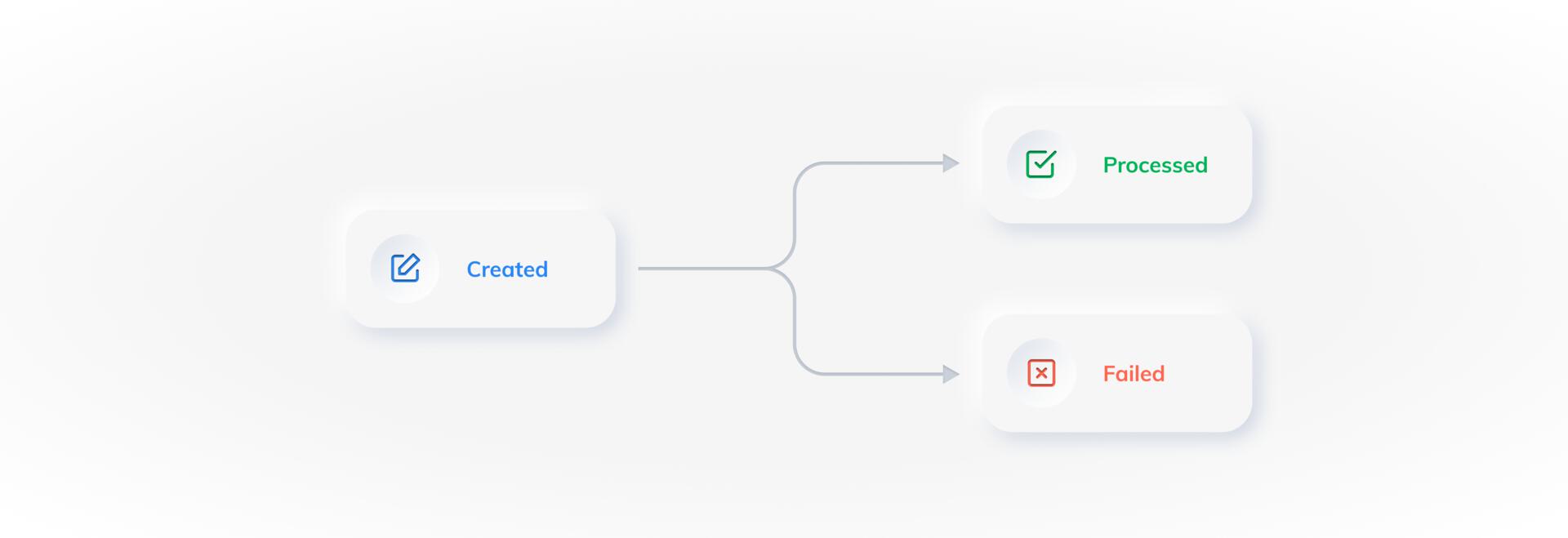
A settlement moves through a set of states, from when it is created to when the money reaches your bank account. Following are the various states of a settlement:
A settlement moves
created → processed, or created → failed.
Settlement Cycle
Razorpay automatically settles your captured payments to the bank account you provided during KYC verification, following your settlement schedule. The settlement cycle is subject to bank approval and can vary based on your business vertical, risk profile and other factors. You can view your settlement schedule at the top of the Settlements page on the Dashboard.
Handy TipsWorking days do not include bank holidays.
Domestic Settlements
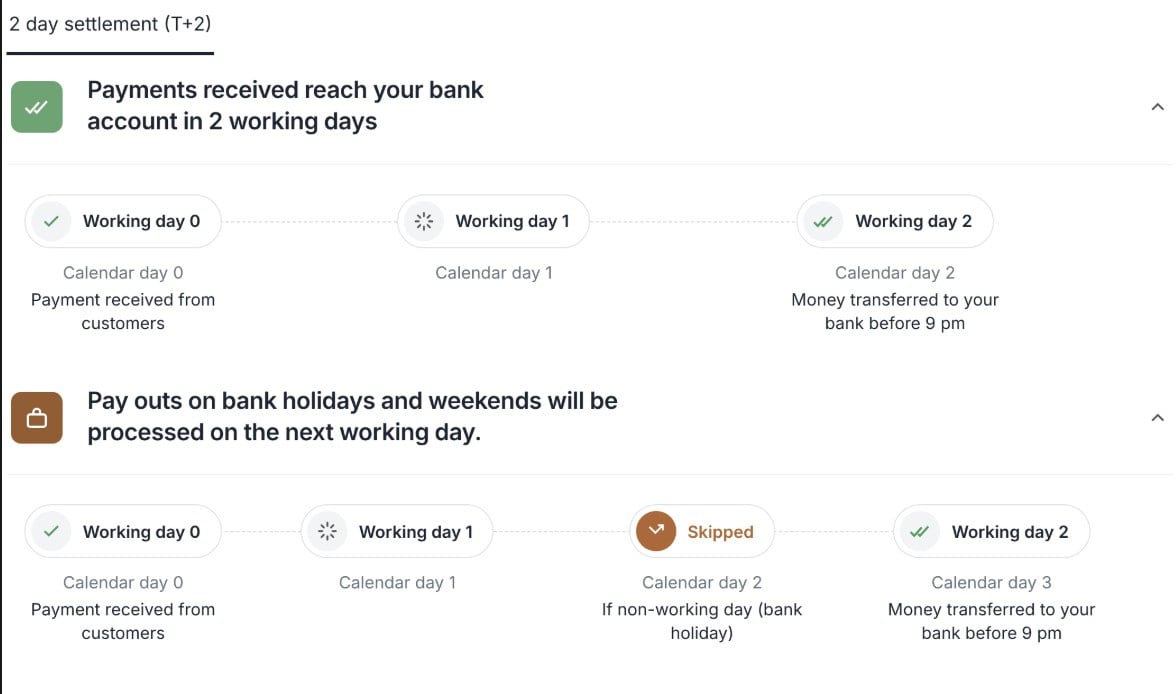
The standard settlement cycle for domestic payments is T+2 working days, where T is the date the payment is captured. This means your money is settled two working days after the date of payment.Example
Example
You capture 20 payments on 2 February on a T+2 schedule. They are settled to your bank account on 4 February by 9pm. If the settlement day is a bank holiday, the settlement is made on the next working day.
International Settlements
The default settlement cycle for international payments is T+7 working days, where T is the date the payment is captured. This means your money is settled seven working days after the date of payment. Settlements for all payments is done in INR (Indian Rupees), irrespective of the currency in which the payment was made. The payment is converted using the exchange rate at the time of payment creation. Razorpay allows you to accept payments in any of the supported international currencies. We may hold part or all of an international payment as a reserve before we settle it to you.Example
Example
You capture 7 international payments on 2 February on a T+7 schedule. They are settled to your bank account on 9 February by 9pm. If the settlement day is a bank holiday, the settlement is made on the next working day.
Instant Settlements
Using Instant Settlements, you can access your funds as and when you want. Normally, you would receive settlements according to your settlement cycle. Razorpay Instant Settlements helps you reduce your settlement period from T+2 days (default settlement cycle) to a few minutes (from the time of the transaction), thus enabling your business to avoid cash-flow challenges and prepare better for working capital requirements. Know more about Instant Settlements.Feature RequestThis is an on-demand feature. Please raise a request with our Support team to get this feature activated on your Razorpay account.
Dashboard Actions
You can perform the following actions from the Razorpay Dashboard:- View settlement details
- Check settlements break-up
- Enable settlements on hold
- View reports related to settlements