

What is the maximum amount I can charge per transaction?
What is the maximum amount I can charge per transaction?
Which banks and apps support UPI Autopay?
Which banks and apps support UPI Autopay?
Which are the intent-supported PSP apps?
Which are the intent-supported PSP apps?
- Standard Checkout Integration
- Custom Checkout Integration
- S2S Checkout Integration
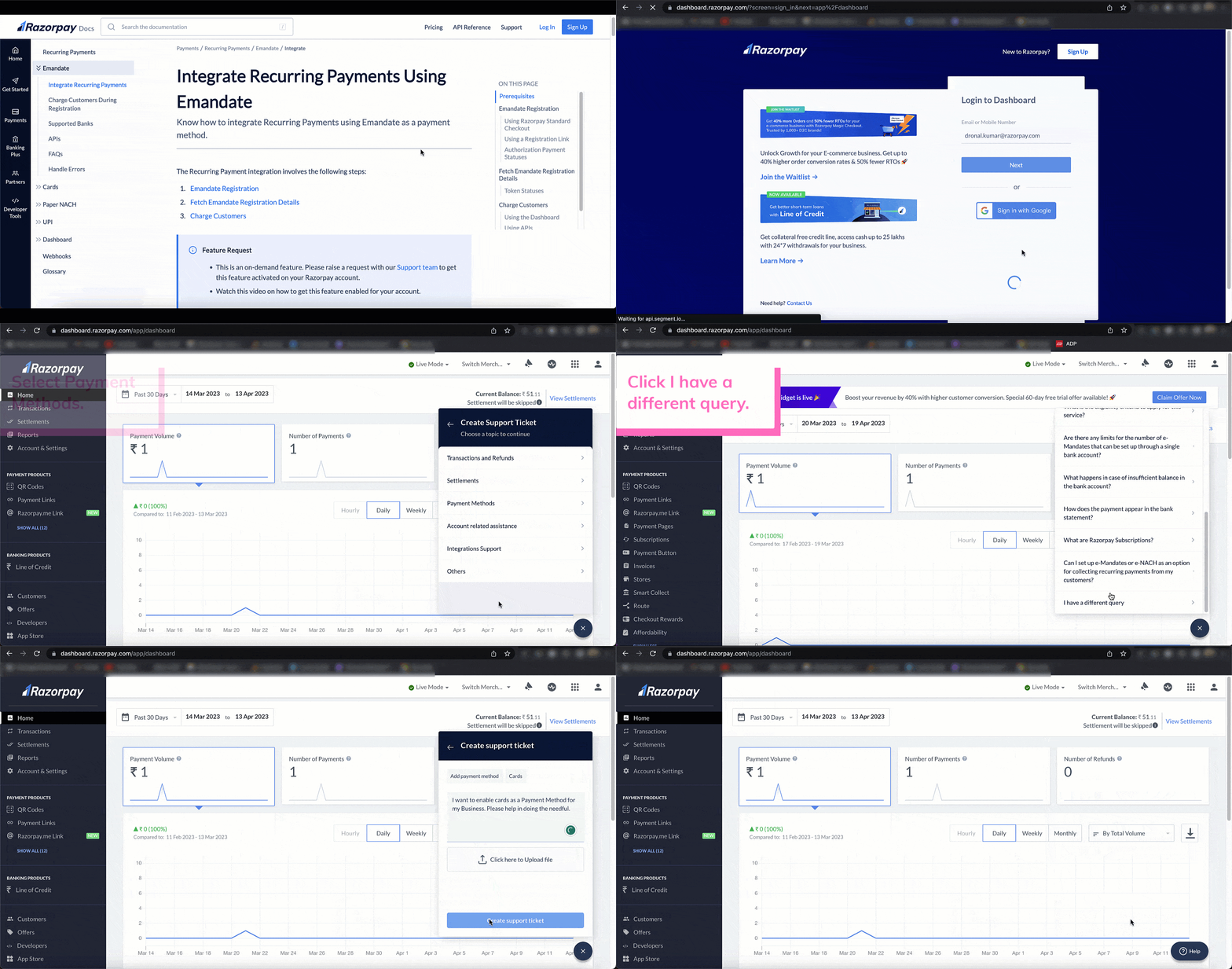
- You should contact our Support team to enable UPI Intent on standard checkout. Watch this video on how to get it enabled.
- UPI Intent is not supported for @okaxis handle.
Which are the intent-supported PSP apps for TPV?
Which are the intent-supported PSP apps for TPV?
- Standard Checkout Integration
- Custom Checkout Integration
- S2S Checkout Integration
- You should contact our Support team to enable PSP apps other than PhonePe and Paytm on Standard Checkout for UPI TPV. Watch this video on how to get it enabled.
- UPI Intent TPV is not supported for @okaxis handle.
How long does mandate registration take?
How long does mandate registration take?
Can I charge customer payments in international currencies via a UPI mandate?
Can I charge customer payments in international currencies via a UPI mandate?
INR payments.For UPI mandates, how long does it take for the token status to move from the initiated state to the confirmed state?
For UPI mandates, how long does it take for the token status to move from the initiated state to the confirmed state?
initiated state to the confirmed state in real-time.What is pre-debit notification?
What is pre-debit notification?
Can I cancel a UPI mandate?
Can I cancel a UPI mandate?
Can I revoke a UPI mandate?
Can I revoke a UPI mandate?
Once registered, can I pause a UPI mandate?
Once registered, can I pause a UPI mandate?
Once registered, can I modify a UPI mandate?
Once registered, can I modify a UPI mandate?
Once registered, can my customer cancel a UPI mandate?
Once registered, can my customer cancel a UPI mandate?
Once registered, can my customer pause a UPI mandate?
Once registered, can my customer pause a UPI mandate?
Once registered, can my customer modify a UPI mandate?
Once registered, can my customer modify a UPI mandate?
What are some best practices I can follow when creating subsequent payments for UPI recurring payment?
What are some best practices I can follow when creating subsequent payments for UPI recurring payment?
What is the supported amount limit on PSP applications?
What is the supported amount limit on PSP applications?
Is QR Code supported for UPI Autopay?
Is QR Code supported for UPI Autopay?
Can I restrict my customers from pausing and cancelling the mandate?
Can I restrict my customers from pausing and cancelling the mandate?
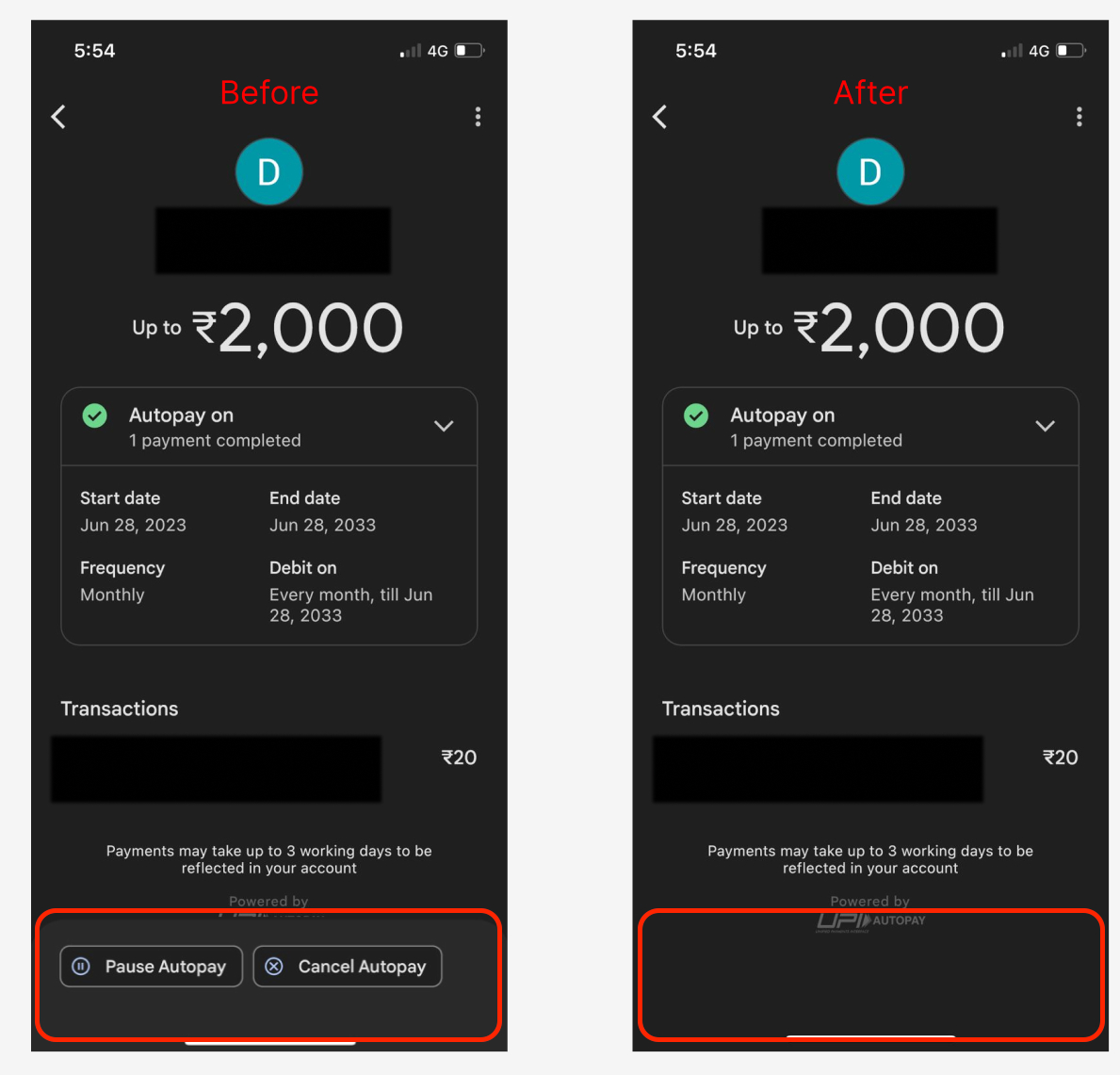 This functionality is supported only for lending businesses. Please contact our Support team for more information.