

Available in🇮🇳 India
After successfully activating COD & Magic Checkout, enable Magic Checkout to enhance your customers’ purchasing experience.
This feature pre-fills shipping info from saved addresses for faster checkout, automatically applies coupons, and helps predict RTO by identifying non-serviceable addresses, reducing RTO rates. Know more about RTO Intelligence.
Enable Magic Checkout
- Log in to the Dashboard.
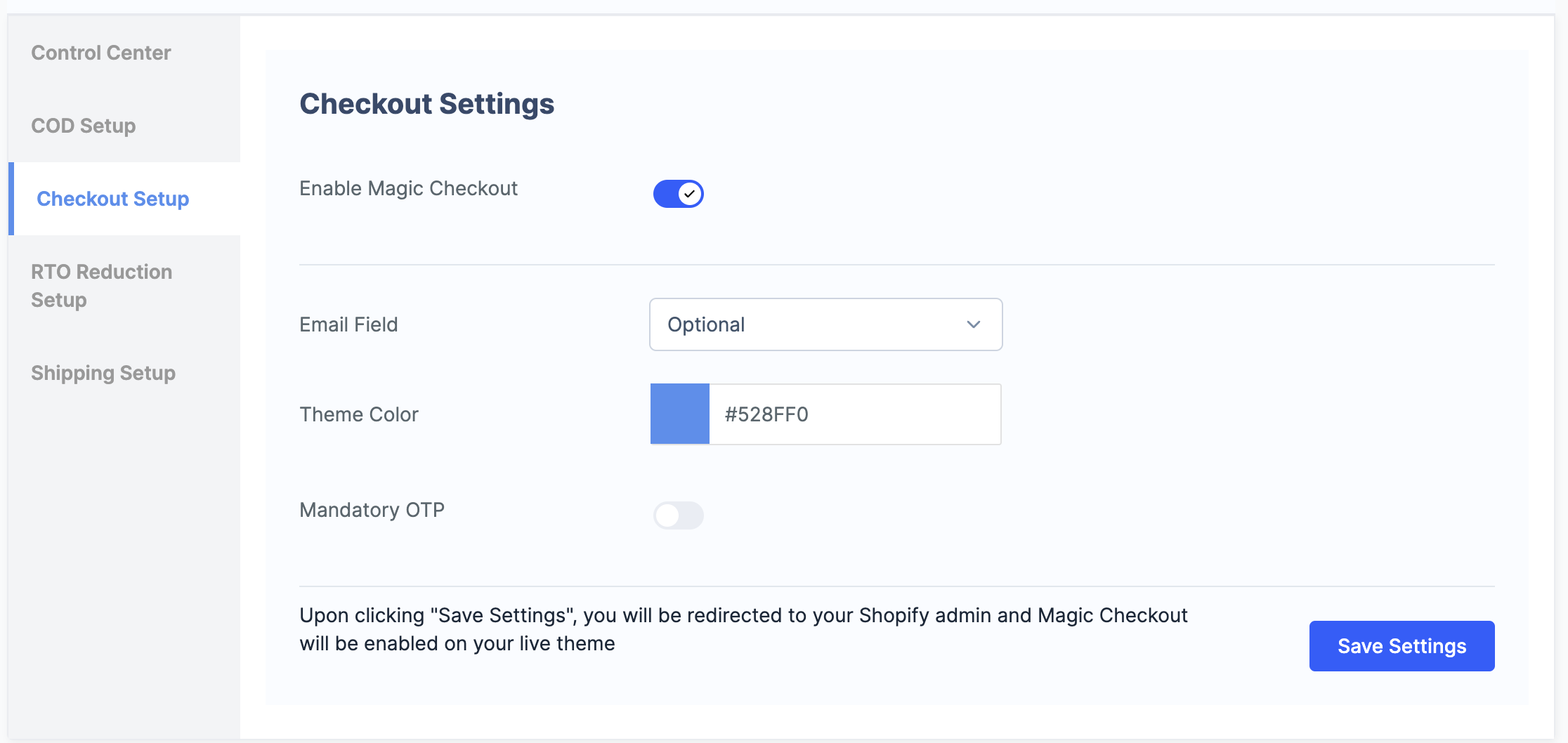
- Navigate to Magic Checkout → Setup and Settings → Checkout Settings.
- Turn on Enable Magic Checkout to enable Magic Checkout.
- Additionally, you can also configure the following:
- Email Field: Configure email address collection based on your requirement:
- Hidden: Customers will not be shown this field on checkout.
- Mandatory: Customers must enter their email address to proceed.
- Optional: Customers can choose to enter their email address or skip this step.
- Theme Color: Enter the HEX code of your brand colour.
- Mandatory OTP: Enable secure access with one-time password (OTP) login.
- Email Field: Configure email address collection based on your requirement:
- Click Save Settings.
- You will be redirected to the theme page on your Shopify store. Click Save in the top right corner to complete the setup.