You closed the deal with your US client. Now, how do you actually collect the USD 2,000 in your Indian account – without a website, without a five-day wait, and without losing 6% to fees and forex?
Three problems sit between you and that money. First, the SWIFT tax: flat wire fees plus a hidden 2 to 4% forex markup, with funds taking 3 to 5 days to land. Second, looking unprofessional by asking a US or UK client to “just do a bank transfer” when they expect a clean, instant experience. Third, the belief that the only way to accept foreign card payments is to build a full checkout integration with a developer on standby.
Here is the correction. You do not need a checkout page, a developer, or a foreign bank account. A single payment link, generated in seconds from a dashboard, is a compliant, auditable, multi-currency alternative that settles INR into your Indian bank account in one to two days. This article shows you how it works, what it costs, and which RBI, FEMA, and GST rules apply to international payments for Indian businesses.
Key Takeaways
- An international payment link is a secure, shareable URL that lets a foreign client pay in their currency (USD, GBP, EUR) while you receive INR directly in your Indian bank account, with zero coding required.
- You do not need a website, a developer, or a foreign bank account. A dashboard login, a KYC-verified account, and two minutes are enough to generate and share a link.
- The real cost of collecting foreign payments is the gateway fee plus the FX markup. On a USD 1,000 invoice, a 2 to 3% hidden forex markup can cost around ₹1,700 to ₹2,500 extra versus a platform passing a transparent rate.
- Every international payment you receive in India requires a FIRC or eFIRC for FEMA compliance and GST export documentation. Choose a platform that generates this automatically per transaction.
- RBI purpose codes (P0802 for software consultancy, P0807 for off-site software exports, P1006 for management consulting) must be assigned at the time of payment setup, not after settlement.
- Under FEMA, service exports made between June 5, 2026 and September 30, 2026 must be realised within 9 months. From October 1, 2026, the FEMA 2026 framework moves this to 15 months, or 18 months for INR-invoiced exports.
- Export of services is zero-rated under GST only if you file a Letter of Undertaking (LUT) annually. Without an LUT, you may have to charge 18% IGST on your cross-border invoice.
- Razorpay’s International Payment Gateway supports 130+ currencies, is backed by RBI Payment Aggregator authorisation, and issues per-transaction eFIRC automatically.
What Exactly Is an International Payment Link, and How Is It Different From a SWIFT Wire?
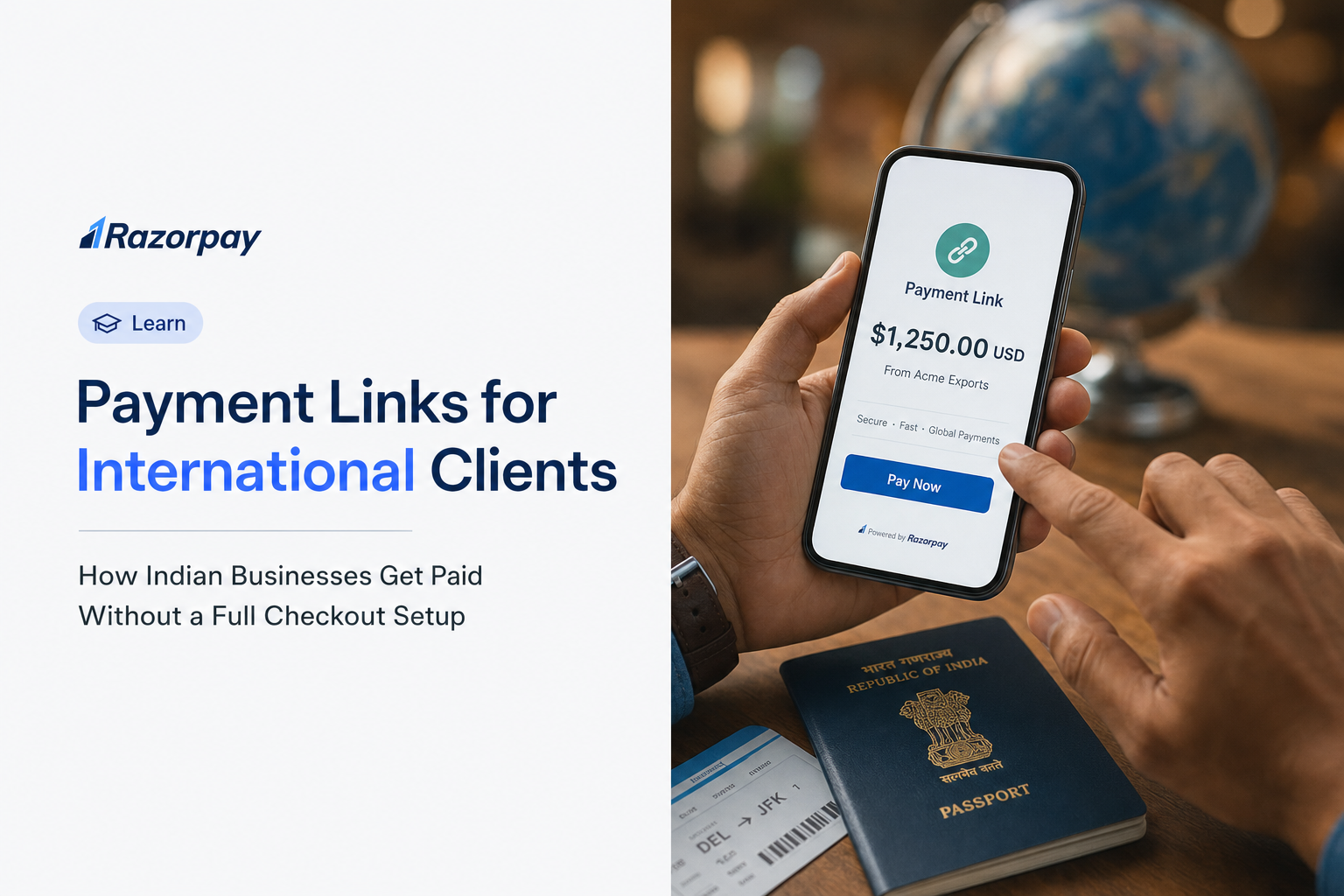
An international payment link is a secure, unique URL generated by a licensed payment platform. An Indian business shares it with a foreign client, who clicks it, sees a checkout page in their own currency, pays with a card or bank transfer, and the platform converts the funds and deposits INR into the Indian business’s bank account, typically within one to two business days.
That is the whole model. No website integration, no developer, and no foreign bank account are required on your side. The platform hosts everything.
Compare this to a SWIFT wire. Your client fills out a bank form with your SWIFT code, IFSC, and account details, initiates the transfer, and waits while the money moves through correspondent banks. It typically takes 3 to 5 business days, and the exchange rate applied is rarely the one you would find on a public reference page. A flat wire fee plus a hidden forex markup quietly reduces what lands in your account.
A payment link removes that friction. Your client never touches a banking form. They see a branded page, tap a saved card or Apple Pay, and pay in under a minute. You get INR plus a document trail. The difference is speed, professionalism, and a clean audit record that generates itself.
Payment Link vs SWIFT Wire vs Full Checkout Gateway – A Plain Comparison
| Method | Setup required | Time to receive INR | Typical cost (all-in) | FIRC/eFIRC | Best for |
|---|---|---|---|---|---|
| Payment link (card-backed) | Dashboard + KYC | 1-2 business days | Around 3% gateway + forex | Auto-generated | One-off invoices, freelancers, agencies |
| Payment link (bank transfer-backed) | Dashboard + KYC | 1-2 business days | 1-3% depending on platform | Auto-generated | B2B service exports, retainers |
| SWIFT wire (traditional) | Bank form + SWIFT codes | 3-5 business days | Flat wire fees + 1.5-2% hidden forex markup | Manual from bank branch | Very large one-off transfers |
| Full checkout gateway integration | Developer + API + hosting | 1-2 business days post-integration | Around 3% + forex | Auto-generated | High-volume e-commerce with regular card flows |
Why Indian Service Businesses Are Choosing Payment Links Over Traditional Wires
The shift toward digital collection is the default behaviour of the market, and the data backs this up.
- Digital payments accounted for 99.8% of all payment transaction volume in India in H1 2025, signalling that digital collection is now the norm.
- UPI cross-border transactions grew from 180 transactions in FY 2021-22 to over 7.5 lakh transactions worth ₹25,853 lakh in FY 2024-25 (Source: NPCI Annual Report), showing foreign clients are increasingly comfortable paying through digital rails.
- The global payment link market was valued at USD 8.4 billion in 2025 and is projected to reach USD 24.7 billion by 2034, growing at 12.8% CAGR.
Did You Know?
India’s UPI processes 49% of all real-time payment transactions worldwide, more than any other country’s payment system.
How Does an International Payment Link Actually Work? (End-to-End Flow)
When an Indian business generates a link through a licensed platform, the client receives a URL leading to a hosted, PCI DSS-compliant checkout page in their currency. The client pays using a card, Apple Pay, Google Pay, or local bank rails. The platform holds the foreign currency in a nodal or escrow account, converts it at the agreed rate, deducts its fee, and credits INR to your registered Indian bank account, usually within one to two business days.
For US clients, local bank rails mean ACH. For EU clients, it means SEPA. This lets your client pay the way they already know how, without a SWIFT form. The escrow structure keeps the flow compliant: foreign currency is held in a regulated account, converted, and released as INR with a document trail attached.
Step-by-Step – How to Create and Send an International Payment Link From India
- Log into your payment platform dashboard. If you use Razorpay’s International Payment Gateway, ensure international payments are enabled and the export-side configuration is active.
- Select Payment Links and choose the international currency. Enter the amount in the client’s currency (USD, GBP, EUR, AED). Enter what the client owes in their currency.
- Add a payment description and assign your RBI purpose code. Write a clear service description and select the correct purpose code (P0802 for software consultancy, P0807 for off-site software exports, P1006 for management consulting). This is embedded into your eFIRC.
- Set expiry date and payment methods. Set an expiry aligned with your invoice terms (7 to 14 days is common). Choose card-only or add bank transfer options.
- Generate and share the link. Share via email with your invoice PDF attached, or over WhatsApp, Slack, or LinkedIn. The client pays as a guest, no account needed.
- Client pays in their local currency using Visa, Mastercard, Amex, Apple Pay, Google Pay, or local bank transfer.
- Platform settles INR to your bank account. After the transaction clears, INR is deposited into your registered Indian bank account.
- Download your eFIRC. The platform auto-generates the eFIRC per transaction. It is your proof of export earnings for FEMA compliance, GST LUT substantiation, and income tax filing.
What the Client Sees vs What You Receive
- The client sees a clean, branded checkout page in their local currency – no Indian banking complexity, no confusing exchange rate, no SWIFT form.
- The client can complete payment in under 60 seconds using a saved card or Apple Pay.
- You receive an INR amount plus an eFIRC document – the same audit trail as a SWIFT wire, but faster and with automatic document generation.
Step-by-Step – How to Set Up and Use International Payment Links With Razorpay
Razorpay’s Payment Links product supports international card payments and enables Indian businesses to accept foreign currency from clients across 100+ countries in 130+ currencies. Each settled transaction generates an eFIRC automatically, and Razorpay uses Intelligent Routing to help maintain high transaction success rates.
Activating International Payments on Your Razorpay Account
- Log into your Razorpay Dashboard.
- Navigate to Settings and then International Payments.
- Complete the additional KYC for international activation (business registration proof, bank account details, PAN).
- Select your primary RBI purpose code for your export category.
- Activation typically completes within 1 to 2 business days after document submission.
Creating an International Payment Link in Razorpay (Step-by-Step)
- Go to Payment Links and click “Create Payment Link.”
- Select “International” as the payment type.
- Enter the amount in the client’s currency (for example, USD 2,000).
- Add a description (for example, “Digital marketing consulting – June 2026”).
- Set the link expiry date aligned with your invoice due date.
- Enable card payment methods (Visa, Mastercard, Amex supported).
- Optionally add a customer name and email so the platform sends the link directly.
- Click “Generate” and copy the link.
- Share via email, WhatsApp, or embed in your invoice PDF.
What Happens After the Client Pays – Settlement and eFIRC
- Razorpay routes the transaction through Intelligent Routing to help maximise approval rates.
- INR is settled to your registered Indian bank account on the standard settlement cycle.
- Razorpay automatically generates an eFIRC for each settled transaction. Download it under Settlements and then FIRC.
- Use the eFIRC to substantiate LUT compliance, file GST returns, and complete FEMA documentation. Razorpay’s international payments documentation walks through each step.
Razorpay Payment Pages and Subscriptions – When to Use Each
- Payment Links – ideal for one-off invoices, milestone billing, and consulting retainers where the amount changes each cycle.
- Payment Pages – ideal for fixed-price services. Create a branded page once, share the URL permanently.
- Subscriptions – ideal for recurring SaaS billing or fixed monthly retainers. Supports card-based recurring mandates for international clients and UPI Autopay for domestic clients.
Do You Actually Need a Website to Use International Payment Links From India?
No. You do not need a website, a developer, or a custom integration. You need a KYC-verified account with an RBI-licensed payment platform, your client’s email or phone number, and the invoice amount in the target currency. The platform generates a hosted payment page, and your client only ever sees a secure branded checkout URL.
That is the entire technical requirement. Everything the client interacts with lives on the platform’s PCI DSS-compliant infrastructure, which handles currency conversion and settlement for you. The barrier most Indian businesses imagine, a full checkout build, does not exist for this use case. What matters is having the right documentation and account setup in place before you send your first link.
What You Do Need Before Sending Your First International Payment Link
- A KYC-verified business account with an RBI-licensed Payment Aggregator (PA) or Payment Aggregator – Cross Border (PA-CB). Individual freelancers can often use a sole proprietor setup with PAN and a bank account.
- A registered Indian bank current account for settlement. Savings accounts can trigger bank-side notices on high-value recurring foreign inflows.
- A valid PAN and GSTIN. GSTIN is required if your annual export turnover exceeds ₹20 lakh; below that threshold you can still register voluntarily.
- A Letter of Undertaking (LUT) filed on the GST portal (Form GST RFD-11) at the start of each financial year, allowing you to export services without charging 18% IGST.
- An RBI purpose code pre-selected for your service type.
- An invoice in the foreign currency, which becomes the anchor document for your FEMA and GST compliance trail.
The Two Types of International Payment Links an Indian Business Can Generate
There are two distinct flows, sitting on separate RBI regulatory tracks.
- Export payment links – for Indian businesses billing foreign clients. Your US or UK client pays in USD or GBP, and you receive INR. This is the primary use case for this article.
- Import payment links – for foreign businesses accepting payments from Indian consumers. This is a separate product flow and a separate RBI regulatory track.
Pro tip: Before generating your first link, confirm your platform holds RBI authorisation for cross-border collections on the export leg specifically. If you are an Indian exporter billing foreign clients, you need export-side authorisation to remain fully compliant under the RBI’s 2023 framework.
What Are the Real Costs? Understanding Fees and FX Markup on International Payment Links
Two components make up the true cost: the platform’s stated transaction fee, and the forex markup applied on conversion. Many platforms advertise a low percentage but embed a 1.5 to 3% hidden FX markup in the exchange rate. On a USD 1,000 invoice, a 2% FX markup costs approximately ₹1,700 extra at current rates, on top of any stated gateway fee.
This is where most cost comparisons go wrong. Businesses focus on the headline gateway percentage and ignore the spread between the mid-market rate and the rate actually applied at settlement. That spread is real money leaving your account silently. The only way to know is to run the rupee math and compare the settlement rate against a public reference rate.
How to Calculate the Real All-In Cost Before You Choose a Platform
Assume: USD 1,000 invoice, mid-market rate at ₹85/USD as of August 2026 (INR equivalent = ₹85,000).
| Cost component | Scenario A – 3% gateway + 2% FX markup | Scenario B – 3% gateway + 0% FX markup |
|---|---|---|
| Gateway fee | ₹2,550 (3% of ₹85,000) | ₹2,550 (3% of ₹85,000) |
| FX markup loss | ₹1,700 (2% of ₹85,000) | ₹0 |
| GST on gateway fee (18%) | ₹459 | ₹459 |
| You receive | ~₹80,291 | ~₹81,991 |
| Difference | – | ₹1,700 more per USD 1,000 |
Pro tip: Always ask your platform to show the exact exchange rate applied at settlement versus the mid-market rate (available on RBI’s reference rate page). On a ₹10 lakh invoice, a 2% gap costs you ₹20,000.
When Does a Bank Transfer-Backed Link Beat a Card-Backed Link?
- Card-backed links charge around 3 to 4% and route through Visa and Mastercard networks. Ideal for invoices under USD 500 and clients who expect a card experience.
- Bank transfer-backed links (client pays via ACH, SEPA, or Faster Payments) typically cost 1 to 1.5% all-in with no card network fees. Better for invoices above USD 1,000.
- For recurring monthly retainers, Razorpay’s recurring international billing allows UPI Autopay mandates (up to ₹15,000) or recurring card billing.
Did You Know?
In 2023-24, 73.5% of inward remittances into India were received through digital channels, per the Reserve Bank of India’s Sixth Remittances Survey.
How Do RBI, FEMA, GST, and the PA-CB Framework Apply to International Payment Links?
Every foreign payment received through a link triggers three regulatory frameworks at once. FEMA governs how foreign currency enters India and within what timeframe. GST determines whether you owe 18% IGST or export zero-rated. And the RBI’s PA-CB framework decides whether your platform is legally authorised to handle the transaction at all.
These are not optional extras you sort out later. FEMA sets a hard realisation deadline. GST requires a LUT filed before the financial year begins if you want to avoid charging IGST. And using a platform without cross-border authorisation can put your inward remittances under bank scrutiny. Getting all three right from day one separates a clean export operation from a compliance headache.
The PA-CB Licence – Why the Platform You Choose Matters Legally
In 2023, the RBI introduced the Payment Aggregator – Cross Border (PA-CB) framework, requiring all entities that facilitate cross-border payment collections on behalf of Indian merchants to obtain a specific RBI licence. This replaced the earlier OPGSP regime.
What this means for you:
- Only platforms holding cross-border authorisation are legally cleared to process inward remittances on your behalf.
- Using an unlicensed platform can cause your transactions to face scrutiny from AD Category-I banks, potentially delaying or blocking realisation.
- Razorpay holds RBI Payment Aggregator authorisation and secured RBI approval for cross-border aggregation in December 2025.
FEMA Realisation Deadlines – How Long Do You Have to Bring the Money Into India?
Under FEMA, the realisation deadline for service exports depends on your export date. Exports made between June 5, 2026 and September 30, 2026 must be realised within 9 months. From October 1, 2026, the FEMA 2026 framework sets the period at 15 months, or 18 months for INR-invoiced exports.
- The “date of export” is typically the invoice date or service delivery date.
- If a client delays beyond the window, you must apply to your AD Category-I bank for an extension.
- Platforms that auto-generate eFIRC with the correct remittance date create an audit trail. Razorpay’s export realisation explainer covers the current rules.
RBI Purpose Codes – Which Code Do You Select for Your Service Export?
Every inward remittance for service exports must be tagged with an RBI purpose code, which appears in your eFIRC and is filed with your bank. The wrong code causes reconciliation issues and delays in eBRC generation.
- P0802 – Software consultancy or implementation services delivered to foreign clients. See Razorpay’s P0802 guide.
- P0807 – Off-site software exports delivered remotely from India. See Razorpay’s P0807 guide.
- P1006 – Business and management consultancy and public relations services.
- P1007 – Advertising, trade fair, market research, and public opinion polling.
- P0101 – Export of goods (for product exporters).
Pro tip: Pre-configure the purpose code for your primary service category. Razorpay’s international gateway lets you set a default purpose code at the account level. The full RBI purpose code list for 2026 helps you match your service.
GST, LUT, and Export of Services – What You Must Do Before Your First International Payment
Under GST, export of services is a “zero-rated supply.” You do not charge GST on international invoices, but only under two conditions.
- Option 1 – File an LUT: File Form GST RFD-11 on the GST portal at the start of each financial year. With a valid LUT, you export services without collecting IGST and can claim input tax credit refunds. This is the recommended path.
- Option 2 – Charge IGST and claim a refund: Without an LUT, you must charge 18% IGST even to foreign clients, then apply for a refund. This creates cash flow strain.
If your annual export turnover is below ₹20 lakh, you are below the GST registration threshold. That said, there is genuine nuance in how the export-of-services registration rule is read, so confirm with a CA. Razorpay’s export of services under GST guide covers the conditions in full.
Did You Know?
Indian MSME exports rose from ₹3.95 lakh crore in FY 2020-21 to ₹12.39 lakh crore in FY 2024-25, with MSMEs contributing 45.79% of India’s total exports.
When Should You Use a Payment Link vs a Payment Page vs a Full Gateway Integration?
The right choice comes down to three variables: how often you bill, whether the amount changes, and whether the client should “find” your page or be “sent” a link. A payment link is sent to a specific client for a specific amount. A payment page is a permanent URL prospects find and self-serve on. A full integration embeds checkout inside a product journey at high volume.
Decision Framework – Payment Link vs Payment Page vs Gateway Integration
Use a Payment Link when:
– You have a specific client, a specific amount, and a specific due date.
– You want to generate and share in under two minutes.
– Your invoice amounts change client by client.
– Example: A Bengaluru UX agency sends a USD 3,500 link to a London client for a completed website audit.
Use a Payment Page when:
– You sell a fixed-price service or product repeated across multiple clients.
– You want a permanent URL for your email signature or booking confirmations.
– You want prospects to self-serve without you manually generating a link.
– Example: A Mumbai consultant sells a “90-day SEO Sprint” at USD 1,200 using one Payment Page URL.
Use a full Gateway Integration when:
– You have high transaction volume (hundreds of international payments per month).
– You need automated billing, webhook-based reconciliation, or CRM integration.
– You are building a product with checkout embedded in the user journey.
– Example: A Hyderabad SaaS startup billing USD 49/month to 500 global subscribers uses a Subscriptions API integration.
5 Best Practices to Get Paid Faster and Stay Compliant on International Payment Links
Best Practice 1 – Always Attach the Invoice PDF to the Payment Link Communication
Include your GST-compliant invoice when sharing the link. The invoice number, service description, and amount must match the link exactly. This chain – invoice plus transaction ID plus eFIRC – is your complete FEMA and tax compliance trail.
Best Practice 2 – Set Link Expiry Aligned With Your Invoice Payment Terms
If your invoice says “Net 15 days,” set the link to expire in 15 days. Expired links cannot be paid, so regenerate promptly if a client misses the window. This also creates a natural follow-up trigger.
Best Practice 3 – Pre-configure Your Default Currency and Purpose Code
Set your most common billing currency (USD, GBP, or EUR) as the account default. Pre-set your RBI purpose code at the account level. This eliminates the risk of assigning the wrong code under time pressure and ensures every eFIRC is correctly tagged.
Best Practice 4 – Download Your eFIRC Within 7 Days of Settlement
Do not wait until tax season. Download the eFIRC within one week of each settlement. Maintain a financial year-wise folder with invoice, transaction confirmation, eFIRC, and bank credit statement. Your CA will need all four.
Best Practice 5 – Use Payment Links for Deposits, Not Just Final Invoices
For project work, send a link for the 50% deposit before work begins and a second for the balance on delivery. This reduces FEMA realisation risk, improves cash flow, and creates two separate eFIRC documents.
Pro tip: India’s total digital payment volume exceeded 2,000 crore transactions per month by mid-2025, with UPI alone processing over 18 billion transactions in June 2025 — a 32% year-on-year increase (Source: RBI Payment Systems report, H1 2025). Choose a platform with guest checkout and Apple Pay or Google Pay support for maximum conversion.
Frequently Asked Questions About International Payment Links for Indian Businesses
Can I send an international payment link if I am a freelancer with no GST registration?
Yes. If your total annual income is below ₹20 lakh, you are not required to register for GST and can still send international payment links as a sole proprietor. You need a PAN, a bank account, and KYC documents to activate your account. However, you cannot file an LUT without GST registration, so consult your CA on whether voluntary registration is beneficial.
What is the FEMA realisation period for service exports paid via payment link?
It depends on your export date. Service exports made between June 5, 2026 and September 30, 2026 must be realised within 9 months. From October 1, 2026, the FEMA 2026 framework sets the period at 15 months, or 18 months for INR-invoiced exports. With an RBI-licensed platform, settlement is usually within 1 to 2 business days.
How does my client pay – do they need to create an account or install anything?
No. When a client clicks your link, they land on a hosted, mobile-optimised checkout page. They pay as a guest using a card, Apple Pay, Google Pay, or local bank transfer. There is no account to create and nothing to install.
Does the platform generate my FIRC automatically, or do I have to chase my bank?
With an RBI-licensed platform like Razorpay, the eFIRC is generated automatically per transaction and available for download from your dashboard. You do not need to visit a bank branch or file a manual request for each payment.
Can I use payment links for recurring international client payments like retainers?
For a fixed monthly retainer, Razorpay’s Subscriptions product is a better fit than generating a fresh link each cycle, since it supports recurring card mandates for international clients. If your retainer amount changes month to month, a new Payment Link per invoice gives you flexibility.
What is the real all-in cost on a USD 1,000 invoice?
Plan for two components: the gateway fee (around 3% on card-backed links) plus any FX markup. On a USD 1,000 invoice at ₹85/USD, a 3% gateway fee is roughly ₹2,550, plus 18% GST on that fee (₹459). If your platform adds a 2% hidden forex markup, that is another ₹1,700.
Which RBI purpose code should I select for software or consulting services?
Use P0802 for software consultancy and implementation services, and P0807 for off-site software exports delivered remotely from India. Use P1006 for business and management consultancy, and P1007 for advertising and market research. Assign the code at setup so it flows correctly into your eFIRC and downstream eBRC generation.