You have just crossed roughly 1 lakh in monthly GMV. You open your settlement report expecting a clean number, and instead you see a small deduction on almost every payment. Stack those up and, at 2% plus 18% GST on the fee, you are handing over close to ₹28,320 a year. That is three months of a freelance designer, or a festive-season ad push you have been postponing.
Most founders think the same thing: “I thought UPI was free, so why am I still seeing deductions?” Here is the clean answer before we name the offer. Zero MDR on bank-to-bank UPI is an RBI mandate. That is real and permanent. But a payment aggregator’s platform fee is a separate technology and service charge that sits on top of the payment rails. It pays for routing, fraud checks, your dashboard, reconciliation, and settlement. Zero MDR does not mean zero infrastructure cost, so a platform fee can still apply on UPI. The Razorpay 0% platform fee offer waives exactly that technology charge for a limited window.
The risk is signing up without understanding three things: when the clock actually starts, what the offer covers, and which premium methods are excluded. Get any of those wrong, and you leave real, calculable savings on the table. This guide walks through what the offer includes, how to activate it correctly, what the window should accomplish, and how to plan for the day standard pricing resumes.
Fix one thing in your head from the start: the exact offer duration, the activation date, and any caps are governed by the official 90-Day Free PG Offer terms. Read the live terms and confirm the current version in your dashboard before you act on anything below.
Key Takeaways
- The Razorpay 0% platform fee offer waives Razorpay’s platform fee on eligible domestic transactions for new merchants for the first 90 days from account activation, up to a cumulative transaction value of ₹5,00,000, whichever is exhausted first. GST and a ₹199 + tax KYC processing fee are not waived. The offer is auto-applied to eligible accounts activated on or after 1 July 2026.
- Zero MDR on BHIM-UPI and RuPay debit cards is a separate statutory requirement in place since January 2020 under Section 10A of the Payment and Settlement Systems Act, 2007. It exists regardless of any offer.
- After the ₹5L cap is used or the 90-day window ends (whichever is first), standard Razorpay pricing resumes automatically: 2% + 18% GST on most domestic methods, 2.15% on RuPay Credit Card via UPI, with no setup fee and no annual maintenance charge. Confirm your exact applicable rate in your dashboard.
- The platform fee is the only charge to model for post-offer planning, since there is no setup fee and no AMC on standard accounts.
- UPI hit a record 23.66 billion transactions worth 29.88 trillion in July 2026. Every fraction saved in the early scaling phase compounds into retained margin.
- UPI accounted for 85.5% of India’s digital transaction volume in H2 2025, so the platform fee waiver on UPI is the single most impactful part of this offer in rupee terms.
What Is Razorpay’s 0% Platform Fee Offer and How Does It Actually Work?
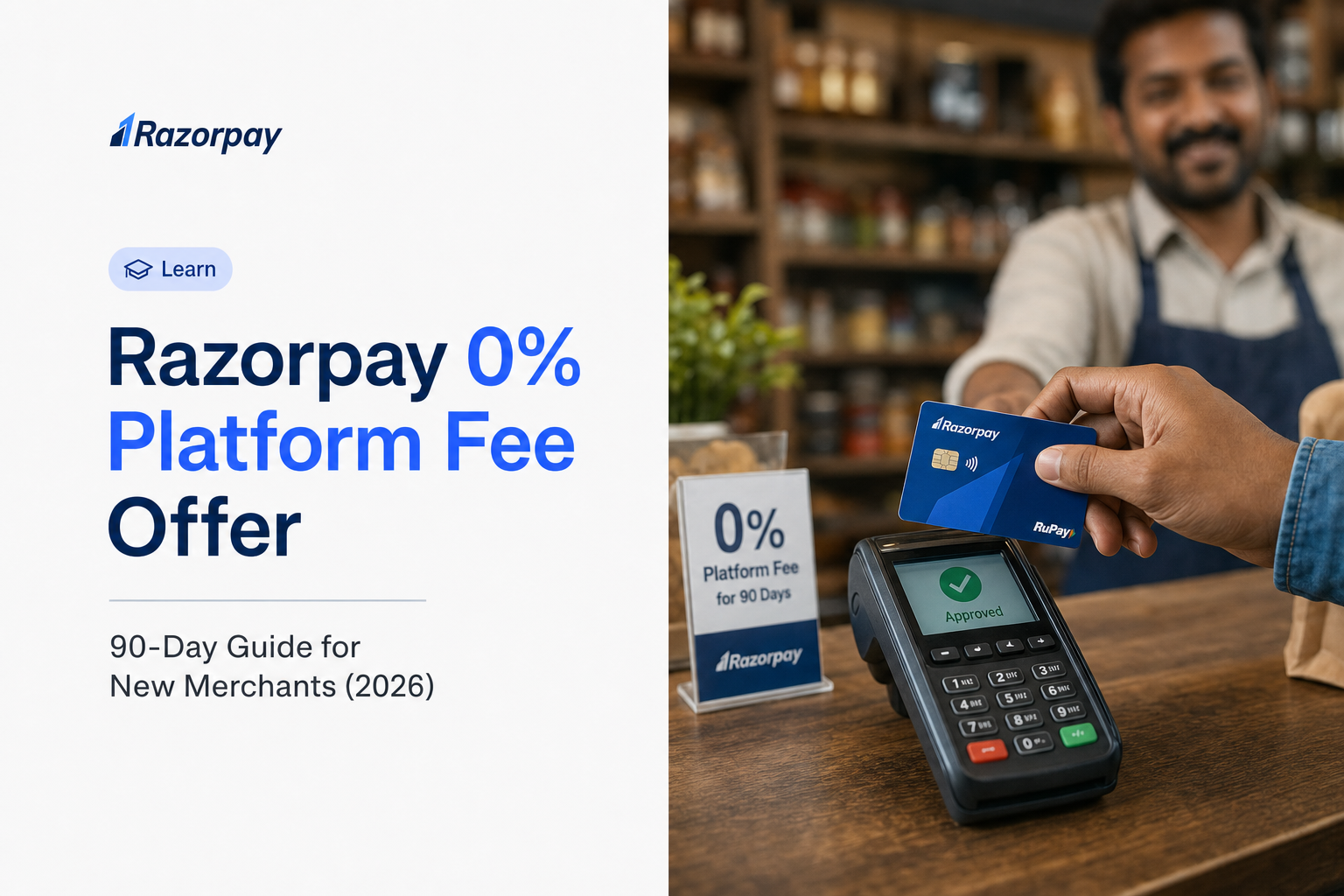
Razorpay’s 0% platform fee offer waives the platform fee charged on eligible successful domestic transactions for new merchants for their first 90 days. It is a temporary promotional waiver of Razorpay’s own technology and service fee, separate from the RBI-mandated zero MDR on BHIM-UPI and RuPay debit card transactions. Exact terms are set in the official offer conditions.
One clarification before you rely on the “90-day” framing. The offer runs as a Welcome Offer with a cumulative ₹5,00,000 cap across the entire 90-day window, not a monthly cap. Whichever hits first, the 90th day from activation or the ₹5L cumulative transaction value, ends the offer. Do not assume an unlimited waiver.
What Payment Methods Are Covered and What Are Excluded?
The exclusion list below is drawn directly from Clause 5 of the official offer terms. Standard Razorpay pricing applies to all excluded methods throughout the 90-day window.
| Covered – 0% platform fee | Excluded – standard fees apply |
|---|---|
| Standard domestic credit cards (Visa, Mastercard, RuPay) | Prepaid Cards |
| Standard domestic debit cards (Visa, Mastercard, RuPay, Maestro) | Corporate Credit Cards |
| UPI (bank-to-bank BHIM-UPI) | American Express (AMEX) Cards |
| RuPay Credit Card via UPI | Diners Club Cards |
| Net banking | All EMI-based payment methods (cards + cardless EMI) |
| Mobile wallets | International card transactions |
| Pay Later / BNPL | International bank transfers |
Scope: The offer is valid for domestic transactions only, processed via the Razorpay Payment Gateway and Aggregator. Standard Razorpay fees apply to transactions made via excluded payment methods throughout the window.
Fair Usage: If your credit card transactions exceed 90% of your total processed volume during the offer period, Razorpay reserves the right to withdraw the offer, apply standard charges retrospectively from the date of detection, and flag your account for review.
Who Qualifies for the Razorpay 0% Platform Fee Offer in 2026?
The offer is available to merchants who complete KYC and receive Razorpay account activation on or after 1 July 2026. Two additional gates apply:
- One redemption per PAN / Bank account. If you operate multiple Merchant IDs (MIDs) under the same PAN or bank account, only the first activated MID is eligible. Subsequent MIDs do not qualify.
- No prior Razorpay history. Any merchant who processed a transaction on Razorpay before 1 July 2026 is disqualified, even if they now open a new account.
Standard onboarding requirements apply on top of the offer criteria: a registered business, valid KYC, PAN, and a business bank account matching PAN records.
Business Types Generally Suited to the Offer
- Registered private limited companies, LLPs, partnership firms, and sole proprietorships
- MSME or Udyam-registered businesses, where Razorpay accepts the relevant documentation
- New-to-Razorpay merchants signing up for the payment gateway for the first time on or after 1 July 2026
- Businesses across sectors: D2C e-commerce, SaaS, digital services, social commerce sellers, freelancers with registered entities, and traditional SMEs moving online
Final approval always depends on KYC and category checks at application.
Situations Where the Offer May Not Apply
- Existing or previous Razorpay merchants are not eligible. Any merchant who processed a transaction on Razorpay before 1 July 2026 is disqualified.
- One redemption per PAN / Bank account. If you operate multiple Merchant IDs (MIDs) under the same PAN or bank account, only the first activated MID is eligible. Subsequent MIDs do not qualify.
- Non-transferable. The offer cannot be transferred to a third party or redeemed for cash.
- Fair Usage for credit-card volume above 90%. If credit card transactions exceed 90% of your total processed volume during the offer period, Razorpay reserves the right to withdraw the offer, apply standard charges retrospectively from the date of detection, and flag the account for review.
- Misuse or manipulation. Razorpay reserves the right to disqualify a merchant for misuse, fraud, suspicious transactions, or attempts to route transactions in a manner designed to circumvent fair usage conditions.
How Do You Activate the Offer, and When Does the 90-Day Clock Start?
The 90-day clock starts from your account activation date, not from signup, not from your first transaction. Account activation happens after successful KYC approval and acceptance of Razorpay’s Terms of Use. Two things follow from this:
- You must be activated on or after 1 July 2026 to qualify at all. Earlier activations are disqualified even for otherwise-new merchants.
- The offer is auto-applied. On activation, ₹5,00,000 in “Amount Credits” are automatically applied to your account. No code, no request, no first transaction needed to trigger it (Redemption Process section).
Completing KYC quickly is the single biggest lever to protect your full window. Note: a KYC processing fee of ₹199 + applicable taxes still applies during activation and is not waived by the offer.
Step-by-Step Activation Process
Step 1 – Prepare documents before signing up
- Business PAN
- GSTIN or MSME/Udyam registration certificate, as applicable
- Business bank account details, with the name matching PAN records
- A live website or app URL with a visible refund policy, terms and conditions, and contact information, as required under RBI Payment Aggregator guidelines
Step 2 – Sign up and submit KYC
- Create an account at the Razorpay Payment Gateway page
- Submit business details and upload KYC documents
- Submit complete, matching documentation on day one. KYC delays can push back activation and eat into the window
Step 3 – Verify the offer in your dashboard
- After activation, check your Razorpay dashboard to confirm the ₹5,00,000 Amount Credits have been applied to your account. No further action is required to activate the offer; it’s auto-applied.
- Save a screenshot of the credit balance and activation date for your records.
- Note the activation date; this is Day 0 of your 90-day window.
Step 4 – Complete integration before going live
- Use pre-built plugins for Shopify, WooCommerce, or other supported platforms via the integration library
- For no-code setups, Payment Links and Payment Pages run under the same account
- Run test transactions before switching to live mode
Step 5 – Go live and begin tracking
- Configure webhook notifications for payment events
- Track conversion rate, payment method mix, and settlement amounts from day one
PRO-TIP: Do not begin signup until your website has a live refund policy, terms and conditions, and a contact page. RBI-mandated compliance checks can block activation if these are missing, and every day of delay eats into your window.
How Much Will You Actually Save – The Real Rupee Numbers
Your savings equals the platform fee waived on the first ₹5,00,000 of cumulative transaction value on covered methods. Because the offer caps at ₹5L cumulative, the absolute maximum any merchant can save is:
₹5,00,000 × 2.36% (2% platform fee + 18% GST on fee) = ₹11,800
That is the ceiling. Merchants processing ₹1.67 lakh per month or more on covered methods over the full window approach this figure. Merchants running lower volume save proportionally less.
Savings Calculator by Monthly GMV
This assumes the standard 2% + 18% GST rate on most covered domestic methods (effective ~2.36%). Formula: 90-day saving = min(monthly GMV × 3, ₹5,00,000) × 2.36%.
| Monthly GMV on covered methods | ₹5L cumulative cap reached around | 90-day saving |
|---|---|---|
| ₹50,000 | Not reached in 90 days | ₹3,540 |
| ₹1,00,000 | Not reached in 90 days | ₹7,080 |
| ₹1,66,700 | ~Day 90 | ~₹11,800 (near-full cap) |
| ₹2,00,000 | ~Day 75 | ₹11,800 (cap hit, standard fees resume) |
| ₹5,00,000 | ~Day 30 | ₹11,800 (cap hit, standard fees resume) |
Two things to note:
- GMV on excluded methods (Prepaid, Corporate CC, AMEX, Diners, EMI, and any international transaction) is billed at standard rates throughout the window and does not count toward the ₹5L cap. It also generates no offer savings.
- RuPay Credit Card via UPI carries a 2.15% standard platform fee rather than 2%, which changes the effective rate slightly for that method only.
Why the 90-Day Window Matters More Than the Headline Percentage
In the early months of an online business, most transactions tend to be small in size but high in frequency. That mix is what stretches the ₹5,00,000 cumulative cap across the full 90 days instead of exhausting it in the first few weeks. Merchants processing under ₹1.67 lakh per month on covered methods usually get the full 90 days of savings. Merchants running larger campaigns often hit the cap much sooner. The maximum saving under the offer is ₹11,800, so the useful lens is not volume but timing.
For a D2C brand, the pre-festive ramp-up is usually a better use of this window than the peak sale itself. A single large sale event can exhaust the ₹5,00,000 cap within days. Use the 90 days to build baseline volume, refine your checkout flow, and set the default payment method mix on your product. If you make UPI the default during this period, the effect carries forward after standard rates resume, since UPI carries the lowest per-transaction cost of any domestic method at scale.
DID YOU KNOW?
UPI accounted for 85.5% of digital payment transaction volume in India in H2 2025. Given UPI’s dominance in India’s digital payments ecosystem, a platform fee waiver on UPI can be particularly valuable for businesses that receive a significant share of their payments through UPI.
Platform Fee vs MDR vs Zero MDR – Why These Are Three Different Things
MDR, the Merchant Discount Rate, is the fee charged across the payment processing chain, covering interchange, network assessment, and the acquirer margin. In India, applicable card MDR can go up to 0.90% of transaction value, and MDR on UPI P2M transactions can go up to 0.30% where it applies.
The platform fee is different. It is the technology and service charge levied by the payment aggregator for routing, fraud detection, the dashboard, reconciliation, and settlement infrastructure. It is not the same line item as MDR.
Then there is the regulatory baseline. Since January 2020, MDR has been mandated as zero for RuPay debit card and BHIM-UPI transactions through Section 10A of the Payment and Settlement Systems Act, 2007 and Section 269SU of the Income-tax Act, 1961. This applies to every payment aggregator.
Here is the key clarification. A platform fee can still apply on UPI because zero MDR does not mean zero infrastructure cost. The 0% offer temporarily removes even that charge. Razorpay’s explainer notes that for standard UPI payments, the MDR is 0% by mandate, while a platform fee is charged by the gateway for the technology that enables reliable UPI payments. That technology fee is the only lever available to waive on UPI.
DID YOU KNOW?
Under the current regime, eligible RuPay debit card and BHIM-UPI transactions can carry zero MDR. However, payment providers may apply separate technology or platform-related charges. A 0% platform-fee offer can therefore provide an additional saving beyond the underlying MDR framework, depending on the applicable payment method and provider terms.
Your 90-Day Operational Playbook – Phase by Phase
The window has three phases: activation and integration (roughly days 1-21), growth and optimisation (roughly days 22-60), and post-offer preparation (roughly days 61-90). The goal is not only a zero-platform-fee period but also building the payment infrastructure, data baselines, and volume habits that lower your effective rate even after standard pricing resumes.
Phase 1 – Activation and Integration (roughly days 1-21)
- Complete KYC and activation without delay
- Choose the right integration method:
- Store platform seller: use the relevant pre-built plugin from the integration library
- No-code seller: set up Payment Links and Payment Pages
- Developer-led: use the API documentation in sandbox, then move to production
- Set up webhooks for captured and failed payment events from day one
- Place UPI as the primary payment method, given its 85.5% share of digital payment volume
- Configure GST-compliant invoicing
- KPI: time from account activation to first live transaction. Every day of delay burns a day of the 90-day window, so the target is under 5 days.
Phase 2 – Growth and Optimisation (roughly days 22-60)
- Maximise UPI adoption by ordering UPI first in mobile checkout
- Monitor payment method mix weekly. Track the share of GMV flowing through covered versus standard-rate methods
- Run planned campaigns in this phase to consume the ₹5,00,000 cap efficiently, but track cap utilisation daily. Standard platform fees resume the moment cumulative eligible GMV crosses ₹5,00,000, even if you are still inside the 90-day window.
- Test Magic Checkout if eligible, to reduce abandonment
- Consider Instant Settlements if working capital is tight
- Build your reconciliation workflow now, matching settlement reports to order IDs
- Watch the Fair Usage rule. If credit card transactions exceed 90% of your total processed volume during the window, Razorpay reserves the right to withdraw the offer and apply standard charges retrospectively. Route a healthy mix of UPI, netbanking, and debit-card volume to stay well below this threshold.
- KPI: payment success rate, UPI share of GMV, checkout conversion rate
Phase 3 – Post-Offer Preparation (roughly days 61-90)
- Project the standard platform fee plus GST in rupees from the first day after the window, using the calculator above
- If monthly GMV has crossed 5 lakh, contact Razorpay’s sales team about custom pricing before the window closes, per the enterprise pricing threshold
- Review product pricing and decide whether any adjustment is needed
- Any unused Amount Credits at the end of day 90 lapse automatically. There is no carry-forward, no extension, and no cash redemption. If your cap utilisation is low as day 75 approaches, plan a legitimate volume push in the final two weeks.
- Confirm your dashboard shows the correct offer end date. Note that the offer can end earlier than day 90 if the ₹5,00,000 cumulative cap is exhausted first.
PRO-TIP: Use the final two weeks to download a full settlement report and reconcile every transaction against your accounting records. Doing this inside the zero platform fee window turns reconciliation into an investment in your financial systems rather than a scramble after fees resume.
How the Zero-Fee Offer Fits Within Razorpay’s Broader Pricing Structure
Razorpay’s standard pricing is a pay-as-you-go model with no setup fee and no annual maintenance charge, where merchants pay a platform fee only when a transaction succeeds. The 0% offer is a time-limited entry point into this structure. The durable advantages are the absence of recurring fixed costs (no setup fee, no annual maintenance charge) and the payment success rate that determines your net realised revenue. A one-time KYC processing fee of ₹199 plus applicable taxes applies at activation and is not waived by the offer.
The Standard Pricing Picture After the Window
| Payment method | Standard platform fee (plus 18% GST on the fee) |
|---|---|
| Standard domestic cards | 2% |
| UPI | 2% |
| Net banking | 2% |
| Wallets | 2% |
| RuPay Credit Card on UPI | 2.15% |
| Debit Card EMI | 1% |
| Cardless EMI | 3% |
| Credit Card EMI | 3% |
| Corporate cards | 3% |
| Amex and Diners | 3% |
| Pay Later | 3% |
| International cards | 3% Platform Fee + 1% chargeback protection + FX charges |
| International bank transfers | 1% |
| Setup fee | 0 |
| Annual maintenance charge | 0 |
The 2% standard rate on cards, UPI, netbanking, and wallets, and the 2.15% rate on RuPay Credit Card via UPI, are stated on the Razorpay India pricing page. Rates for EMI, corporate cards, AMEX, Diners, Pay Later, international cards, and international bank transfers are drawn from Razorpay’s pricing documentation and are subject to change. Confirm your applicable rate in your Razorpay dashboard.
GST at 18% applies to the platform fee, not to the transaction value. On a ₹1,000 transaction at a 2% platform fee, the fee is ₹20, and GST on the fee is ₹3.60, for a total deduction of ₹23.60.
Why Zero AMC Changes the Long-Term Cost Picture
- Some payment platforms bundle a fixed annual or monthly fee into their pricing structure, regardless of transaction volume. A fixed recurring charge sits on top of the per-transaction rate and reduces net margin most sharply at lower monthly volumes.
- Razorpay charges no AMC and no setup fee on standard accounts. After the offer window ends, the recurring per-transaction cost is the standard platform fee plus 18% GST on that fee, and nothing else.
- The 0% offer is therefore not only a window of waived platform fees. It is an entry into a structure with no recurring fixed cost after the window ends. A one-time ₹199 KYC processing fee plus taxes applies at activation, but there is no monthly or annual fee to model afterwards.
Fee Optimisation Playbook – Keeping Your Effective Rate Low After the Window
After the window ends, the most powerful lever to reduce your effective processing rate is maximising the share of transactions on UPI. UPI carries a statutory zero MDR under RBI mandate. On Razorpay’s standard published pricing, UPI sits at the same 2% platform fee plus GST as cards, netbanking, and wallets. Any per-transaction cost advantage on UPI at scale comes through custom or enterprise pricing tiers rather than the standard rate card.
The UPI-First Strategy for Post-Offer Fee Reduction
- UPI already carries 85.5% of India’s digital payment volume in H2 2025, so your customers default to it
- Order UPI first in checkout. Method ordering influences choice
- On mobile, show UPI app intent links directly rather than requiring a typed UPI ID
- For recurring billing, use UPI Autopay within the applicable mandate limits, and review the subscriptions setup
PRO-TIP: If your monthly GMV is trending above ₹5,00,000, book a custom pricing conversation with Razorpay sales before the offer window closes. Custom rates on UPI at scale are typically negotiated at the enterprise level rather than fixed to the standard rate card.
Custom Pricing Above 5 Lakh Monthly GMV
Merchants processing above 5 lakh per month are generally eligible for custom pricing discussions, as covered in Razorpay’s enterprise pricing guidance. Bring your total cost of ownership data and payment method mix to that conversation, not just a headline rate.
Common Mistakes That Cost Merchants the Full Benefit of the Offer
The most common mistakes are stretching the gap between activation and going live, misreading which methods are covered, running excluded premium volume, exhausting the ₹5,00,000 cap without realising, and failing to plan for the day standard pricing resumes. Each one quietly reduces the rupee value you extract from the offer.
- Delaying KYC and integration. Fix: prepare documents and compliance pages before signing up.
- Assuming all methods are covered. Fix: the exclusions are stated in Clause 5 of the offer terms. Standard fees apply on Prepaid Cards, Corporate Credit Cards, AMEX, Diners Club, and all EMI-based methods.
- Routing high volumes through excluded premium methods. Fix: steer customers toward covered methods, especially UPI.
- No day-after plan. Fix: model the standard rate plus GST before the window closes. Remember that the “day after” can come earlier than day 90 if you exhaust the ₹5,00,000 cap first.
- Assuming an existing entity can re-qualify. Fix: Clause 8 of the offer terms disqualifies any merchant who transacted on Razorpay before 1 July 2026. Clause 7 limits eligibility to one MID per PAN or Bank account, and only the first activated MID qualifies. Opening a second MID under the same PAN does not re-qualify you.
- Not tracking cap consumption. Fix: standard fees resume the moment your cumulative eligible GMV crosses ₹5,00,000, even if you are still inside the 90-day window. Monitor the Amount Credits balance in your dashboard weekly.
- Sitting on unused credits. Fix: any unused Amount Credits at the end of day 90 lapse automatically. No carry-forward, no extension, no cash redemption. If cap utilisation is low as day 75 approaches, plan a legitimate volume push in the final two weeks.
Frequently Asked Questions
Q1: Does the 90-day clock start at signup, KYC approval, or first transaction?
The 90-day clock starts on your account activation date. Not signup, not first transaction. Account activation follows successful KYC approval and acceptance of Razorpay’s Terms of Use, so completing KYC quickly is the single biggest lever to protect your window. Alongside the 90-day timer, a cumulative ₹5,00,000 transaction cap runs in parallel. The offer ends when either limit is hit first.
Q2: How do I activate Razorpay’s 90-day 0% platform fee offer?
There is no separate activation step. The offer is auto-applied to eligible accounts.
- Sign up on razorpay.com and complete KYC.
- On successful KYC approval and account activation, ₹5,00,000 in Amount Credits are automatically applied to your account.
- You do not need to enter a code, raise a request, or complete a first transaction to trigger the offer.
Your account must be activated on or after 1 July 2026 to qualify. The 90-day window starts on the date of account activation.
Q3: Which payment methods are excluded from Razorpay’s 0% platform fee offer?
Five payment methods are excluded. Standard Razorpay platform fees apply on transactions made through any of these methods, even during the 90-day window.
- Prepaid Cards
- Corporate Credit Cards
- American Express (AMEX) Cards
- Diners Club Cards
- All EMI-based payment methods, including cardless EMI
The offer is also valid only for domestic transactions processed via the Razorpay Payment Gateway and Aggregator. International card transactions and international bank transfers fall outside the offer scope and are billed at standard rates.
Q4: What happens on the day after the window ends?
Standard pricing resumes automatically. There is no setup fee and no annual maintenance charge, so the standard platform fee plus 18% GST is the recurring charge to plan for. Note that the “day after” can arrive before day 90 if you exhaust the ₹5,00,000 cumulative cap first.
Q5: Does the offer apply to Payment Links and Payment Pages?
Yes. The offer applies to domestic transactions processed via the Razorpay Payment Gateway and Aggregator. Payment Links, Payment Pages, Payment Buttons, and QR Codes all route through the same aggregator, so eligible transactions on those products count toward the ₹5,00,000 cap. Excluded payment methods listed in Clause 5 remain excluded regardless of which product surface accepts the transaction.
Q6: Is there any fee to pay during activation that the offer does not waive?
Yes. A one-time KYC processing fee of ₹199 plus applicable taxes applies at activation. GST on the platform fee is also not waived at any point during the window. The offer only waives Razorpay’s platform fee itself.
Q7: Is the standard platform fee 2% or 2.15%?
Most domestic methods are priced at 2% + GST, while 2.15% applies specifically to RuPay Credit Card on UPI. Confirm the exact rate in your dashboard.
Q8: If I open a second Merchant ID under the same PAN or bank account, does it qualify separately?
No. Only the first activated MID under a given PAN or bank account is eligible (Clause 7). Subsequent MIDs under the same PAN or bank account do not qualify, regardless of activation date.
Q9: What happens to unused Amount Credits at the end of the 90 days?
They lapse automatically (Clause 10). Unused credits cannot be carried forward, extended, or redeemed for cash under any circumstances.
Q10: Who is eligible for Razorpay’s 90-day 0% platform fee offer?
Three eligibility conditions apply, all defined in the offer terms.
- Activation date. Your Razorpay account must complete KYC and receive activation on or after 1 July 2026 (Clause 1).
- One redemption per PAN or Bank account. If you operate multiple Merchant IDs under the same PAN or bank account, only the first activated MID qualifies. Subsequent MIDs do not (Clause 7).
- No prior Razorpay history. Any merchant who processed a transaction on Razorpay before 1 July 2026 is disqualified, even if they now sign up as a new account (Clause 8).
Standard onboarding requirements apply on top of these criteria: a registered business, valid KYC, PAN, and a business bank account matching PAN records. Final approval depends on Razorpay’s KYC and category checks at application.