Available in🇮🇳 India
In some cases, your employees may report incorrect loss of pay (LOP) deductions for the previous six months in their payslips. This creates Reverse LOP (RLOP) arrears, which you must pay.
To pay the RLOP arrears, you can reverse the LOP deductions for such employees. Ensure you finalise the payroll for the previous months to add RLOP.
Add RLOP Arrears
To add RLOP arrears:- Log in to the Payroll Dashboard.
- Navigate to ADMIN OPTIONS → Pay Employees → Run Payroll.
- Click the Edit icon against the employee’s name.
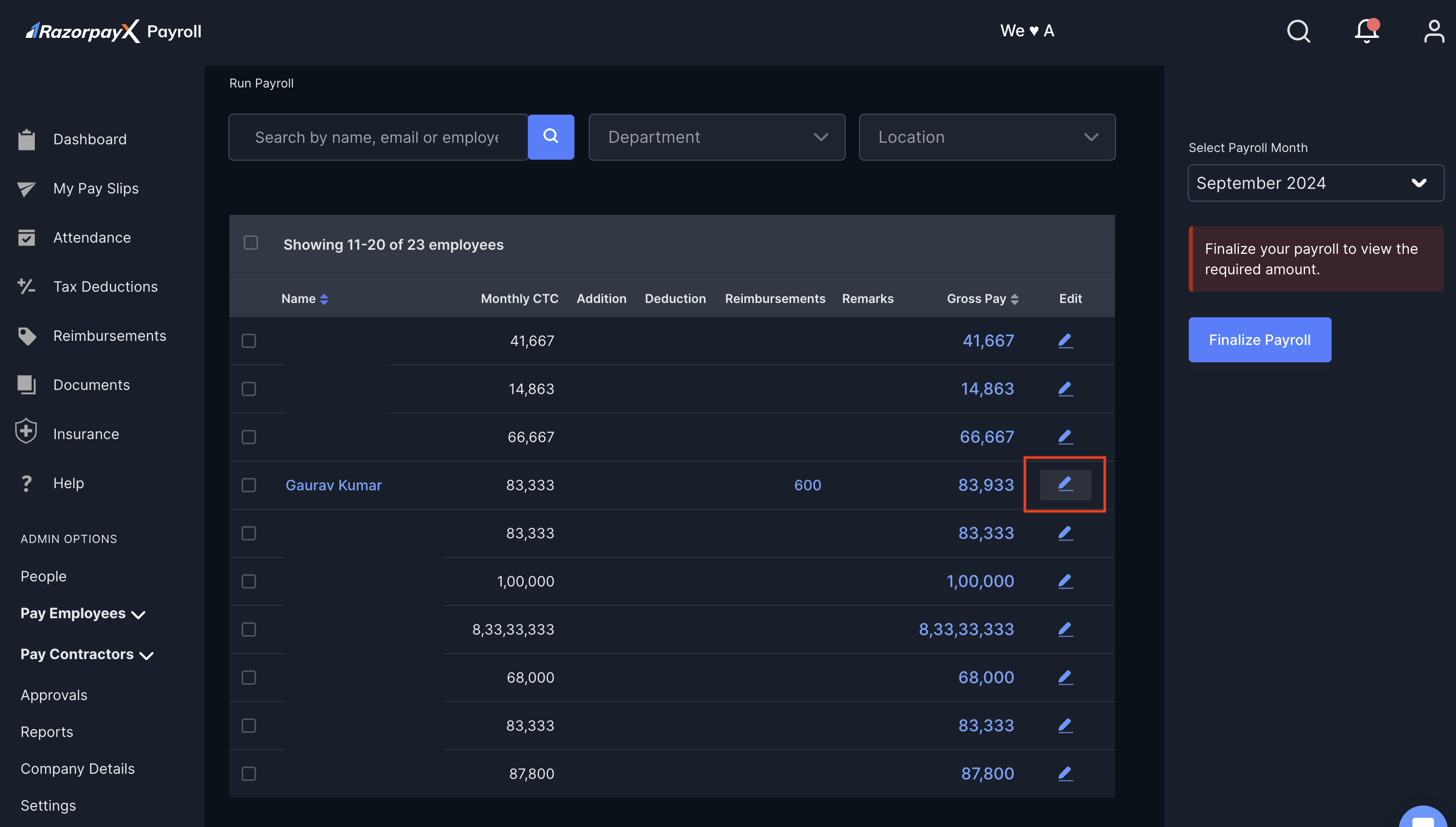
Handy TipsIf you are unable to view the edit icon, click Make Changes in the right pane.
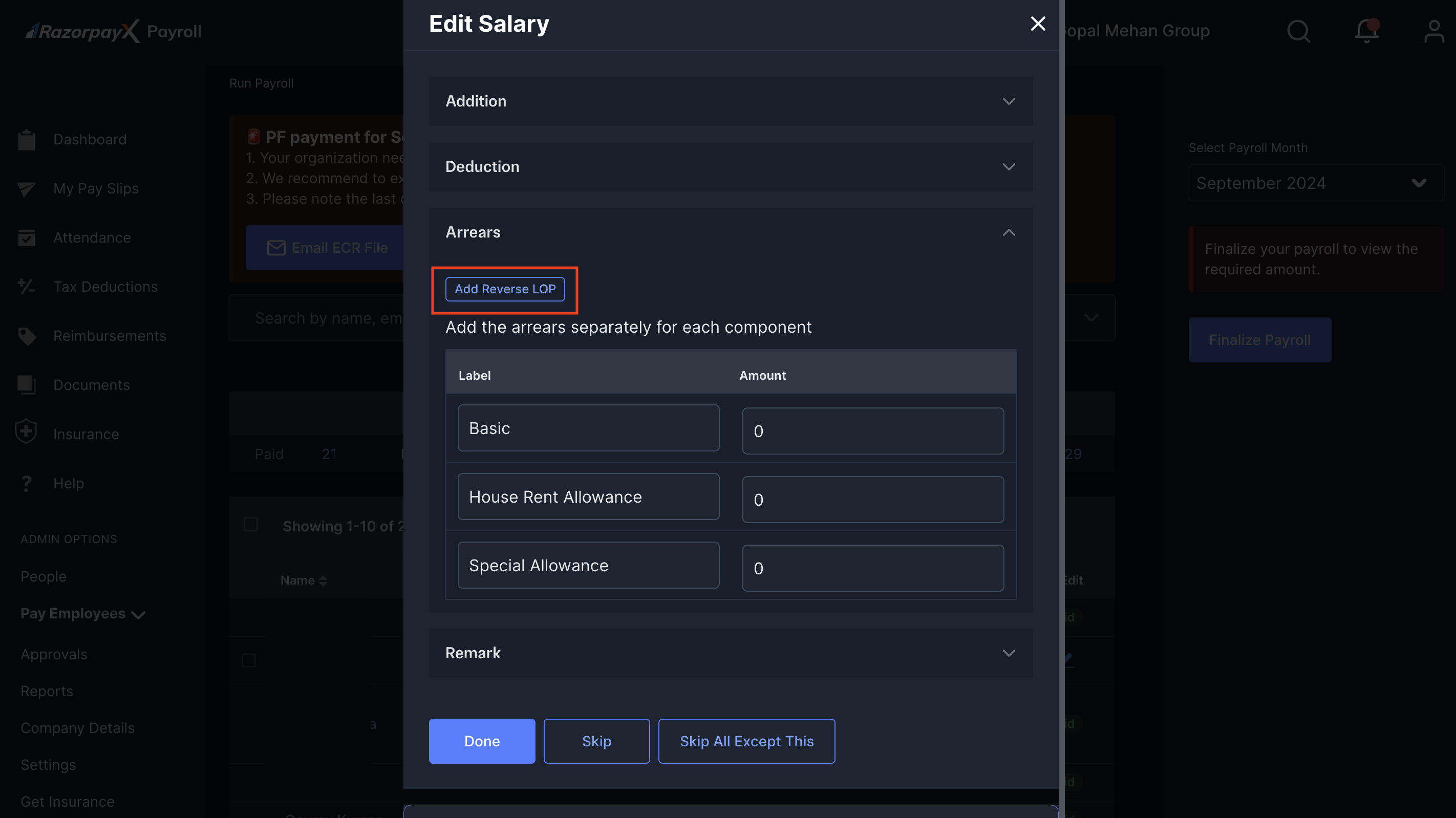
- Click Add Reverse LOP.
- On the Add Reverse LOP pop-up window:
- Click + For another month.
- Select the month from the drop-down menu for which you are reversing the LOP deductions.
-
Add the number of Loss of pay days. We automatically verify and compute the arrears amount.
Ensure the number of LOP days you enter in the text box is less than the LOP days availed by the employee.
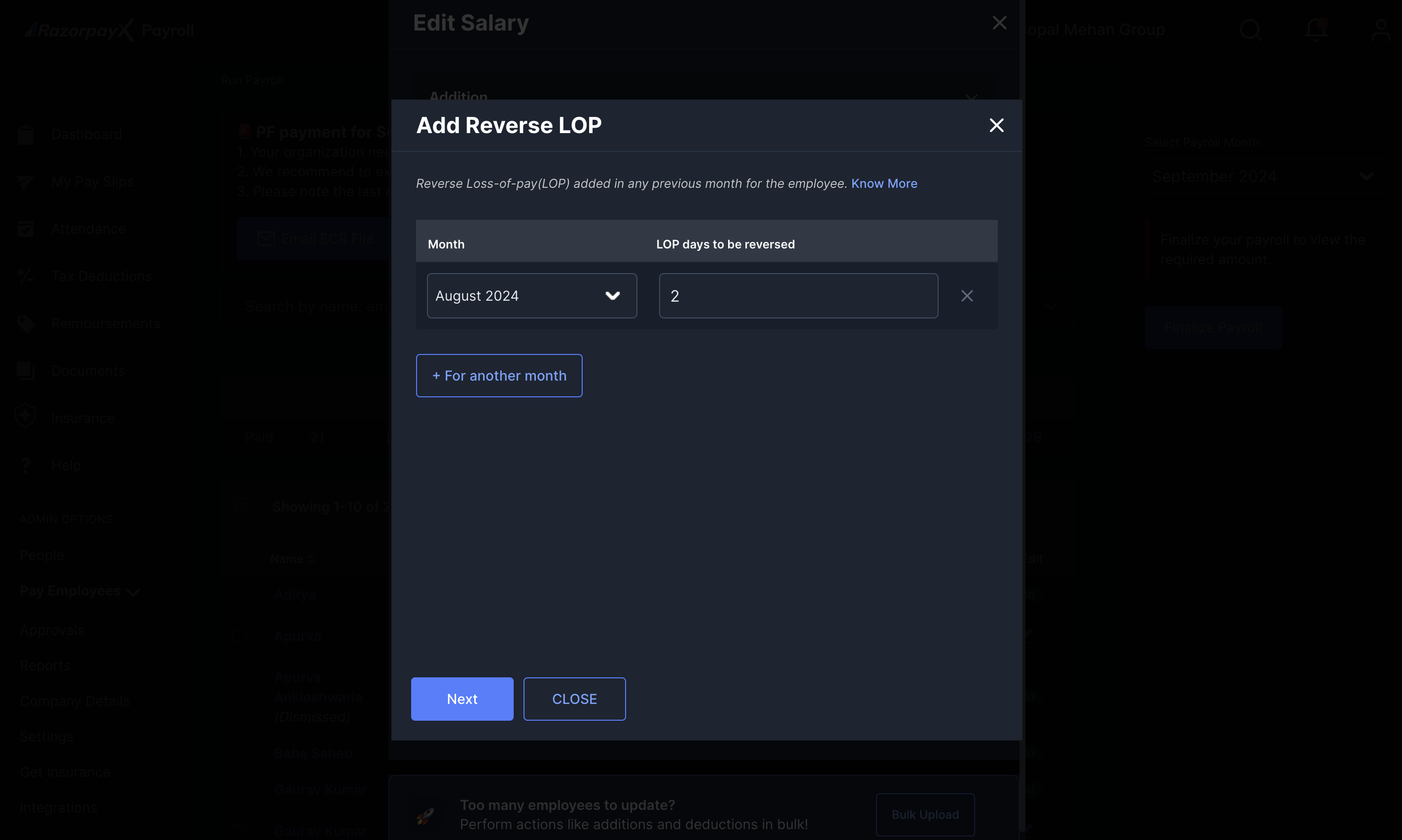 You can also click + For another month to reverse LOP for more than one month.
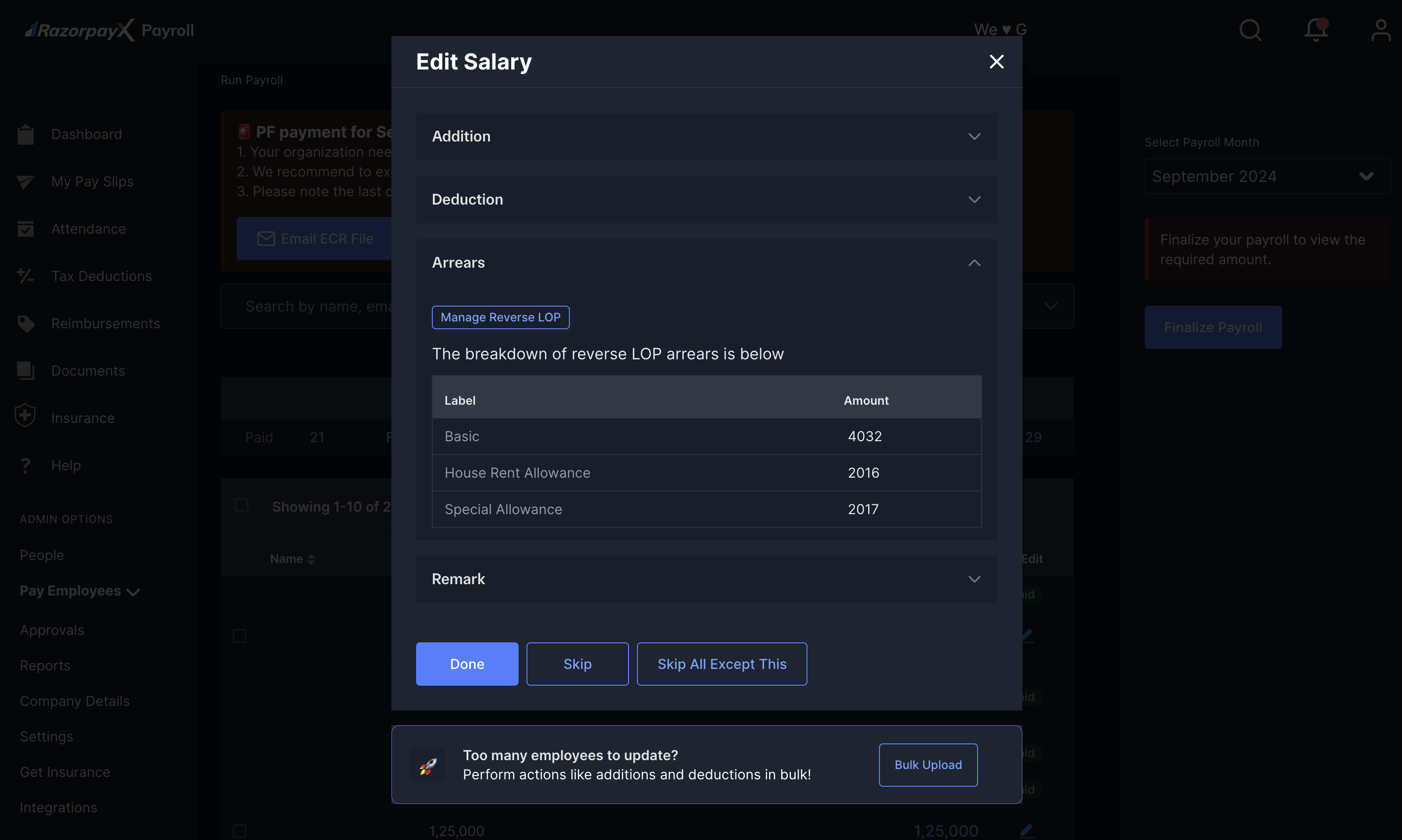
- Click Next to view the revised salary and the breakdown.
- Click ADD RLOP ARREARS to confirm the amounts.