

Available in🇮🇳 India🇲🇾 Malaysia
Razorpay Route simplifies complex payment flows by enabling you to easily split incoming funds among multiple third-parties, sellers or bank accounts. This solution is ideally suited for businesses, such as marketplaces or platforms, that operate on a one-to-many disbursement model.
Features
Features
- Add and manage Linked Accounts.
- Split payments and transfer funds to multiple Linked Accounts.
- Reverse transferred funds and manage customer refunds with automated reversals.
- Manage Linked Account settlements.
- Move from manual and file-based reconciliation to an entirely API-driven process.
Advantages
Advantages
- Instant Transfers: Instant transfers, ensuring recipients receive payments promptly. Beneficial for businesses and individuals who rely on timely disbursements.
- Multiple Payment Transfers: Splits payments into various portions for seamless transfer to multiple parties, ideal for marketplaces where sellers, service providers and platform owners receive their respective shares.
- Easy Integration: Seamlessly integrates into existing payment systems via APIs, enhancing payment capabilities without major system changes.
- Transparent Reporting and Settlements: Comprehensive reporting and analytics for tracking transactions, transfers and settlements.
Prerequisites
You should add Linked Accounts using the Dashboard or APIs before using Route.Eligibility Requirements
As per RBI Payment Aggregator guidelines issued in September 2025, businesses must meet the following criteria to access or continue using Route.Minimum Financial Turnover
Your business must meet at least one of the following thresholds in either the current (FY26) or preceding (FY25) financial year:Payer-Payee Transparency
The third party listed as your linked account must directly interface with your customers to provide goods or services. To meet this requirement, submit a written confirmation describing your Route use case. Razorpay will review the submission and, once approved, it will be treated as a valid declaration of Payer-Payee Transparency for your account. For answers to common questions about these requirements, refer to the RBI Compliance FAQs.How Route Works
Given below is the funds flow in Route: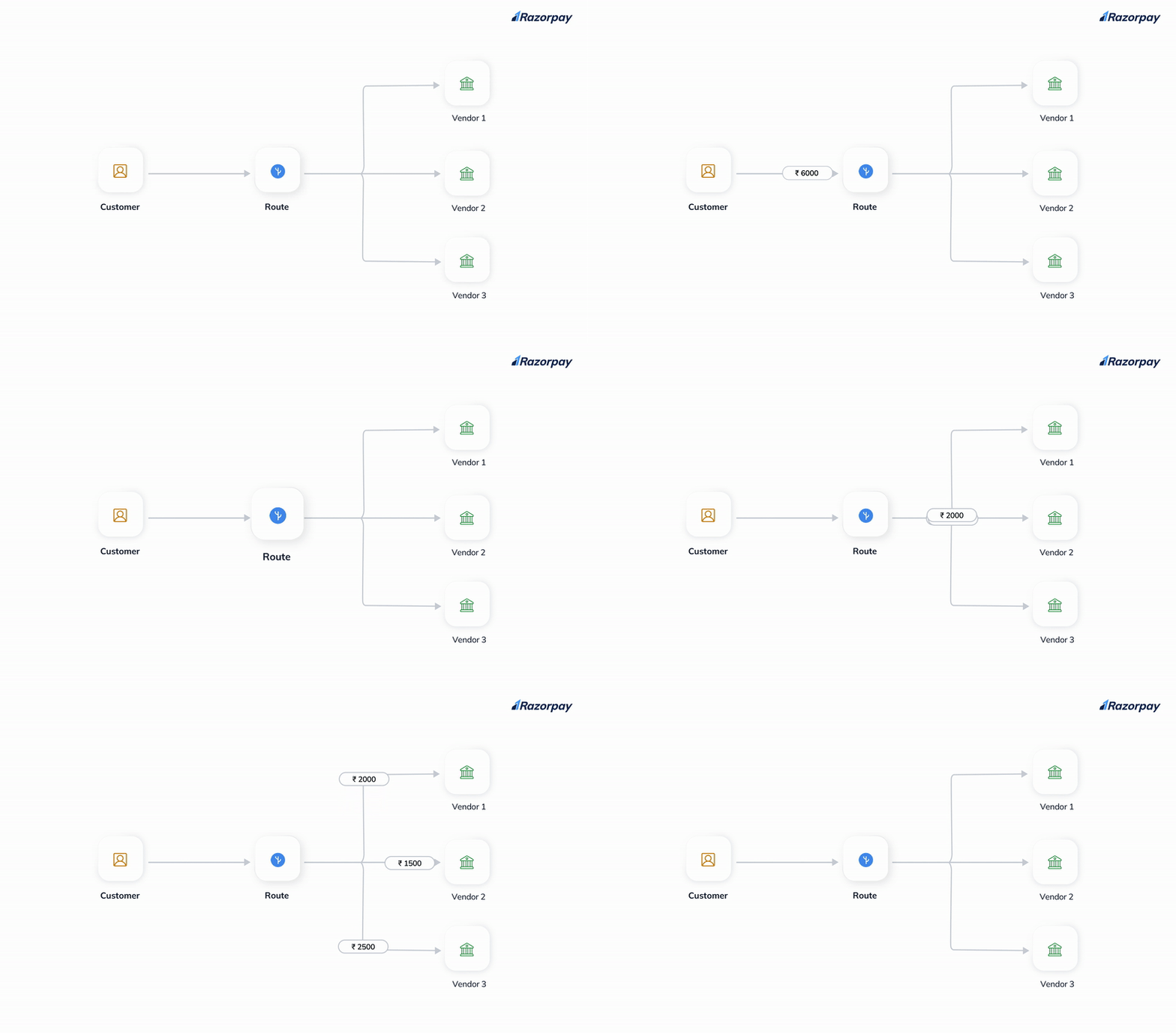
- A customer makes a purchase on your site.
- You can choose to:
- Initiate transfer of funds to Linked Accounts.
- Defer the transfer settlement.
- Define a custom delay period for settlement.
- Razorpay settles funds to the Linked Account and sends a webhook notification to you.
Get Started
To get started with Route:- Log in to the Dashboard and click Route under PAYMENT PRODUCTS.
- After log in, you should add linked accounts to start using Route. Refer to the Linked Accounts page for more information.
- Once Linked Accounts are added, you can then start creating transfers to those accounts. Refer to the Transfer Funds to Linked Accounts page for more information.
Supported Platforms
Route is supported on the following platforms:- Standard Checkout
- Custom Checkout