Available in🇮🇳 India
Magic Checkout’s Order Analytics offers a detailed overview of your business’s order activities and performance metrics.
It helps you optimise checkout performance and make data-driven business decisions by tracking:
- Order Volume Trends: Monitor total orders and identify peak ordering times for campaign optimisation.
- Sales Performance: Track revenue trends, average order values and growth opportunities.
- Payment Method Distribution: Analyse prepaid vs COD patterns to reduce RTO risk and optimise payment options.
Get Started
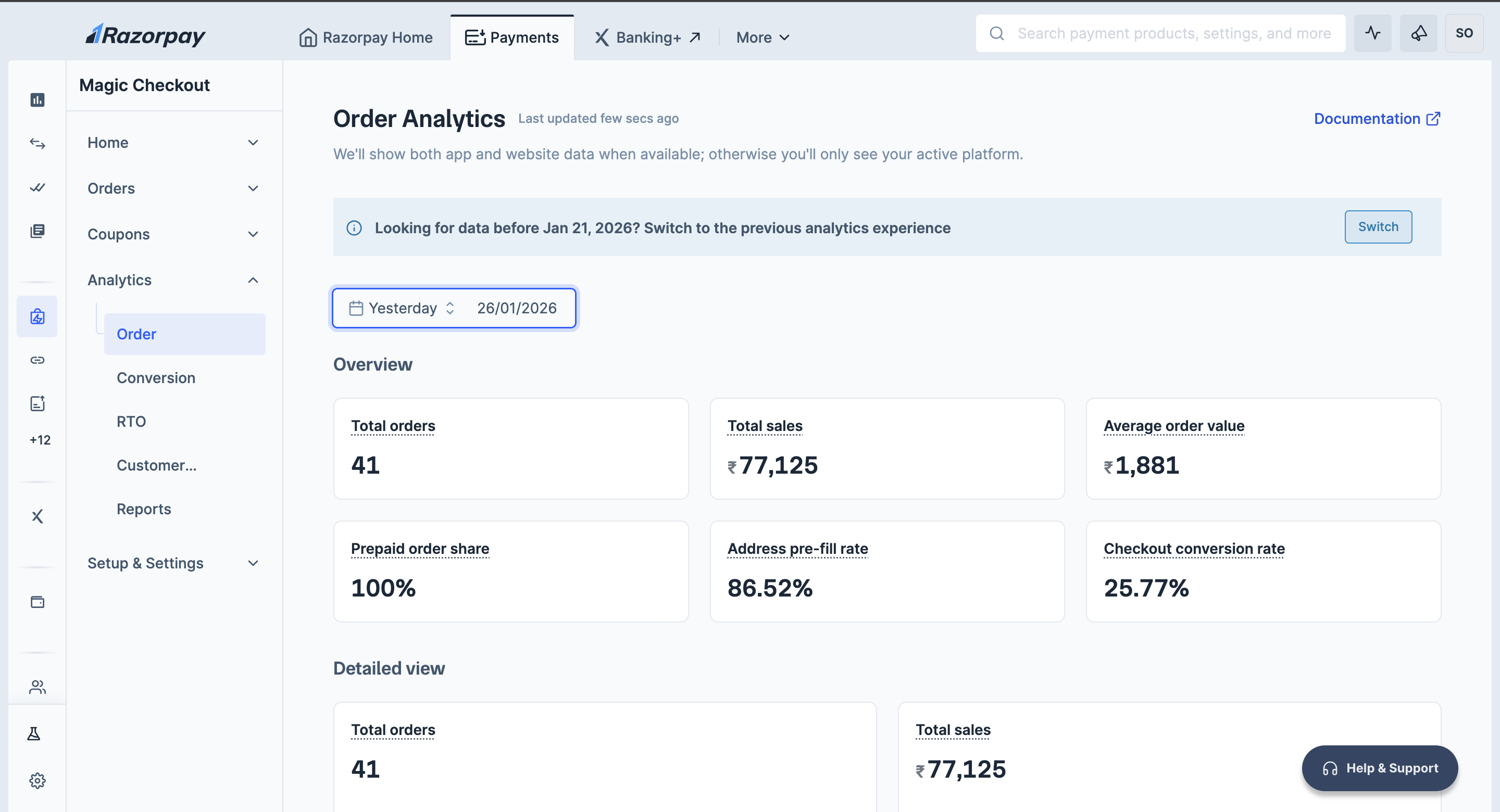
Follow the steps given below to view insights about the various order activities:- Log in to the Dashboard.
- Navigate to Magic Checkout → Analytics and click Order.
Handy Tips
- Select the date range of your choice to view the data.
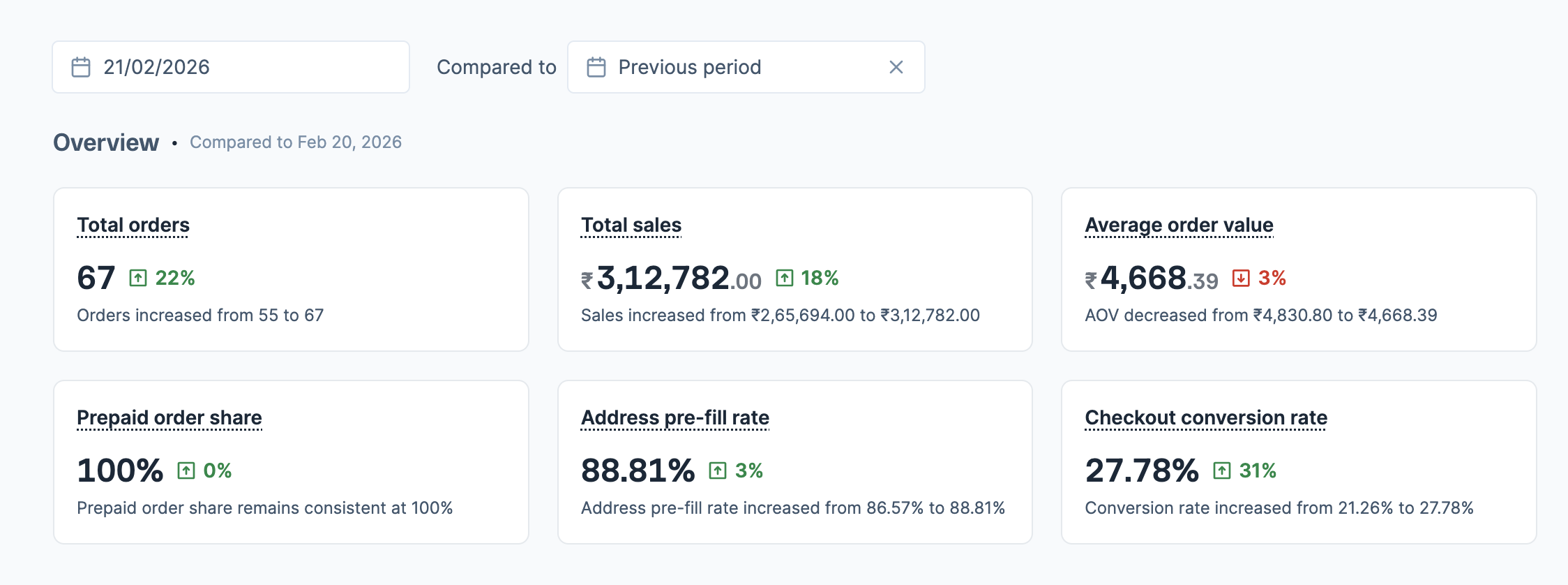
- Use Compared to option to compare current data with a previous period or specific date range. Green indicators show improvements, while red indicators show declines.
- Hover over the card headings to understand the calculation methodology.
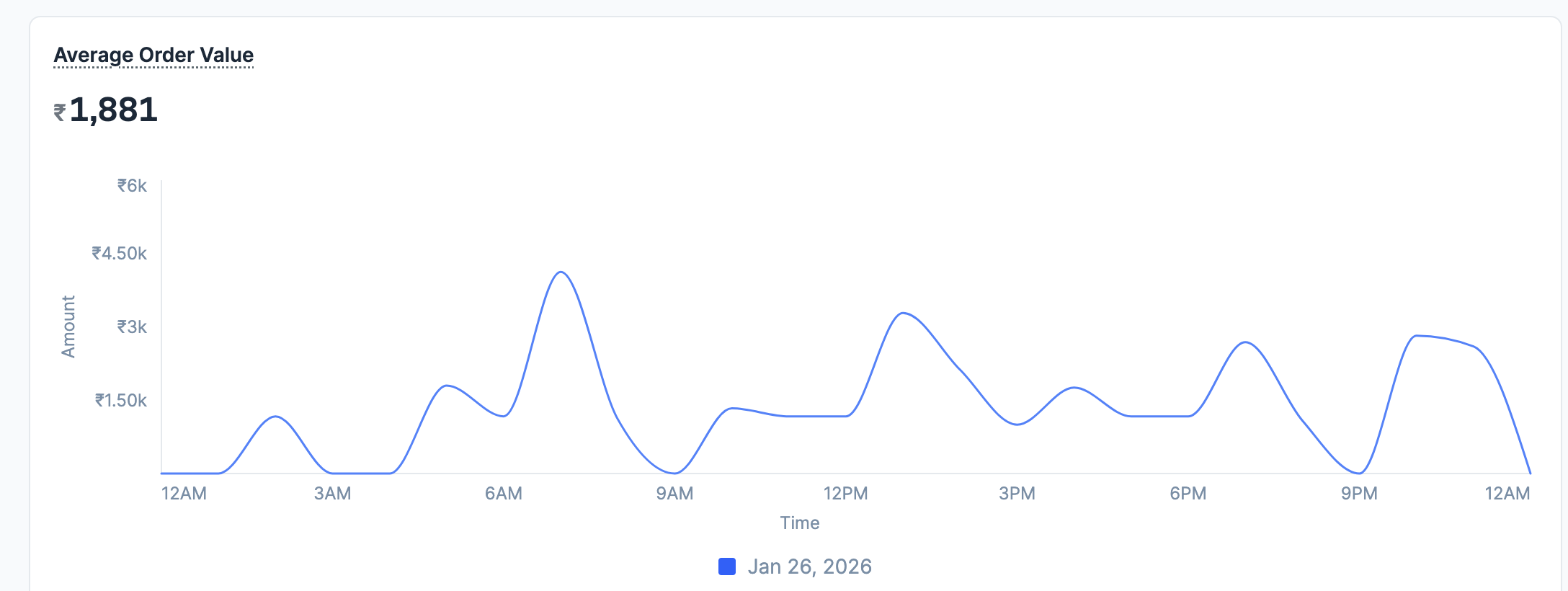
- Hover alongside the graph lines to view the exact values for specific time periods.
- Download detailed reports with daily data including date, total orders, total sales (in INR), prepaid orders, prepaid sales (in INR), COD orders and COD sales (in INR) for further analysis.
Compare Data Across Time Periods
You can compare your current data against previous periods to track performance changes:- In the Compared to field, select the date or time range you want to compare against.
- View the results with clear indicators:
- Green arrows indicate improvements.
- Red arrows show declines.
- Descriptive text explains the changes. For example:
Orders increased from 55 to 67. - Charts display overlapping lines for visual comparison between the selected time periods, with date labels at the bottom showing which line represents which period.
Order Metrics
The Order Analytics Dashboard displays the following metrics to track your Magic Checkout order performance:Detailed View
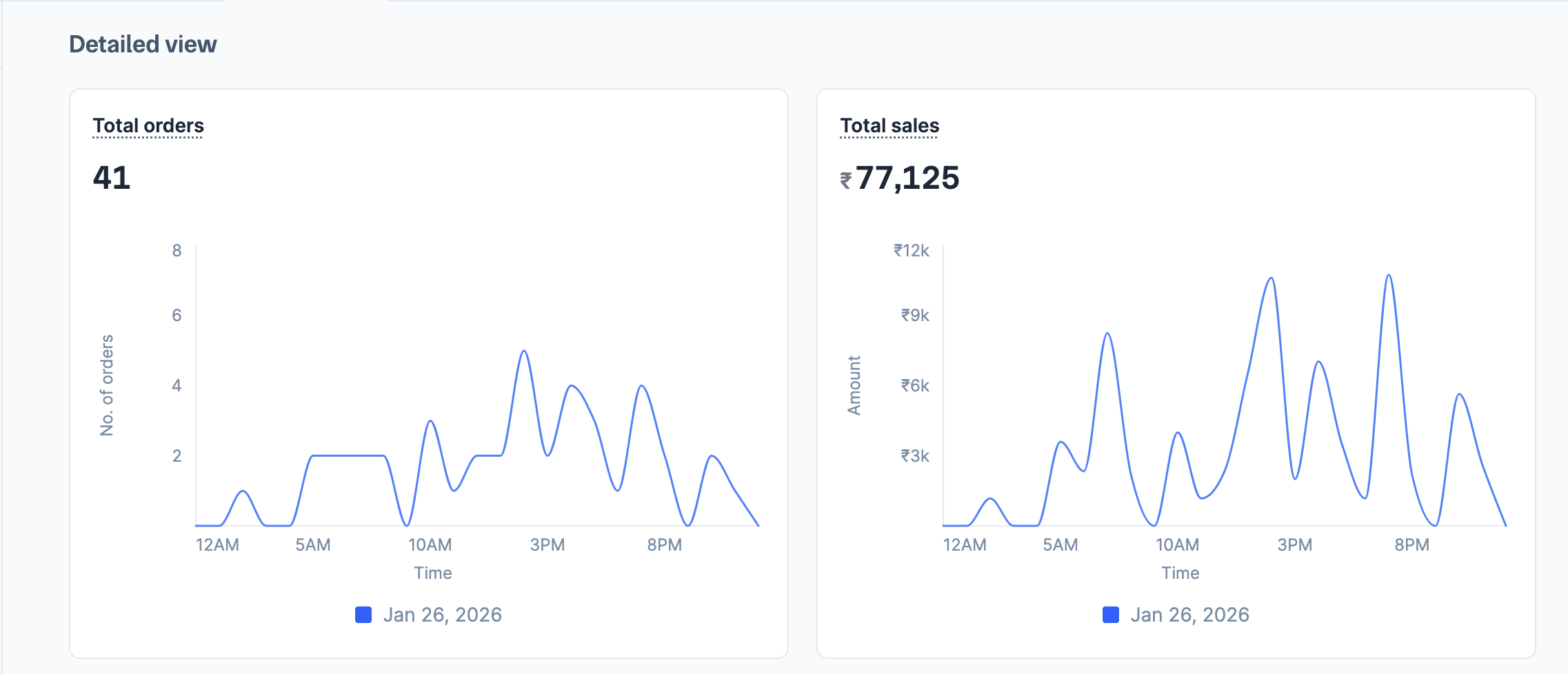
The Detailed view section displays charts that allow you to analyse trends and patterns in your order data:- Total orders: Line chart tracking total order volume trends throughout the selected time period.
- Total sales: Line chart showing total sales revenue patterns.
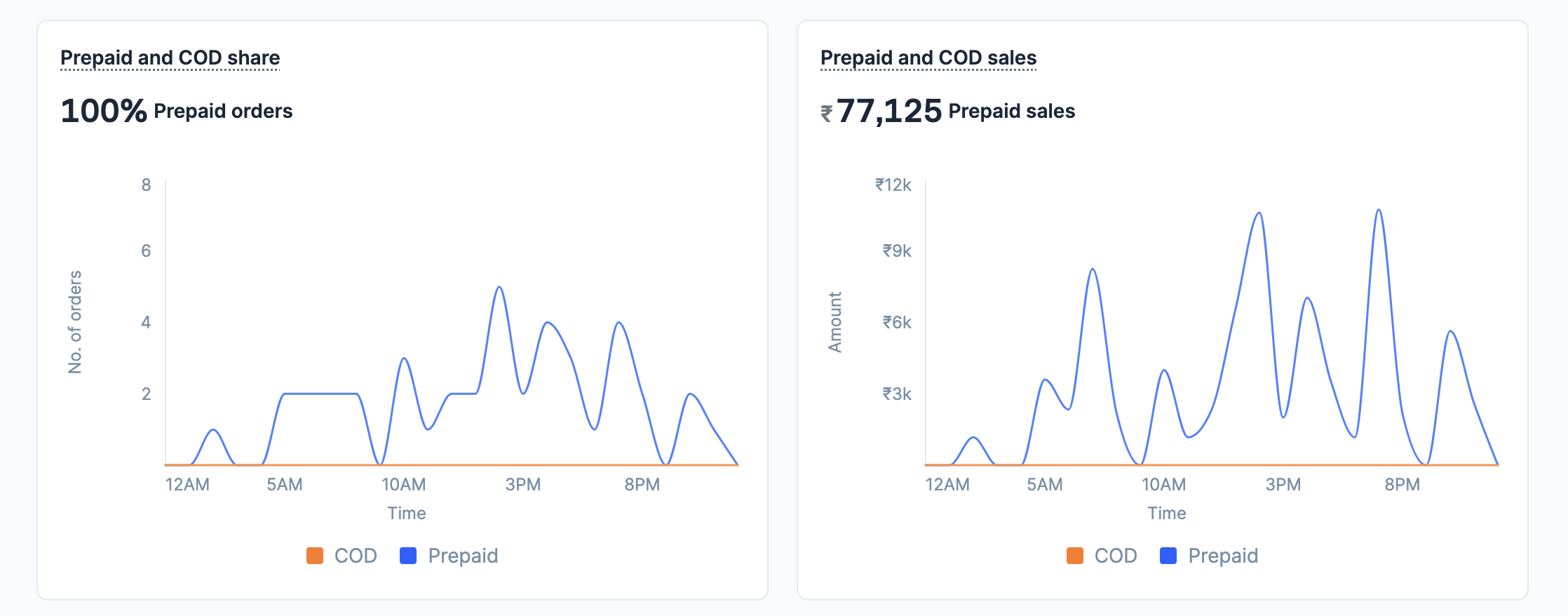
- Prepaid and COD share: Comparative chart showing the distribution between prepaid and COD orders over time.
- Prepaid and COD sales: Comparative chart showing revenue distribution between prepaid and COD sales over time.
- Average Order Value: Line chart displaying AOV fluctuations with hover tooltips showing specific values at different times.