Available in🇮🇳 India
Magic Checkout’s Conversion Analytics offers a detailed overview of your business’s conversion activities and performance metrics.
It offers insights into your conversion funnels, checkout completion rates and user behavior patterns to help you optimise your checkout experience via:
- Conversion Funnel Analysis: Track user progression through checkout steps.
- User Behaviour Insights: Understand logged-in vs logged-out user performance.
- Checkout Optimisation: Identify drop-off points and improvement opportunities.
Get Started
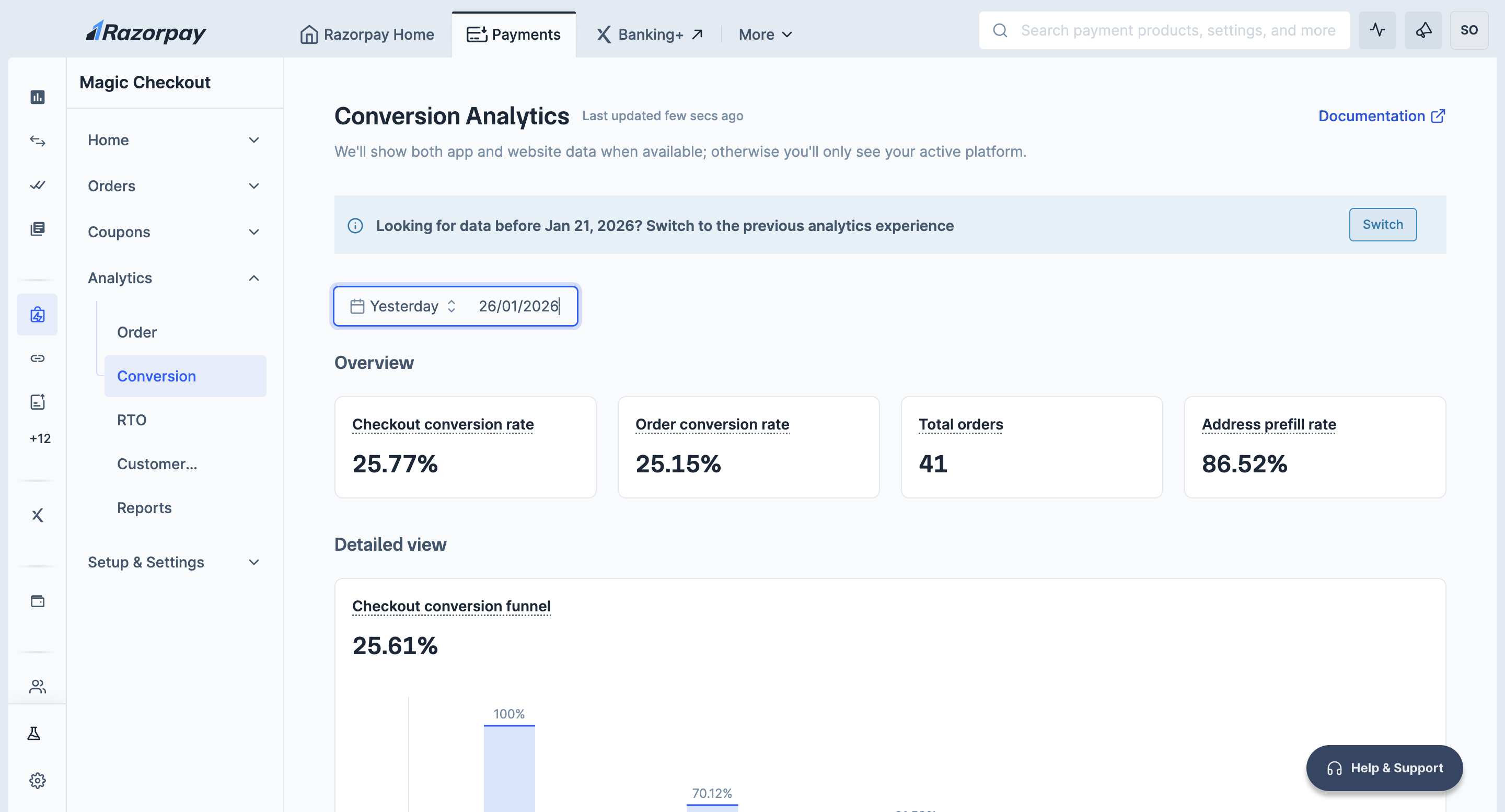
Follow the steps given below to view insights about the various conversion activities:- Log in to the Dashboard.
- Navigate to Magic Checkout → Analytics and click Conversion.
Handy Tips
- Select the date range of your choice to view the data.
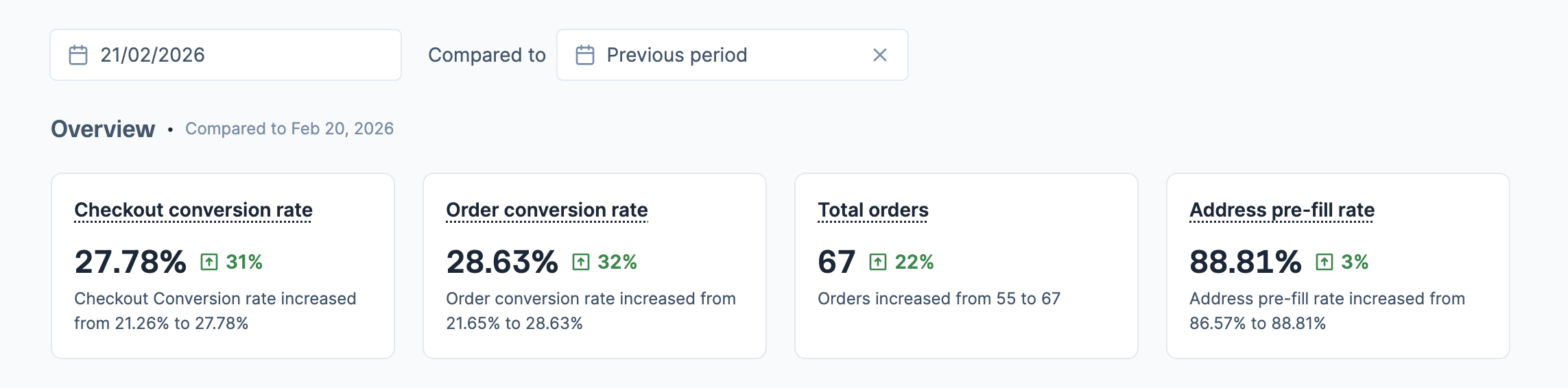
- Use Compared to option to compare current data with a previous period or specific date range. Green indicators show improvements, while red indicators show declines.
- Hover over the card headings to understand the calculation methodology.
- Hover alongside the graph lines to view the exact values for specific time periods.
- Download detailed reports including UTM attribution data (date, source, medium, campaign, orders, sales) and conversion funnel details (checkout render, address step reached, payment step reached, payment attempted, payment success, checkout conversion rates) for further analysis.
Compare Data Across Time Periods
You can compare your current data against previous periods to track performance changes:- In the Compared to field, select the date or time range you want to compare against.
- View the results with clear indicators:
- Green arrows indicate improvements.
- Red arrows show declines.
- Descriptive text explains the changes. For example:
Conversion rate increased from 21.26% to 27.78%. - Charts display overlapping lines for visual comparison between the selected time periods, with date labels at the bottom showing which line represents which period.
Conversion Metrics
The Conversion Analytics dashboard displays the following metrics to track your Magic Checkout conversion performance:Detailed View
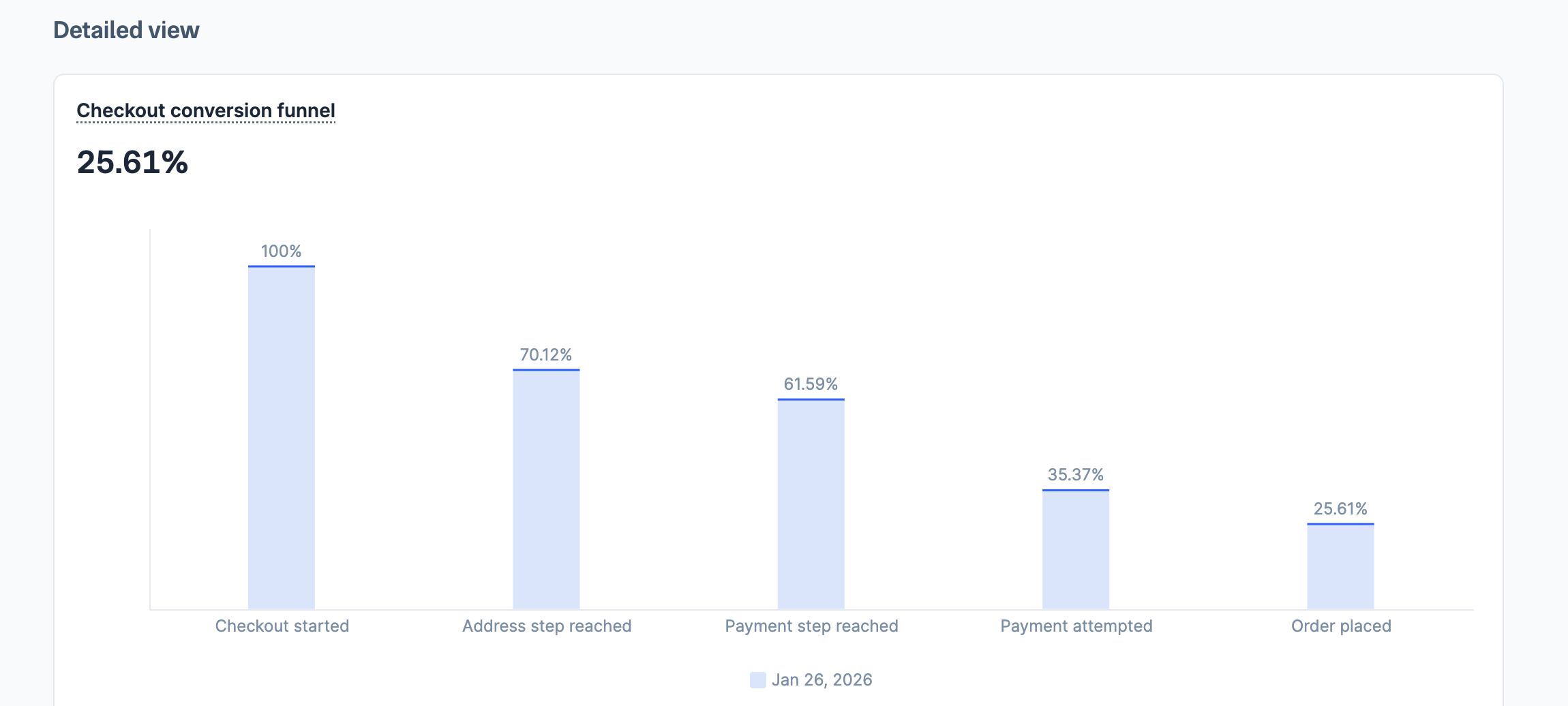
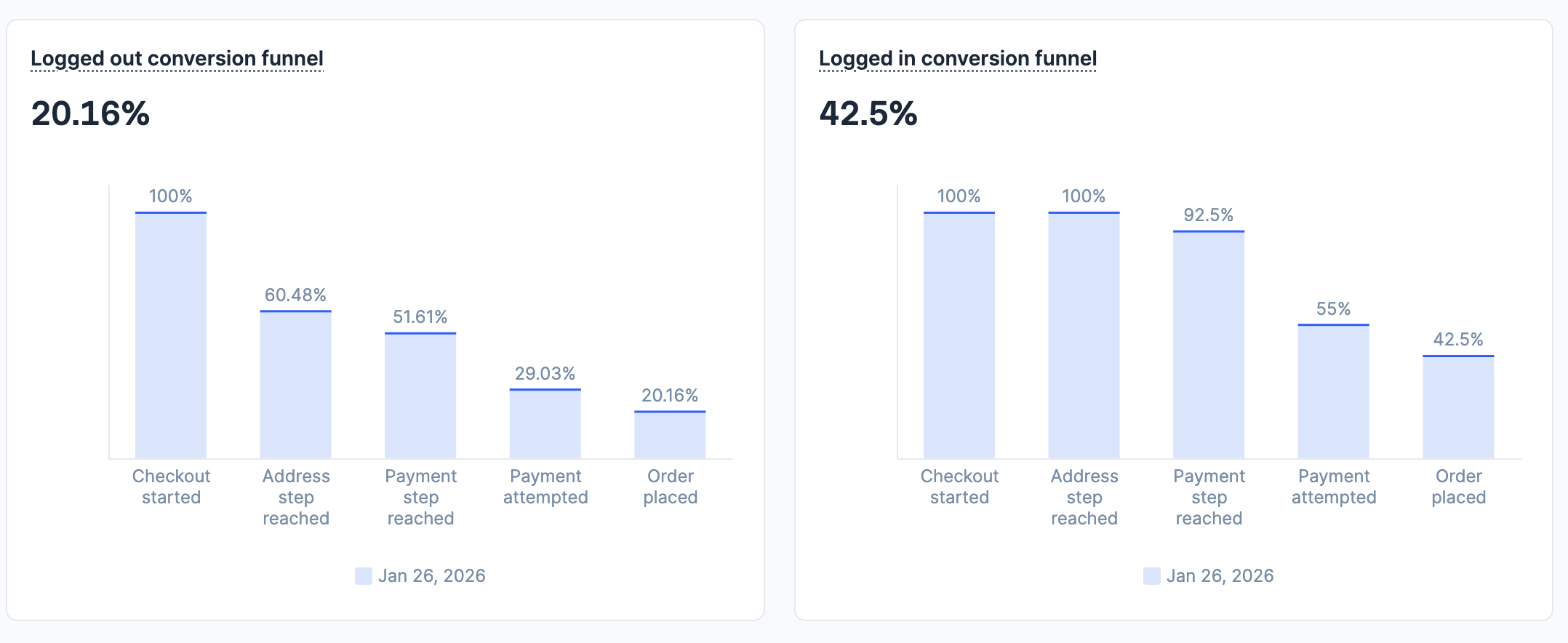
The Detailed view section displays charts that allow you to analyse trends and patterns in your conversion data:- Checkout conversion funnel: Bar chart showing user progression through each checkout step from initiation to order completion.
- Logged out conversion funnel: Step-by-step funnel analysis for users who started as guests and logged in during checkout.
- Logged in conversion funnel: Performance breakdown for users who were already logged in when they started checkout.
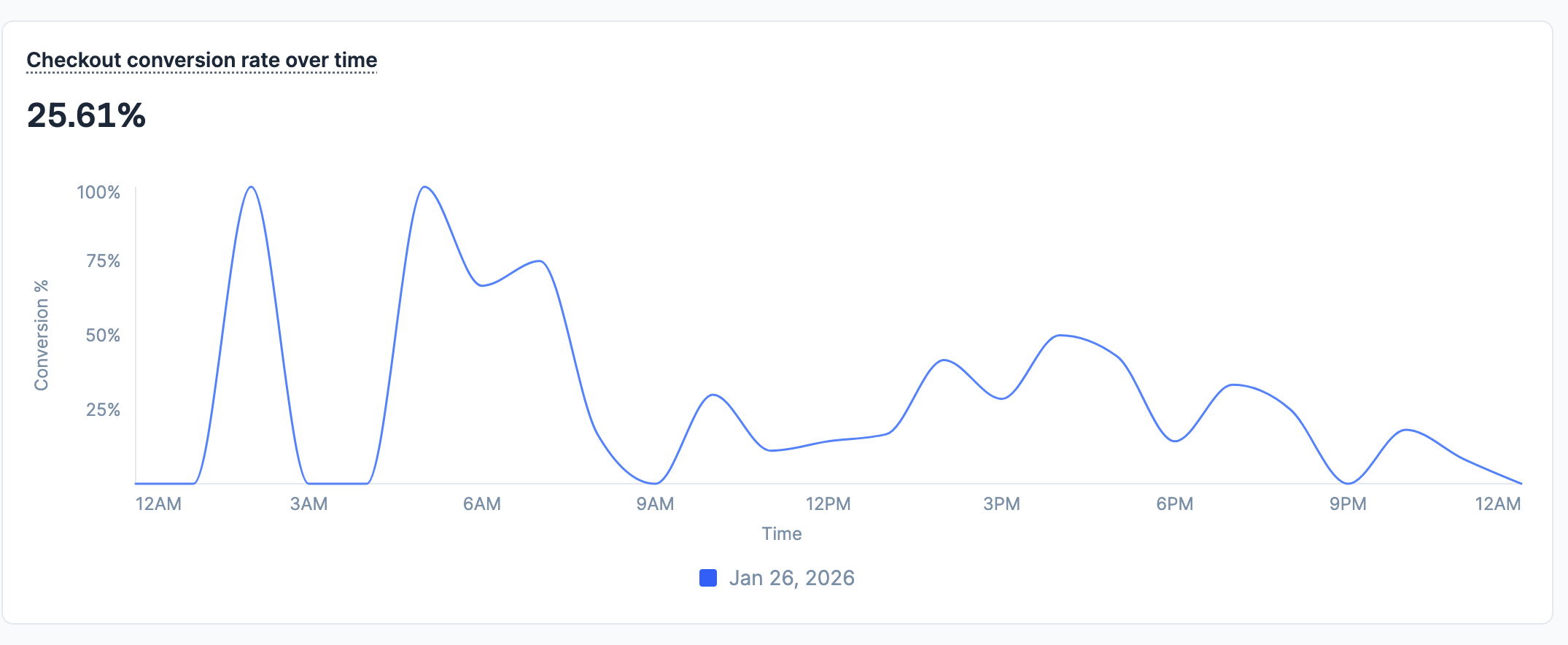
- Checkout conversion rate over time: Line chart tracking overall conversion rate trends across your selected time period.
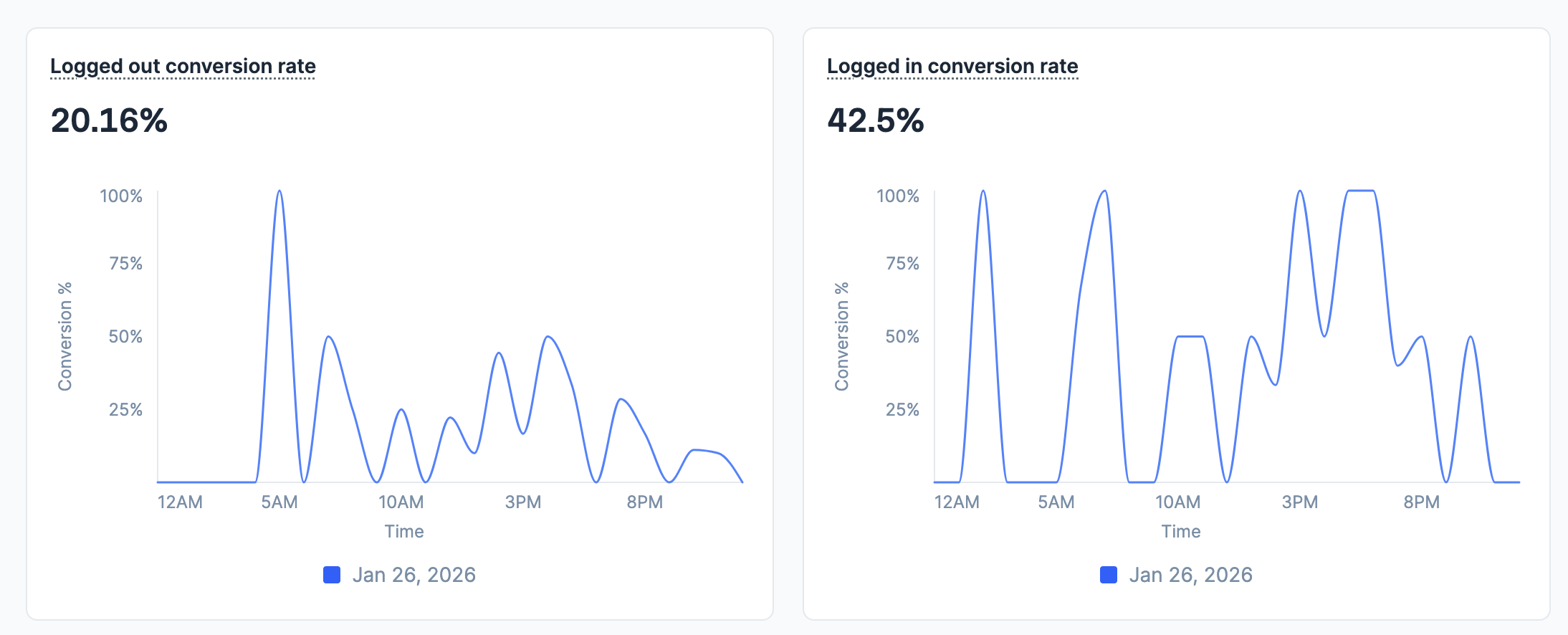
- Logged out conversion rate: Line chart showing conversion trends for guest users over time.
- Logged in conversion rate: Line chart displaying conversion patterns for pre-logged users over time.
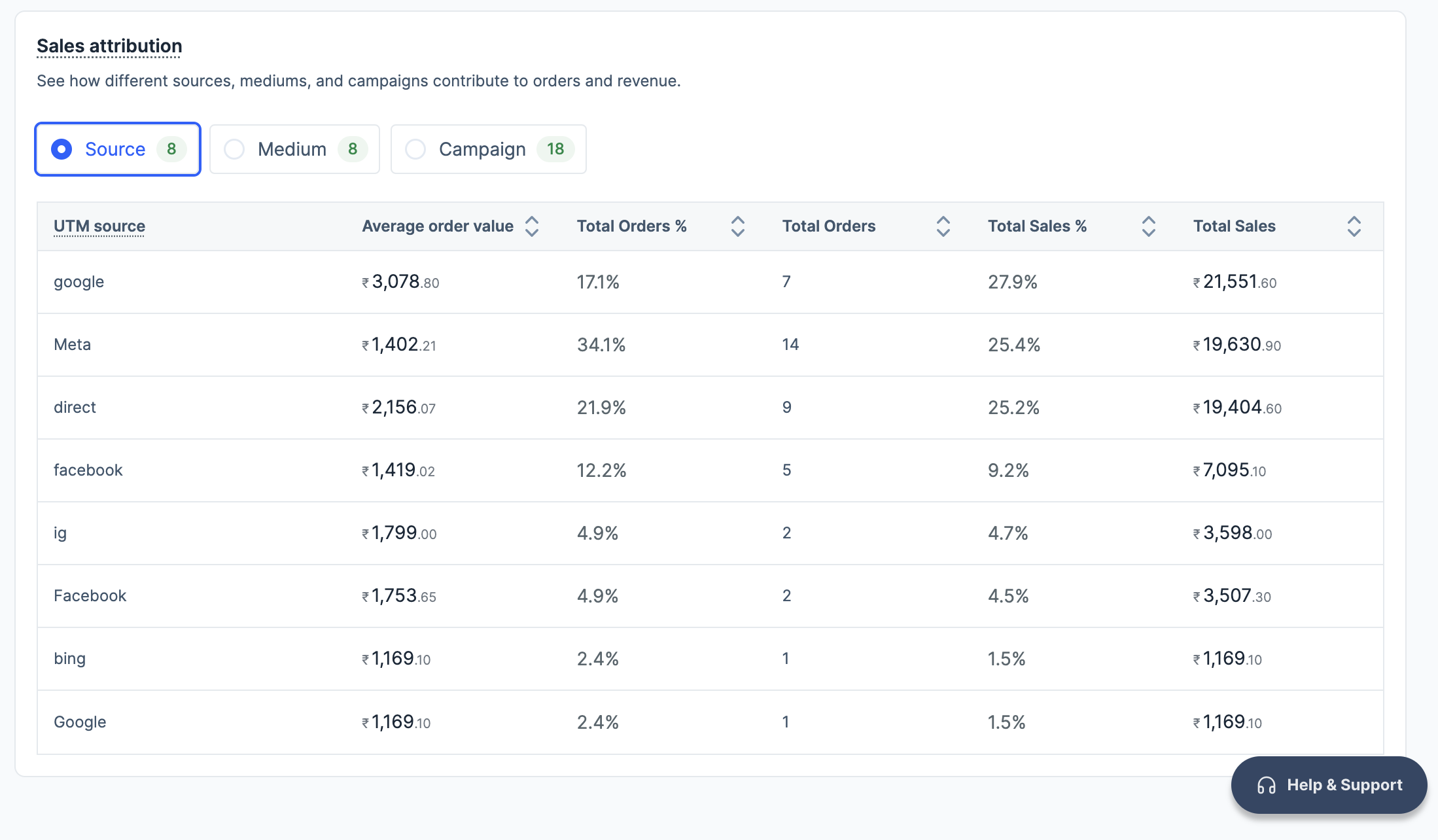
- Sales attribution: Checkout performance segmented by UTM source, medium and campaign data showing how different traffic sources contribute to orders and revenue.