

Available in🇮🇳 India🇲🇾 Malaysia🇸🇬 Singapore
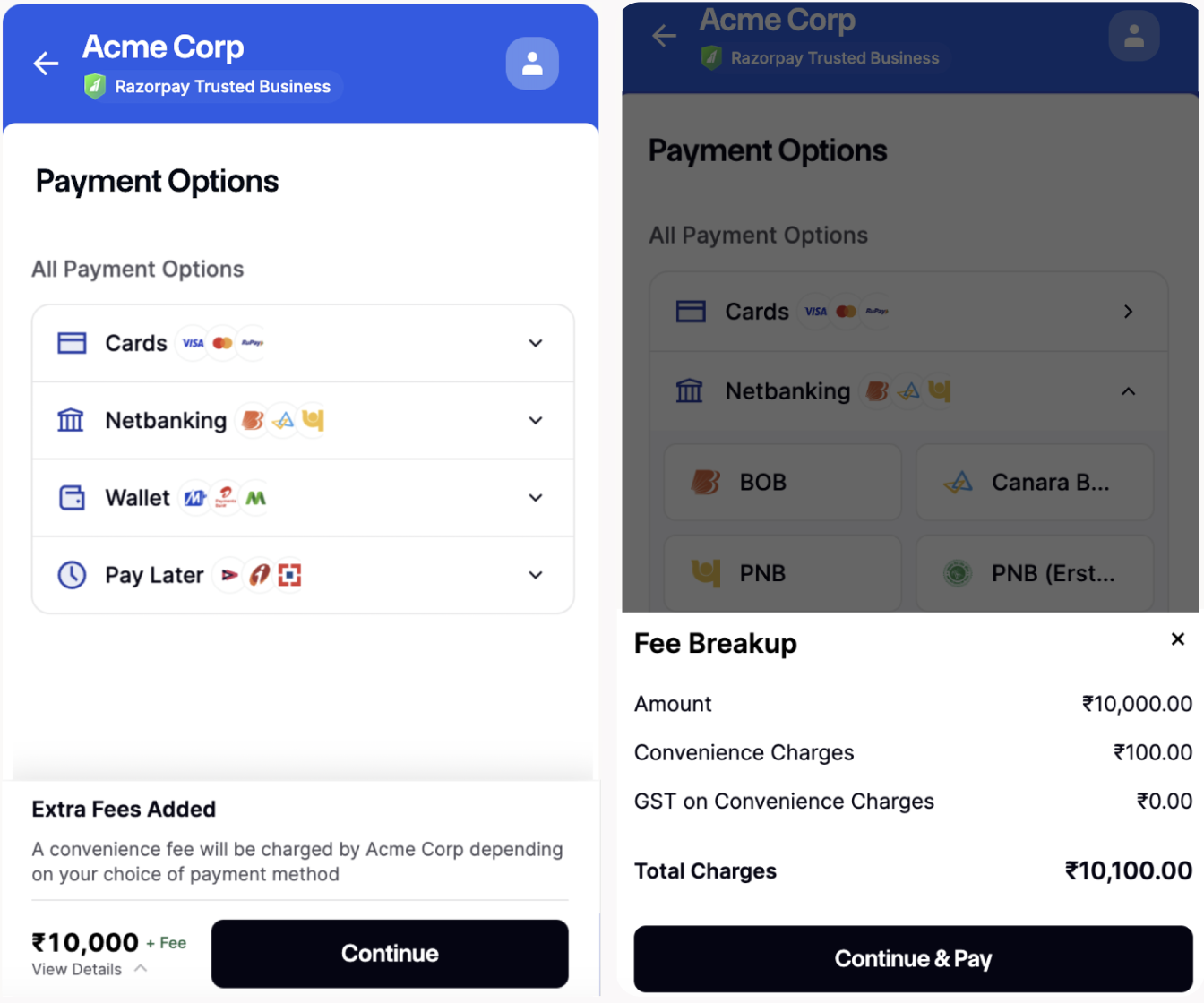
Razorpay charges a platform fee for every payment (from you). You can choose to charge this as a convenience fee to your customers for the use of technology. You can charge this fee dynamically to the customer; instead of a standard amount, you can split the charges dynamically for every payment.
For example, the business can create a configuration wherein, if the total platform fee is ₹12, then the business will pay ₹6, and the customer will pay ₹6.
Alternatively, the business can create a configuration wherein the customer will bear 20% of the total platform fee, and the business will bear the rest.
You can perform this configuration at the method level.
The modified convenience fee will be visible on the Razorpay Checkout and displayed to the customer ensuring complete transparency and no experience breakage.
Handy Tips
- This feature is currently supported for specific business cases only. You can contact our Support team to get this feature activated on your account.
- In case of a refund, the customer is refunded the Convenience fee along with the payment amount.
- INR is the only supported currency. This feature is not available for international payments.
- This feature is not available for:
- Smart Collect (via VA, VPA and QR Codes)
- Route
- Subscriptions (via Emandate, Paper NACH)
Use Cases
Given below are the various use cases for dynamic convenience fees:- An insurance company wants to waive off the transaction fee on customers when they pay within the Premium Amount Due period. However, once the period expires, the insurance company wants to pass on the transaction fee to the customers.
- A business wants to pass on the transaction fee (flat/percentage) to its customers based on the payment method and amount. The business wants to keep the flexibility of a flat/percentage-based model.
- In this use case, the business also wants to display a message on checkout to the customer informing them of the charges applicable to the payment method.
- For example, an additional convenience fee of INR xx.xx will be charged for this credit card payment towards the charges levied by your credit card issuing bank. To make the payment without any additional charges, please use UPI, netbanking or any debit card.
Prerequisites
- Create a Razorpay account.
- Contact Razorpay support to enable this feature for your account.
- Generate API Keys on the Dashboard.
Workflow
To charge dynamic convenience fees:- Create an order in your server using the Orders API and pass the convenience fee details.
- Pass order_id to Standard checkout.
- Store fields in server.
- Verify payment signature.