India’s digital payments market is projected to reach USD 1.53 trillion by 2026, making your payment gateway one of the most mission-critical pieces of your business infrastructure. When it stops working, everything stops.
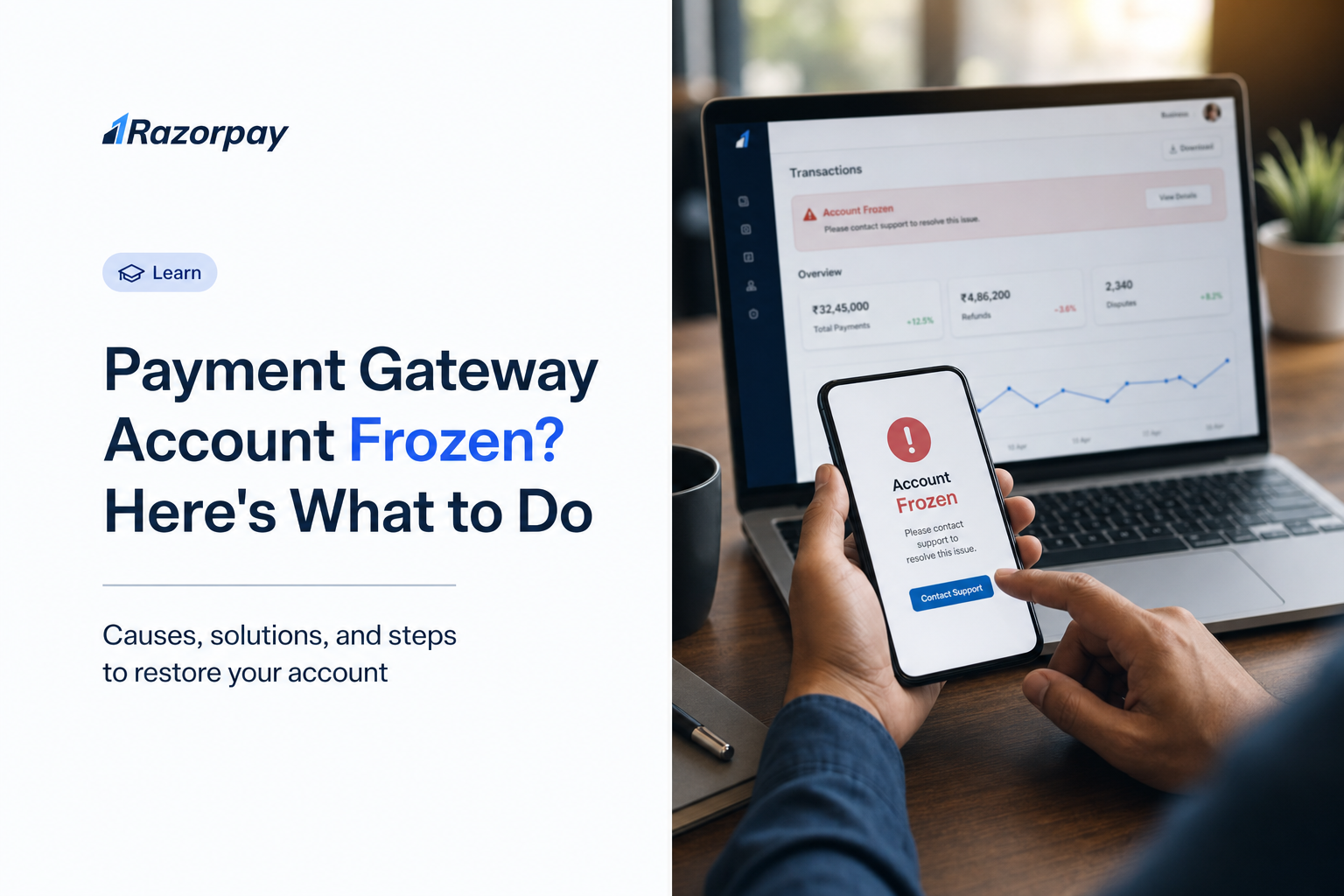
You log in to your dashboard. Cards are declining. Settlements have paused. A banner says your account is under review. Your team is asking what to tell customers, and your CFO wants to know when the money will land.
This guide is a crisis-response playbook for Indian merchants whose payment gateway account has been frozen, held, or placed under reserve. It covers gateway-level freezes with India-specific regulatory context, triage steps, communication scripts, revenue continuity, and long-term prevention.
Key Takeaways
- A payment gateway freeze, a funds hold, and a settlement reserve are three different states, each with its own severity and resolution path. Confusing them delays recovery.
- The most common India-specific triggers include high chargeback ratios, KYC and documentation gaps, sudden volume spikes, and Payment Aggregator compliance flags.
- Your first action is not to panic. It is to get the freeze reason in writing, with a reference ID and a list of required documents.
- Revenue can keep flowing during a review using UPI QR codes, Payment Links, bank transfers, and offline collection methods.
- Most freezes resolve faster when merchants respond within 24 to 48 hours, and centralised data can cut compliance handling time by 25 to 30%.
- 44% of merchants globally reported that unexpected payment holds caused significant or severe cash-flow stress.
- Prevention is structural: monitor your chargeback ratio below 0.5%, keep KYC current, enable 3D Secure 2.0, and diversify across multiple payment channels.
Table of Contents
Freeze vs. Hold vs. Reserve: Know Exactly What You’re Dealing With
Before you escalate, identify which state your account is in. The resolution path differs for each.
What Is a Payment Gateway Freeze
A freeze stops your account from processing new transactions and pauses settlements. It is typically triggered by a compliance, fraud, or risk review and resolved only after the gateway’s risk team clears the case.
What Is a Funds Hold
A funds hold pauses settlement of specific transactions or a defined amount while the gateway investigates a dispute or suspicious pattern. Processing usually continues for unaffected transactions.
What Is a Settlement Reserve
A reserve is a percentage of your settlements held back as a buffer against future chargebacks or refunds. It is structural, not punitive, and is released on a rolling schedule.
Why the Distinction Matters
The wrong assumption wastes hours. Razorpay’s dashboard surfaces settlement and transaction status in one view, helping merchants identify whether funds are held, pending, or restricted before escalating.
Did You Know?
44% of merchants surveyed globally said unexpected payment holds had a significant or severe impact on cash flow.
Why Did My Payment Gateway Freeze My Account? Common Triggers Explained
A freeze is rarely random. Most fall into six categories, and Indian merchants face an extra compliance layer.
Chargeback Ratio Threshold
Card networks flag merchants when chargeback ratios consistently cross 1%, while the global e-commerce average sits near 0.60%. Read more on what chargeback fraud is.
Sudden Volume Spikes
A 10x jump during a festive sale or product launch can look like fraud if the gateway was not notified in advance.
KYC and Documentation Gaps (India)
Outdated PAN, GST, address proof, or director details can trigger Payment Aggregator compliance flags. The RBI issued 64 penalties on banks and payment system participants for KYC and AML non-compliance in FY 2022-23.
Fraud Signals
Unusual cards, mismatched IPs, velocity anomalies, or refund abuse patterns can pause an account quickly.
Terms of Service Violations
Selling restricted categories, mismatched MCC codes, or running prohibited promotions can trigger an instant review.
Regulatory or Legal Holds
A cybercrime complaint or court order against a specific transaction can freeze associated funds.
Did You Know?
India recorded over 9,000 cases of digital payment fraud in FY 2022-23 despite a fraud rate of just 0.0011% of transaction value.
Step 1 – The First 30 Minutes: What to Do Right Now
The first half-hour shapes how fast you recover. Act in this order.
Get the Official Reason in Writing
Open a support ticket and ask for the freeze reason, reference ID, and required documents in writing. Do not rely on a phone call alone.
Pause Active Marketing Campaigns
Stop ad spend and discount campaigns. Adding volume during a review worsens risk signals.
Notify Your Team
Loop in finance, customer support, and fulfilment so they can prepare responses and manage expectations.
Document Everything
Screenshot the dashboard status, save email threads, and log timestamps.
Pro Tip: Build a “freeze response folder” with KYC, recent invoices, fulfilment proofs, and chargeback logs before a freeze happens. Centralised payments data cuts compliance handling time by 25 to 30%.
Step 2 – Communicate With Your Gateway: A Script That Works
Clear, structured communication speeds up resolution.
What Information to Have Ready
- Merchant ID and registered email
- Reference IDs for affected transactions
- Last 90 days of transaction and refund data
- Current KYC and GST documents
How to Frame Your Request
Use this script: “Please confirm in writing the reason for the restriction, the reference ID, impacted transactions, the exact documents required, the review timeline, and the escalation path if no update is received.”
Escalation Path
If the first response is unclear, ask for a named risk-team owner and an SLA for the next update.
How Long Does a Freeze Last
KYC gaps usually clear in 2 to 5 business days. Chargeback reviews take 1 to 3 weeks. Fraud investigations and legal holds can take 30 days or more.
Step 3 – Keep Revenue Flowing While Your Account Is Under Review
A review is not a shutdown. Match each collection channel to a use case.
UPI QR Codes
Best for in-store, delivery, and event-based collections. Any UPI app works.
Payment Links
Generate a link and share over WhatsApp, SMS, or email for remote and B2B collections.
Offline & Cash Alternatives
Use Cash on Delivery, direct bank transfers, or virtual accounts for high-ticket invoices.
Inform Customers Proactively
A short notice on checkout and order confirmation pages prevents support tickets and protects trust.
How Razorpay’s Payment Suite Keeps Your Business Running During a Gateway Disruption
When your primary processing channel is under review, the priority is simple: keep collecting from customers without forcing them to wait. Razorpay’s suite offers tools that work independently of a standard checkout integration, so revenue continues even when one channel is paused.
- Payment Links: Generate a payment-enabled URL and share it via SMS, WhatsApp, or email. Customers pay using cards, UPI, netbanking, or wallets without any checkout integration on your side, making it ideal for remote and B2B invoices.
- QR Codes: Create static or dynamic UPI QR codes that work with any UPI app. Use them for in-store sales, doorstep delivery, events, or printed invoices where you need a fast, contactless option.
- Instant Settlements: Access eligible funds outside the standard settlement window to help manage payroll, supplier payments, and working capital while your review is in progress. Learn more about Instant Settlements.
Together, these tools give you a parallel revenue path while your primary account is being reviewed.
Step 4 – Submit Your Documentation: What Gateways Actually Need
Strong documentation closes reviews faster. Organise it by category.
Core Document Checklist
- Business Identity: Certificate of Incorporation, PAN, GST, current address proof, director KYC.
- Transaction Evidence: Invoices, order IDs, customer confirmations, and shipment tracking for the disputed window.
- Chargeback-Specific: Delivery proof, signed POD, refund logs, customer chat or email history.
How to Submit Effectively
Submit in one consolidated, indexed PDF or shared folder. Label files clearly and include a one-page summary mapping each document to the gateway’s questions.
Pro Tip: Include proactive evidence for non-disputed transactions too. A clean wider pattern signals integrity and accelerates resolution.
Step 5 – Fix the Root Cause: A Compliance and Risk Checklist
Unfreezing is only half the job. Fix the underlying cause so it does not recur.
Audit Chargeback Rate
Pull a 90-day chargeback report by reason code. Group issues into product, fulfilment, or fraud buckets.
Strengthen Refund Policy
Publish a clear refund window, response SLA, and escalation route. Up to 40% of chargebacks may be avoidable with better customer communication.
Update KYC
Refresh PAN, GST, address proof, and director details every six months.
Enable Fraud Screening
Razorpay’s Thirdwatch fraud prevention suite helps merchants flag suspicious order patterns before they trigger a gateway review.
Notify Gateway of Volume Changes
Email your account manager before campaigns expected to lift volume by more than 2x. Also review strong customer authentication to reduce CNP risk.
Did You Know?
Up to 40% of chargeback disputes could have been avoided with better customer communication.
How to Freeze-Proof Your Payment Gateway Account in 2026
Prevention is structural, not reactive.
Build a Chargeback Prevention Stack
Use clear descriptors, transparent refund policies, and proactive support to keep your chargeback ratio under 0.5%.
Implement Strong Authentication
EMV 3D Secure reduced CNP fraud by about one-third on average. Pair it with PCI DSS 4.0 compliance.
Diversify Payment Infrastructure
Merchants using Razorpay’s Optimiser can route transactions across multiple payment aggregators, reducing dependence on a single channel.
Maintain a Compliance Calendar
- Monthly: Chargeback review, fraud alerts, refund ratio.
- Quarterly: KYC refresh, policy updates, volume forecast.
- Annually: Full audit, PCI scope review, vendor risk review.
India-Specific Compliance Layer
Align with the RBI Payment Aggregator framework, GST filings, and AML reporting.
Pro Tip: Set an internal chargeback alert at 0.5%, half the 1% network threshold, so you have time to act before your gateway does.
When to Escalate – And When to Seek Legal Help
Signs Your Freeze Needs Escalation
No written reason after 72 hours, contradictory support responses, or a hold exceeding 30 days with no SLA.
How to Escalate
Request a named risk-team contact, then file via the gateway’s grievance redressal channel.
When to Involve a Lawyer
If a freeze involves a criminal complaint, court order, or funds in lakhs held without explanation, engage payments counsel.
Filing a Grievance With the RBI Ombudsman
Under the Payment and Settlement Systems Act, 2007, unresolved disputes can be escalated to the RBI Ombudsman for Digital Transactions.
How Razorpay Supports Merchants Through Payment Disruptions
Razorpay is an RBI-authorised Payment Aggregator and full-stack financial solutions company built for Indian businesses. The capabilities below help merchants stay operational through disruptions.
| Capability | How it supports merchants during a disruption |
|---|---|
| Payment Links | Collect payments through shareable URLs over SMS, WhatsApp, or email. |
| QR Codes | Accept UPI payments for in-store, delivery, and event collections. |
| Instant Settlements | Access eligible funds outside the standard settlement window. |
| Thirdwatch | Flag suspicious order patterns before they escalate. |
| Optimiser | Route transactions across multiple payment aggregators. |
| Smart Collect | Reconcile bank transfers and virtual account collections. |
| RazorpayX | Manage business banking and payouts from one dashboard. |
| RBI-authorised Payment Aggregator | Operate within a regulated payment framework. |
| 100+ payment methods | Offer cards, UPI, netbanking, wallets, and EMI options. |
| Platform integrations | Connect with commerce, accounting, and ERP systems. |
Explore Razorpay’s full payment infrastructure at razorpay.com.
Conclusion
A frozen payment gateway feels like a wall, but it is a process. Diagnose the exact state, get the reason in writing, keep revenue flowing through parallel channels, submit documentation cleanly, fix the root cause, and harden your account so it does not happen again. Methodical beats panicked.
The merchants who recover fastest treat payments as critical infrastructure, not a plug-and-forget tool. With clean compliance, diversified channels, and a documented response plan, a freeze becomes a temporary disruption, not an existential threat.
FAQs
What does it mean when a payment gateway freezes your account?
A freeze means the gateway has paused new transaction processing and settlements while its risk team reviews your account. It is usually triggered by chargebacks, fraud signals, KYC gaps, or sudden volume changes, and is resolved once you respond to the review.
How long does a payment gateway account freeze last?
KYC issues usually clear in 2 to 5 business days. Chargeback or fraud reviews take 1 to 3 weeks. Legal or regulatory holds can extend beyond 30 days. Fast, complete documentation responses shorten timelines significantly.
Can I still accept payments if my payment gateway is frozen?
Yes. Use UPI QR codes for in-person collections, Payment Links for remote and B2B invoices, direct bank transfers for high-value orders, and COD for delivery. Inform customers proactively at checkout to avoid confusion.
What is the most common reason a payment gateway freezes a merchant account in India?
The most common triggers are chargeback ratios crossing 1%, KYC or GST documentation gaps, sudden unexplained volume spikes, and Payment Aggregator compliance flags tied to the RBI framework. Selling restricted categories or MCC mismatches also trigger fast reviews.
What documents do I need to unfreeze a payment gateway account?
Prepare PAN, GST, Certificate of Incorporation, address proof, director KYC, last 90 days of transactions, refund and chargeback logs, fulfilment and delivery proof, and customer communication records. Submit them as one indexed package with a summary mapping each document to the gateway’s questions.
How do I prevent my payment gateway account from being frozen again?
Keep chargebacks under 0.5%, refresh KYC every six months, enable 3D Secure 2.0 and fraud screening, notify your gateway before volume spikes, diversify across multiple payment channels, and maintain a monthly, quarterly, and annual compliance calendar.