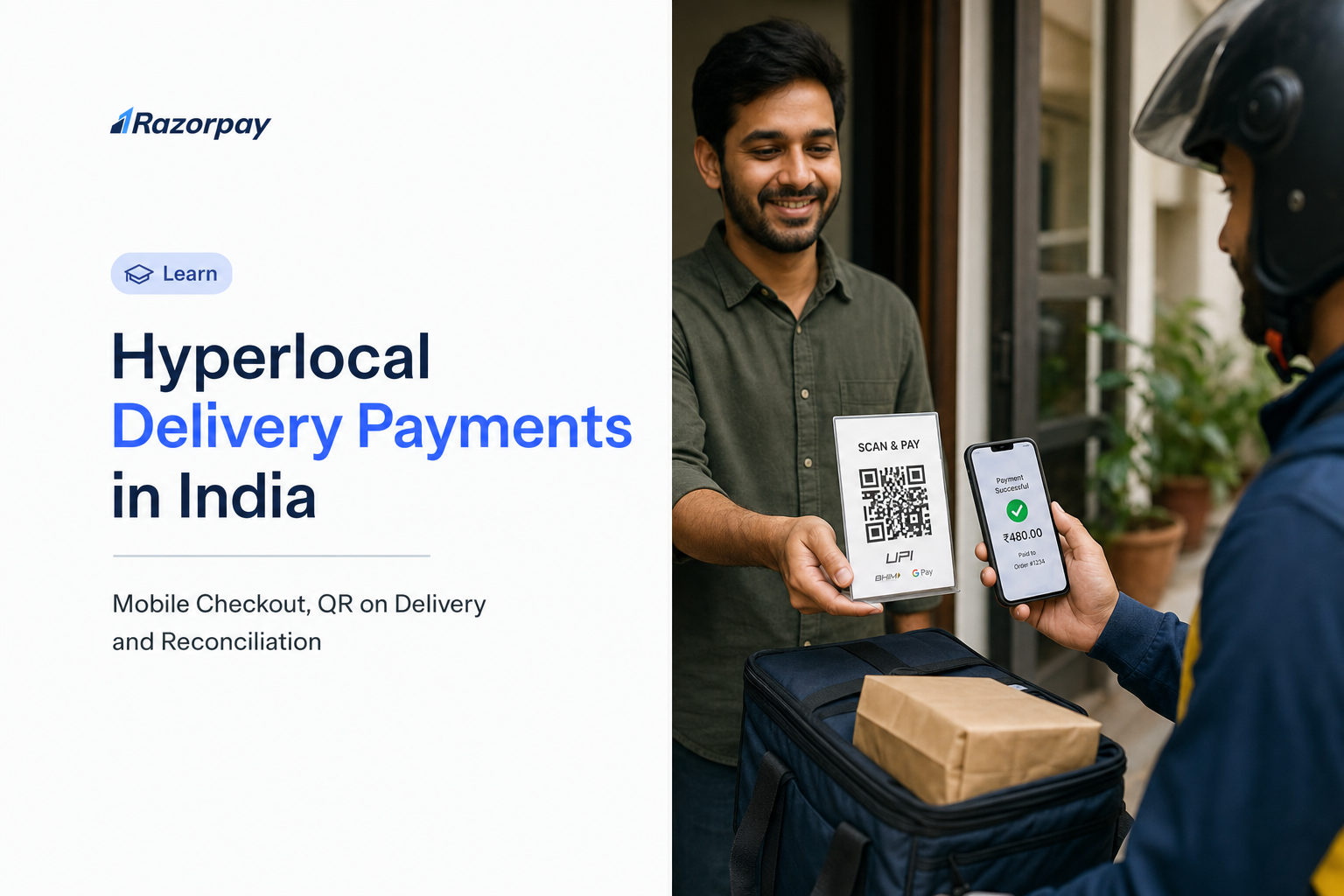
Hyperlocal delivery payments are the collection and tracking of customer payments for orders fulfilled by nearby stores or delivery teams. A rider sees a successful-payment screenshot, hands over the parcel, and the order screen still says unpaid. Days later, finance finds a payment with no shipment reference.
An app checkout, a doorstep collection and a bank statement can each be correct while your order ledger stays incomplete. The gap usually appears when you add delivery agents, offer pay-at-doorstep or introduce new payment methods. So how do you let customers pay quickly while proving which order was collected and what will reach your bank?
This guide explains mobile checkout, order-linked QR collection and reconciliation through one illustrative delivery workflow.
Key Takeaways
- Choose the collection flow around when payment is due: before dispatch, before arrival or at the doorstep.
- Razorpay supports mobile checkout and supported wallets. Check the methods enabled for your account and verify the required payment state before fulfilment.
- For doorstep UPI collection, generate a fixed-amount, single-use QR and map its identifier to your shipment.
- Cash COD selected at checkout does not itself process a digital payment or create a bank settlement.
- Confirm payments from trusted backend status and authenticated events. A screenshot or delivered parcel does not prove payment.
- Reconcile the order, QR or payment identifiers, refunds and settlement records. Your delivery software owns rider, hub and shipment mapping.
One Delivery, Three Collection Choices: Mobile Checkout, QR or Payment Link?
A hyperlocal business can collect payment in its mobile checkout before fulfilment, share a Payment Link before the rider arrives, or display an order-linked UPI QR at the doorstep. The right choice depends on when payment becomes due and how your backend matches the collection to the delivery order.
Pay Before Dispatch in the Customer App
Your customer app checkout is a collection surface, not an order system. Tie every payment success back to your own order record. An SDK is not a dispatch platform or a merchant ledger.
Send a Payment Link Before Arrival
Razorpay Payment Links give you a hosted collection path while the rider is en route. Check the existing payment status before offering another collection attempt.
Display a QR When Payment Is Due at the Doorstep
A printed reusable shop QR is different from a transaction-specific QR whose identifier your system maps to one order. This guide’s worked example uses the second type.
| Collection moment | Customer action | Merchant record to preserve | Integration responsibility |
|---|---|---|---|
| In-app checkout, before dispatch | Pays inside your app | Order ID, verified payment state | SDK integration plus backend verification |
| Payment Link, before arrival | Opens a hosted link | Link reference against the open collection | Link creation, status checks, duplicate control |
| Order-linked QR, at the doorstep | Scans with a UPI app | QR identifier mapped to shipment and attempt | QR creation, storage, event verification |
How Razorpay Supports Mobile Checkout and Wallet Payments for Hyperlocal Delivery
Our Android Standard Checkout supports UPI, cards, netbanking and wallets for mobile payment collection, with documented checkout options covering card, netbanking, wallet, UPI and EMI. A delivery business can integrate checkout with its customer app and verify payment against its order backend. Wallet availability varies by provider and account approval, so confirm the methods enabled for your live checkout.
You can use Razorpay for the customer-payment stage, then connect verified payment results to your own order system. Use the supported mobile integration for your platform, show the payment methods enabled for your account, and keep the order unpaid until your backend verifies the required payment state. For doorstep collections, add a separate QR or Payment Link flow tied to that order. The Payment Gateway product pages cover the commercial side of that decision.
UPI App Payments and Wallet Payments Are Different Methods
A UPI app used to authorise a bank-account payment does not make that payment a stored-value wallet payment. Treat the selected payment method and its funding source separately. App-switching behaviour and genuinely embedded flows also differ, so confirm the current integration behaviour rather than assuming the customer never leaves your app.
Accepting an Existing Wallet Is Different From Running Your Own Wallet
Accepting a supported wallet through checkout is different from maintaining a customer balance, top-ups, cashback or store credit inside your delivery app. Define that balance’s permitted use and ownership separately. Payment-method acceptance alone does not establish that Razorpay supplies your app’s complete stored-value wallet system.
DID YOU KNOW: The India wallet documentation lets you view the wallets enabled for your account, and some payment methods are available by default while others require approval.
How to Collect Digital Payments With QR on Delivery Using Razorpay
Razorpay QR Codes can support doorstep UPI collection once enabled for your account. Your server creates a QR, retains its identifier against the shipment and passes the image to the rider app. The backend verifies payment before updating the order. The QR API supplies payment functionality; your delivery application supplies shipment and rider orchestration. See the QR Codes product overview for the commercial view.
Create a Fixed-Amount, Single-Use QR for the Delivery Attempt
For an order due at delivery, your backend can create a Razorpay UPI QR with usage set to single_use, fixed_amount set to true and the required payment_amount. Save the returned QR identifier against the shipment before displaying its image to the rider. This mapping lets your system identify the delivery when a payment arrives; it is an integration you implement, not an order-matching guarantee from the QR image alone. The create a QR Code reference also warns that fixed_amount must be true for a single-use code to generate successfully.
| Field | Owner | Purpose |
|---|---|---|
merchant_order_id |
Your backend | Business order context |
shipment_id |
Your backend | Physical delivery record |
collection_attempt_id |
Your backend | One attempt at collecting the amount due |
QR response id, stored as your qr_id |
Razorpay API response; your stored alias | Payment surface you map to the collection attempt |
| Amount due | Your backend; payment_amount uses minor units |
For an illustrative Rs 650 collection, send 65000 paise |
| Currency | Your business ledger, INR for this example | Currency context is not another value in payment_amount |
| Expiry | Returned close_by value |
Attempt validity window |
| Assigned rider | Your backend | Attribution and escalation |
Your order, shipment, attempt and rider identifiers are your own fields. They are not native create-QR request parameters, and the QR API does not accept a Razorpay order_id parameter.
Account for Activation and QR Expiry
The QR Codes overview requires a request through your point of contact or the Dashboard to enable QR Codes. The current create-QR reference gives a single-use expiry window of two minutes to two hours. Use the returned close_by value, generate the QR close to collection, and regenerate it after expiry. Do not use this configuration as an all-day shipping-label QR.
PRO-TIP: Preserve the order reference when you replace an expired QR, but create a new collection-attempt record. Check the previous attempt’s payment status first.
Keep Cash COD and Digital QR Collection Separate
Razorpay’s standard cash-on-delivery checkout records a COD order, while you or your logistics partner collect the cash. That cash order does not process a Razorpay payment or generate a Razorpay settlement. To collect digitally at the doorstep, use the enabled QR product or a suitable Payment Link integration and update your order from the verified digital payment result.
How to Reconcile Delivery Payments Against Orders, Riders and Settlements
Reconcile delivery payments by linking the merchant order and shipment to each collection attempt, then linking that attempt to the QR or link identifier and the verified payment. Track delivery status, refunds and bank settlement separately. QR reports support payment review, while your backend supplies the business-specific rider, hub and shipment joins.
Use a Payment Ledger Instead of a Rider Screenshot
Keep one business-order record and a separate record for every payment attempt. Match the trusted payment result to the QR or link identifier, verify the expected amount, and update the paid state only once. A rider’s screenshot can help investigate a problem, but it does not replace backend payment verification or settlement reconciliation.
The QR webhook events include qr_code.created, qr_code.credited and qr_code.closed. Verify the current event contract and payment details before updating the order. Validate the raw request body signature and identify repeated events using the webhook validation guidance. A scan alone does not prove payment.
Worked Example: A Rs 650 Grocery Delivery
This is an illustrative hypothetical, not a customer story or performance result.
| Record | Illustrative value | What it proves |
|---|---|---|
| Merchant order / shipment | HL-1042 / SH-1042 | Business context, merchant-owned identifiers |
| Collection attempt 1 | ATT-01, QR expired before arrival | Attempt history is preserved, not overwritten |
| Collection attempt 2 | ATT-02 | Second attempt at collecting Rs 650 |
| QR reference | Illustrative returned QR ID | Payment surface mapped to ATT-02 in your database |
| Payment reference | Illustrative returned payment ID | Verified payment record for that attempt |
| Collection status | Paid after backend verification | The Rs 650 collection is confirmed |
| Delivery status | Awaiting handover, then delivered | Fulfilment recorded independently |
| Settlement reference | Pending, later matched | Payment confirmation has not proved bank credit |
Read the join in words: order to shipment, shipment to collection attempt, attempt to QR and payment reference, then on to refund and settlement records where they apply. You create the first relationships. Do not assume every identifier appears automatically in a report.
DID YOU KNOW: A delivery can be completed while a bank settlement is still pending. Your collection, delivery and settlement columns answer different questions.
Payment Confirmation, Bank Settlement and Rider Payouts: What Happens When?
Payment confirmation establishes whether the customer paid. Settlement concerns when captured funds reach your bank account. Rider or vendor disbursements are another workflow. Our settlement documentation describes a standard domestic cycle of T+2 working days, subject to bank approval, business vertical and risk factors.
A successful doorstep payment does not mean the money has reached your bank account or the rider has been paid. Reconcile the customer payment first, then check your approved settlement schedule. If your business needs faster access or vendor disbursements, confirm the relevant product, eligibility, fees and configuration with Razorpay rather than treating those services as automatic consequences of QR collection.
Match the Product to the Money Movement
Customer collection, marketplace splitting and business payouts have separate requirements. If you collect for independent sellers or need rider disbursements, confirm the approved funds flow, account setup and relevant product separately. A customer QR payment does not automatically fund or complete a payout.
What Should Happen When a Delivery Payment Is Pending, Repeated or Refunded?
When a delivery payment is uncertain, keep the collection pending while your backend checks its status. Separate a repeated notification from a genuinely additional payment. Only start another collection after checking earlier attempts, and reconcile any approved refund to the original payment.
Customer Says Paid, Rider Still Sees Pending
Preserve the attempt. Show an honest pending screen instead of a guess. Query the payment status from your backend, then follow your documented escalation path. Never instruct a rider to collect cash immediately after an uncertain digital result, and never treat an offline rider screen as evidence that an offline payment succeeded.
For example, a customer may have authorised a payment while the rider app still shows a network error. Keep the shipment and attempt references visible to support, check the provider payment record, and record the decision before offering another payment method. For the mobile checkout flow, Razorpay advises fulfilment only after capture; an authorised but uncaptured payment is not sufficient. For each collection product, technical review should define the successful payment state your backend must verify before handover.
A Webhook Is Delayed, Repeated or Arrives Out of Order
Use authenticated events and reconcile status from the backend. The webhook guide documents signature verification and duplicate-event identification using the x-razorpay-event-id header. In plain language, the same event must never credit the order twice. A repeated event is not the same thing as two successful customer payments, and your ledger must tell them apart.
Suppose ATT-02 has one successful payment and the same event reaches your endpoint twice. Store the event-processing result so a repeat does not create another credit or another handover instruction. If two different successful payment IDs exist, retain both records and investigate overcollection instead of discarding one as a duplicate event. A delayed notification should trigger reconciliation of the attempt, not a guess that the customer needs to pay again.
A QR Expires or the Rider Makes Another Attempt
Use the returned expiry value, check the earlier attempt’s status, then create a new attempt. The QR webhook reference states that the closed webhook fires on manual closure and is not triggered when a QR auto-expires, so build a timer or polling sweep rather than relying on that event alone.
The Order Is Cancelled, Partially Delivered or Returned
Recalculate the amount due under your policy before any new collection. A prepaid cancelled order may need an approved refund, and refund timing is separate from the delivery decision. An unpaid cash COD order has no digital payment to refund. Partial delivery, partial payment and partial refund are three different states. An RTO does not automatically trigger a refund.
Consider an illustrative Rs 650 order with Rs 150 of goods unavailable. If nothing has been paid, confirm the revised Rs 500 amount in the order system and resolve the earlier collection attempt before requesting payment. If Rs 650 has already been successfully paid, preserve that payment and route any Rs 150 adjustment through the applicable refund policy. Do not edit the historical payment to make it look like Rs 500 was collected. Keep the refund request, provider reference and eventual status linked to the original payment; approval of a refund does not prove that the customer has received it.
| Exception | Status to retain | Verification required | Merchant action | Ledger outcome |
|---|---|---|---|---|
| Payment pending | Attempt open | Backend status fetch | Hold handover, inform customer | Unpaid until verified |
| Duplicate event | Existing paid state | Event ID comparison | Ignore repeat | No second credit |
| Extra successful payment | Both payments visible | Amount and attempt check | Investigate, consider refund | Overcollection queue |
| QR expired | Attempt expired; payment reconciliation pending if uncertain | Returned expiry and provider payment status | Check the earlier attempt before creating another | Attempt history preserved; no duplicate collection |
| Cancelled after payment | Paid, delivery cancelled | Payment and policy check | Approve refund if due | Refund linked to payment |
PRO-TIP: Review unmatched payments, amount mismatches and extra successful payments as separate exception queues. One “payment failed” bucket hides the action finance needs to take.
How to Implement a Hyperlocal Delivery Payment Workflow
These are design instructions, not a claimed tested integration. Keep credentials and production calls out of documentation.
- Map the funds flow. State who sells, who collects, when payment is due and who receives the bank settlement. Identify whether you are a single merchant or a multi-seller platform, because the second case needs a separate review.
- Confirm account and method availability. Check live account activation, QR enablement and any wallet approvals. Record the settlement schedule that applies to your account.
- Create the business ledger. Define order, shipment and collection-attempt identifiers, amount due, payment state and assigned rider. Allow one order to hold many attempts.
- Integrate the customer checkout. Follow the current platform-specific SDK instructions, verify every payment server-side, and run test-mode checks. Keep secret material on the server only.
- Add doorstep collection. Create and store an enabled QR or Payment Link for the outstanding amount. Display the amount due and the current attempt status in the rider app.
- Verify and update once. Authenticate events, check the payment state and the amount, and protect against duplicate processing before marking the order paid.
- Reconcile finance separately. Match collections, approved refunds and actual settlements. Add rider and hub filters through your own delivery system records.
- Test the exceptions before launch. Walk through success, pending, delayed notification, expired QR, a second attempt, a duplicate event, cancellation and refund reconciliation.
Before launch, keep one approved workflow diagram, an order ledger and an exception-test record. Technical review must confirm the actual event payloads and payment-state rules.
For each test, record the starting order and attempt state, expected amount, observed payment result, event-processing result, delivery decision and final ledger state. Include an interrupted customer app, delayed rider connectivity, repeated events, QR expiry, two successful payment attempts, partial delivery and cancellation after payment. The test passes only when the customer, rider and finance views agree on what happened. A successful checkout screen alone does not establish that the full delivery workflow is ready.
What Costs and Commercial Conditions Should a Delivery Business Check?
Evaluate the price of your specific payment workflow, not only a headline rate. Confirm collection charges, separate product charges, applicable taxes, settlement options and third-party delivery-software costs. Ask which payment methods and products are approved for your account.
Ask for a Workflow-Specific Quote
Bring a checklist: collection methods, average order value, expected volume, QR or link usage, any marketplace splitting, payout requirements, refund handling, settlement terms and OMS, TMS or delivery-app integration fees. Ask for a written quote for the actual product combination, with applicable taxes and optional services identified separately. These are evaluation questions, not claims that every charge applies.
Compare Confirmation, Settlement and Refund Timing Separately
Do not equate an instant payment notification with instant settlement or an instant customer refund. Verify exact current terms for your proposed product combination before relying on any published figure.
How Razorpay Fits a Hyperlocal Delivery Payment Architecture
Match Each Product to One Merchant Task
| Merchant task | Relevant Razorpay surface | Boundary to state |
|---|---|---|
| Customer pays in the mobile checkout | Payment Gateway and supported mobile integration | Integrate and verify against your backend; methods depend on support and approval |
| Customer pays from a hosted link | Payment Links | Track the correct collection attempt and prevent duplicate collection across surfaces |
| Customer pays by UPI at delivery | Enabled QR Codes product and APIs | Your backend maps the QR ID to order and shipment, and respects single-use expiry |
| Finance reviews QR activity | QR reports, payment information and authenticated events | Rider, hub and order joins remain your system’s responsibility |
| Business needs splitting or disbursements | Scope for a separate approved funds-flow review | These are not bundled into every QR collection |
What the Merchant Still Builds
Rider assignment, proof of delivery, inventory updates, TMS or ERP joins, escalation rules and exception queues belong to you or your delivery platform. We supply documented payment functions, not the logistics application. For a broader evaluation of providers and criteria, read our payment gateway support guide for logistics and delivery businesses. High-value doorstep collections should also be checked against current UPI transaction limits.
Which Payment Workflow Fits Your Delivery Operation?
Pick the workflow that matches when payment becomes due, then verify the conditions before launch.
| Your operating model | Start with | Verify before launch |
|---|---|---|
| Your own customer app, prepaid orders | Mobile checkout connected to the order backend | Supported methods, verification and capture rules |
| Payment requested before rider arrival | A Payment Link attached to the outstanding collection | Prior payment state, link status, duplicate-collection controls |
| Your own rider app, pay at doorstep | Enabled transaction-specific UPI QR integration | Fixed amount, expiry, trusted confirmation, shipment mapping |
| Existing delivery, OMS or TMS platform | Its verified payment integration | Which product is used, who owns the collection, how records sync |
| Cash COD retained as a fallback | Your cash-handling and reconciliation process | Previous digital attempt status, cash receipt, remittance responsibility |
DID YOU KNOW: A generic QR-image generator and a managed payment integration solve different tasks. Automated order reconciliation needs a trustworthy payment record and an explicit join to the business order.
Frequently Asked Questions
Can Razorpay collect QR payments at a customer’s doorstep?
Yes. An enabled QR Codes integration can support doorstep UPI collection. You create the QR through the create API, map its identifier to the shipment and verify the payment in your backend. Rider assignment and delivery-state controls come from your own delivery software.
Is QR on delivery the same as choosing cash on delivery at checkout?
No. Standard cash COD records the order while you or your logistics partner collect the cash, and no Razorpay digital settlement is generated for that cash. QR on delivery collects digitally through a separate enabled payment flow. Both paths still need correct entries in your order ledger.
How do I match a QR payment to an order or delivery agent?
Store the order, shipment and rider against the collection attempt and the returned QR identifier in your own system. Match trusted payment information to that relationship, verify the amount, and update the order once. Reports support review, but the business-specific joins come from your integration.
Does wallet integration mean my delivery app gets its own customer wallet?
No. Accepting supported third-party wallets is different from operating a balance, top-up or cashback ledger inside your app. Confirm wallet acceptance and any required approvals for checkout first, then review a stored-value design separately with product and regulatory input.
Does a successful doorstep UPI payment settle to my bank instantly?
No. Payment confirmation and bank settlement are different states. We document a standard domestic settlement cycle of T+2 working days, subject to account conditions. Confirm your approved schedule and the terms of any separately enabled faster-settlement option.