

Available in🇮🇳 India
Segment your customers to personalise communications and run smarter campaigns. Create dynamic groups based on actions, preferences or transaction history.
The Customer Segmentation feature allows you to group your customers based on multiple behavioural and demographic data points. This empowers brands to deliver more relevant, targeted and effective communication.
By creating highly specific customer segments, businesses can personalise campaigns across SMS, email, whatsApp, digital bills and other communication channels. This improves engagement, conversions and overall customer satisfaction.
Key Features
- Filter by purchase frequency, value or location
- Auto-update segments in real time
- Use segments to target SMS, Email or WhatsApp campaigns
- Export or sync customer groups to external tools
Key Data Points for Segmentation:
- Visits: Segment customers by visit frequency or recency.
- Products: Group customers based on product interest or purchase history.
- Age: Target campaigns to specific age groups.
- Gender: Personalise messaging and offers based on gender.
- Spends: Identify high-value or budget-conscious customers by spend range.
- Type of Phone: Distinguish users by device type for optimised content delivery.
- Combined Attributes: Combine multiple attributes for hyper-targeted customer profiles.
Use Case Example
Create a segment of young, high-spending customers in metro cities who purchased specific product categories. Then, you can run a targeted email or digital bill campaign with exclusive offers tailored to them.Create New Customer Segment
To create a new customer segment:- Under Manage section, on the Customer Segmentations page, click + Create New Segment. The Create New Segment page appears.
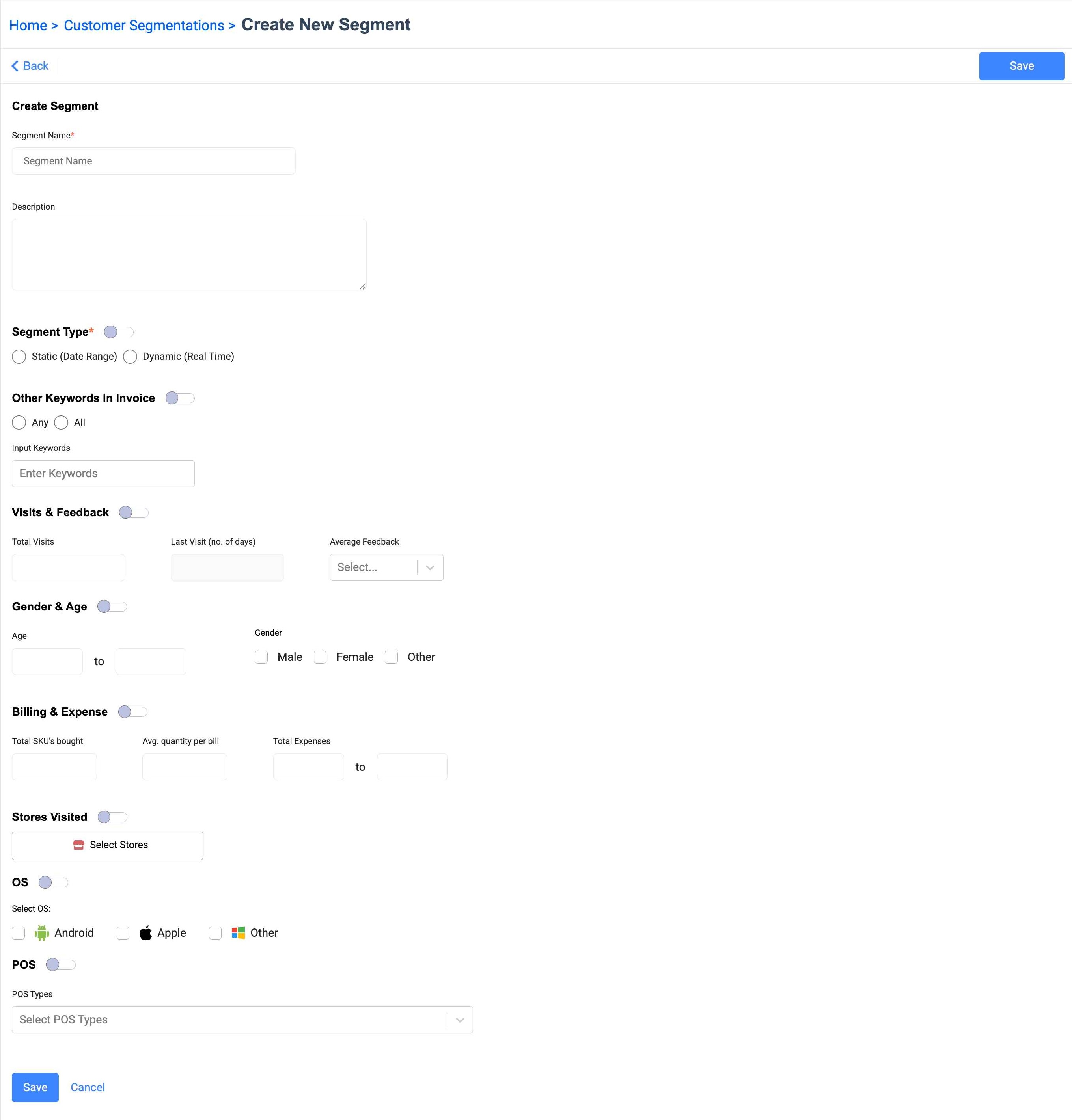
- Enter the Segment name and description.
- You can configure various combinations of parameters based on which you want to create the customer segment.
- Select the segment type: Static or Real-time.
- Enter any keywords from the invoice.
- Enter values for total visits, last visit and average feedback.
- Specify age and gender.
- Enter Billing & Expenses details.
- Select storewise visits.
- Select OS of the customer device.
- Select POS type which the customer is using (if applicable).
- Click Save. Your new customer segment is created and can be used for multiple campaigns and auto engagement journeys.