

Available in🇮🇳 India
Your customers can make payments on your website or app using a combination of CRED Coins and Credit Cards saved on CRED.
For example, if a customer has shopped on your website for ₹10, they can choose to redeem CRED Coins worth say, ₹2 and pay the rest ₹8 using credit cards saved on CRED.
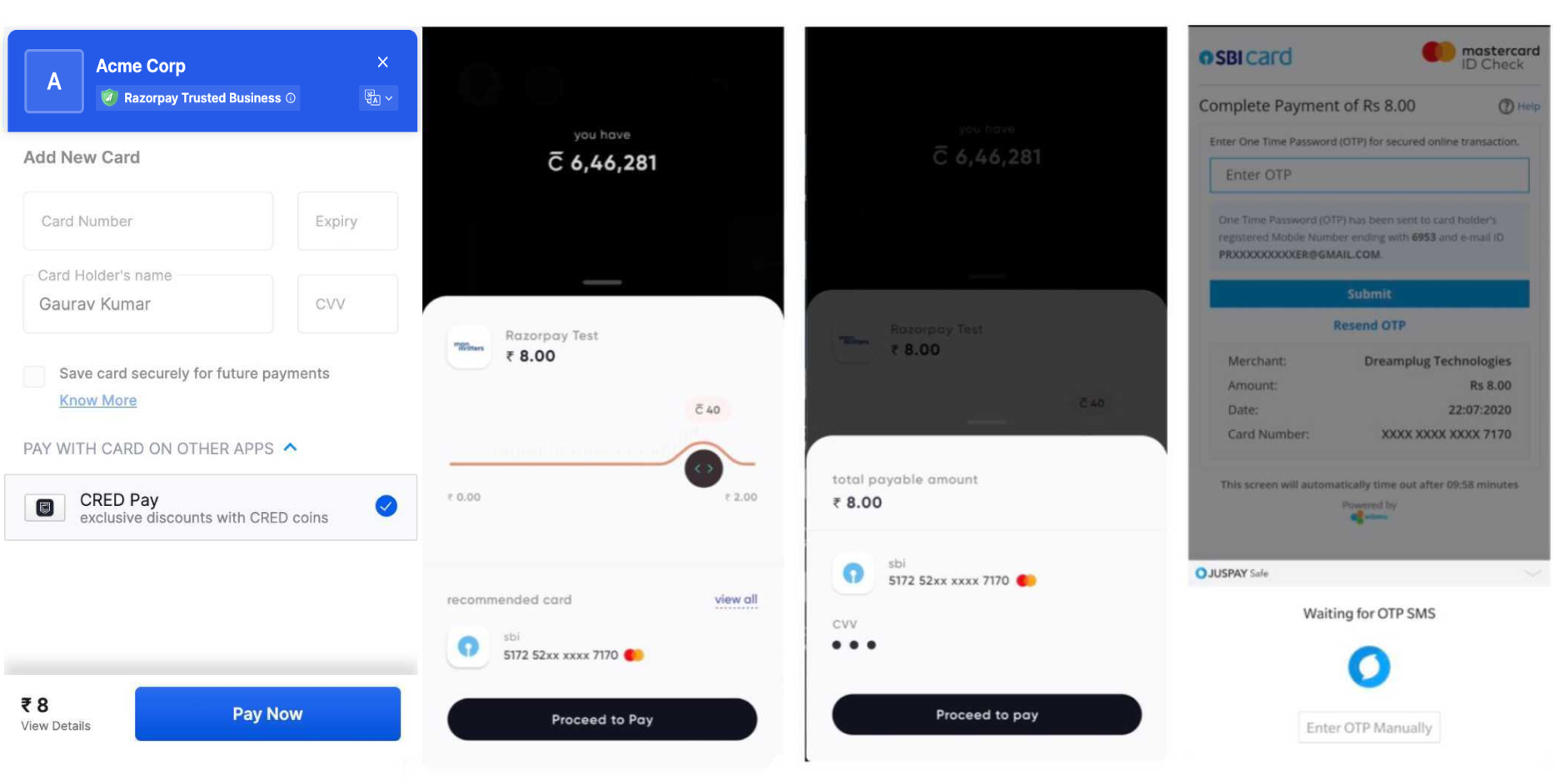
Advantages
- Customers can redeem their CRED Coins on websites.
- Customers can access the cards they have saved on CRED to make payments on your website or app.
- CRED recommends which credit card customers can use based on the credit limit, due date and reward points.
Workflow
This diagram explains the workflow: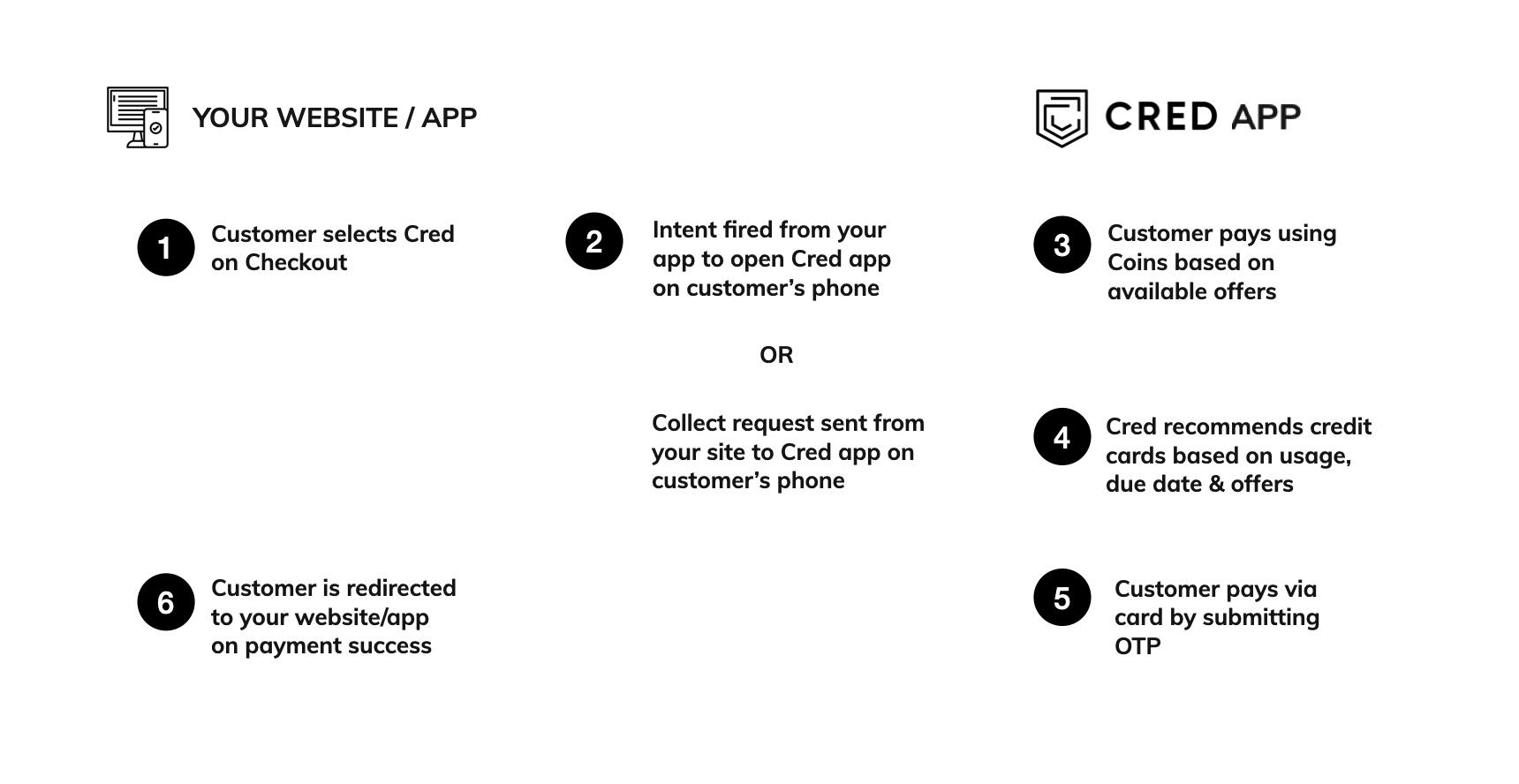
Feature RequestThis is an on-demand feature. Please raise a request with our Support team to get this feature activated on your Razorpay account.
Prerequisite
- Sign up for a Razorpay account.
- Generate API Keys
- Follow the Razorpay S2S Integration documentation.
Integrate CRED
To add CRED Pay as a payment method, you need to:- Pass the
app_offerparameter in Orders API. - Pass the
methodandproviderparameters in Create Payments API.
Pass app_offer Parameter in Order
You must create an order using Orders API. In the response, you obtain anorder_id which you must pass to Checkout.
POST /orders
Request Parameters
The transaction amount, expressed in the currency sub-unit, such as paise (in case of INR). For example, for an actual amount of ₹299.35, the value of this field should be
29935.The currency in which the transaction should be made. See the list of supported currencies. Default is
INR.Allow/disallow customers from using CRED coins to make payments. This is used to prevent double discounting scenarios where customers have already availed discounts using voucher/coupon and you do not want them to redeem Coins as well. Possible values:
true: Customer not allowed to use CRED coins to make payment.false(default): Customer can use CRED coins to make payment.
Key-value pair that can be used to store additional information about the entity. Maximum 15 key-value pairs, 256 characters (maximum) each. For example,
"note_key": "Beam me up Scotty”.