Available in🇮🇳 India🇲🇾 Malaysia🇸🇬 Singapore🇺🇸 United States
Accept international payments from foreign bank cards by enabling international payments on your Dashboard..
Feature EnablementInternational payments require special security and risk checks. We enable this feature only after our banking partners have approved it, ensuring compliance and protecting against fraud.
Enable Payments from International Debit and Credit Cards
To enable international payments for the first time, place a request from the Dashboard.Eligibility and Prerequisites
Eligibility and Prerequisites
You must meet the following eligibility criteria set by our banking partners to accept international payments:
- You must have an active Razorpay account with KYC verification completed.
- You must have a valid website with the following sections/pages clearly defined:
- Terms and Conditions
- Privacy policy
- Refund and Cancellation policy
- Shipping policy
- Check the list for the business categories not supported by Razorpay.
Application Process
Application Process
To request international payments:
- Log in to the Dashboard.
- Navigate to Account & Settings → International payments (under Payment methods).
- Click Activate to enable the International cards.
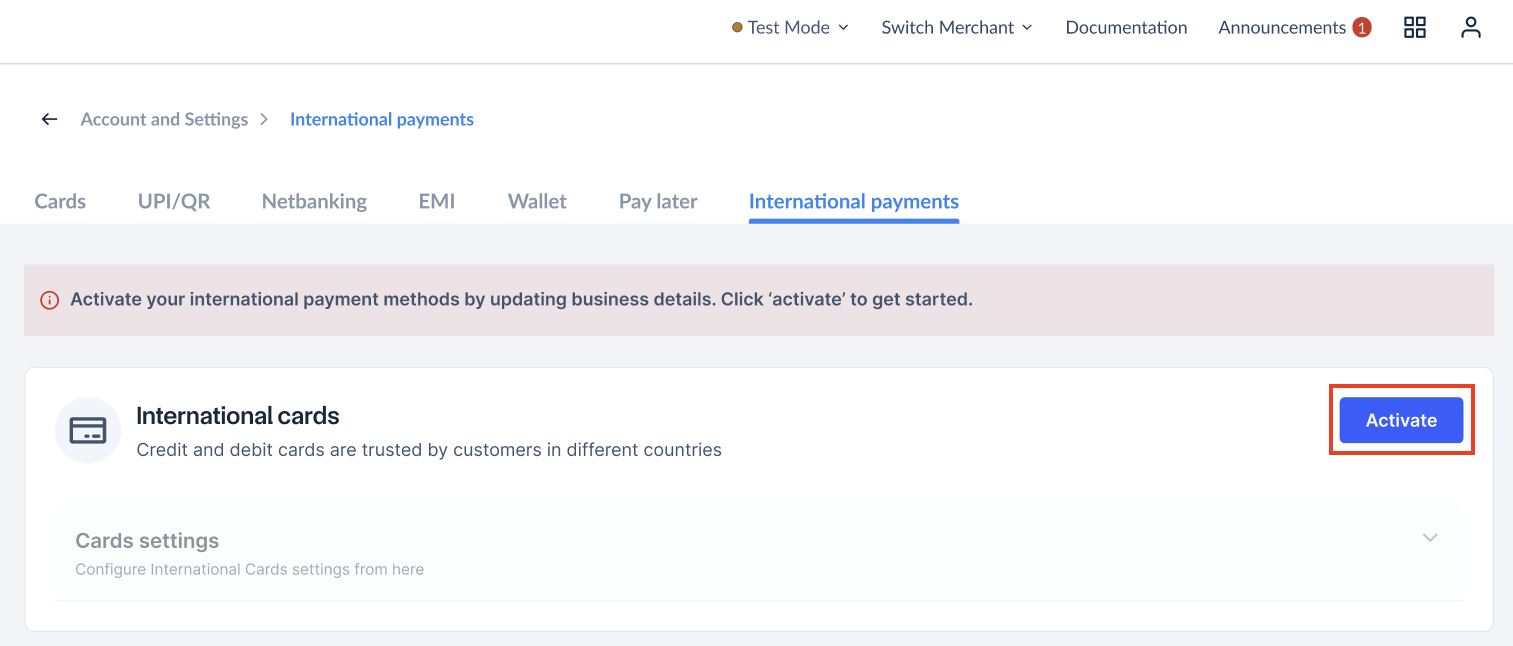
- Follow the on-screen instructions to provide any additional details or documentation required for activation.
Documents and Details Required
Documents and Details Required
- In case of sales of tangible products, Import/Export code is required.
- If you have past international transaction experience, the following documents are accepted:
- Bank statement for inward remittance.
- Settlement record from the current payment partner.
Disable Payments from International Debit and Credit Cards
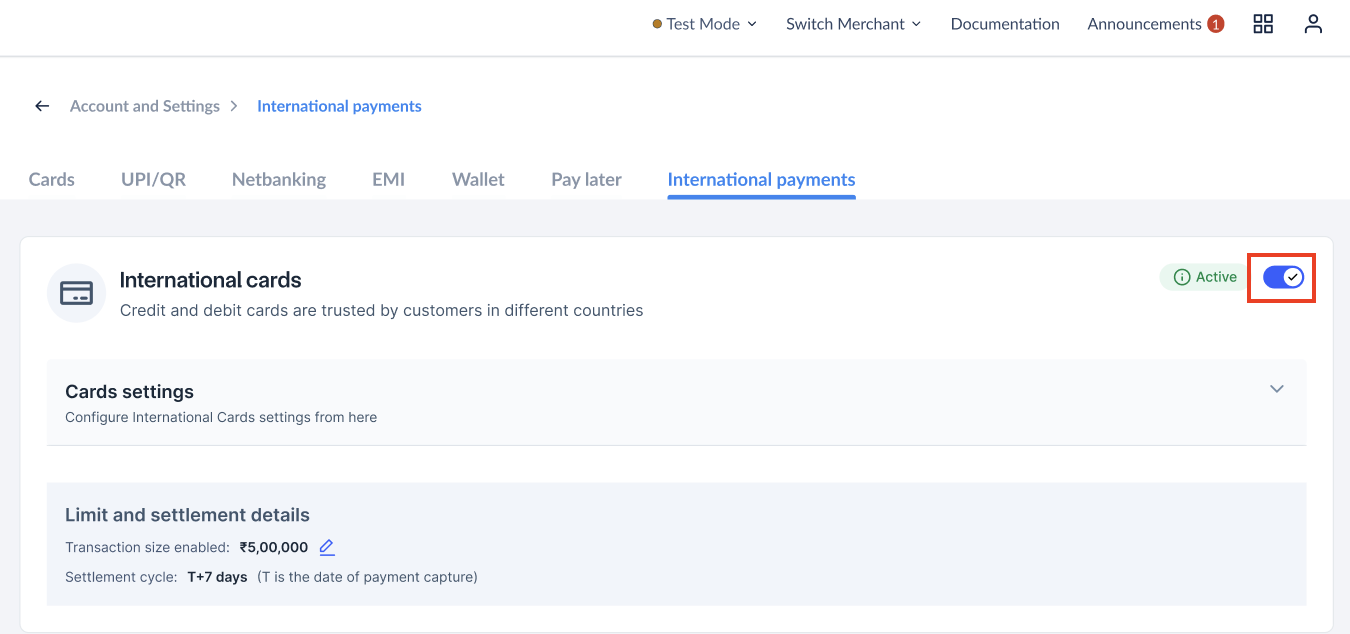
You can disable the International payments option on your account from your Dashboard.- Log in to the Dashboard.
- Navigate to Account & Settings → International payments (under Payment methods).
- Use the toggle button to enable or disable international card payments.