Available in🇮🇳 India
Online Marketplaces
Check the steps to integrate with Online Marketplaces.
Freelancing Platforms
Check the steps to integrate with Freelancing Platforms.
Supported Platforms
International Bank Transfer integrates with:- Online Marketplaces
- Freelancing Platforms
- Amazon.us (United States) - USD
- Amazon.co.uk (United Kingdom) - GBP
- Amazon EU (European Union) - EUR
- Amazon.com.au (Australia) - AUD
- Amazon DK (Denmark) - DKK
- SWIFT-based Marketplaces - Multiple currencies
- Amazon.ca (Canada) - CAD (Coming soon)
- Amazon.ae (United Arab Emirates) - AED (Coming soon)
- Amazon CH (Switzerland) - CHF (Coming soon)
- Amazon.se (Sweden) - SEK (Coming soon)
Online Marketplaces
Amazon Marketplace Integration
Amazon is one of the most popular platforms for Indian sellers. Here is how you can connect your Razorpay account to Amazon Seller Central.Prerequisites
You must meet the following prerequisites to accept international payments from your customers:- You must have an Amazon Global Selling account.
- Active Razorpay account with KYC verification completed.
- You must have an active Razorpay account with KYC verification completed.
- You must be an Indian business that falls under one of the following export purpose codes to use MoneySaver Export Account:
Integration Steps
Integration Steps
Follow the steps given below to change your deposit account in Amazon Seller Central:
- Log in to Amazon Seller Central account.
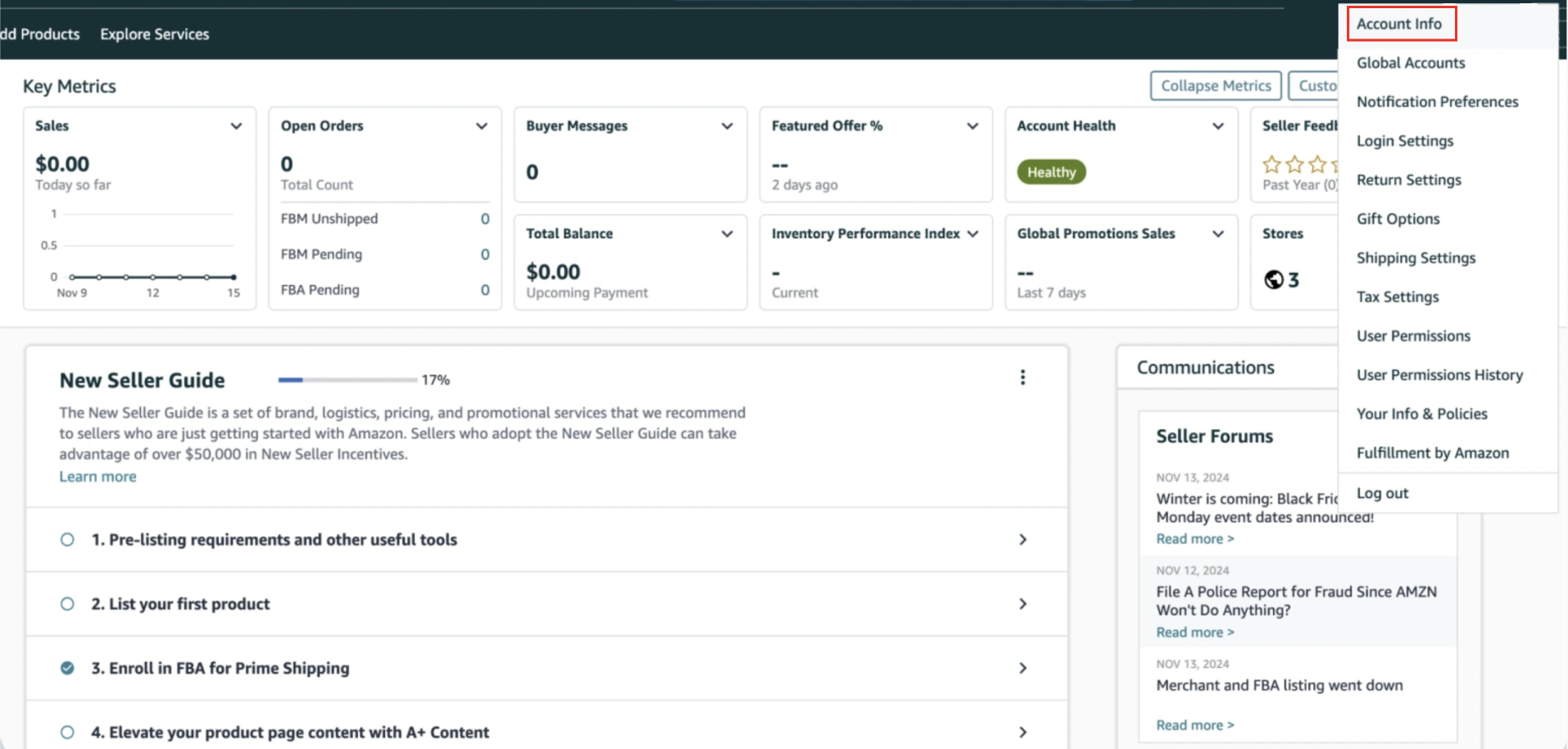
- Navigate to Settings and click Account Info.
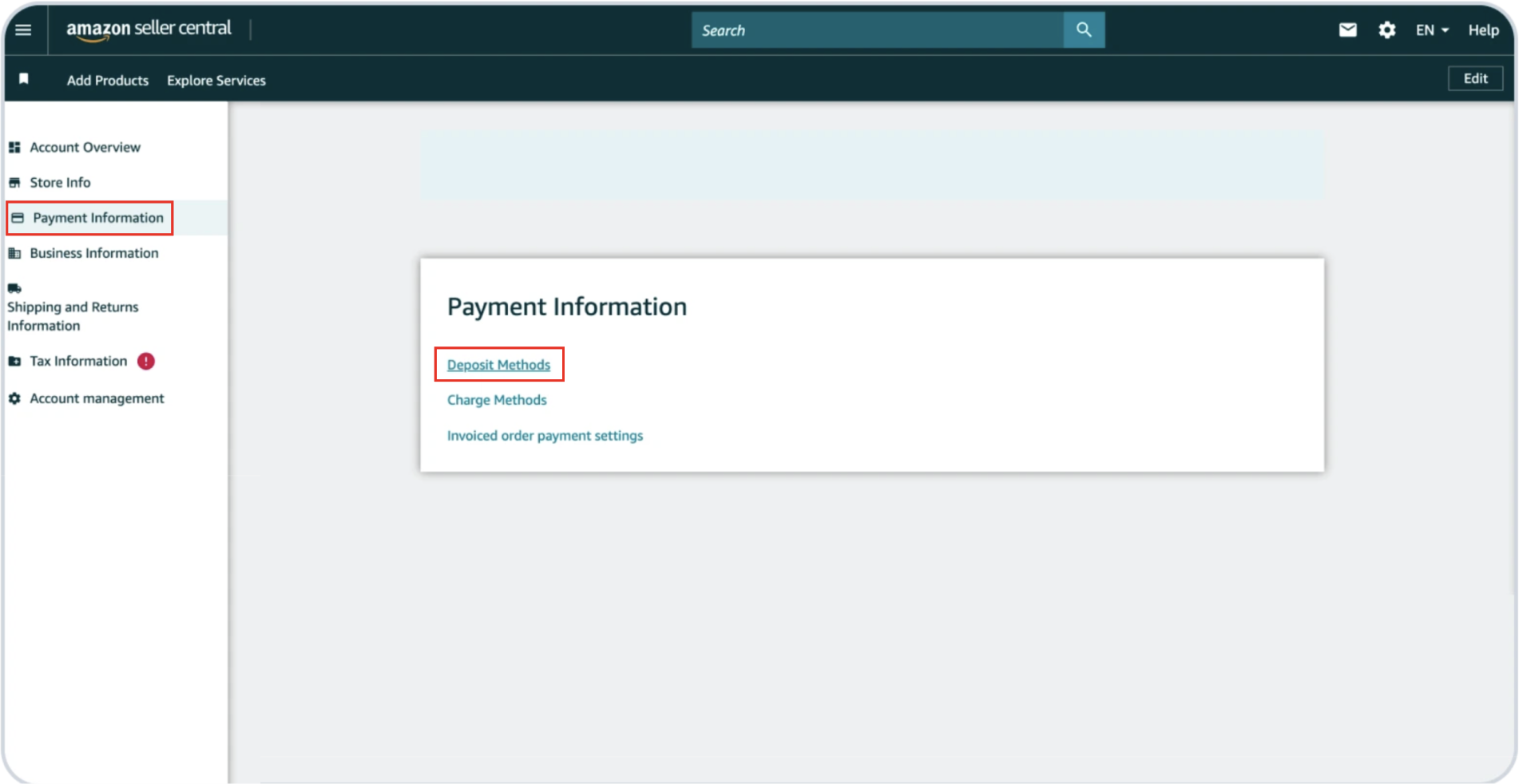
- Navigate to the Payment Information tab and click Deposit Methods.
- Enter the relevant bank account details based on your selling region:
- ACH account – Amazon USA
- FPS account – Amazon UK
- SEPA account – Amazon Europe
- NPP/Osko/BECS Account - Amazon Australia
- EFT Account - Amazon Canada
- RIX Account - Amazon Sweden
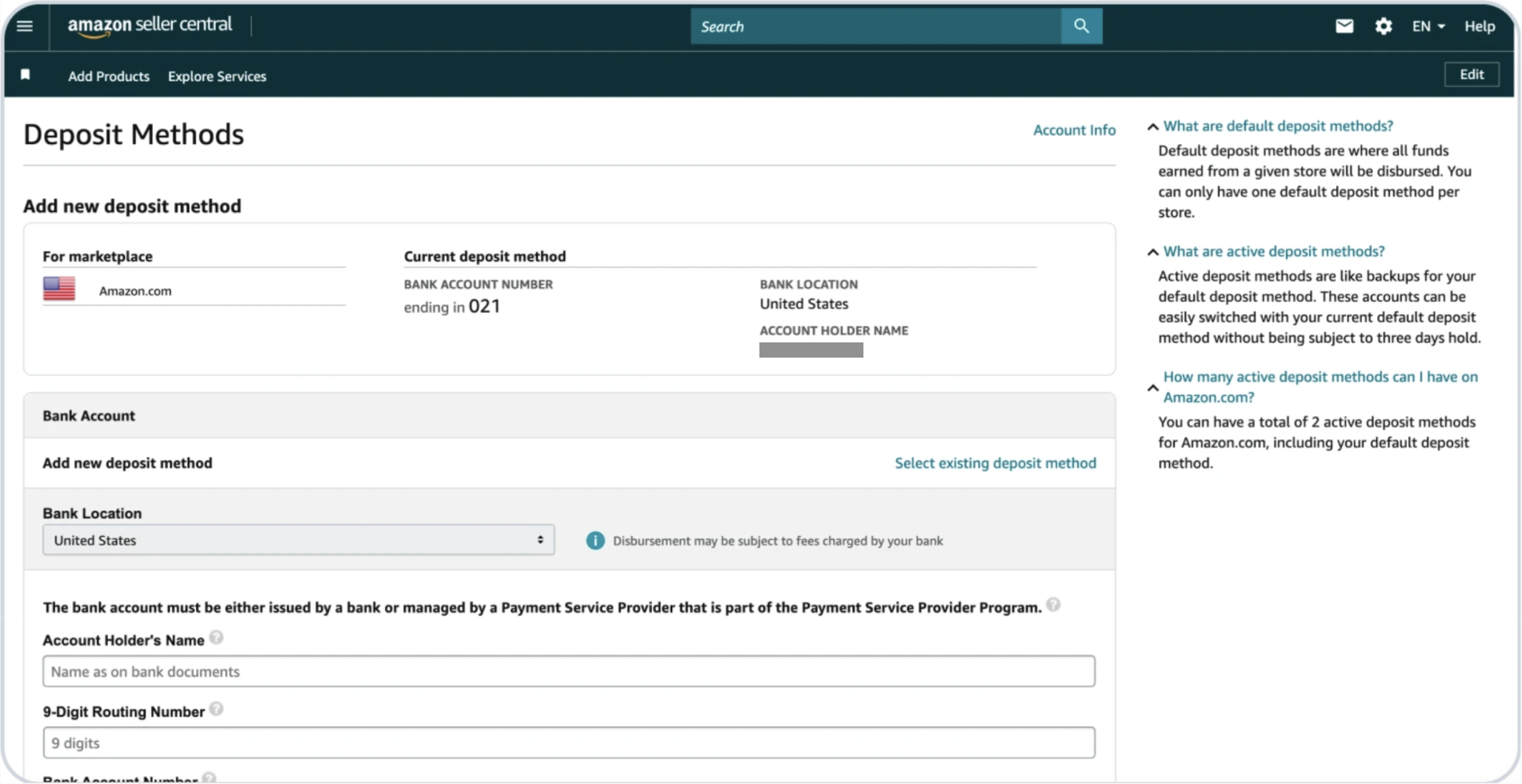
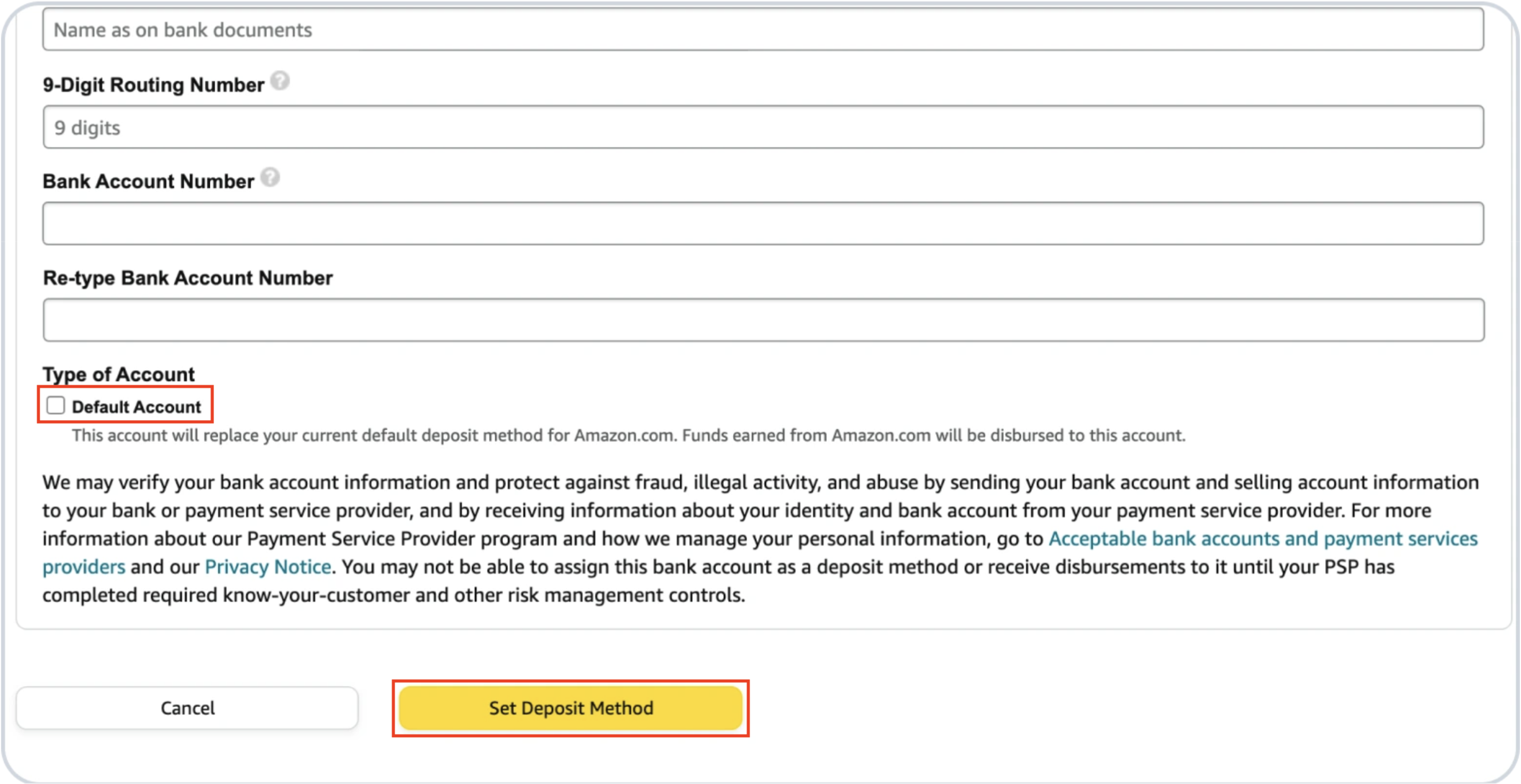
- Select the Default Account check box (Under Type of Account) to make Razorpay as your primary deposit method and click Set Deposit Method.
Freelancing Platforms
If you are offering services on freelancing platforms, you can connect your Razorpay International Bank Transfer to receive payments directly from these platforms.Freelancing Platforms
Freelancing Platforms
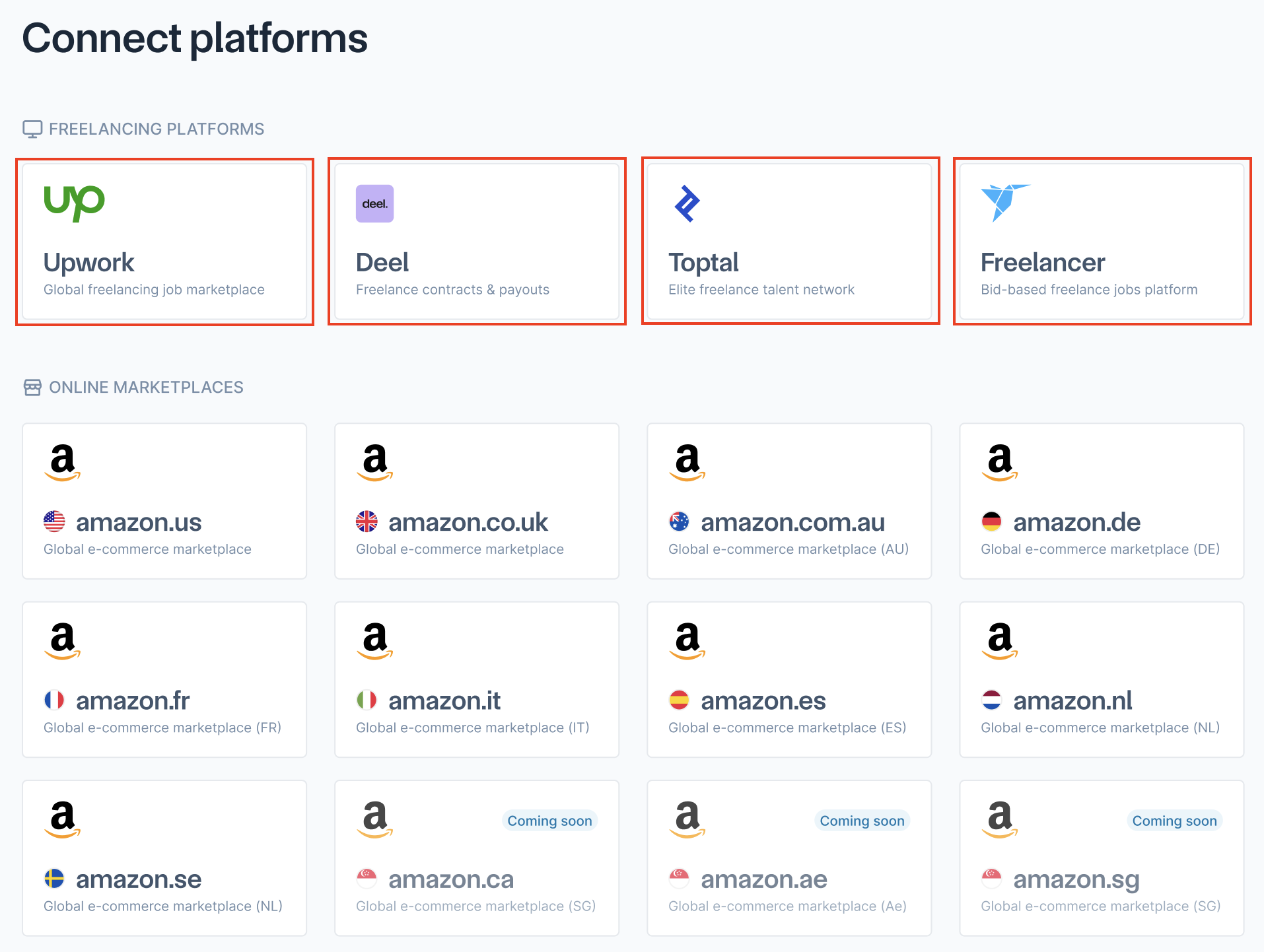
Detailed step-by-step integration guides for each freelancing platform are available on the dashboard:
- Log in to the Razorpay Dashboard.
- Navigate to Connect Platforms on the left navigation with Intl Bank Transfer.
- On Freelancing Platforms section. Click the platform you want to connect (Upwork, Deel, Toptal or Freelancer).
- Follow the on-screen instructions to integrate with the specific platform.