Your US or UK buyer added to cart, reached checkout, saw an unfamiliar card-entry form on a domain they did not recognise, and left. You have heard Apple Pay is now live for Indian exporters, but no one has explained how to actually switch it on.
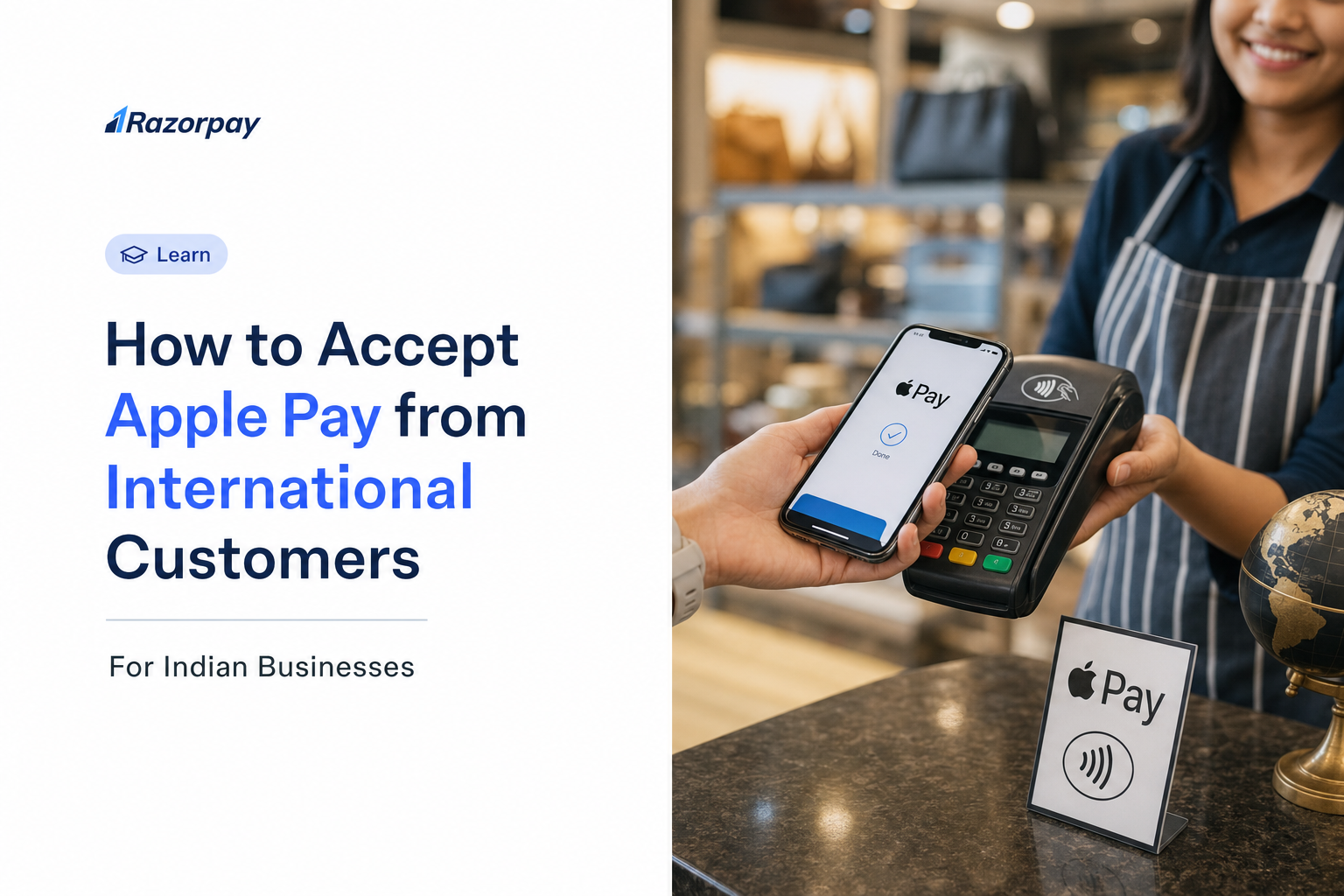
Here is the fix for a common confusion. Apple Pay is not available for Indian-issued cards, so Indian consumers cannot pay domestically with it. Indian businesses selling to foreign buyers absolutely can, and do, receive Apple Pay payments today through an RBI-authorized International Payment Gateway. This has been live since 2025.
This guide gives you the exact activation steps, plus the compliance, settlement, and FIRA details that every other guide skips.
Key Takeaways
- Apple Pay for international payments in India is live today. Indian businesses on an RBI-authorized International Payment Gateway can accept Apple Pay from buyers across the 80+ countries where Apple Pay is supported.
- This is the Export flow only. Foreign-issued Visa, Mastercard, or Amex cards stored in Apple Wallet pay the Indian merchant. Indian-issued cards are not supported as of 2026.
- The transaction settles in INR to the merchant’s Indian bank account after real-time forex conversion.
- Domain verification is required; hosted-checkout users on supported platforms are usually handled by the gateway.
- FIRC and FIRS documents for RBI and FEMA compliance are auto-generated by the gateway.
- Use conditional checkout logic so the Apple Pay button appears only for eligible Apple devices.
- Razorpay became the first Indian payment aggregator to enable Apple Pay for Indian businesses worldwide.
Why Are International Customers Abandoning Your Checkout, and What Does Apple Pay Fix?
There is a trust deficit at cross-border checkout. A buyer from New York or London on an Indian checkout sees an unfamiliar card-entry form, no recognised payment badge, and an OTP or 3DS redirect that often fails on roaming. The result is abandonment driven by friction, not by a change of mind.
You did not lose the sale on price or product. You lost it in the final ten seconds, at the payment step, where an overseas buyer stopped trusting the page.
Why Cross-Border Card Abandonment Happens on Indian Sites
- Foreign buyers distrust raw card-entry forms on unfamiliar domains
- International 3D Secure redirects break or time out on roaming SIMs
- No visual trust signal the buyer recognises
- Manual card and CVV entry adds 30 to 45 seconds, long enough to lose a mobile buyer
Migrating to modern authentication helps here too. Our move to the new standard, covered in 3DS 2.0 and what it means for Indian exporters, reduces the friction that breaks older redirect flows.
Why UPI Cannot Solve This for Foreign Buyers
UPI dominates domestic India, but a buyer in Chicago has no UPI-linked Indian account. There is no way for that buyer to scan, approve, or pay through a domestic rail they are not part of.
Apple Pay runs on the card rails the buyer already uses, wrapped in the biometric authentication they trust. UPI accounts for around 85 percent of India’s total digital payment transactions and represents 49 percent of all global real-time payment volume, yet none of that reach touches an American or European buyer at your checkout.
Did You Know?
As of June 2025 data, India processes nearly half the world’s real-time payment volume, at 129.3 billion transactions representing 49 percent of global real-time payments. Yet for merchants selling to the US and Europe, that domestic infrastructure is invisible to foreign buyers.
What Apple Pay Actually Fixes for the Merchant
- Replaces the card-entry form with one-tap Face ID or Touch ID
- Tokenization means no raw card data touches the merchant’s server, reducing PCI DSS scope
- Fraud chargeback liability shifts to the card-issuing bank on biometric-authenticated payments
- Merchants live on Razorpay’s International Payments report success rates in excess of 90 percent on Apple Pay transactions
Step-by-Step: How to Enable Apple Pay for International Payments on Your Razorpay Account
To enable Apple Pay on Razorpay for international payments, complete your international payments onboarding in the Razorpay dashboard, request Apple Pay activation, complete domain verification for your website, and configure your platform plugin or API. For most hosted-checkout users, the button goes live within 24 to 48 hours of approval.
Before You Start: Eligibility and Documents Checklist
- Active Razorpay account with business KYC complete: PAN, GST certificate, bank account in the business name
- Import Export Code (IEC) from DGFT, mandatory for physical goods exports and recommended for service exporters
- Business registration document
- A live HTTPS website with a clearly stated return and refund policy visible to international buyers
- Review Apple’s guidelines for displaying the Apple Pay mark before going live
Step 1 – Apply for International Payments on Razorpay
- Log in to your Razorpay Dashboard
- Go to Settings, then International Payments
- Submit the activation request with your IEC and export documentation
- Our compliance team reviews your merchant category and export eligibility
- Once approved, International Payments appears with Apple Pay as an available method
Step 2 – Complete Domain Verification
Domain verification proves to Apple that you own the domain where the button appears. The steps differ by platform.
If You Use Razorpay Hosted Checkout
- Verification is handled automatically for eligible merchants
- No manual file upload is required
- The button appears automatically for qualifying devices once activated
If You Use Shopify with the Razorpay Plugin
- Install or update the Razorpay plugin from the Shopify App Store
- In Shopify admin, go to Settings, then Payments, then Razorpay and confirm Apple Pay is enabled
- Shopify handles domain verification at the platform level automatically
- Pro tip: If your store uses a custom domain, confirm it is registered in Razorpay’s domain verification list.
If You Use WooCommerce or Magento
- Download the domain association file from your Razorpay dashboard under International Payments, Apple Pay, Domain Verification
- Create a
/.well-known/directory on your server - Upload the file so the final path is exactly
https://yourdomain.com/.well-known/apple-developer-merchantid-domain-association - Serve the file as plain text with no redirect
- Return to the dashboard and click “Verify Domain”
- Once verified, enable Apple Pay in the plugin settings
If You Use a Custom API or S2S Integration
- Contact Razorpay’s integration team for server-to-server token handling docs
- You may need your own Apple Developer Merchant ID and payment processing certificate, or work with Razorpay’s shared infrastructure
- Implement canMakePayment() on the frontend to conditionally render the button
Step 3 – Configure Currency Display and Checkout Localisation
- Display prices in the buyer’s local currency where possible
- Razorpay’s International Payments fee for card payments is 3 percent plus GST; confirm whether you absorb or pass it on
- Configure a fallback card-entry method for buyers without Apple devices
Step 4 – Test Before Going Live
- Use Razorpay’s sandbox with Apple’s test cards from the Apple Pay sandbox testing documentation
- Test on a real iPhone or Mac in Safari; the button does not appear in non-Apple browsers on desktop
- Confirm the button shows for a US or UK card and not for an Indian card or Android device
- Test end to end: authentication, authorization, settlement notification, and FIRC or FIRS generation
Step 5 – Go Live and Monitor
- Enable Apple Pay in your live account via the dashboard toggle
- Add Apple Pay branding under “Accepted Payment Methods” as a trust signal
- Monitor your international success rate in the Razorpay Analytics dashboard
Can Indian Businesses Legally Accept Apple Pay from International Customers Right Now?
Yes. Indian businesses can legally accept Apple Pay from international customers today through an RBI-authorized Payment Aggregator that has integrated Apple Pay into its International Payment Gateway. Razorpay holds an RBI Payment Aggregator license and launched Apple Pay for Indian businesses in 2025, the first Indian aggregator to do so.
Import Flow vs Export Flow – Which One Are You?
Before you set anything up, identify which direction your money moves. The two flows are governed differently, and Apple Pay applies to only one.
Export Flow (Indian Merchant, Foreign Buyer – This Article’s Focus)
- Indian business sells goods or services to a buyer outside India
- Foreign-issued Visa, Mastercard, or Amex card in Apple Wallet completes payment
- Funds are repatriated as foreign inward remittance and settled in INR
- Governed by FEMA and the RBI Master Direction on Export of Goods and Services
- Merchant obtains a FIRC or FIRS for each transaction for GST and tax compliance
- RBI Purpose Codes apply, covered in the compliance section below
Import Flow (Foreign Business, Indian Buyer – Different Product)
- A foreign business accepts payments from Indian customers via UPI or Indian cards
- This is a separate International Payments Import product; Apple Pay does not apply here
- Relevant for global SaaS, international e-commerce, and universities targeting Indian students
What Makes a Payment Aggregator “RBI-Authorized” for This Use Case?
- Holds a valid Payment Aggregator license issued by the RBI
- Operates under RBI’s Master Direction on Payment Aggregators and Payment Gateways
- Works with an AD Category I bank for foreign inward remittances
- Handles EDPMS (Export Data Processing and Monitoring System) reporting to RBI
Did You Know?
By FY 2024-25, 99.9 percent of all non-cash retail payments in India were digital, with UPI at 83.4 percent. Apple Pay is the incremental layer that extends that standard to international buyers.
How Does Apple Pay Actually Work on an International Payment Gateway in India?
When an international buyer taps “Pay with Apple Pay” on an Indian checkout, the payment works as a tokenized card transaction over the Visa, Mastercard, or Amex network, not as a separate wallet product. The merchant never sees the buyer’s raw card number. The gateway settles the amount in INR.
The Transaction Flow, Step by Step
- Buyer on iPhone, iPad, Mac, or Apple Watch opens checkout in Safari, or a supported browser on iOS 18 and above
- Browser detects an eligible device and calls canMakePayment(); the Apple Pay button appears dynamically
- Buyer authenticates with Face ID, Touch ID, or passcode
- Apple generates a device-specific encrypted token; the real card number is never transmitted
- The token passes to the RBI-authorized gateway (Razorpay International Payments)
- The gateway decrypts the token and charges the underlying card via the network
- The card network processes the cross-border transaction; the issuing bank authorizes
- The gateway settles in INR to the merchant’s Indian bank account after forex conversion
- The gateway auto-generates the FIRC or FIRS for download from the dashboard
What the Merchant Does and Does Not Handle
- Does not handle raw card data, so PCI DSS scope is reduced
- Does not need a separate Apple Pay merchant account when using hosted checkout
- Does need to complete domain verification, covered below
- Does need an Indian bank account linked to an AD-I channel for foreign inward remittance
Which Customers Can Pay with Apple Pay?
- Any buyer with a compatible Apple device running the latest supported OS
- The buyer needs a supported card from a participating issuer in an Apple Pay-supported country in their Wallet
- Indian-issued cards cannot be added to Apple Wallet as of 2026, a domestic limitation only
Pro tip: UPI carries around 84.8 percent of India’s digital payment volume at a low average ticket size, so it is optimised for small, high-frequency domestic payments. Surface Apple Pay prominently for international buyers and higher cart values.
How Does Settlement, FIRA, and RBI Compliance Work for Apple Pay Transactions?
Apple Pay transactions settle in INR to your Indian bank account within Razorpay’s standard settlement cycle. The foreign inward remittance is handled through Razorpay’s AD-I banking partner and reported to RBI’s EDPMS system on your behalf. Razorpay auto-generates a FIRC or FIRS for each transaction.
Settlement Timeline and Currency
- Apple Pay transactions settle in INR after real-time forex conversion
- Buyers see the charge in their home currency; you receive INR
- Confirm your settlement period with your account manager; Instant Settlements is available for eligible merchants
FIRA – What It Is and Why You Need It
FIRA is a common shorthand for proof that foreign currency was legally received. Razorpay issues two precise documents: the FIRC (Foreign Inward Remittance Certificate) and the FIRS (Foreign Inward Remittance Statement). You need them for:
- GST input credit on export services, where zero-rated supply requires this proof
- Income tax compliance, as proof revenue is export, not domestic
- FEMA compliance, as proof proceeds were repatriated in time
- Your CA or CS, who will request it every quarter
Razorpay auto-generates this documentation for every international payment. There is no branch visit and no manual paperwork. See our automated digital FIRC and automated digital FIRS capabilities.
FEMA Realisation Period for Export Proceeds
Under FEMA, export proceeds must be realised and repatriated within a defined window. That window has moved twice recently, so use the current position.
| Export date or rule period | Realisation timeline |
|---|---|
| Before 14 Nov 2025 | 9 months |
| 14 Nov 2025 to 4 Jun 2026 | 15 months |
| 5 Jun 2026 to 30 Sep 2026 | 9 months |
| From 1 Oct 2026 under FEMA 2026 | 15 months, or 18 months if INR-invoiced where applicable |
Full detail sits in our RBI circular on export realisation guide. With Razorpay’s International Payments, realisation happens at the point of payment, well inside the window, with no SWIFT delay or correspondent bank fee chain.
RBI Purpose Codes for Apple Pay Export Transactions
Your bank needs the correct RBI Purpose Code for inward remittance reporting. Verify definitions against the official RBI purpose code annexure.
- P0802: Software implementation and consultancy, used for SaaS, IT development, and implementation. See our P0802 purpose code guide
- P0803: Database and data processing charges, not general consulting
- P0105 and P1008 may apply to goods and education receipts; confirm with your CA before filing
How to Configure Your Checkout So Apple Pay Appears Only for International Buyers
If you sell to both Indian and international customers, showing the Apple Pay button to everyone confuses domestic UPI users who cannot use it. Configure conditional display through device and geography detection.
Using canMakePayment() for Device-Level Detection
- Call canMakePayment() on page load before rendering the button
- If it returns false, for Android, non-Safari desktop, or no eligible card, suppress the button
- The buyer sees only relevant options: UPI for Indian buyers, card or Apple Pay for international buyers
- Razorpay’s Standard Checkout handles this detection automatically when Apple Pay is enabled
Using IP-Based or Currency-Based Routing
- Detect buyer country via IP geolocation or selected currency
- Show Apple Pay only for billing countries in the list of Apple Pay-supported regions
- Show UPI as primary for Indian IP or INR selection
- This dual-rail approach serves both audiences without clutter
Pro tip: Add an “Accepted Payment Methods” icon strip to your site header and product pages, not just checkout. Displaying the Apple Pay mark here, per Apple’s marketing guidelines, signals trust before buyers decide to buy.
What Happens When an Apple Pay Transaction Is Disputed – Who Bears Chargeback Liability?
When an Apple Pay transaction authenticated by Face ID, Touch ID, or passcode is disputed as fraud, chargeback liability generally shifts from the Indian merchant to the card-issuing bank. This is the liability shift card networks grant to tokenized, biometrically authenticated transactions. Service disputes, however, can still land on you.
What This Means in Practice
- If a buyer claims fraud on a biometrically authenticated payment, network rules generally place responsibility on the issuing bank
- Friendly fraud and service disputes still require merchant evidence
- Maintain clear records: shipping confirmations for goods, delivery evidence for services
- For digital goods and SaaS, keep timestamps, IP logs, and usage records
What to Do When You Receive a Chargeback Notification
- Log in to your Razorpay dashboard; chargebacks appear under Disputes
- Download the evidence: payment token confirmation, fulfillment record, customer communication
- Submit within the deadline shown, typically 7 to 15 calendar days depending on the network
- Razorpay’s disputes team assists with format and response template
Can Indian SaaS Businesses Use Apple Pay for Recurring International Payments?
Indian SaaS and subscription businesses can accept the first payment from an international subscriber via Apple Pay. For renewals, the flow depends on how the card is stored and how the mandate is set up.
One-Time Apple Pay Payment with Card Tokenization for Recurring Use
- On the first transaction, the gateway can tokenize the underlying card, with buyer consent, and store the network token
- Subsequent charges run against the stored token, so the buyer does not re-authenticate each renewal
- This runs under Credential on File (COF) rules and needs gateway support for network tokenization
Key Constraints for Indian SaaS Exporters
- Verify with Razorpay how cross-border COF tokens are governed under the International Payments product
- UPI Autopay and Apple Pay COF can run in parallel within Razorpay Subscriptions
- State the recurring cadence and amount clearly in your terms of service
How to Accept Apple Pay for International Payments via Razorpay
Razorpay became the first Indian payment aggregator to enable Apple Pay for Indian businesses worldwide, integrating Apple Pay into its International Payments suite alongside global Visa, Mastercard, and Amex card payments.
What Razorpay’s International Payments Gives You
| Capability | What it means for you |
|---|---|
| Apple Pay acceptance | Covers buyers across the 80+ countries where Apple Pay is supported |
| INR settlement | Settlement to your Indian bank account with real-time forex conversion |
| Auto-generated FIRC and FIRS | Downloadable from the dashboard, no branch visit |
| Transparent pricing | 3 percent plus GST for card payments |
| Secure infrastructure | PCI DSS Level 1 compliant with tokenized card handling |
| Proven performance | Success rates in excess of 90 percent on Apple Pay transactions |
| Broad platform support | Shopify, WooCommerce, Magento, OpenCart, and custom API or S2S |
Native Platform Integrations with Apple Pay Support
Shopify
- Enable Apple Pay through the Razorpay plugin from the Shopify App Store
- Domain verification is handled at the platform level for standard domains
WooCommerce and Magento
- Download the domain association file and upload it to your
/.well-known/path - Enable Apple Pay in the plugin once the domain is verified
Custom API
- Use server-to-server token handling with Razorpay International Payments
- Implement canMakePayment() to conditionally render the button
Who Should Enable Apple Pay on Razorpay International Payments?
- D2C brands selling to buyers in the US, UK, UAE, Singapore, or Australia
- SaaS businesses billing international subscribers in USD or EUR
- IT agencies and consultants invoicing overseas clients
- E-commerce exporters with an active IEC reducing cross-border cart abandonment
For proof, see how Ensemble enhanced its global checkout and how Mony boosted international transactions with Apple Pay. To simplify export documentation, explore SOFTEX filing.
To explore enabling Apple Pay on your account, visit razorpay.com/accept-international-payments.
Frequently Asked Questions
Can Indian businesses accept Apple Pay from international customers right now?
Yes. Indian businesses can accept Apple Pay today through an RBI-authorized International Payment Gateway. The buyer’s foreign-issued Visa, Mastercard, or Amex card in Apple Wallet processes as a cross-border card transaction, settling in INR to the merchant’s bank account. This has been live since 2025.
Is Apple Pay available in India for domestic Indian cardholders?
No. As of 2026, Apple Pay is not available for Indian-issued debit or credit cards. This is separate from merchant acceptance: Indian businesses can receive Apple Pay from foreign customers, but Indian customers cannot pay via Apple Pay domestically.
Do I need my own Apple Developer account to accept Apple Pay on Razorpay?
No, if you use Razorpay’s hosted checkout or a supported plugin such as Shopify, WooCommerce, or Magento. Razorpay manages the Apple Merchant ID and processing certificate for eligible merchants. Custom API or S2S integrations may require your own Apple Developer account.
How does FIRA work for Apple Pay payments from international customers?
When an international buyer pays via Apple Pay on your Razorpay checkout, the inward remittance is processed through Razorpay’s authorized banking channel. Razorpay auto-generates a FIRC or FIRS for each transaction, downloadable from your dashboard. No bank branch visit or manual paperwork is required.
What RBI Purpose Code should I use for Apple Pay export payments?
The correct code depends on your export category. P0802 covers software implementation and consultancy, including SaaS and IT services. P0803 covers database and data processing charges. Goods and education receipts use different codes. Your Razorpay compliance team and your CA confirm the right code during onboarding.
How long does settlement take for Apple Pay international transactions on Razorpay?
Settlement follows Razorpay’s standard International Payments cycle in INR. Funds arrive from the card network within the clearing window, then settle to your Indian bank account per your schedule. For faster access, Instant Settlements is available for eligible merchants.
Does the Apple Pay button appear automatically for all my website visitors?
No, and it should not. The button appears only for buyers using Safari on an eligible Apple device with a supported card in their Wallet. Razorpay’s Standard Checkout handles this detection automatically. Android users and domestic UPI users do not see the button.
Can I use Apple Pay for recurring SaaS subscription billing from international customers?
Yes, for the first payment. Razorpay can tokenize the underlying card from the initial transaction, with buyer consent, and charge renewals against the stored network token under Credential on File rules. For Indian subscribers, UPI Autopay runs in parallel within the same Razorpay Subscriptions product.
What is the fee for accepting Apple Pay via Razorpay’s International Payments Gateway?
Razorpay charges 3 percent plus GST of the transaction value for card payments, including Apple Pay, via the International Payment Gateway. Confirm the exact rate and any applicable forex treatment with your Razorpay account manager during onboarding.