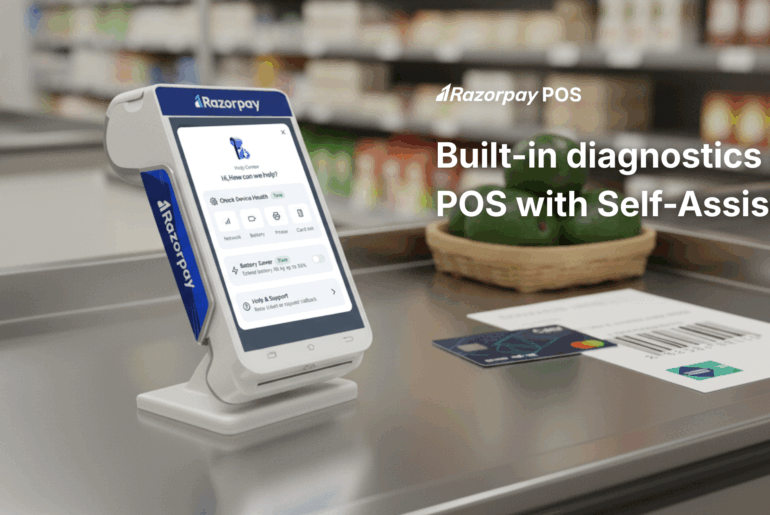
Payment links allow retailers to accept digital payments without requiring customers to tap, swipe, or insert a card on a physical POS machine. Generated directly from a POS terminal, these secure links can be shared via SMS, WhatsApp, email, or QR code, enabling customers to complete payments on their own devices. For businesses handling in-store, remote, or hybrid transactions, payment links add flexibility without disrupting existing POS workflows.
This guide explains what payment links on POS machines are, how they work, when to use them, and how retailers can generate them efficiently.
Key Takeaways
- Payment links let customers pay remotely using their own smartphones or devices.
- POS terminals can generate and send payment links instantly through multiple channels.
- Payment links reduce transaction failures caused by card readers or connectivity issues.
- Retailers gain flexibility across in-store, delivery, and remote sales scenarios.
What Are Payment Links on POS Machines?
Payment links generated through POS machines are secure URLs created directly from the terminal for a specific transaction amount. Instead of completing payment at the POS hardware, customers open a link on their device and pay via a hosted payment gateway.
Unlike standalone payment links created from dashboards or apps, POS-generated links are fully integrated with the merchant’s billing, inventory, and reporting systems. Once payment is completed, the transaction is automatically reflected in POS sales reports, ensuring consistent reconciliation and record-keeping.
How Payment Links Work on POS Terminals
Here is how the payment link works:
- Link Generation: The merchant creates a payment link from the POS interface with the transaction amount and reference.
- Link Delivery: The link is sent via SMS, WhatsApp, email, or displayed as a QR code.
- Customer Payment: The customer opens the link and pays using UPI, cards, net banking, or wallets.
- Settlement and Reconciliation: Automatic synchronisation with POS reports for seamless financial tracking.
Explore Razorpay’s Global Payment Solutions
Why Retailers Use Payment Links on POS Machines
Here is why retailers prefer to generate payment links on POS:
- Network Connectivity Issues: Payment links offer a fallback when your card reader loses connectivity — provided the customer has an active internet connection on their own device to complete the payment. Instead of cancelling the transaction, the retailer can share a payment link that allows the customer to complete the payment on their own device once connectivity is available.
- Customer Payment Preferences: Many customers prefer digital payment methods such as QR codes or payment links over inserting or tapping physical cards. Payment links enable retailers to easily accommodate these preferences, improving customer satisfaction and reducing friction at checkout.
- Transaction Failure Reduction: Card payments often fail due to damaged chips, worn magnetic strips, or reader errors. Payment links minimise such failures by allowing customers to pay via alternative methods such as UPI, net banking, or wallets, thereby increasing the likelihood of successful payment completion.
- Flexible Service Models: Payment links support multiple retail formats, including delivery orders, dine-in billing, kerbside pickup, and remote sales. Retailers can generate and send links without requiring the customer to be physically present at the payment counter, making operations more adaptable.
Did You Know?
Payment links can reduce checkout friction significantly because customers can pay on their own devices, making them ideal when contactless card taps fail or when POS connectivity is intermittent.
When to Use Payment Links Instead of Regular POS Payments
Here are some scenarios when it is ideal to generate payment links on POS:
- Weak Network Connectivity: During internet outages or unstable connections, payment links help you continue accepting payments by allowing customers to complete transactions on their own devices. Understanding what is offline POS machine, and what it can and cannot do, becomes important in such situations.
- High Footfall Periods: During peak hours, sales events, or festive rushes, payment links help reduce checkout queues.
- Contact-Free Transactions: Payment links are ideal for contact-free payments in scenarios like home delivery, kerbside pickup, or remote consultations.
- UPI/QR Preferences: Many customers prefer UPI or QR code payments over card swipes. Payment links cater to this preference by offering a familiar digital payment option.
Benefits of Generating Payment Links on POS Machines
Here are some key benefits of generating a payment link on POS:
- Hardware Independence: Payment links let you continue accepting payments even if the card reader is down, undergoing maintenance, or experiencing technical issues. Since customers complete the payment on their own devices, transactions are not dependent on the physical POS hardware.
- Multi-Channel Support: A single payment link supports multiple payment modes such as UPI, net banking, and digital wallets. This eliminates the need to switch between different machines or apps.
- Communication Flexibility: Payment links can be shared via SMS, WhatsApp, or email, whichever is most convenient for the customer.
- Success Rate Improvement: By offering an alternative to card swipes or taps, payment links reduce failures due to damaged cards, reader errors, or connectivity issues.
- Enhanced Customer Convenience: Customers can make payments from any location using their own smartphones, without being physically present at the POS counter. This is particularly useful for advance payments and deliveries.
Challenges and Limitations of Payment Links on POS
Here are some of the limitations of payment links on POS:
- Link Delivery Dependency: Delays caused by network issues, incorrect contact details, or message delivery failures can slow down the transaction or require the link to be resent.
- Customer Device Requirements: If you are wondering whether a POS machine can work offline, the answer is that customers must have access to an internet-enabled smartphone or device to open the payment link and complete the transaction. If the customer lacks connectivity or a compatible device, the payment cannot be processed through a link.
- Reconciliation Complexity: Payment links require proper tracking to ensure each payment is accurately matched with the corresponding order or invoice. Without clear reference IDs and system integration, reconciling payments can become time-consuming, especially during high transaction volumes.
- Refund Management: Unlike direct card refunds processed instantly through the POS, link-based payments may require manual initiation and closer monitoring to complete successfully.
Step-by-Step: How to Generate Payment Links on POS Terminals
Creating payment links in your POS system is straightforward andtailed below:
- Step 1: Navigate to the “Payment Links” or “Link Payments” section in your POS interface. Verify system connectivity status if operating in hybrid online/offline mode.
- Step 2: Input the exact transaction amount, including applicable taxes. Add unique order or invoice reference numbers for tracking purposes.
- Step 3: Select SMS for immediate mobile delivery. Choose WhatsApp for customers preferring messaging apps. Opt for email when detailed receipts are required, and display on-screen QR codes for instant scanning.
- Step 4: Transmit the link to your customer’s chosen channel and monitor real-time payment status updates. Also, confirm that the transaction completed successfully in your POS system.
How Razorpay POS Enables Payment Links on Retail Terminals
Razorpay POS integrates payment link generation directly into the terminal, allowing retailers to create and share payment links instantly when card-based payments are not feasible. This ensures transactions continue smoothly despite connectivity issues or customer payment preferences.
Designed for ease of use, Razorpay POS enables staff to generate payment links without extensive training. It also supports offline functionality by storing transaction data locally during connectivity disruptions and automatically synchronising it once the network is restored.
Key Features for Retailers
- Generate payment links instantly from the POS touchscreen interface
- Send links via SMS, WhatsApp, or email directly from the terminal
- Access unified reports combining all payment methods for simplified reconciliation
- Support multiple payment modes, including UPI, cards, and wallets, through generated links
Enable Payment Links from Your POS
Power your in-store payments with a POS that supports payment links and more.
Best Practices When Using Payment Links on POS Machines
- Double-check customer phone numbers or email addresses before sending links.
- Include specific product or service details in link messages for transparency.
- Monitor pending payments and send gentle reminders when necessary.
- Sync every payment link with the corresponding order numbers for accurate tracking.
- Ensure team members understand link generation workflows and troubleshooting procedures.
Conclusion
Payment links on POS machines offer retailers a flexible way to accept payments beyond traditional card-based methods. By enabling customers to pay remotely on their own devices, these links help reduce transaction failures, support multiple payment preferences, and ensure business continuity when standard POS payments are not possible.
Payment links also enhance customer convenience by allowing payments at their convenience and on the device of their choice, while helping merchants streamline operations through better transaction tracking and reduced reliance on cash.
As digital payment adoption grows, retailers that integrate payment link functionality into their POS systems are better equipped to meet changing customer expectations and support future business growth.
FAQs
1. Can payment links be generated on any POS machine?
No. Payment link functionality requires modern POS systems with integrated payment gateway support. Older standalone card terminals typically do not offer this feature.
2. Do customers need internet access to pay via a payment link?
Yes. Customers must have an active internet connection on their device to complete payment through the link.
3. Is there a limit on how many payment links can be generated?
Limits depend on the POS provider and subscription plan. Most modern systems can handle high volumes, but merchants should confirm the applicable thresholds.
4. How quickly do payment link transactions reflect in POS reports?
Payment link transactions usually appear in POS reports immediately after successful payment, keeping sales and inventory data up to date.
5. Are payment links secure for customer data?
Yes. Payment links redirect customers to secure, PCI DSS–compliant payment gateways. Card details are never shared with the merchant or stored on the POS.
6. Can payment links be used for delivery or online orders?
Absolutely. Payment links work well for delivery and remote orders. You can create and share them at the time of order placement, allowing customers to pay before dispatch. This makes them ideal for delivery services, phone orders, and any situation where the customer is not physically present.
7. Are payment links on POS machines secure for customer data?
Payment links from reputable POS systems use bank-grade encryption and direct customers to PCI DSS-compliant gateways. Card details never pass through the merchant’s systems, reducing risk. Each link is unique and can include an expiry time for added security.