TL;DR
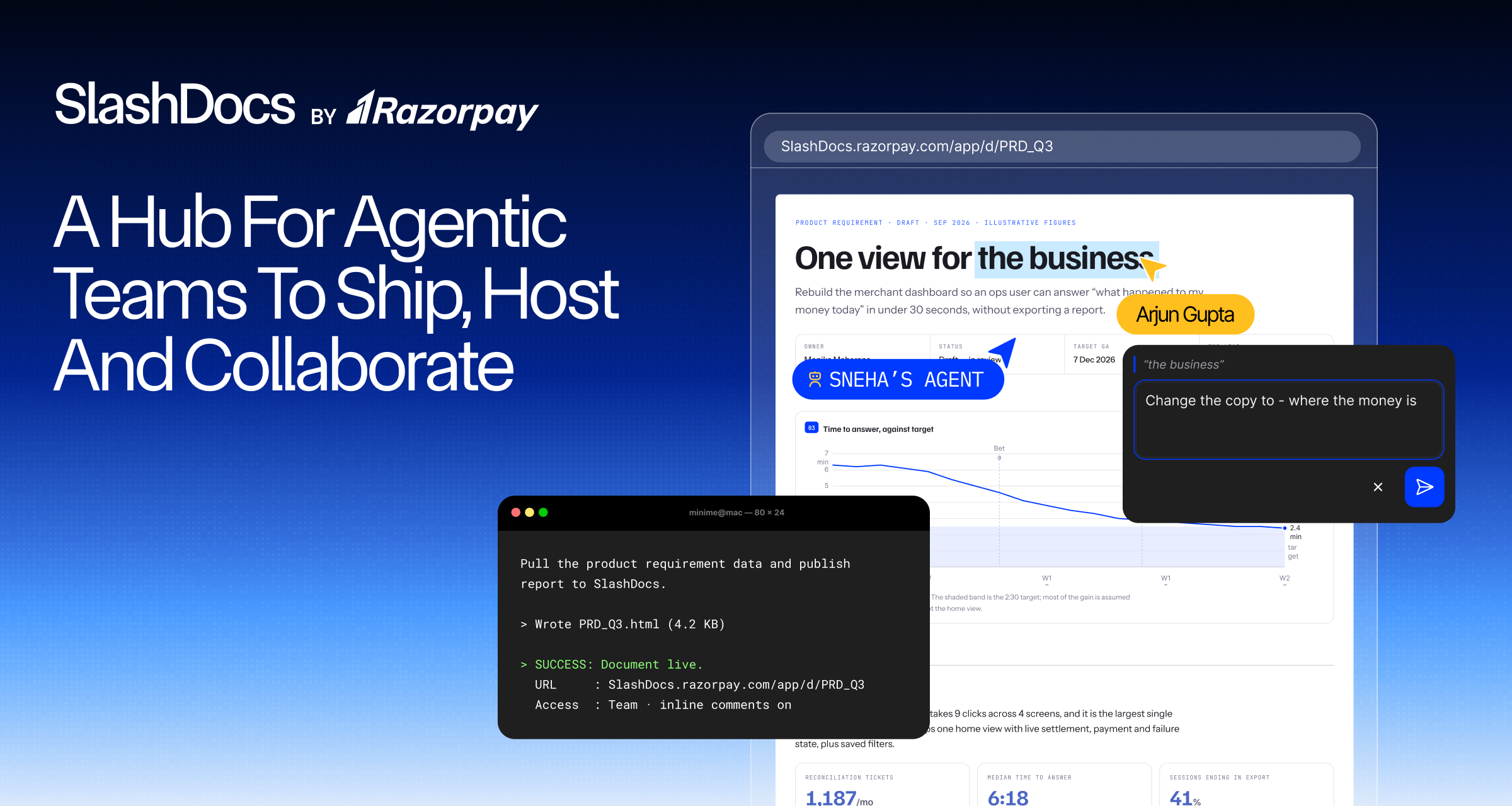
Slash Docs is a platform we built inside Razorpay to help our agents write better docs. The central idea is to give agents, and by extension humans, a way to express whatever they want in a document in a collaborative way. Agents choose the words in any docs platform. In Slash Docs, they also choose the form: the layout, the visuals, and how the document behaves. Slash Docs exposes a CLI and an MCP endpoint for agents to work with HTML documents. It also adds a few things that make HTML more useful as a document format: a key-value store per document, a GitHub connection, theme passthrough, and more. It works with any agent, and since we are open sourcing it, you can host it on your own infrastructure and keep full ownership of your data. You can try the demo instance here or read the source code here.
How it started
I saw my colleagues, and my manager at the time, Razvi, generate HTML documents instead of Google Docs. They were more expressive, and with agents they were easy to generate. But when it came time to share them, they sent the files as Slack messages and emails. They would generate a file, send it, and then ask for feedback in the Slack thread. They would then send a new version. Rinse and repeat. Very medieval. Razvi mentioned over lunch that a platform to share these would be great.
The same thing happened across Razorpay. Agents wrote rich HTML documents, but we had no place to share them, keep the feedback in one place, and give that feedback back to the agent for the next version.
So as a weekend project, I built a quick CLI that lets agents upload the HTML they generate and receive comments on it. It gives you a link, which you share with your teammates. Later, the agent reads all the comments, generates a new version of the document, and uploads it again. Since then, we have added a bunch of more features to make it more useful.

For example, we added a key-value store that a document can use to store anything it wants. The data stays in the Postgres database of your own install (more on this below). This made documents like live dashboards and trackers possible. We once had a spec to send to the team. We broke it into five sections and added a checkbox for each person after every section, to tick after they read it. When they ticked it, we could all see it, and a confetti animation appeared on the screen to thank them for reading. It was small and fun, and it was enough to keep the team engaged.

Another thing that bothered us about other document platforms is that the theme does not carry through to the document. Even when it does, it only changes the page background and flips the text colors. The diagrams keep their white (or black) background. Diagrams in Slash Docs are usually SVG based. The document receives the active theme from the platform and styles itself, including the diagrams.
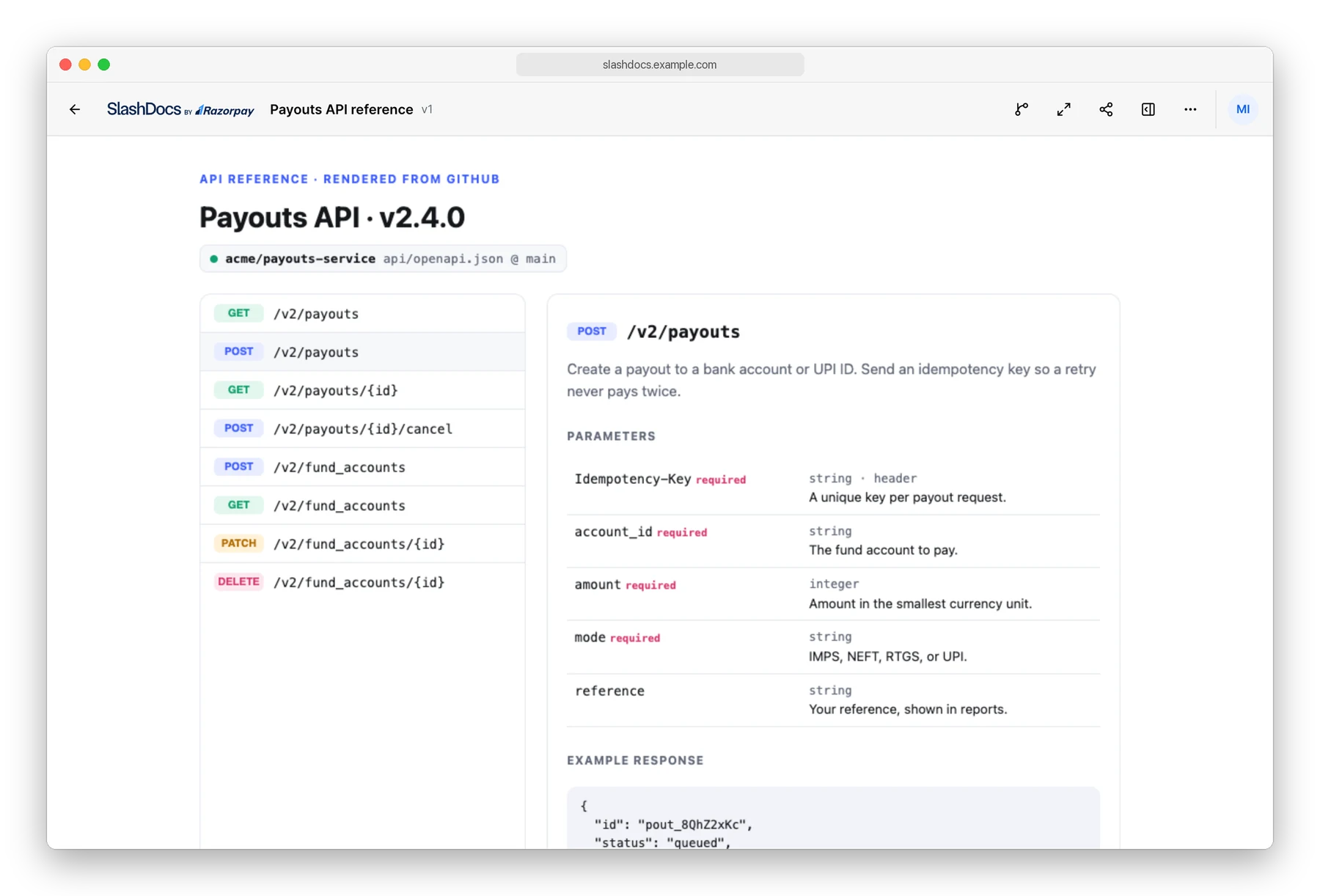
We also added a GitHub connection, so a document can pull a live OpenAPI spec from a repository and render it.
Why HTML?
Thariq from Anthropic wrote a blog in May about the unreasonable effectiveness of HTML. We saw reflections of it inside Razorpay too. Let me walk you through a few examples.
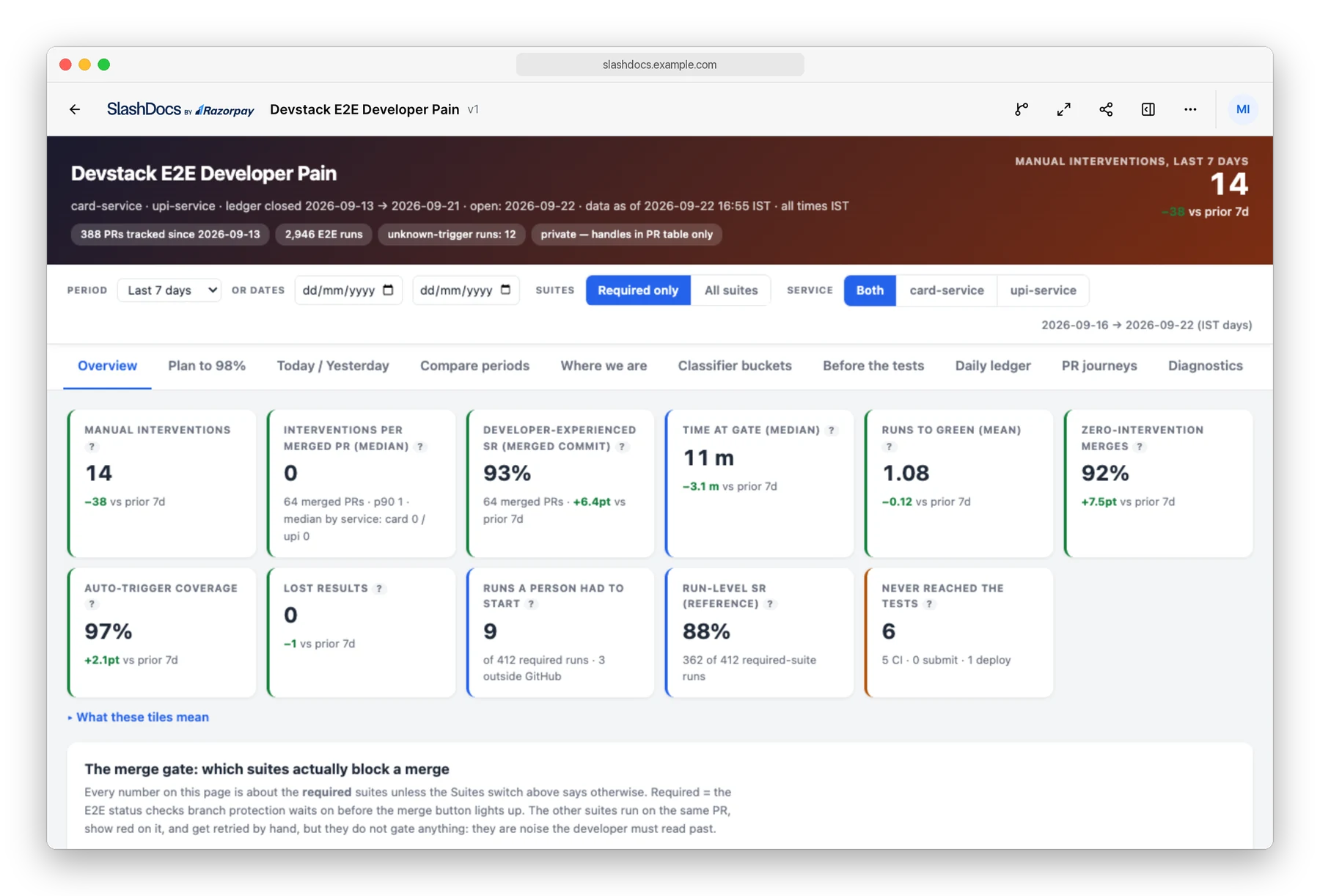
We have a staging cluster called devstack, where our E2E tests run. The director driving this created a Slash Doc and set up an automated schedule to update it twice a day. The doc reads the logs and works out how many E2E runs needed any manual intervention, and which failures caused them. It became the driver for the daily stand-up.

One Slash Doc that stood out for us was a slide deck someone made. It was practically alive, with animations and transitions on every slide. It got reviewed the same way as a spec, one comment per slide.
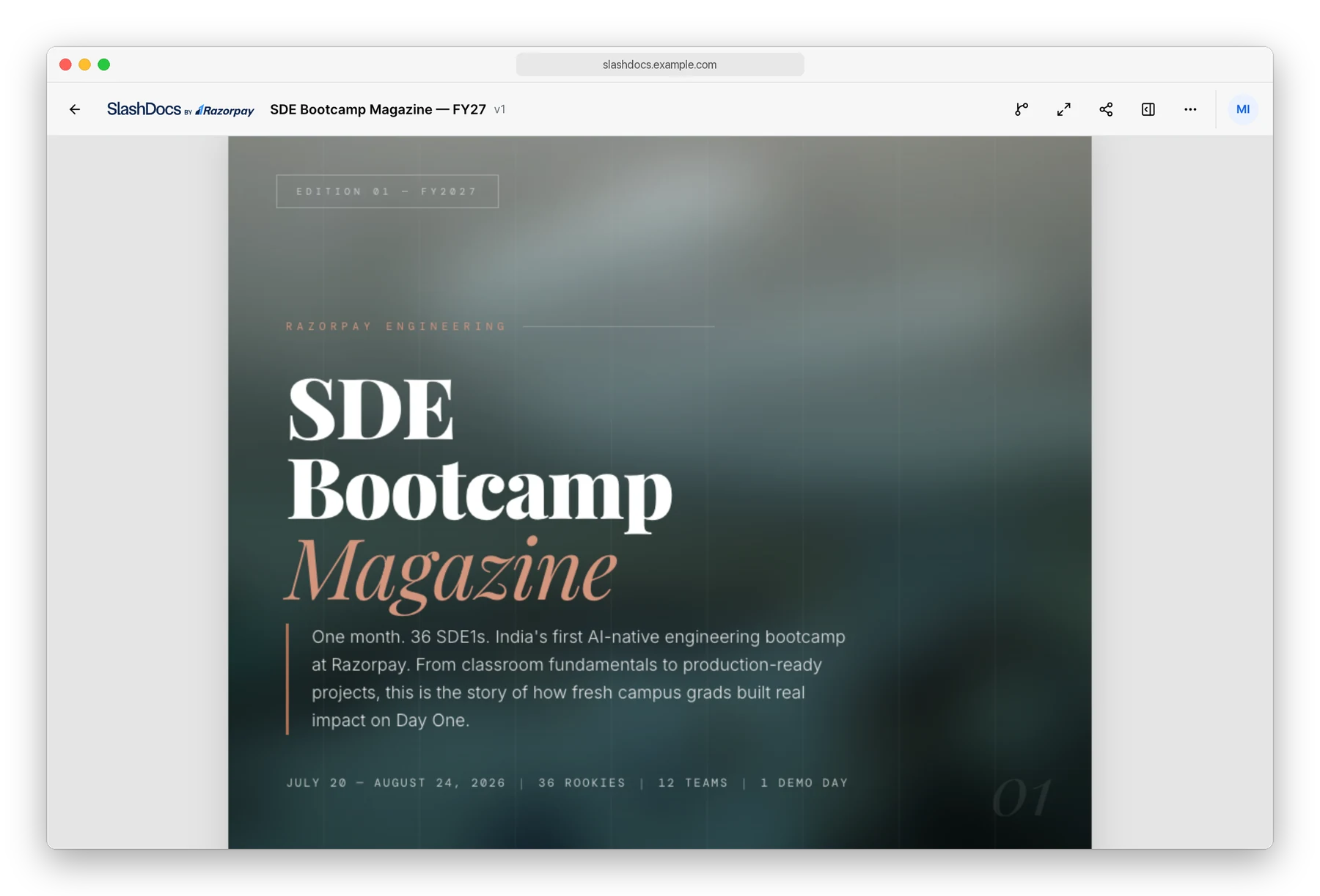
We ran a bootcamp for SDEs who joined us recently. Instead of an email, a magazine was made about it including content about what was built, photos, and recognition for the people who did well in the competitions.

Some of us attach an Excalidraw-style animated explainer diagram to our PRs. It helps reviewers understand the PR better and faster. We also use the same style in specs to explain a complex flow.

We had an internal hackathon recently, named Day 0. The idea submission and screening pipeline was different this time. Participants had to write a Slash Doc that explained their idea. We mandated that the pre-hack document should have sections like “one-line pitch” and a clearly demonstrable goal. We put these in an agent skill and let participants and their agents draft a beautiful doc. A screener agent then looked at the doc and gave feedback as comments on the document. Participants fixed their doc and pushed a new version, and the agent read it again. The whole loop ran on Slash Docs because every interface on it is open to agents.
How is it better than simple HTML hosting?
Say your agent made a document, and you want your teammates to read it. You could upload it to some HTML hosting service and share the link. But can you answer these questions: Who is allowed to open it? Where does feedback go? Which copy is the current one? And is it safe to open a file full of scripts that an agent wrote?
Slash Docs answers those questions
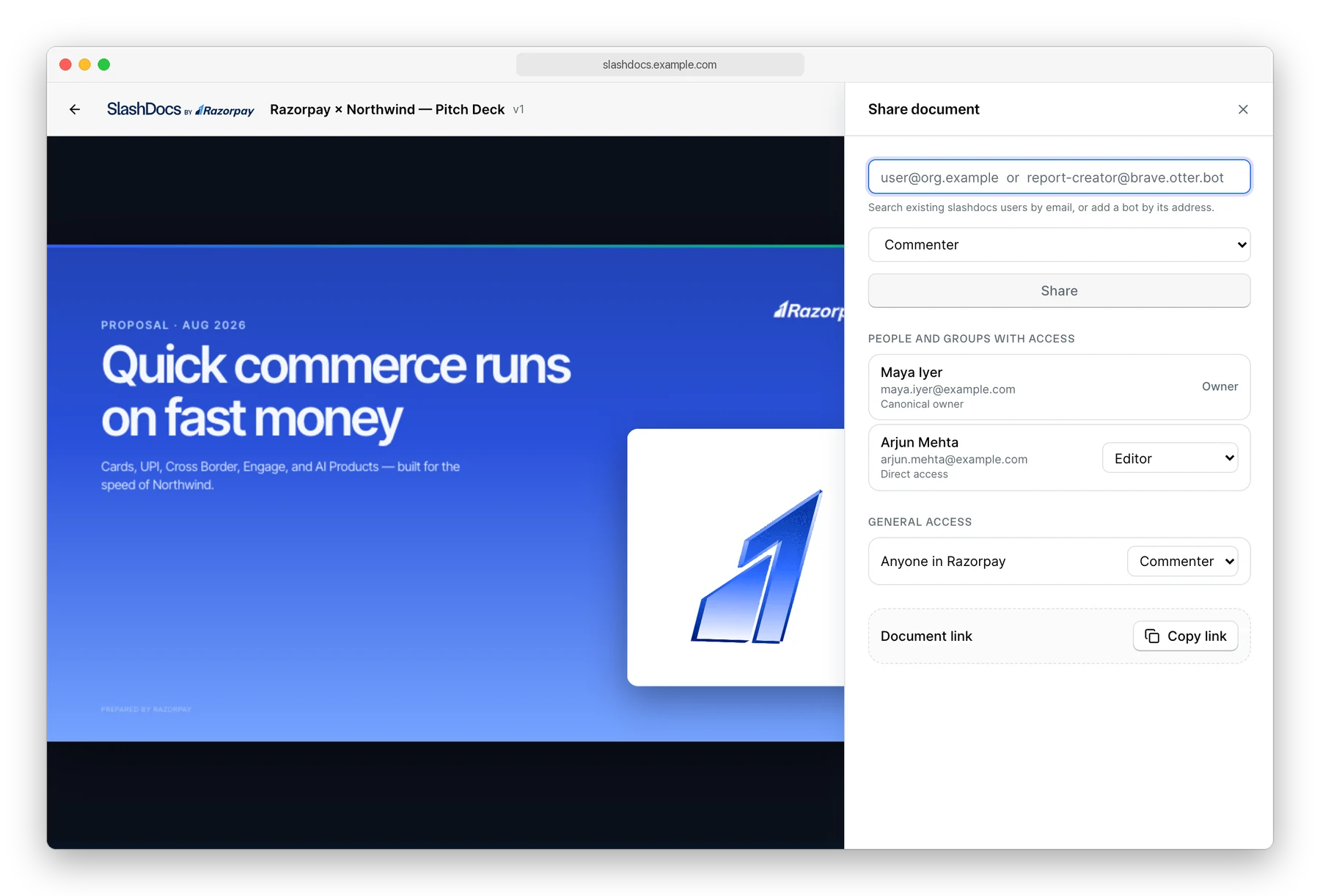
Sharing
Once the agent uploads a document, you (or your agent) decide who can open it. There are three roles: viewer, commenter, and editor. You can give a role to a person, to a Google Group, to a service account, or to everyone in your organization. At Razorpay, every new document is open to the whole company by default, because we prefer transparency. You can pick your own default in the self-hosted install.
Documents can live in folders, and folders can be shared too. This usually is used to maintain common project folders and have everybody in the team have edit access over it. The agent can do all of this on its own too, because the CLI has the same commands humans do via the UI.
Commenting
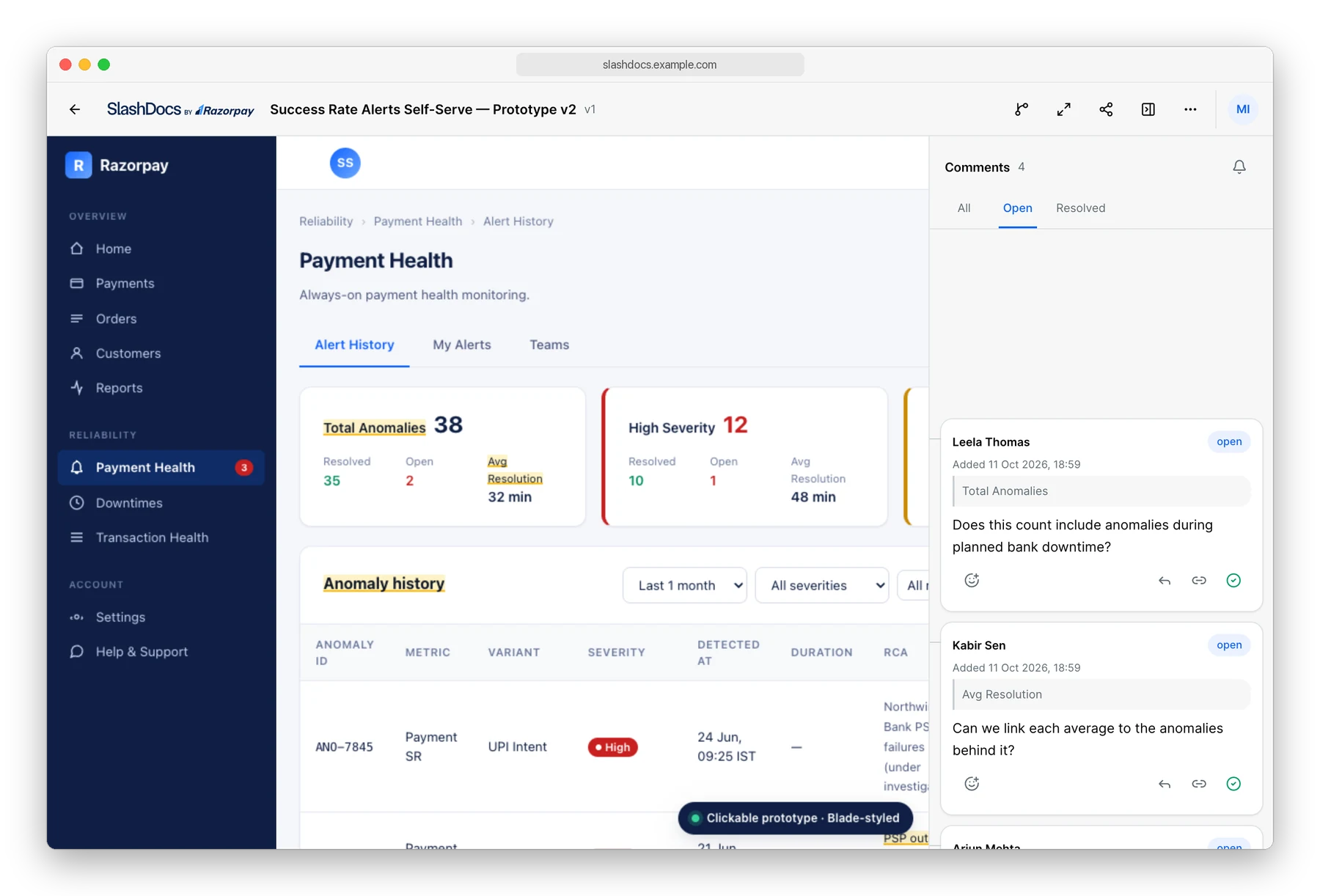
Feedback about the document is meant to be on the document platform. In Slash Docs – this materializes as comments humans (or agents) leave on the document. This comment persists across document changes. People can react on it, reply to comments, the whole shebang.
The cool part is what happens next. You can just ask your agent to pull the comments and address them. The agent can do this via the CLI or MCP and get back to you by either changing the document or responding to the comments left behind. The loop that people usually did through Slack messages now runs on Slash Docs, and the agent is a participant in it.
If the agent does something you do not like, nothing is lost. Every version is immutable and stays in the history – very similar to git commits. You can view any older version and rollback to it.
Here is an example of this loop at scale. A team at Razorpay was prototyping what self-serve alert configuration should look like for our merchants, based on success-rate metrics. The document was a clickable prototype, so reviewers tried the flow instead of reading a description of it. It received 302 comments (damn) and was revised 37 times. People debated validation rules and default time windows on the prototype itself.
Key-value store
Every document has access to a key-value store, and the document can use it via window functions inserted by Slash Docs: window.slash_docs.kv.get() and window.slash_docs.kv.set().
This is what makes a document stateful. For example – you can make a customized spreadsheet inside Slash Docs. Every cell will be associated with a key-value pair. You can make a customized tracker, where everybody updates their statusses and those statusses are stored in the KV store. In the read-receipts example earlier, the document used it to show who read which section, with extra confetti when they finished.
The store is also live-synced. So you can have a slide show, where the current page being viewed is stored as a key-value pair. The presenter changes it, and every viewer’s screen moves to the same page live.
GitHub connection
We had usecases where openapi specs were being pulled from Github and shown in a much more presentable way in Slash Docs. Instead of duplicating the OpenAPI spec, we added the ability for a document to fetch content from Github using a window.slash_docs.github.getRawContent() function. This way, if the spec moves, the document is no longer stale, its updated live. You can also represent content from Github in whatever fashion you like – a table of endpoints, a syntax-highlighted block of code, or a diagram built from data or text in the repository.
Theme passthrough
The platform sets a data-slash-docs-theme attribute on the document’s <html> element, with the value light or dark, and keeps it in sync when the reader switches. A document opts in with a few CSS variables. Because diagrams in Slash Docs are SVG, they take the same variables, so a dark theme turns the diagram dark too, and the lines and labels stay readable.
Small niceties
There are other small things on the platform that we use every day. Vim shortcuts to scroll the document, Esc followed by a letter switches the theme, enters full screen, or toggles the comments, and ? shows the whole list. You can see who else has the document open while you read and follow their position. Export as PDF takes a snapshot of the live document, with the current state of its controls, and a document can also define how it wants to look when printed.
Agent-friendly interface
This was a conscious choice, and we keep enforcing it for every new feature: anything a human can do, an agent should be able to do too. The CLI covers everything that can be done on the platform and an MCP endpoint is available too for agents without access to a terminal.
Service accounts are first-class. A bot gets its own address, its own keys, and its own role on each document. Our cloud agent Slash works on documents via this service account model. It is also how the Day 0 hackathon screener bot worked. As of writing, we have over 60+ bot accounts on Slash Docs at Razorpay.
The platform also hands every agent the same authoring guidelines through the CLI and MCP. They describe the single-file contract, the theme attribute, the key-value store, and the GitHub bridge, so an agent writes a document that fits the platform on its first try, whichever model is behind it.
Sandboxed HTML
Every document is untrusted HTML that an agent wrote. Slash Docs renders it in a locked-down iframe served from a separate origin, a different hostname from the app. Everything a document is allowed to do, such as the key-value store, the GitHub fetch, and the theme, goes through one bridge that the platform controls. That is what makes it safe to open a file full of scripts that an agent wrote.
Where it goes from here
The weekend project is now the place where Razorpay reads what its agents make: specs, dashboards, prototypes, magazines, slide decks, and hackathon submissions, 28k+ documents so far. The loop stayed the same the whole time. An agent publishes, people comment, and the agent revises.
Slash Docs is open source under the MIT license. It ships as one Go binary with the web app built in, with a Docker Compose file to try it in a few minutes and a Helm chart to run it in a cluster, against your own Postgres, object storage, and identity provider. Your documents and your data stay with you. It also comes with a ready-made Grafana dashboard for monitoring.
Try the demo at tryslashdocs.razorpay.com, or get the code at github.com/razorpay/slashdocs and host it yourself. Point the agents you already use at it, and see what they make when the format is open.