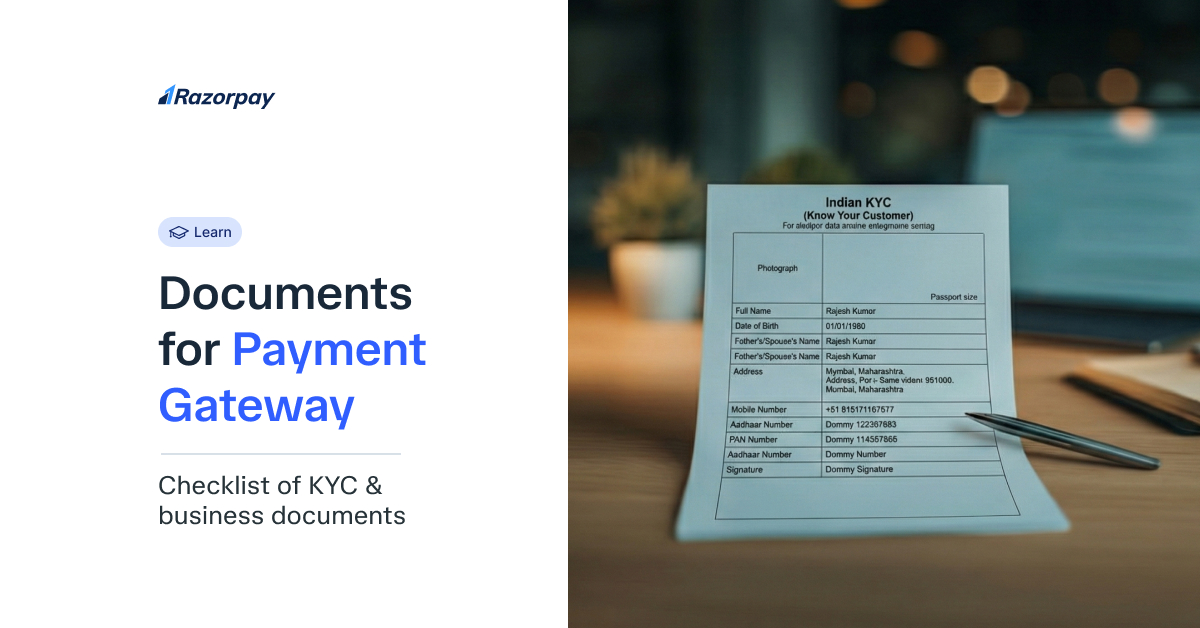
Submitting accurate documentation forms the cornerstone of successful payment gateway integration for your business. Without proper documentation, you risk approval delays, repeated rejections, and lost business opportunities. In India, while specific requirements vary between payment gateway providers such as Razorpay, the Reserve Bank of India (RBI) mandates standardised KYC compliance for all merchants. Understanding these requirements ensures your business can start accepting digital payments swiftly and compliantly.
Key Takeaways
KYC and business verification documents are mandatory for payment gateway activation.
Requirements differ based on business type: individual, proprietorship, partnership, or private limited company.
PAN, Aadhaar, bank proof, and website/app details are commonly needed.
Indian payment gateway providers follow RBI and KYC guidelines.
Preparing accurate documents speeds up approval and reduces rejections.
Why Are Documents Required for Payment Gateways in India?
Documents required for payment gateway integration play a vital role in maintaining security and compliance within India’s digital payment ecosystem. The Reserve Bank of India (RBI) enforces strict Know Your Customer (KYC) and Know Your Business (KYB) guidelines to ensure all entities dealing with financial transactions are verified and trustworthy. This framework safeguards both businesses and customers from fraud while promoting transparency.
Since payment gateways manage sensitive financial data such as customer card details and merchant bank information, documentation helps confirm the authenticity of the business and prevents misuse. It also supports accurate settlements and tax compliance. Submitting documents such as GST registration, PAN, and bank proof enables gateways like Razorpay to generate tax and TDS reports automatically.
Common Documents Required for Payment Gateway India
While traditional banks often require you to visit a branch with a stack of physical papers, Razorpay’s KYC process is 100% online. To ensure your account is activated without delay, you need to upload specific documents based on your business structure.
For Individual/Freelancer
-
Identity Proof: PAN Card
-
Address Proof: Scanned copy of Aadhaar Card, Passport, Voter ID or Driving License
-
Bank Proof: Cancelled cheque or bank passbook. It must clearly show the account number, IFSC code, and the account holder’s name. An active bank account in the individual’s name, and the account must match the PAN card details exactly
-
Other Documents: A recent passport-size photograph with a professional photo meeting standard specifications
-
Description of services/products offered
-
Website or social media proof (optional). You may provide screenshots showing your professional presence.
Individual freelancers must ensure their personal and business identities align.
For Sole Proprietorship
-
Proprietor’s Proof: Personal PAN card
-
Address Proof: Aadhaar/Voter ID/Passport (Any government-approved identity document).
-
Business Registration Proof: GST Registration Certificate (required if annual turnover exceeds ₹20 lakhs (₹10 lakhs for special category states)); recent utility bills (electricity/water/landline) or rent agreement dated within 3 months; MSME/Udyam Registration Certificate, the Shop and Establishment Act registration, or the professional tax registration.
-
Bank Proof: Cancelled cheque or passbook with the business name printed
-
Other Documents: Trade licence, such as a municipal corporation-issued licence for specific business types (if applicable)
For Partnership Firm
-
Firm’s Proof: PAN card of the partnership firm, which is distinct from individual partner PANs
-
Constitution Documents: The Registered Partnership deed
-
Address Proof of the Firm: Commercial property documents or an NOC from the property owner
-
Partners’ Proof: PAN and Aadhaar of all authorised signatories.
-
Bank Proof: Cancelled cheque with the firm’s name
-
Other Documents: Shop and establishment certificate, which is a state-specific registration for commercial operations, and GST certificate
All partners with more than a 10% ownership stake must provide Ultimate Beneficial Ownership (UBO) declarations, along with their identity documents.
For Limited Liability Partnership (LLP)
-
Registration proof: Certificate of Incorporation (CoI) issued by MCA and the LLP Agreement.
-
Address Proof of the Firm: PAN Card of the LLP
-
Designated Partners’ Proof: PAN and Address proofs for all designated partners.
-
Bank Proof: Cancelled cheque or bank statement in the LLP’s name.
For Public and Private Limited Companies
-
Registration Proof: Certificate of Incorporation (CoI).
-
Constitution Documents: Memorandum of Association (MoA) and Articles of Association (AoA).
-
Company Proof: Company PAN Card.
-
Board Resolution: A formal resolution on company letterhead authorising the opening of the Razorpay account and designating signatories.
-
Directors’ Proof: PAN and Address proofs for the directors.
-
Other Documents: The company’s bank proof, such as a current account statement or a cancelled cheque; GST certificate, mandatory for most private limited companies; Website with terms & conditions and privacy policy
Private limited companies face the most stringent requirements for a payment gateway due to their corporate structure. Your board resolution must be printed on company letterhead, signed by at least two directors (excluding the authorised signatory), and clearly state the purpose of payment gateway integration.
For Trusts and NGOs
-
Registration Proof: Trust Deed or Registration Certificate.
-
Entity Proof: PAN Card of the Trust/NGO.
-
Authorisation: A resolution letter authorising a signatory to operate the account.
-
Bank Proof: Cancelled cheque or bank statement in the Trust/NGO’s name.
Did You Know?
In India, all RBI-regulated payment gateways are required to conduct merchant Know Your Customer (KYC) checks in accordance with the Prevention of Money Laundering Act (PMLA) compliance.
Additional Documents Some Gateways May Ask For
Some payment gateways require additional documentation for high-risk businesses, such as those in the travel, gaming, or forex industries.
-
Business PAN and GST: Even sole proprietors may need GST for certain payment gateways
-
Website/app screenshots: Showing complete checkout flow, payment pages, and customer journey
-
Product catalogue or service brochure: Detailed descriptions with pricing information
-
Income tax returns: Last 2 years’ ITR for high-volume sellers or subscription businesses
-
Company stamp/signature on letterhead: Physical stamp still required by some traditional gateways
For example, Razorpay typically requests utility bills dated within the last 3 months for address verification.
Tips to Ensure Faster Approval
Following these guidelines can reduce approval time from weeks to mere days.
-
Submit high-resolution scanned documents. Use 300 DPI settings for PDF scans. JPEG files should be under 2MB and remain clearly legible.
-
Ensure the name on PAN, bank account, and application matches exactly. Even minor spelling variations cause rejections.
-
Mention the correct industry and category. Choose specific sub-categories rather than generic options like “Others”
-
Add a valid business email ID and contact number. Use professional domain emails (yourname@business.com) rather than personal Gmail accounts.
-
Ensure your website/app is functional. Display a clear refund policy, terms of service, privacy policy, and SSL certificate.
Creating a document checklist before submission prevents common errors. Verify signatures match across all documents, dates are current, and government stamps are visible. Many rejections occur due to expired documents or mismatched information between different proofs.
What Happens If Documents Are Rejected?
Document rejection doesn’t mean permanent denial – most payment gateways offer multiple resubmission opportunities.
-
The payment gateway sends a detailed rejection email within 24-48 hours, specifying the exact issues that led to the rejection.
-
Most providers allow 3-5 resubmission attempts without a fresh application.
-
Common rejection reasons include: blurry scans, name mismatches between documents, inactive websites, missing mandatory fields, and expired documents.
-
Support teams offer clarification via email, phone, or chat for complex cases.
-
Some gateways provide pre-verification services to identify issues before formal submission.
Conclusion
Properly preparing the required documents for a payment gateway in India can speed up approval and strengthen business credibility. By keeping your KYC and business documents accurate and updated, you build trust with providers and ensure smooth, secure transactions. Whether you’re a freelancer or a growing enterprise, checking gateway-specific requirements like Razorpay helps avoid delays and ensures you’re ready to accept payments seamlessly in your digital growth journey.
Ready to streamline your payments?
FAQs About Documents Required for Payment Gateway
1.What documents are required for a payment gateway in India?
Basic documents required for a payment gateway include a PAN card, address proof (Aadhaar/passport), bank account proof, business registration documents, and GST certificate (if applicable). Specific requirements vary based on whether you are an individual, proprietorship, partnership, or company.
2. Can I apply for a payment gateway as a freelancer?
Yes, freelancers can apply using individual business status. You’ll need a personal PAN card, an Aadhaar card, bank account proof, and ideally a professional website or portfolio showcasing your services.
3. Is GST mandatory for payment gateway registration?
GST isn’t universally mandatory, but rather depends on your annual turnover and the payment gateway provider you use. Businesses with a turnover exceeding ₹20 lakhs (₹10 lakhs in special category states) must register for GST. Some gateways require GST regardless of turnover.
4. Do I need a website to get a payment gateway?
Whilst not always mandatory, having a functional website significantly improves approval chances. The website should clearly display its terms of service, privacy policy, refund policy, and contact information.
5. What is the address proof accepted for KYC?
Accepted address proofs include Aadhaar card, passport, voter ID, driving licence, and recent utility bills (electricity, water, or landline telephone) dated within the last 3 months.
6.Can I use my personal bank account for a business gateway?
Individuals and sole proprietors can use personal savings accounts. However, partnerships and companies must use current accounts in the business name for payment gateway integration.
7. How long does it take to approve a document after submission?
Approval typically takes 2-7 working days, depending on the completeness of the document and the payment gateway provider. Some offer instant approval through eKYC verification for low-risk categories.
8. Are digital scans acceptable for documents?
Yes, most payment gateways accept digital scans in PDF, JPEG, or PNG formats. Ensure scans are clear, complete, and under specified file size limits (usually 2-5 MB per document).
9. What if my documents get rejected?
You will receive detailed rejection reasons via email and can resubmit corrected documents. Most gateways allow 3-5 resubmission attempts. Contact support for clarification if rejection reasons seem unclear.
10. Do Indian gateways follow RBI compliance for KYC?
Yes, all Indian payment gateways must comply with the RBI’s KYC guidelines under the Prevention of Money Laundering Act (PMLA).