> ## Documentation Index
> Fetch the complete documentation index at: https://razorpay-881012b3.mintlify.site/llms.txt
> Use this file to discover all available pages before exploring further.
# Orders - Dashboard Actions
> View Order details and view reports from the Razorpay Dashboard.
Available in
🇮🇳 India
You can use the Dashboard to perform the following actions:
* [View Order Details from Dashboard](#view-order-details-from-dashboard)
* [View reports](#reports)
## View Order Details From Dashboard
To view order details:
1. Log in to the Dashboard.
2. Select **Transactions** from the left menu and go to the **Orders** tab.
3. A list of all the orders is displayed.
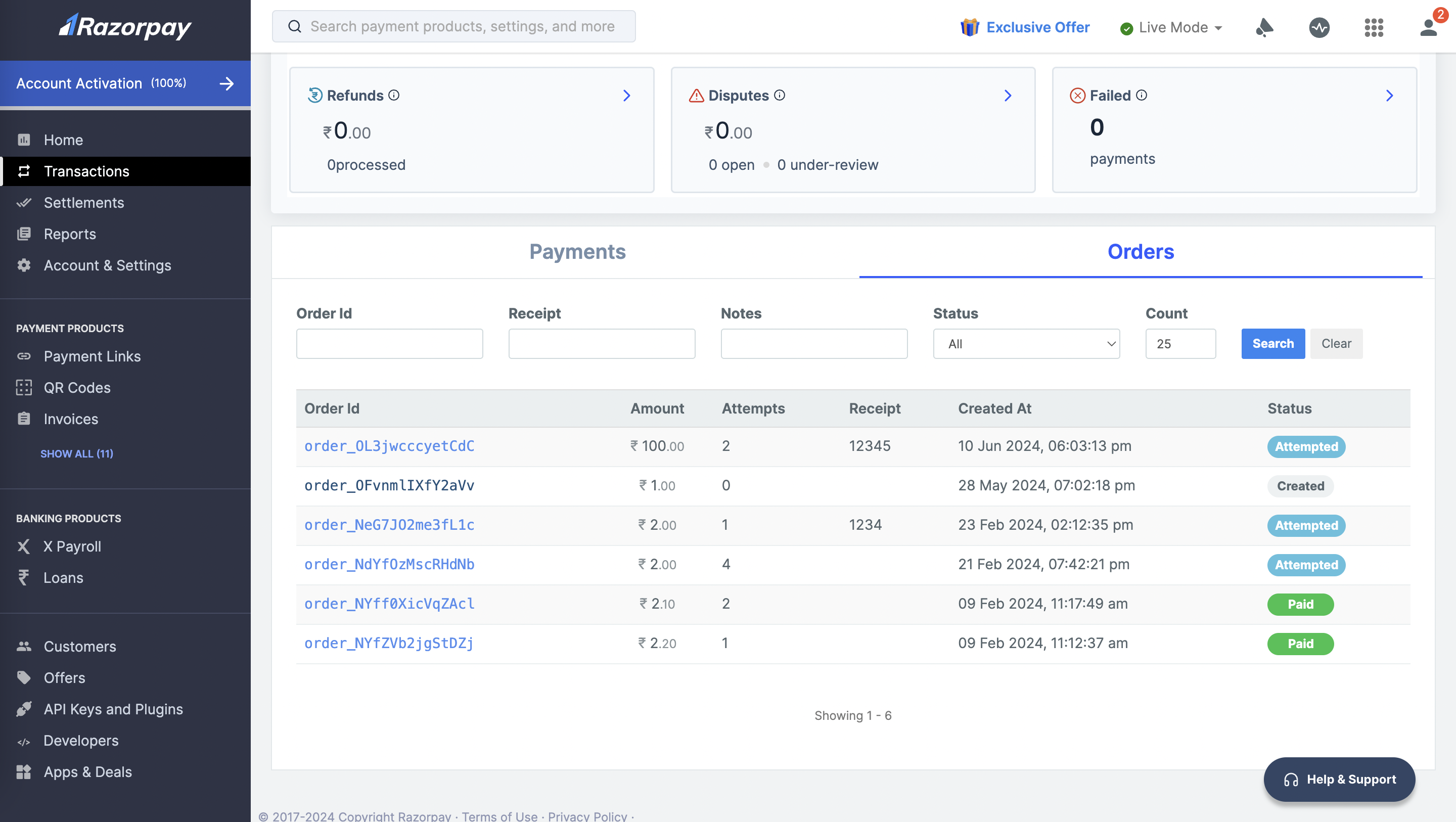 4. Click an **Order Id** to view the details of the order.
## Reports
Detailed insights can be gained using reports and real-time data on the Dashboard. These reports can then be used for accounting and recon purposes. Know more about [reports](/docs/pos/dashboard/reports).
### Related Information
[About Orders](/docs/pos/orders)
4. Click an **Order Id** to view the details of the order.
## Reports
Detailed insights can be gained using reports and real-time data on the Dashboard. These reports can then be used for accounting and recon purposes. Know more about [reports](/docs/pos/dashboard/reports).
### Related Information
[About Orders](/docs/pos/orders)