> ## Documentation Index
> Fetch the complete documentation index at: https://razorpay-881012b3.mintlify.site/llms.txt
> Use this file to discover all available pages before exploring further.
# Search for Razorpay Webstore
> Search for a Webstore on the Razorpay Dashboard.
Available in
🇮🇳 India
You can search for a Webstore on the Dashboard.
## Search for Webstore
You can search for a Webstore on the Dashboard by specifying various filters.
To search for a Webstore:
1. Log in to the Dashboard.
2. Navigate to **Payment Pages** from the left menu and select **Razorpay Webstore**.
3. Search for the Webstore by specifying filters.
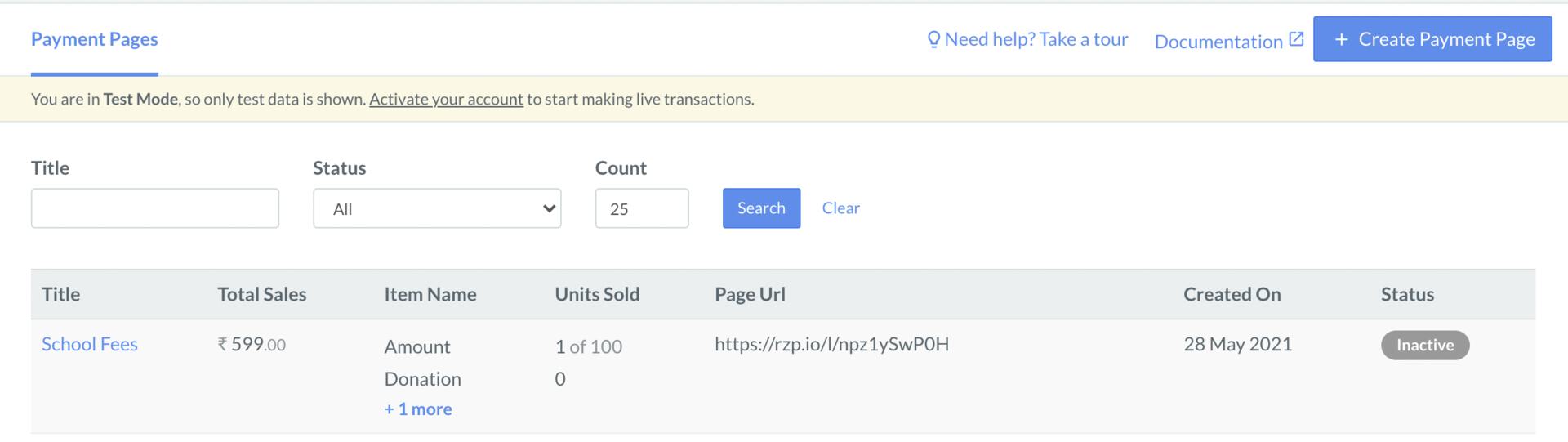 | Filter | Description |
| ------ | ------------------------------------------------------------------------------------------ |
| Title | The title of the store. |
| Status | The state of the store. Know more about [Webstore states](/docs/payments/webstore/states). |
## Search for Product
You can search for products added to your various stores on the Dashboard by specifying various filters.
To search for a Product:
1. Log in to the Dashboard.
2. Navigate to **Payment Pages** from the left menu and click **Products**.
3. Search for the product by specifying filters.
| Filter | Description |
| ------ | ------------------------------------------------------------------------------------------ |
| Title | The title of the store. |
| Status | The state of the store. Know more about [Webstore states](/docs/payments/webstore/states). |
## Search for Product
You can search for products added to your various stores on the Dashboard by specifying various filters.
To search for a Product:
1. Log in to the Dashboard.
2. Navigate to **Payment Pages** from the left menu and click **Products**.
3. Search for the product by specifying filters.
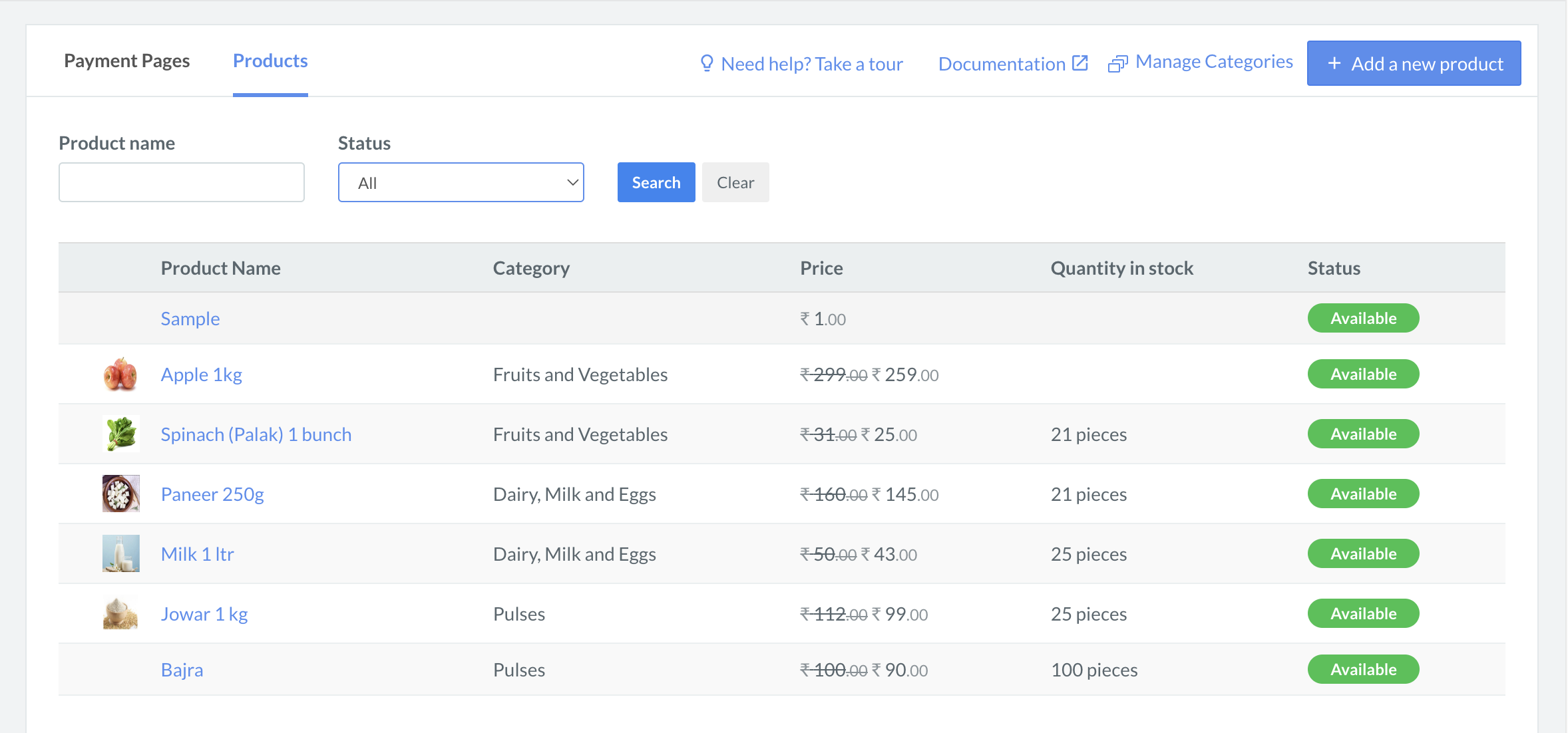 | Filter | Description |
| ------------ | --------------------------------------------------------------------------------------------------- |
| Product name | The name of the product. |
| Status | The state of the product. Possible values are: |
### Related Information
* [How Webstore Works](/docs/payments/webstore/how-it-works)
* [Webstore States](/docs/payments/webstore/states)
* [Create a Webstore](/docs/payments/webstore/create)
* [Manage Webstore](/docs/payments/webstore/manage)
| Filter | Description |
| ------------ | --------------------------------------------------------------------------------------------------- |
| Product name | The name of the product. |
| Status | The state of the product. Possible values are: |
### Related Information
* [How Webstore Works](/docs/payments/webstore/how-it-works)
* [Webstore States](/docs/payments/webstore/states)
* [Create a Webstore](/docs/payments/webstore/create)
* [Manage Webstore](/docs/payments/webstore/manage)