> ## Documentation Index
> Fetch the complete documentation index at: https://razorpay-881012b3.mintlify.site/llms.txt
> Use this file to discover all available pages before exploring further.
# Search Customer Identifier and Payments
> Learn how to search Customer Identifiers and payments made to these Customer Identifiers using filters.
Available in
🇮🇳 India
## Search Customer Identifiers
You can search for Customer Identifiers on the Dashboard.
To do this:
1. Log in to the Dashboard.
2. Navigate to **Smart Collect** → **Customer Identifiers**. A list of Customer Identifiers is displayed here:
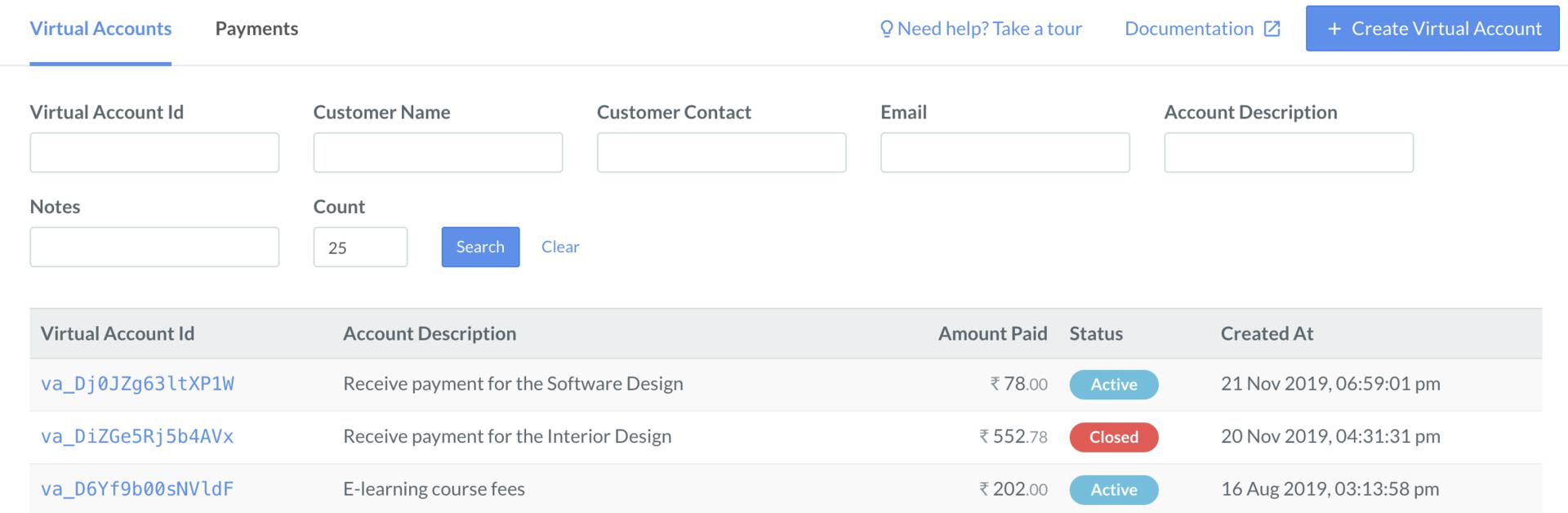 3. Use the following filters to find the relevant Customer Identifier:
* Customer Identifier Id
* Customer Name
* Customer Contact
* Email
* Account Description: Enter a minimum of 4 characters.
* Notes
* Count
**Note**
Search is not case-sensitive. You can search for Customer Identifiers by entering details in lower, upper or mixed case.
## Search Payments
You can search for the payments made to your Customer Identifiers on the Dashboard.
To do this:
1. Log in to the Dashboard.
2. Navigate to **Smart Collect** → **Payments**. A list of payments made by customers is displayed here:
3. Use the following filters to find the relevant Customer Identifier:
* Customer Identifier Id
* Customer Name
* Customer Contact
* Email
* Account Description: Enter a minimum of 4 characters.
* Notes
* Count
**Note**
Search is not case-sensitive. You can search for Customer Identifiers by entering details in lower, upper or mixed case.
## Search Payments
You can search for the payments made to your Customer Identifiers on the Dashboard.
To do this:
1. Log in to the Dashboard.
2. Navigate to **Smart Collect** → **Payments**. A list of payments made by customers is displayed here:
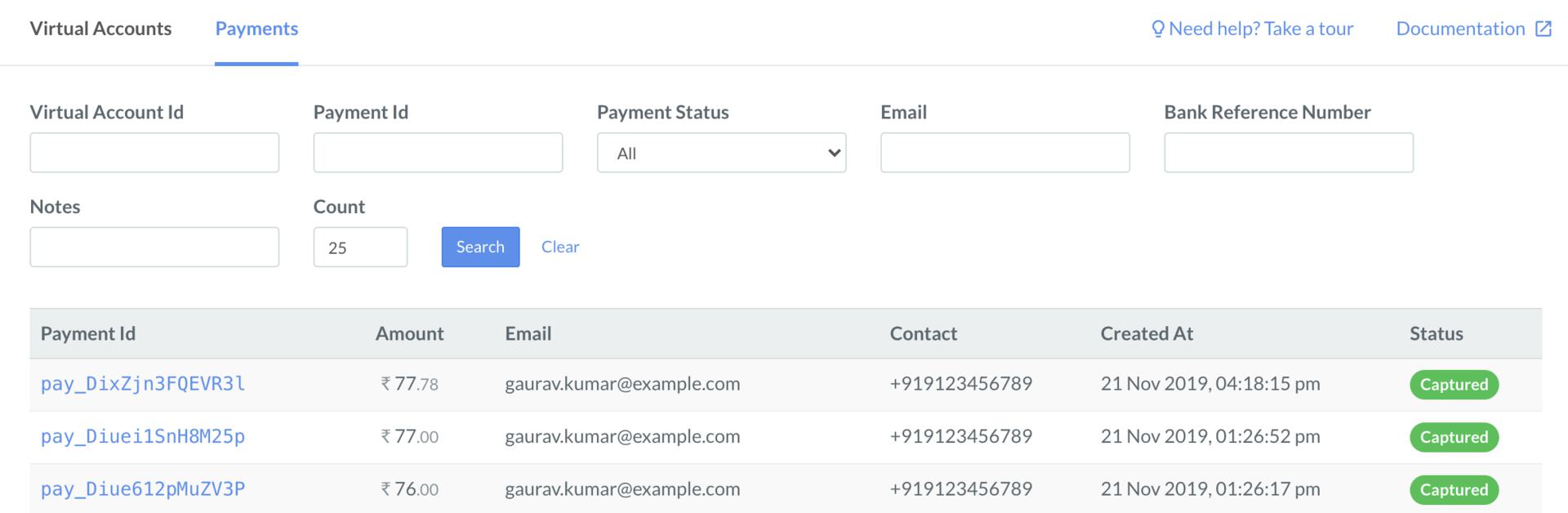 3. Use the following filters to find the relevant payment:
* Customer Identifier Id
* Payment Id
* Payment Status
* Email
* Bank Reference Number
* Notes
* Count
3. Use the following filters to find the relevant payment:
* Customer Identifier Id
* Payment Id
* Payment Status
* Email
* Bank Reference Number
* Notes
* Count