Updated on 2nd March 2026
If you have been using Magic Checkout for a while, you already know it was built to reduce friction. Over time, we kept refining it based on how real customers were actually checking out.
What started as QuickBuy has now evolved into QuickBuy 2.0.
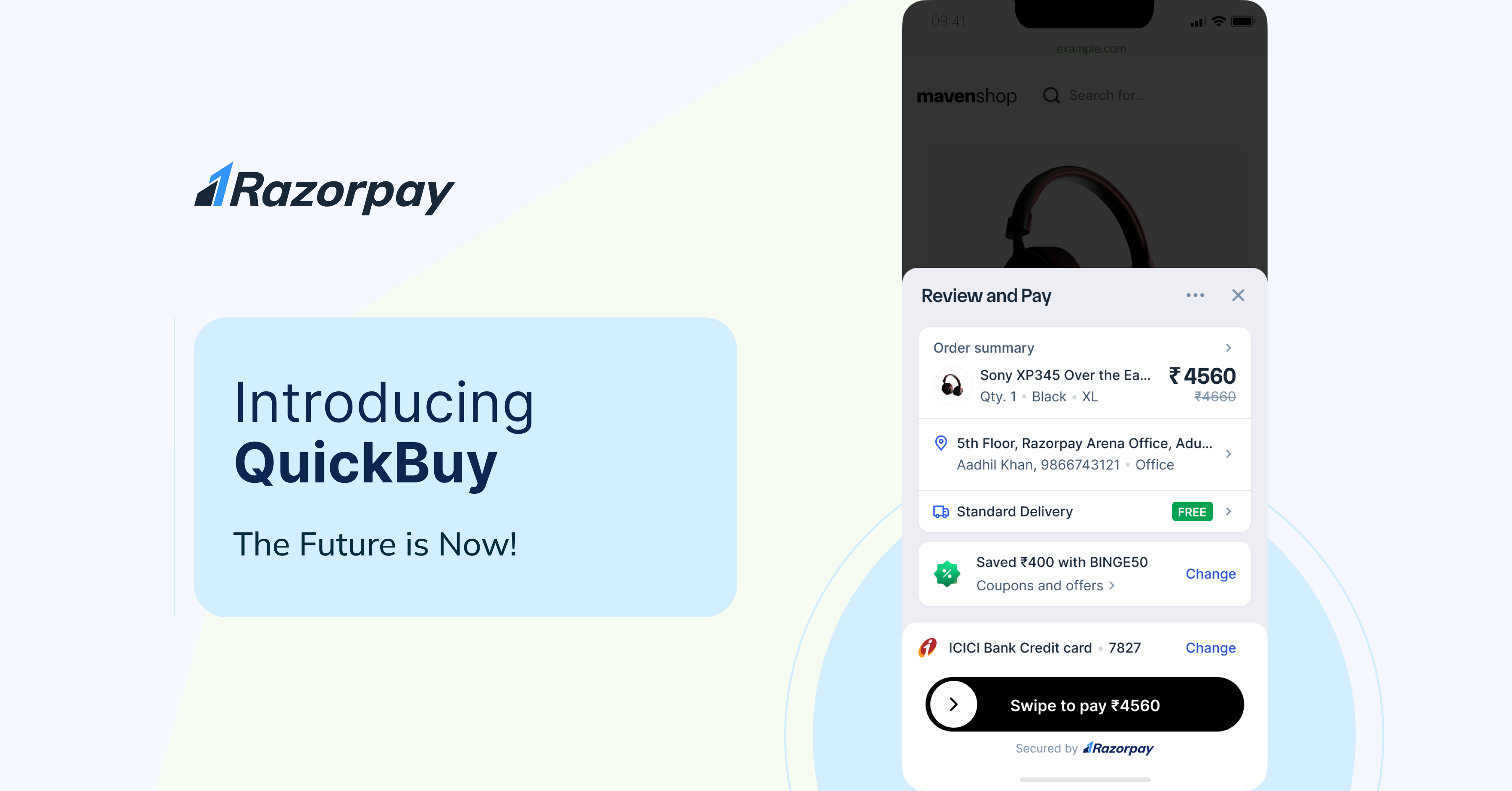
It is not a new feature. It is a stronger, more intelligent version of what already worked. For returning customers, checkout now feels almost invisible. Their preferred payment method, saved address, shipping choice, and best available offer are already in place. All they need to do is confirm.
The goal is simple. Fewer steps. Less thinking. Faster decisions.

Table of Contents
Why QuickBuy 2.0 is Essential for Modern Businesses
Most drop-offs do not happen because customers change their minds. They happen because checkout feels like work. QuickBuy 2.0 reduces that effort in small but meaningful ways:
A cleaner, focused interface: The half-page overlay keeps the experience tight and distraction-free. Customers are not pulled into multiple screens. They stay in context, review their details, and complete the purchase quickly.
Payment options that feel familiar: The system recognises how a customer usually pays. If someone prefers UPI, that option shows up first. If they tend to use cards, that becomes the default. There is no hunting or switching required. It simply feels familiar.
Offers applied automatically: Customers do not need to search for coupon codes. The best available offer is already applied. If they want to explore other options, they still can. But for most users, the right discount is already there.
Address and shipping, already sorted: For Magic Checkout users, the most frequently used address and shipping method are pre-selected. This removes repetitive typing and speeds up repeat purchases.
Individually, these may seem like small improvements. Together, they make checkout noticeably faster and easier.
How to Integrate QuickBuy 2.0
For mWeb Standard and Magic Checkout Businesses:
- Automatic Activation: QuickBuy 2.0 will be enabled automatically for all eligible businesses on mWeb. There’s no need for additional setup, just enjoy the enhanced checkout experience.
For mApp Standard Checkout Businesses:
- SDK Upgrade Required: Businesses using the mApp standard checkout will need to upgrade to the latest SDK to benefit from QuickBuy 2.0.
Availability: QuickBuy 2.0 will be rolled out and available for all eligible businesses within a couple of weeks.
Wrapping Up
Checkout is where intent turns into revenue. Even a few seconds of friction can change that outcome. QuickBuy 2.0 focuses on removing those seconds. It recognises returning customers, remembers their preferences, and lets them move forward without unnecessary steps.
For shoppers, it feels effortless. For businesses, it quietly improves conversion.
Ready to transform your checkout experience?
FAQs
| Am I eligible for QuickBuy? | All merchants using our Standard Checkout and Magic Checkout offerings are eligible for QuickBuy 2.0. For Magic Checkout merchants, QuickBuy 2.0 provides a one-click order placement experience, while for Standard Checkout merchants, it offers a one-click payment experience. |
| How do I enable QuickBuy? | QuickBuy 2.0 will be automatically enabled for all eligible Standard Checkout and Magic Checkout merchants on the mobile web. If desired, merchants can opt-out through the Razorpay dashboard. For Standard Checkout merchants using the mApp, an upgrade to the latest SDK is required. For SDK merchants, an SDK upgrade will also be necessary, and we will share details in further updates. |
| Does QuickBuy replace my current checkout? | No, QuickBuy 2.0 does not replace your existing checkout. It enhances the experience for users who have already utilized Razorpay Checkout on their devices. |
| What new features are available on QuickBuy? (standard vs magic) | QuickBuy 2.0 for magic has:
QuickBuy 2.0 for Standard has:
|