You are billing a customer during peak hours. The card machine shows “connection timed out”. The customer waits, the queue grows, and you lose the sale. This happens often if you run a shop, clinic, petrol pump, or a warehouse in a remote area where internet signals drop without warning.
Unstable connectivity remains a real issue across rural and semi-urban India. When your payment system depends fully on the network, your revenue does too.
An offline POS machine solves this gap. It works as core payment infrastructure, not just a backup feature. With an offline POS machine, you can accept card payments even without live internet and sync data later.
In this guide, you will learn how offline POS systems work, their benefits for remote businesses, and how to choose the right one.
Key takeaways
- An offline POS machine ensures your business continues accepting payments even during internet outages, protecting daily revenue.
- Offline transactions are stored securely and synced later, but you must manage risks like potential declines and delayed settlements.
- Setting transaction limits, verifying customer identity, and syncing within 24 hours reduces financial exposure.
- Strong battery life, reliable offline storage, and multi-network support are critical features for remote operations.
- In remote and developing markets, resilient payment infrastructure gives your business a clear operational advantage.
What Is an Offline POS Machine?
An offline POS machine lets you record and process payments even when the internet is unavailable. In modern payment processing, it captures card details, logs the transaction securely, and completes the authorisation once connectivity returns. This ensures your billing counter does not stop because of network failure.
You will find two broad types in the market. The first includes older, fully local systems. The second includes cloud-first systems that support offline mode when the network drops. Both allow transaction entry without a live internet handshake, but they differ in flexibility and scalability.
Legacy On-Premise Systems
These traditional setups store all transaction data on a local server inside your store. They work without internet access, but you cannot view sales remotely in real time. You need physical servers, wired terminals, and regular manual backups. The hardware cost and maintenance are usually high.
Modern Cloud POS With Offline Mode
These systems run primarily on the cloud but switch to local storage when the internet fails. The machine caches transactions securely and syncs them automatically once the connection returns. You can access reports from anywhere. For remote businesses that plan to expand, this is the practical and scalable choice.
Legacy Offline POS vs Modern Cloud POS With Offline Mode
| Feature | Legacy Offline POS | Modern Cloud POS with Offline Mode |
| Data Storage | Stored entirely on local server | Stored on cloud with temporary local caching |
| Internet Dependency | Not required for daily use | Works online but continues offline if network drops |
| Remote Access | Not available | Real-time access from any location |
| Hardware Needs | Heavy servers and wired terminals | Lightweight devices, minimal hardware |
| Data Synchronisation | Manual backups | Automatic sync after internet restoration |
| Scalability | Limited | Easy to scale across multiple locations |
How Does an Offline POS Work?
Local Data Caching
When you swipe or tap a card on an offline POS machine, the device does not stop just because the network drops. Instead, it records the transaction securely on the machine itself.
- The device creates a temporary local database within its internal flash memory.
- It stores encrypted transaction details such as amount, masked card number, and timestamp.
- The storage works on a defined capacity depending on the model and provider.
- The process happens instantly. You do not need to press any extra button or change settings.
- The customer receives a confirmation slip marked as offline, if enabled by the provider.
Explore Razorpay’s Payment Solutions
Queuing and Synchronisation
Once stored, the machine organises transactions in a structured queue.
- Each transaction enters the queue in chronological order.
- The system runs a background process that keeps checking network strength.
- The moment the device detects stable connectivity, it starts the “Store and Forward” process.
- Transactions upload automatically to the payment processor or acquiring bank.
- The system then completes final authorisation and settlement.
Security Protocols During Outages
Security remains a top concern for merchants, especially during offline periods. Modern offline POS systems address this with strict safeguards.
- The device encrypts transaction data end-to-end using P2PE (Point-to-Point Encryption).
- Card details remain masked and encrypted even while stored locally.
- The system follows PCI-DSS standards to prevent unauthorised access.
- The machine does not store full card numbers or CVV details.
- If tampering occurs, the device can lock automatically.
Why Remote Businesses Need Offline POS Systems?
If you run a business in a hill town, border district, or interior village, you already know the problem. Fibre lines are limited. Many areas depend on 4G hotspots or satellite links. Heavy rain or power cuts can block signals for hours. Yet your customers still expect to pay by card.
At the same time, India’s digital payments crossed ₹1,536 lakh crore in the first six months of 2025. Digital acceptance is no longer optional.
As Shaktikanta Das, former RBI Governor, said, ” we stand committed to the core theme of ‘E-Payments for Everyone, Everywhere, Everytime’ (4Es) .”
Overcoming Unstable Connectivity
Intermittent internet is common in rural and semi-urban India. Even a short outage can halt billing.
An offline POS machine removes this risk and keeps your counter moving.
- Continues to record transactions when the network drops
- Prevents “system down” moments during peak hours
- Maintains billing speed despite high latency
- Syncs data once connectivity returns
Ensuring Revenue Continuity
Every failed transaction can mean a lost sale. If your average bill value is ₹1,200 and you lose just 10 transactions in a day due to network issues, that is ₹12,000 gone. Over a month, the impact becomes serious.
An offline POS machine ensures you capture every legitimate sale.
- Reduces lost revenue from connectivity failures
- Supports card payments in weekly markets and rural fairs
- Helps mobile vendors and pop-up shops accept digital payments
Building Customer Trust
In small towns, reputation spreads fast. If customers face repeated payment failures, they may not return.
A reliable offline POS system improves service quality.
- Avoids customer frustration at checkout
- Builds confidence in your digital payment setup
- Shows professionalism and preparedness
- Strengthens loyalty in close-knit communities
Key Features to Look for in a Remote-Ready POS
Robust Local Storage Capacity
Your offline POS machine should store at least a few days’ worth of transactions in case the network remains unstable. During festivals or market days, volumes increase sharply. Check the maximum offline queue limit before buying. Some devices cap the number of stored transactions. If that limit is low, billing will stop once storage fills up. Always confirm how many transactions the offline POS system can securely hold and for how long.
Hardware Durability and Battery Life
Remote often means unreliable electricity. Frequent power cuts can interrupt operations. Choose an offline POS machine with a strong internal battery that lasts through a full working day. Fast charging support helps during short power windows. Ruggedised hardware also matters if you run a petrol pump, warehouse, or outdoor counter where dust and heat are common.
Cellular and Wi-Fi Redundancy
A remote-ready device should support both Wi-Fi and 4G or 5G SIM connectivity so you are not dependent on one network. If broadband fails, the SIM keeps transactions running. Auto-failover switches networks automatically when signal strength drops, without staff intervention. Dual-SIM support adds another layer of backup in areas where one provider performs better than another. This multi-layered connectivity reduces downtime and keeps your offline POS system reliable during peak hours.
Remote-Ready POS Feature Checklist: Must-Have vs Good-to-Have
| Mission-Critical Features (Must-Have) | Nice-to-Have Features |
| Strong offline storage capacity | Dual-SIM capability
|
| Long battery life (8–12+ hours) | Rugged body with drop protection |
| 4G SIM slot support | Auto software updates |
| Automatic store-and-forward sync | Remote dashboard access |
Risks and Limitations of Offline Transactions
Potential for Declined Transactions
Offline transactions carry settlement risk because the card is not immediately authorised.
- The customer’s card is not actually charged until the device reconnects and syncs.
- If the account has insufficient funds at the time of sync, the bank may decline the payment.
- Cards linked to frozen, blocked, or expired accounts may also fail during final authorisation.
- The issuing bank makes the final approval decision only after connectivity resumes.
- In most cases, you, as the merchant, bear the liability for declined offline payments.
Delayed Inventory Updates
Offline billing can also affect stock accuracy, especially if you run multiple sales channels.
- Stock levels do not update across systems until transactions sync.
- If you sell online and offline, this delay can cause overselling.
- Central inventory dashboards may show outdated quantities during long outages.
- Staff may continue selling items that are already out of stock in reality.
To reduce this risk:
- Set manual stock buffers for fast-moving items.
- Limit offline sales of high-value or low-stock products.
- Reconcile inventory immediately after synchronisation.
Best Practices for Using Offline POS in Remote Areas
Setting Offline Transaction Limits
Control exposure by defining strict limits inside your offline POS system settings.
- Fix a maximum value per offline transaction, such as ₹2,000–₹5,000 based on your business risk.
- Restrict high-value items from being billed in offline mode.
- Set a cap on the total number of consecutive offline transactions.
- Review offline totals daily to track potential exposure.
- Disable offline mode temporarily if limits are exceeded.
Validating Customer Identity
When the system works offline, verification becomes your responsibility.
- Ask staff to match the customer’s physical ID with the name on the card.
- Check the card’s expiry date and visible signs of damage.
- Collect the customer’s mobile number for higher-value transactions.
- Record invoice details clearly for traceability.
- Avoid offline acceptance for suspicious or hurried transactions.
Regular Manual Syncing
Do not wait passively for automatic synchronisation.
- Manually trigger sync when you detect even a weak signal.
- Avoid letting the offline queue build up beyond 24 hours.
- Sync immediately before closing the day’s accounts.
- Confirm that settlement reflects successfully in your dashboard.
- Investigate and act quickly on any declined transactions.
How Razorpay POS Ensures Zero Downtime for Remote Businesses
Multi-Layer Connectivity for Uninterrupted Billing
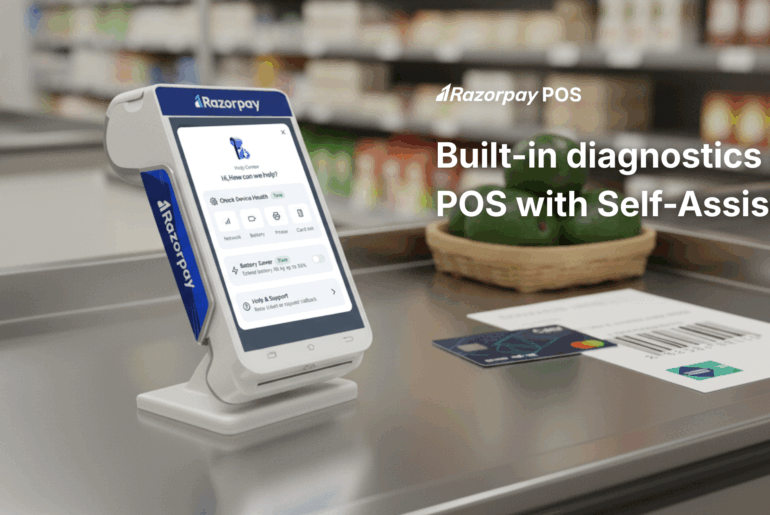
Razorpay Android Smart POS devices support 4G data, Wi-Fi, and Bluetooth connectivity. If your primary broadband connection drops, the device can switch to cellular data automatically. This built-in redundancy reduces transaction failures and keeps billing active even in low-signal areas.
Built for Field and Counter Use
The device offers all-day battery performance, allowing you to operate through power cuts without disruption. Its portable design supports billing at the counter, at outdoor stalls, or even during doorstep deliveries.
Supports Multiple Payment Modes
Razorpay POS accepts card payments, UPI, and QR-based transactions. This wide acceptance coverage improves transaction success rates and ensures customers can pay using their preferred method.
Ready to streamline your payments?
Equip your business with Razorpay POS today and ensure every sale goes
through — no matter where you operate.
Conclusion
An offline POS machine keeps your business operational when connectivity becomes unreliable. Instead of losing sales during network drops, you continue billing and settle payments once the signal returns. This stability directly protects your revenue and customer trust.
Connectivity gaps should not decide your working hours or limit your growth. If your current system depends fully on live internet, it is time to reassess and consider an offline-ready upgrade.
As digital payments expand across India’s remote and semi-urban markets, businesses that invest in resilient payment infrastructure will stay competitive and future-ready.
FAQs
Q1. Can I process card payments if my internet connection completely fails?
Yes. A modern offline POS machine allows you to accept payments by securely storing encrypted transaction data in its internal memory until the internet connection returns.
Q2. How does an offline POS machine differ from a traditional legacy system?
Legacy systems store data permanently on a local server and do not depend on the internet. A modern offline POS system is cloud-based and switches to temporary local storage only during outages.
Q3. What are the financial risks of accepting offline transactions?
A transaction approved offline may be declined later during sync due to insufficient funds or a blocked card. In such cases, the merchant usually bears the loss.
Q4. How do offline transactions sync once the internet returns?
When connectivity resumes, the POS automatically runs a “Store and Forward” process, uploading queued encrypted transactions for final authorisation and settlement.
Q5. Is customer card data safe when stored locally?
Yes. Offline POS systems use P2PE encryption and follow PCI-DSS standards, ensuring card data remains encrypted and unreadable while stored on the device.